Loyalty programs report
The loyalty program report shows key loyalty program metrics: points usage, transactions, purchases, and member activity. The report gives a clear view of customer engagement and overall program effectiveness.
To open the report, go to Analytics → Loyalty in the main menu.
Main report metrics
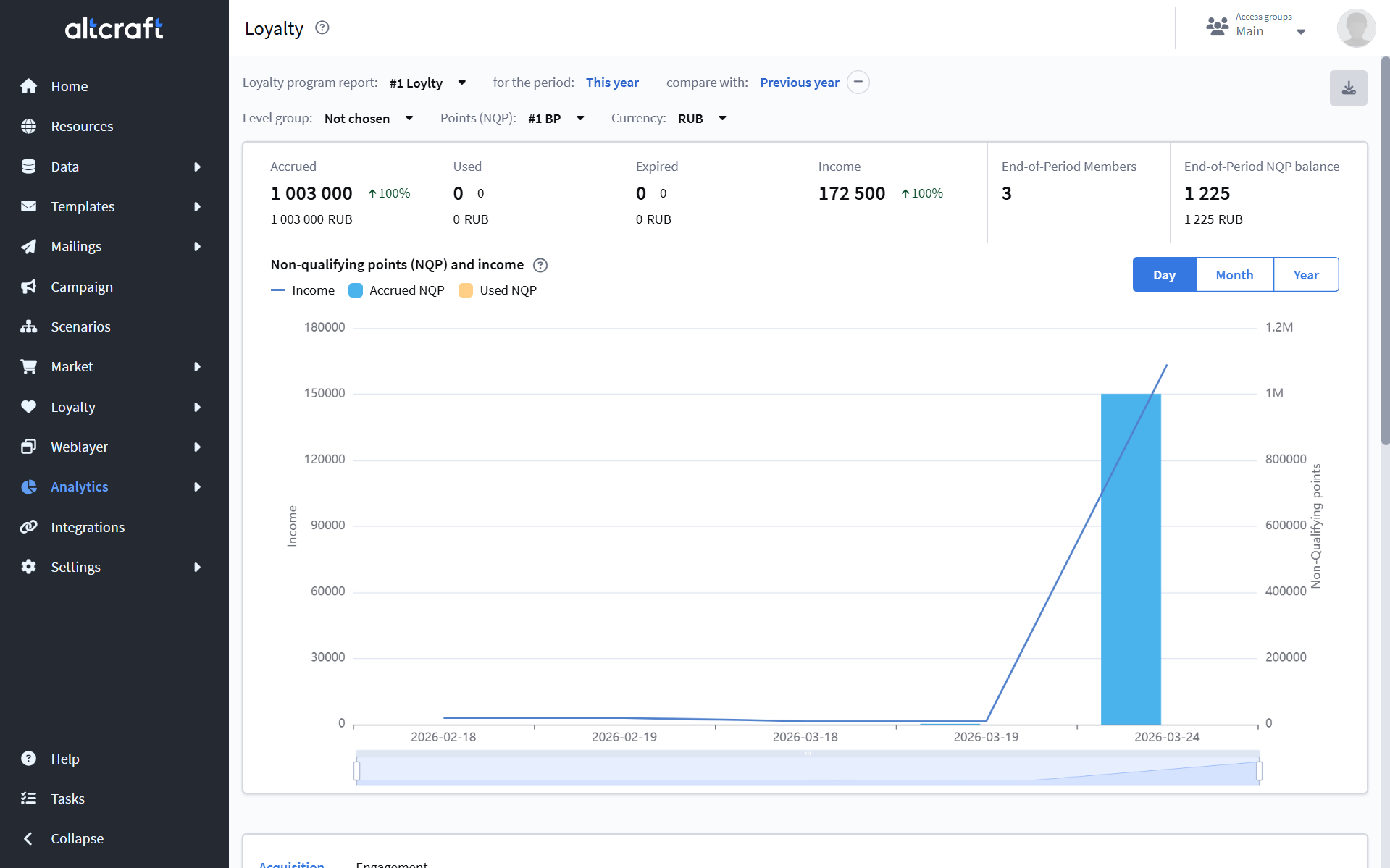
One of the key metrics used in analytics is NQP points. NQP are points that do not participate in loyalty tier calculations but affect member activity. In other words, these are bonus points that a member earns and spends.
Select a loyalty program, the reporting period, and a comparison period. You can also choose a tiers group, the points type, and the currency.
Main report metrics:
- Accrued — amount of NQP accrued to members during the period;
- Redeemed — amount of NQP redeemed by members during the period;
- Expired — amount of NQP that expired during the period;
- Revenue — total value of orders placed by loyalty members during the period;
- Members at period end — number of loyalty program members (recalculated at the end of the day);
- NQP balance at period end — total amount of NQP held by loyalty program members (recalculated at the end of the day).
Below the metrics, charts are displayed: member distribution by tiers and a chart of revenue, accrued, and redeemed NQP.
Acquisition
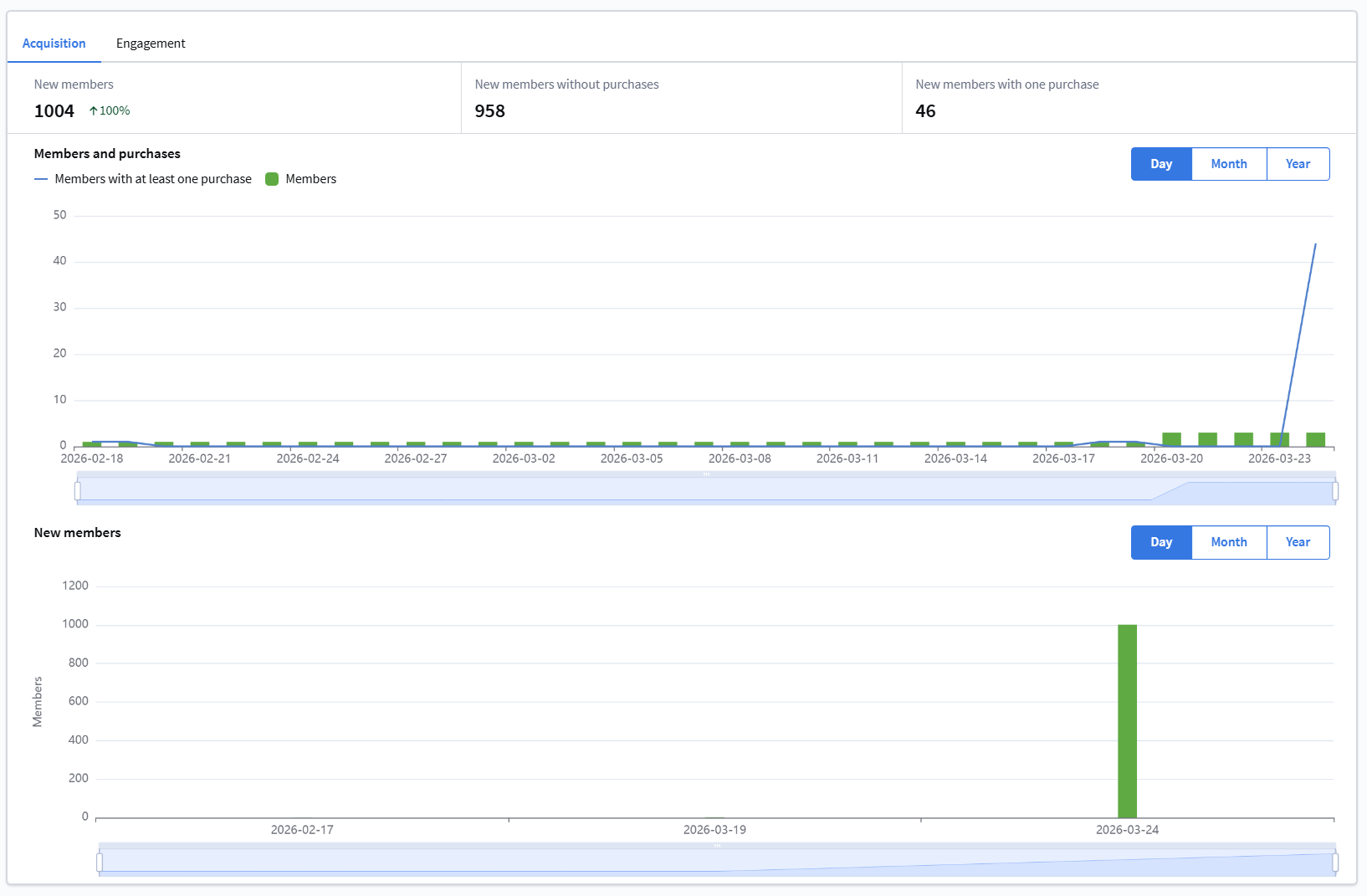
This section contains data on acquiring new loyalty program members:
- Number of new members, including members without purchases and members with at least one purchase;
- New members chart.
Engagement
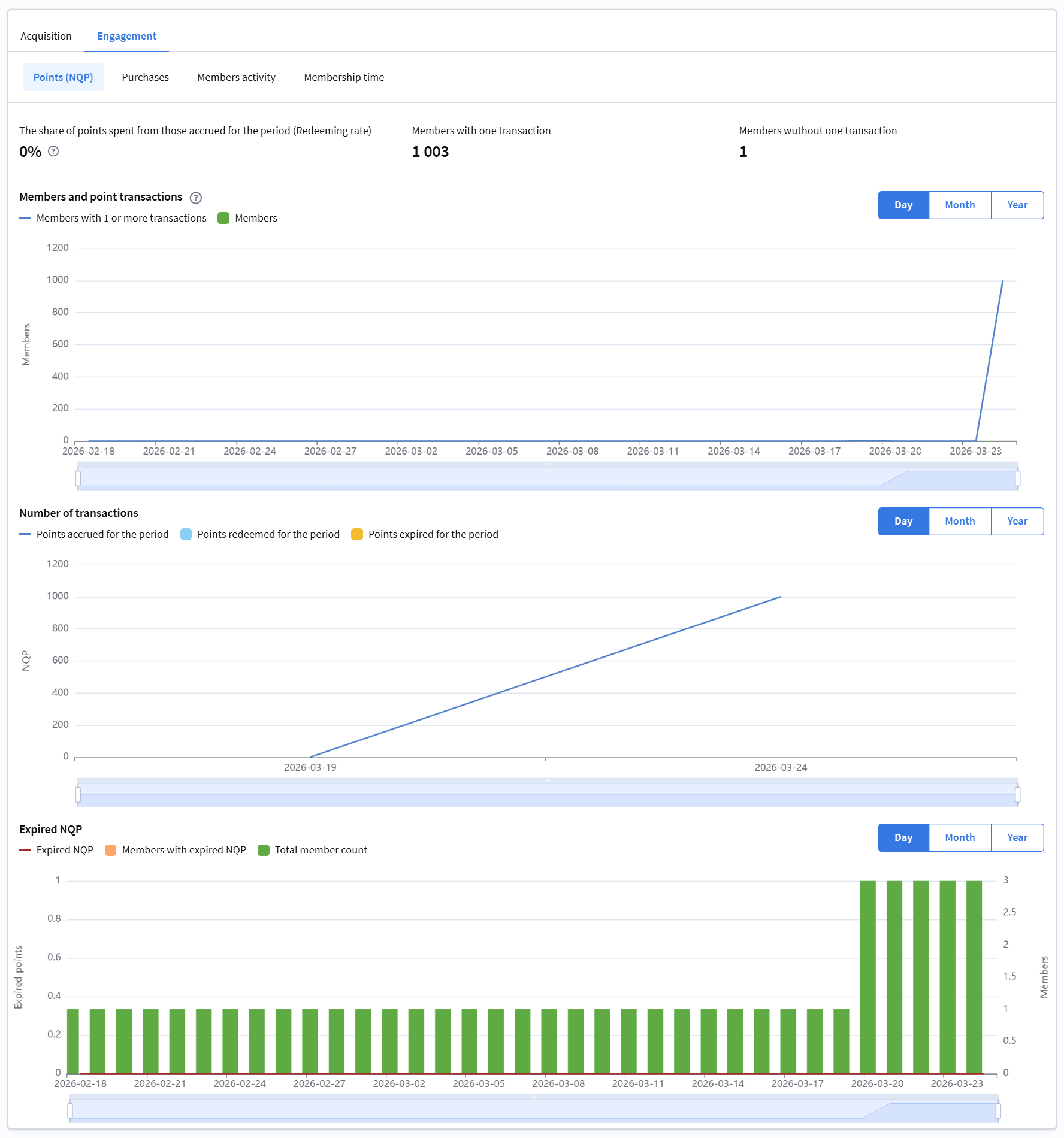
This section shows member engagement based on activity. It includes the Points, Purchases, Member activity, and Membership duration tabs.
Points (NQP)
This tab contains:
- Share of redeemed points relative to accrued points (for the period), including new members with and without transactions;
- Charts for program members and their transactions;
- Expired NQP chart.
Purchases
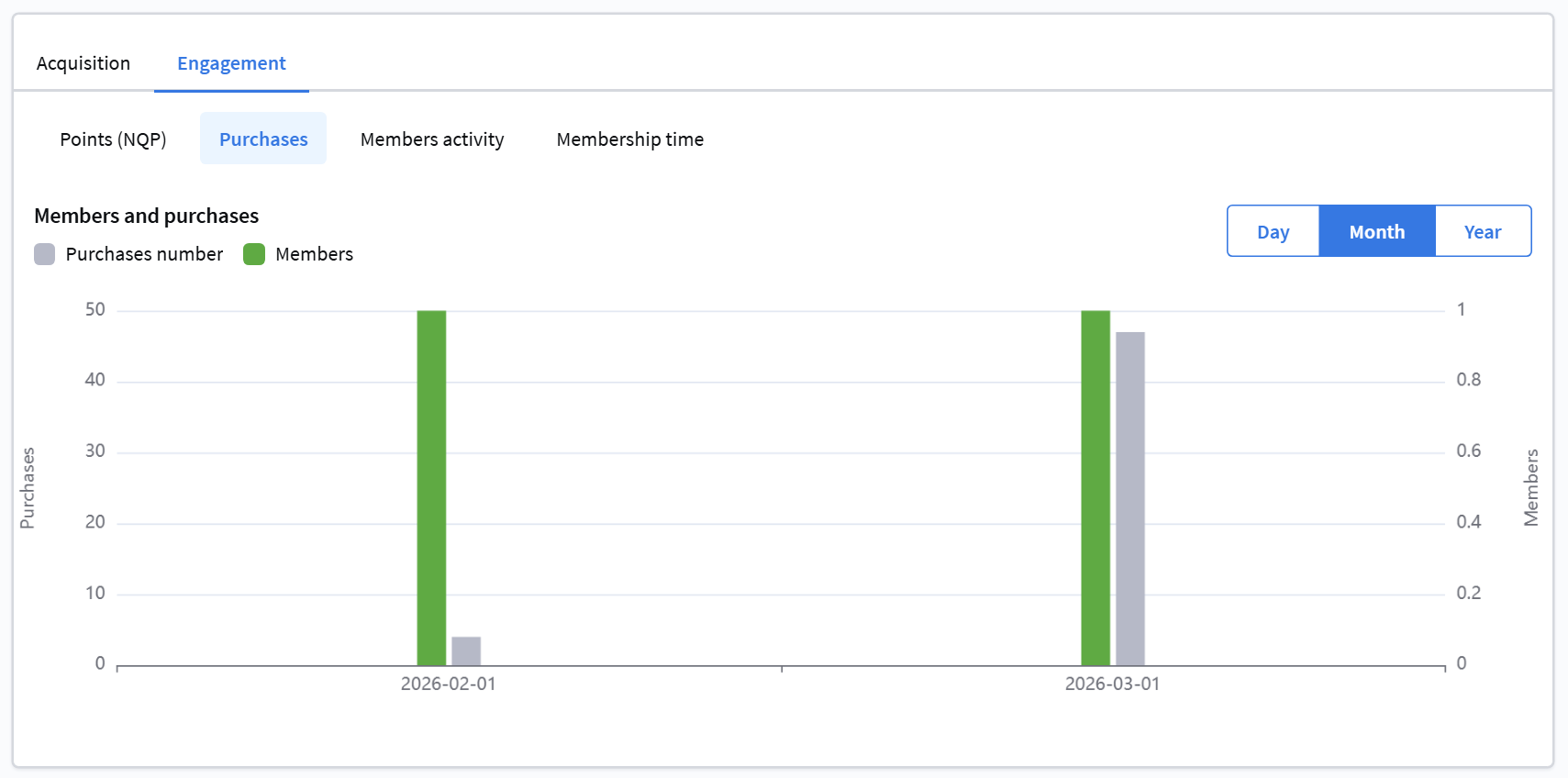
This section displays purchase data for loyalty program members.
Member activity
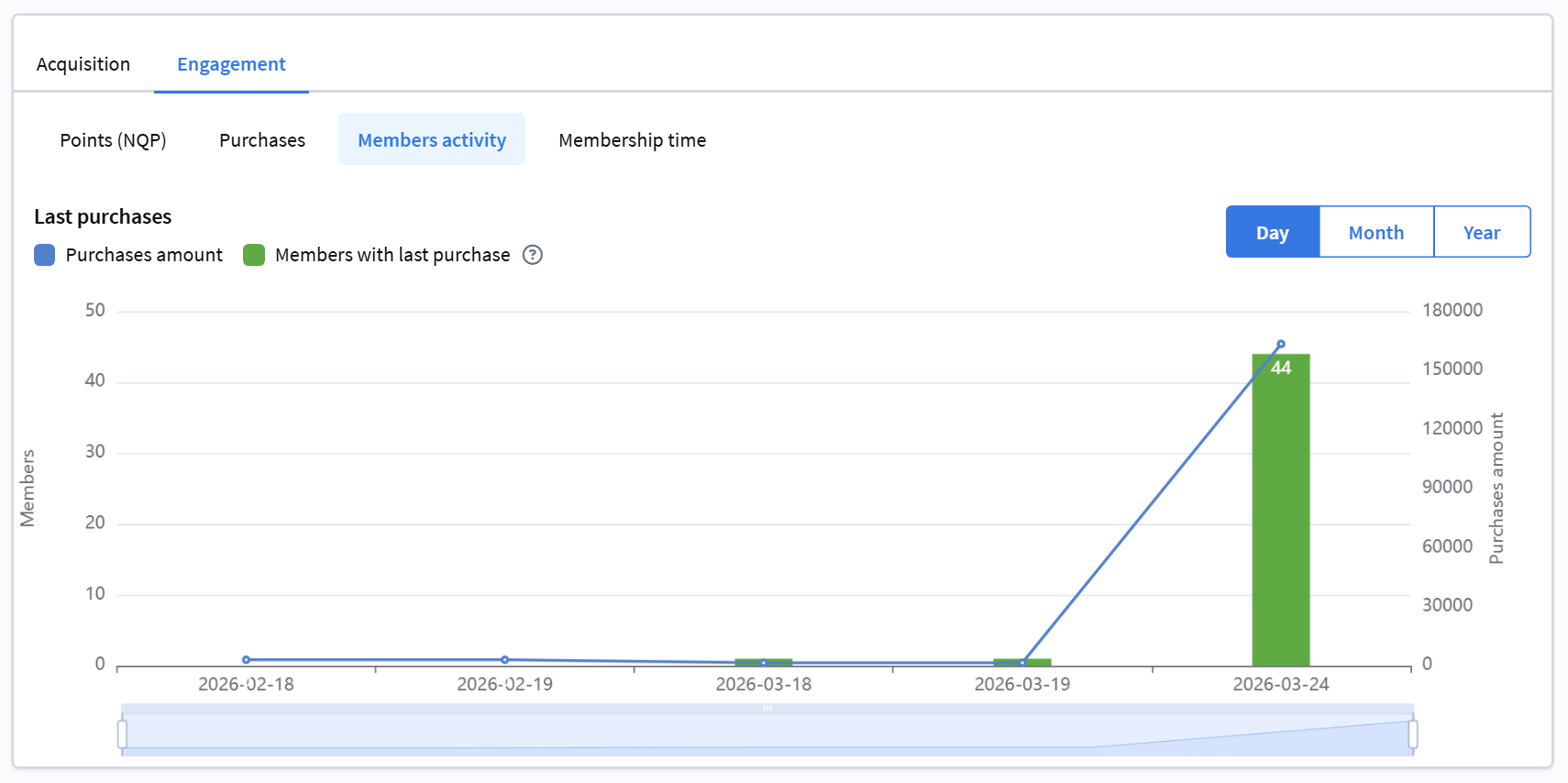
This chart shows purchase totals by month and members whose last purchase occurred in the corresponding month.
Membership duration
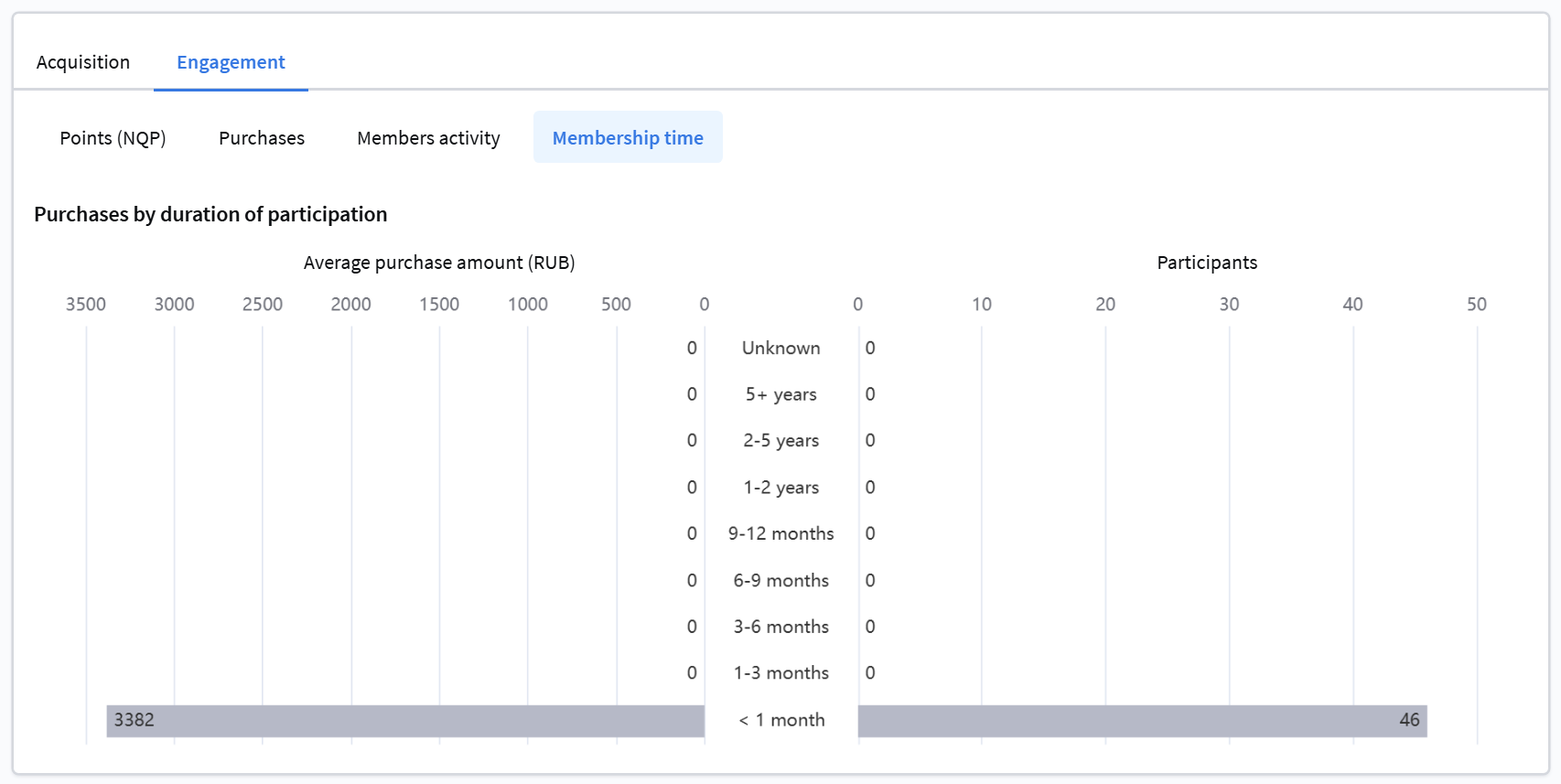
This section contains a histogram with data on members, their average purchase amount, and the length of their participation in the loyalty program.
Report export
To export the report, click the corresponding icon in the upper-right corner of the screen. Enter a report name and click Export.
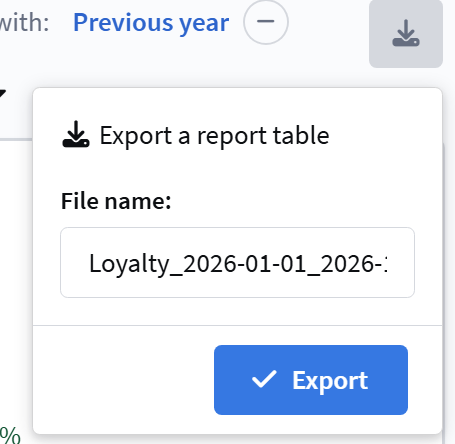
An export task for the loyalty program report will be created. You can download it from the Tasks section.