Custom Authentication Connection
Custom Authentication is a connection type with custom HTTP headers for API requests, including the pre-configured Authorization header.
Where it is used:
- Scenario node "API call" — transferring data to the connected service or requesting API content.
- Action Hooks — passing events and profile data to an external service.
- Scheduled data import in the Market — connecting to an external product feed.
Step 1. Creating a connection
Open Settings —> Connections. Select the connection type Custom Authentication: | 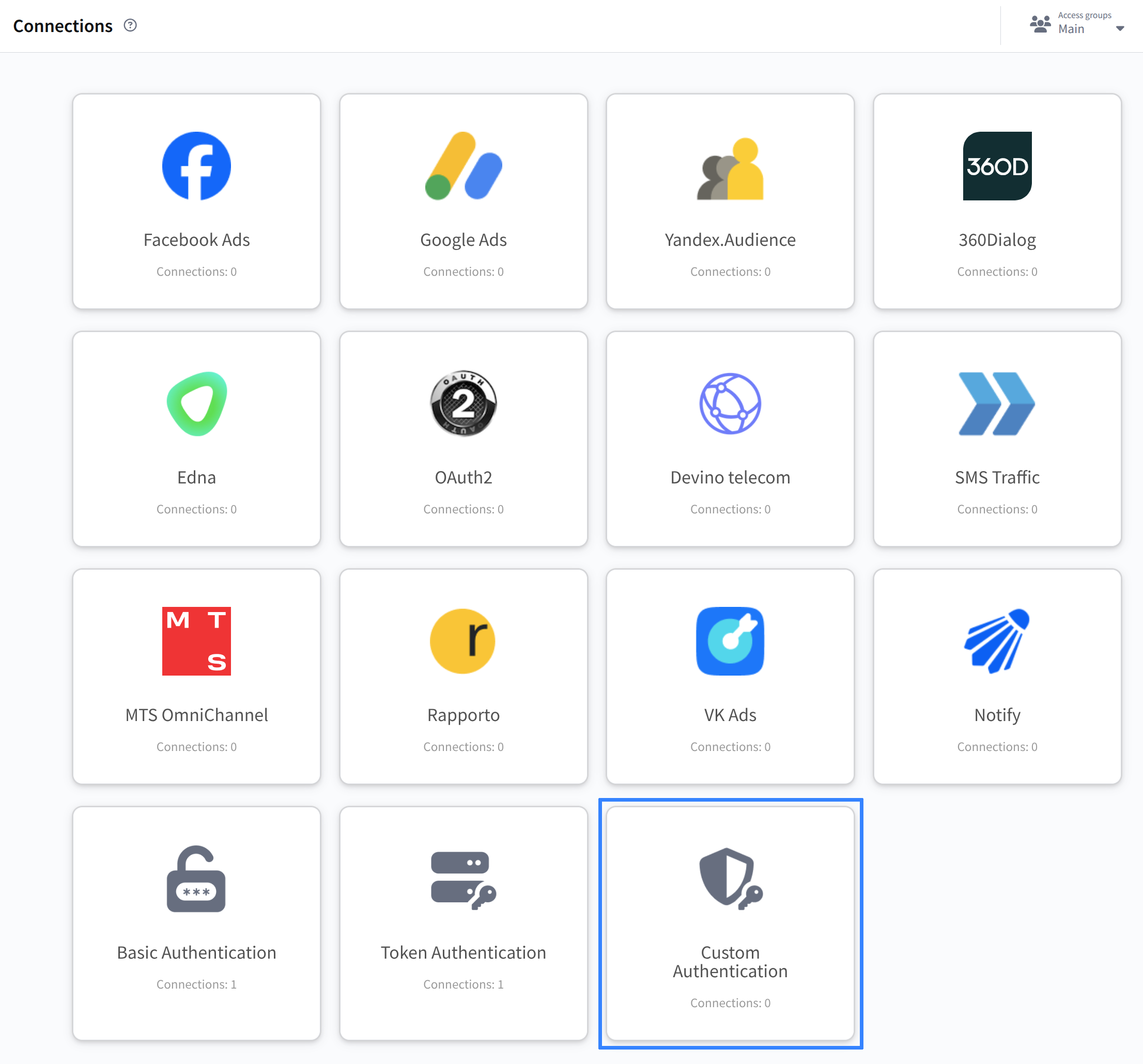 |
Step 2. Entering data
Click + Create. Enter a name and, if necessary, a description. Add headers and specify their values. Select from the dropdown list or specify custom ones. | 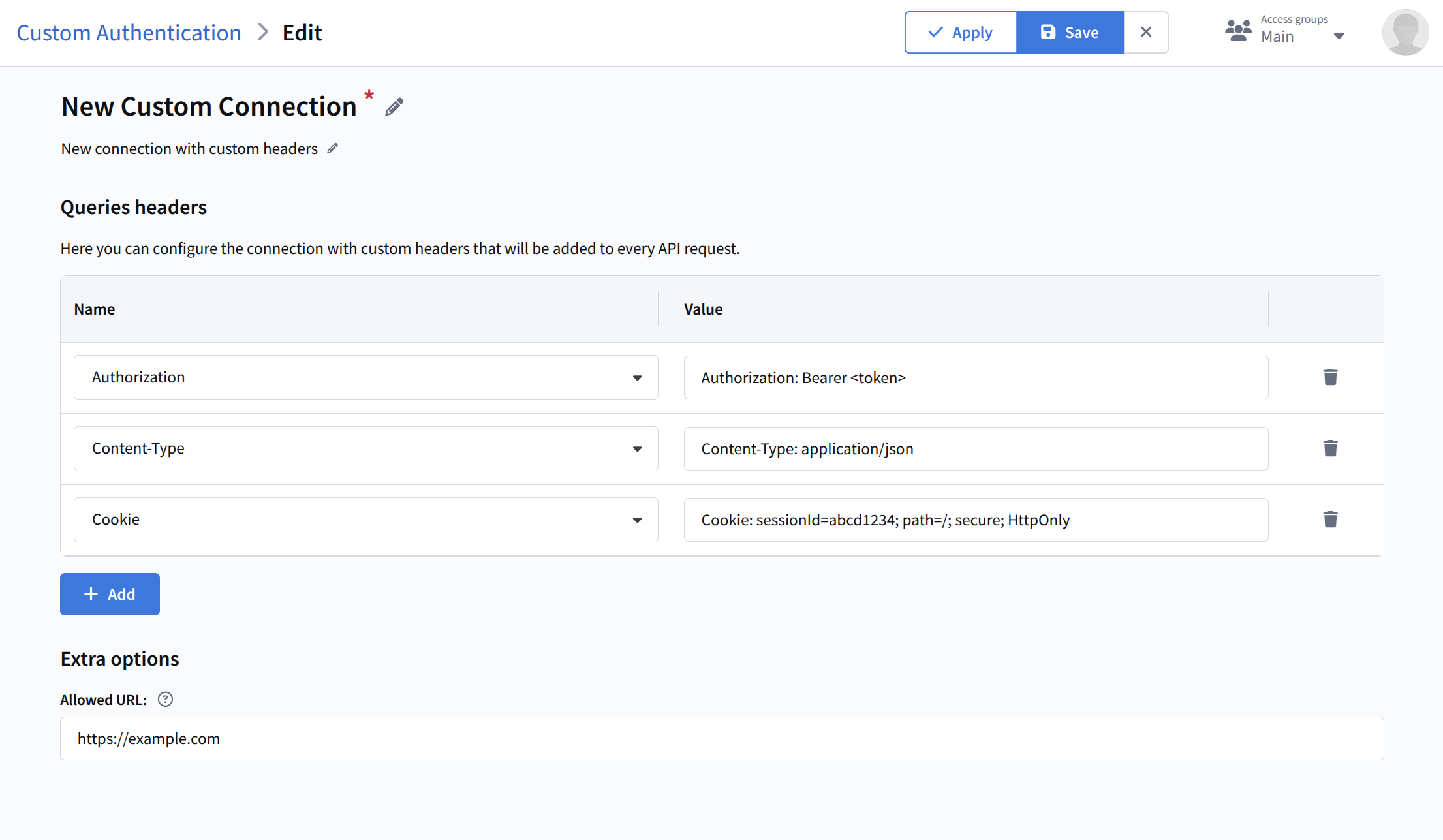 |
Forbidden headers
The following system headers are forbidden: "Host", "Connection", "Keep-Alive", "Accept-Encoding", "Content-Length", "Transfer-Encoding", "Trailer", "Upgrade", "Date", "Location", "Server".
Step 3. Saving the connection
Click Save. Settings can be changed at any time by clicking Edit.