v2025.4.74
v2025.4.74.0 – Campaigns
To ensure correct platform operation, a migration is required. Follow these steps:
- Replace the platform files with files from the new build;
- Run
./akd upgradeand confirm the migration; - Fully restart the platform using
./akd restart.
Campaigns: a comprehensive marketing tool
Previously, all types of marketing messages in the platform were called Campaigns. In the new platform version, they are renamed to "Mailings", while Campaigns now represent a tool for comprehensive management of marketing activities within a single workspace.
Within a campaign, you can configure audiences, segment databases, manage user profiles, control groups, and scenarios. Campaigns support both creating new and adding existing marketing activities: scenarios, broadcasts, recurring, trigger-based, multivariate, and placements.
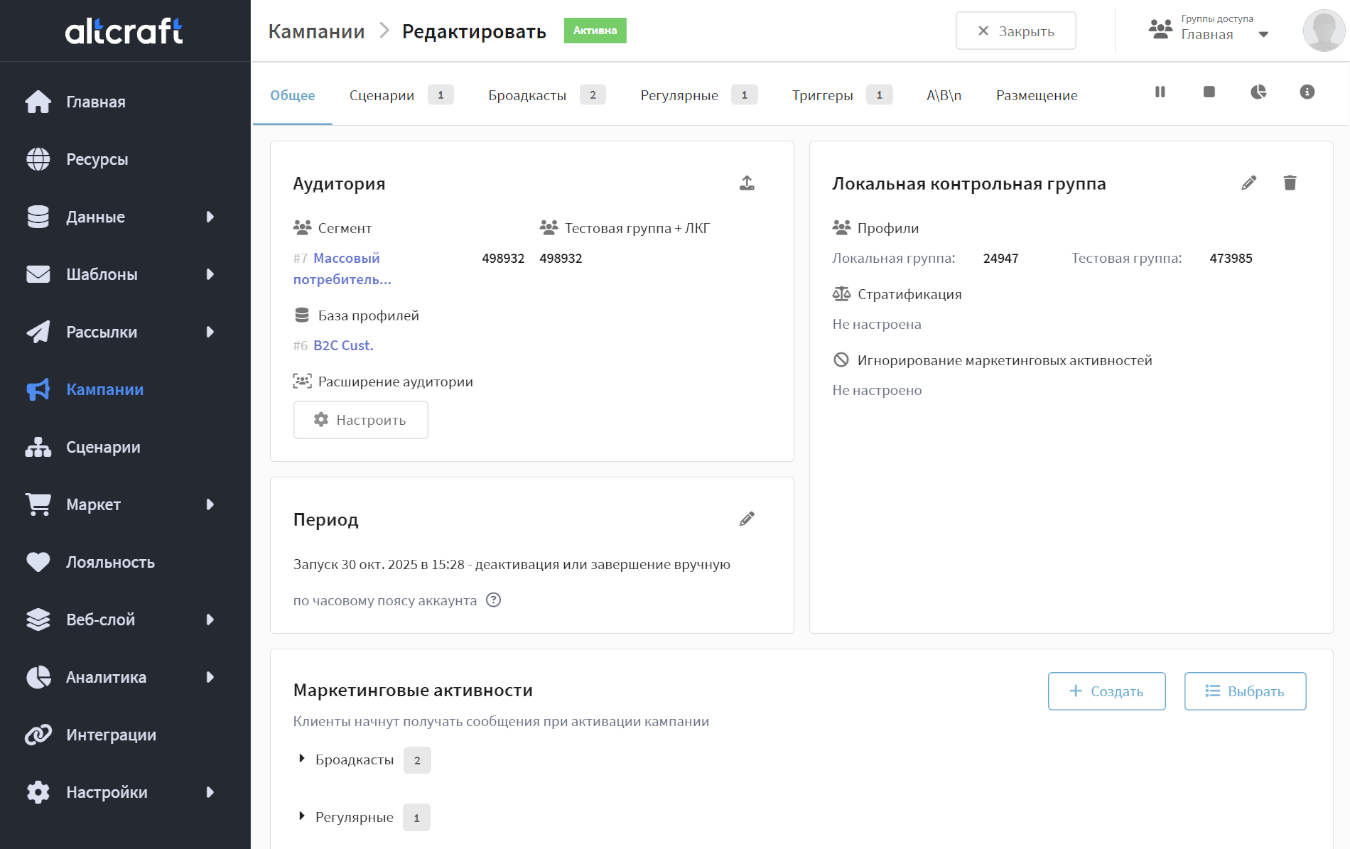
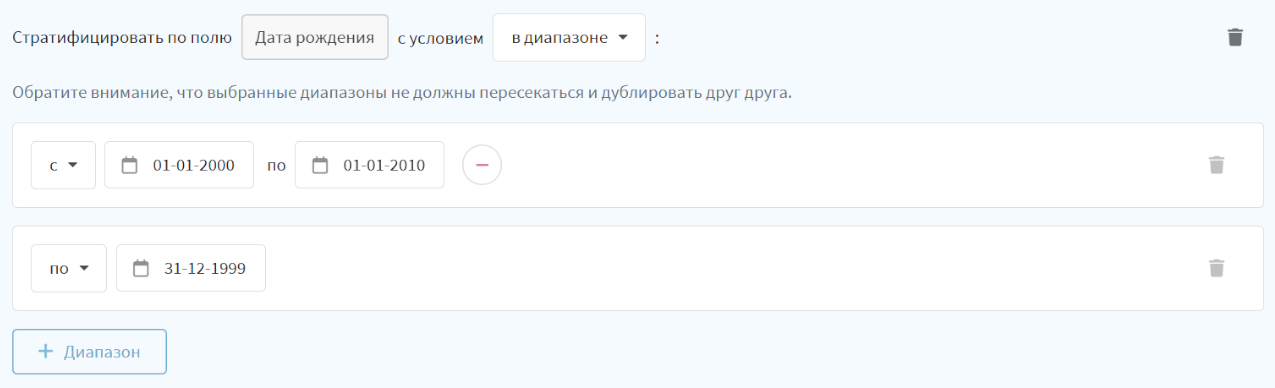
Campaigns also support local control groups. A local control group allocates part of the audience that will not receive communications within the campaign. Later, by comparing the main and control groups, you can measure campaign effectiveness. Local control groups support stratification — splitting into strata based on a selected attribute. Stratification creates a control group closely matching the target audience.
Analytics for all activities within a campaign are available in a unified report with multiple metrics:
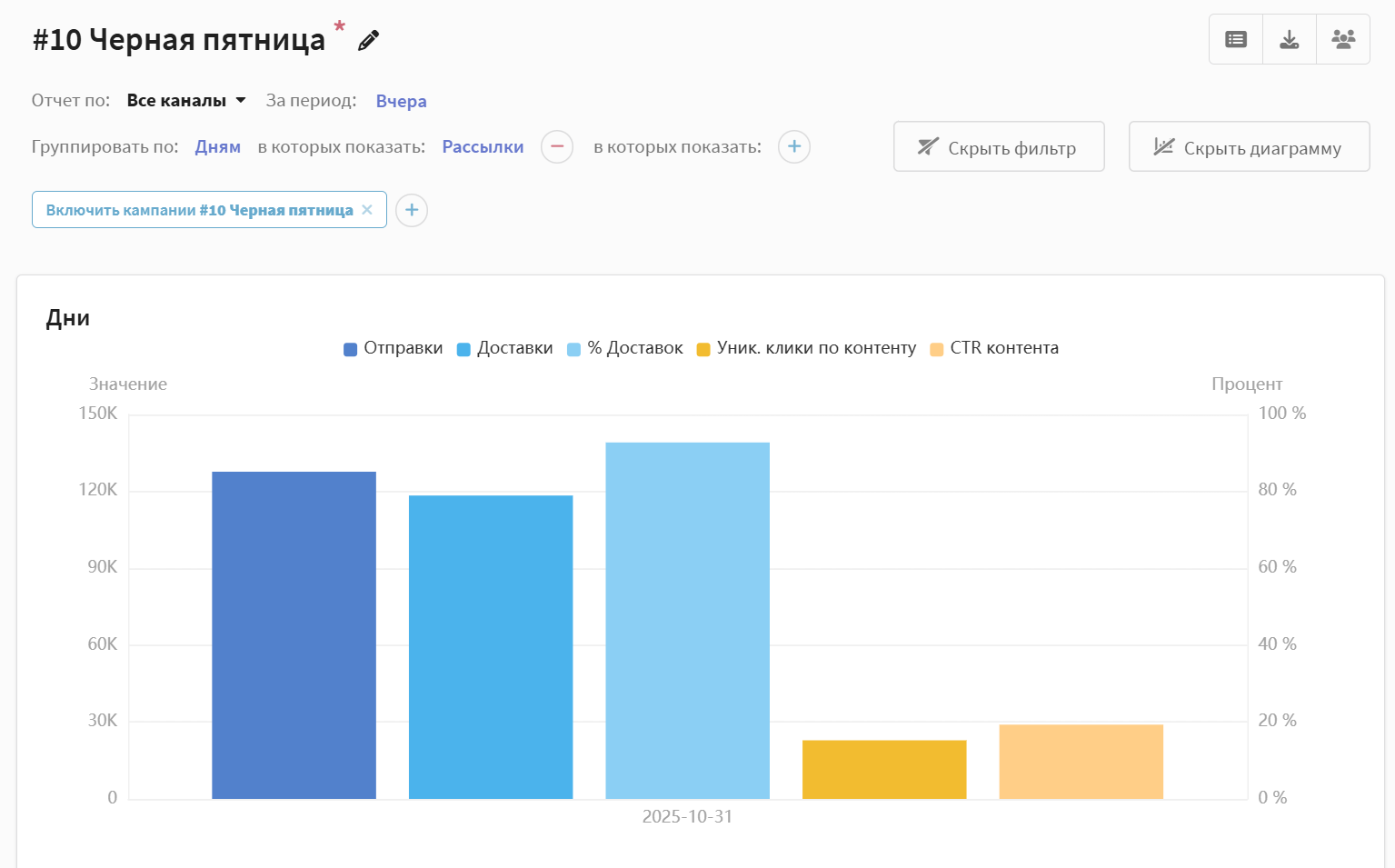
New campaigns centralize management of different activities, track communication effectiveness, and support marketing experiments. More details about campaigns are available here.
Improved
Updated segmentation
Major changes were introduced to the profile segmentation mechanism. The key update is a redesign of segment types:
- Static segment — an entity for storing profiles filled manually or via API. It is not recalculated on use and does not update automatically. The segment can be saved empty; only a name and database selection are required.
- Dynamic segment — a set of conditions rather than a stored profile list. It is calculated before each use and can display selection results without saving the segment.
- Updatable segment — cannot be filled manually or via API. It is populated based on defined conditions according to a schedule or manual recalculation.
- Quick segments were removed. Dynamic segments replace them; use the "Calculate" button when configuring a segment.
The segment configuration UI was also significantly redesigned:
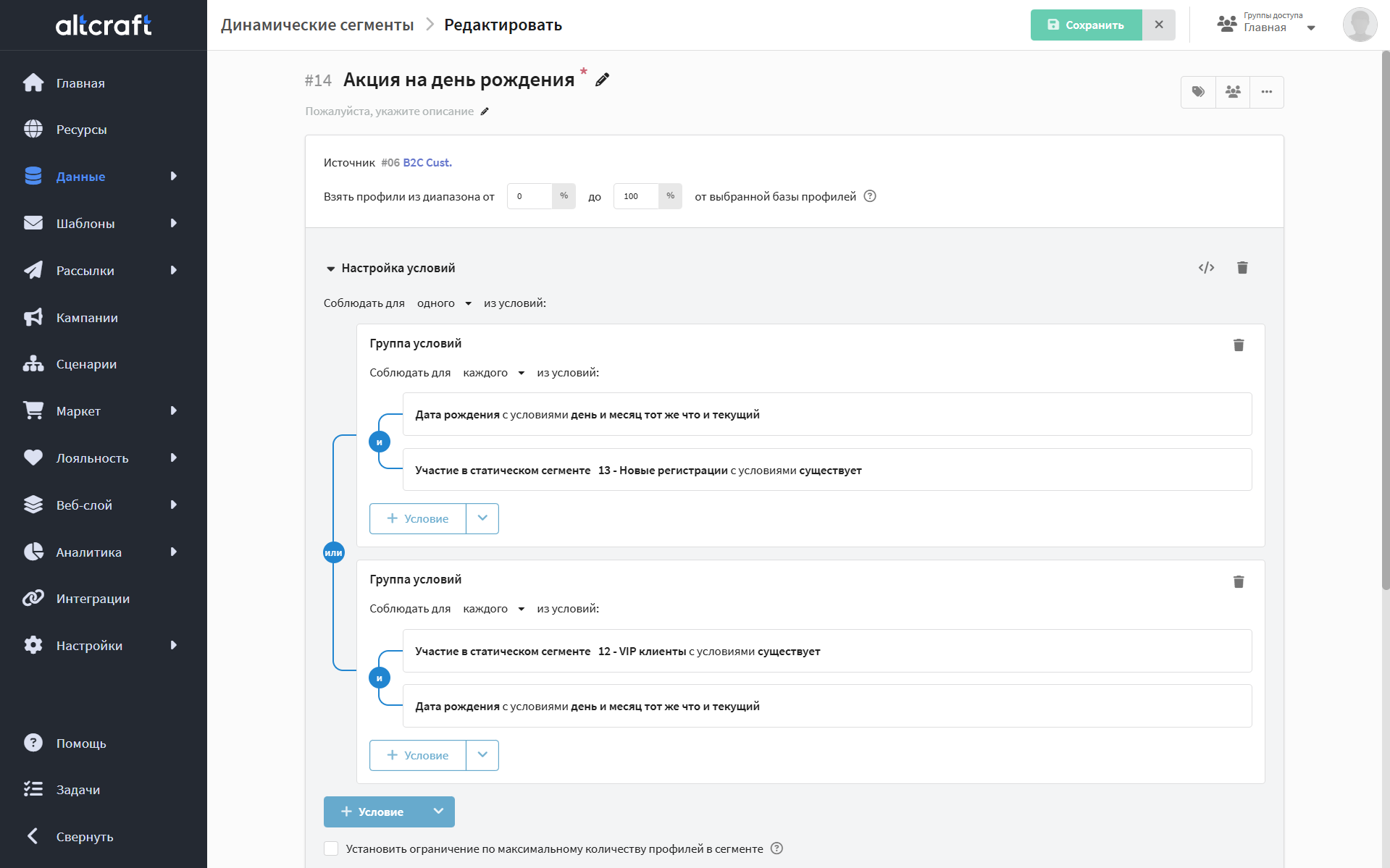
The interface is now more modern and intuitive. More details on segmentation are available in this section.
Combined profile capture in scenarios
Previously, a scenario supported only one entry trigger per type. Now multiple triggers of the same type can be added, for example, activation of different pixels or profile field updates:
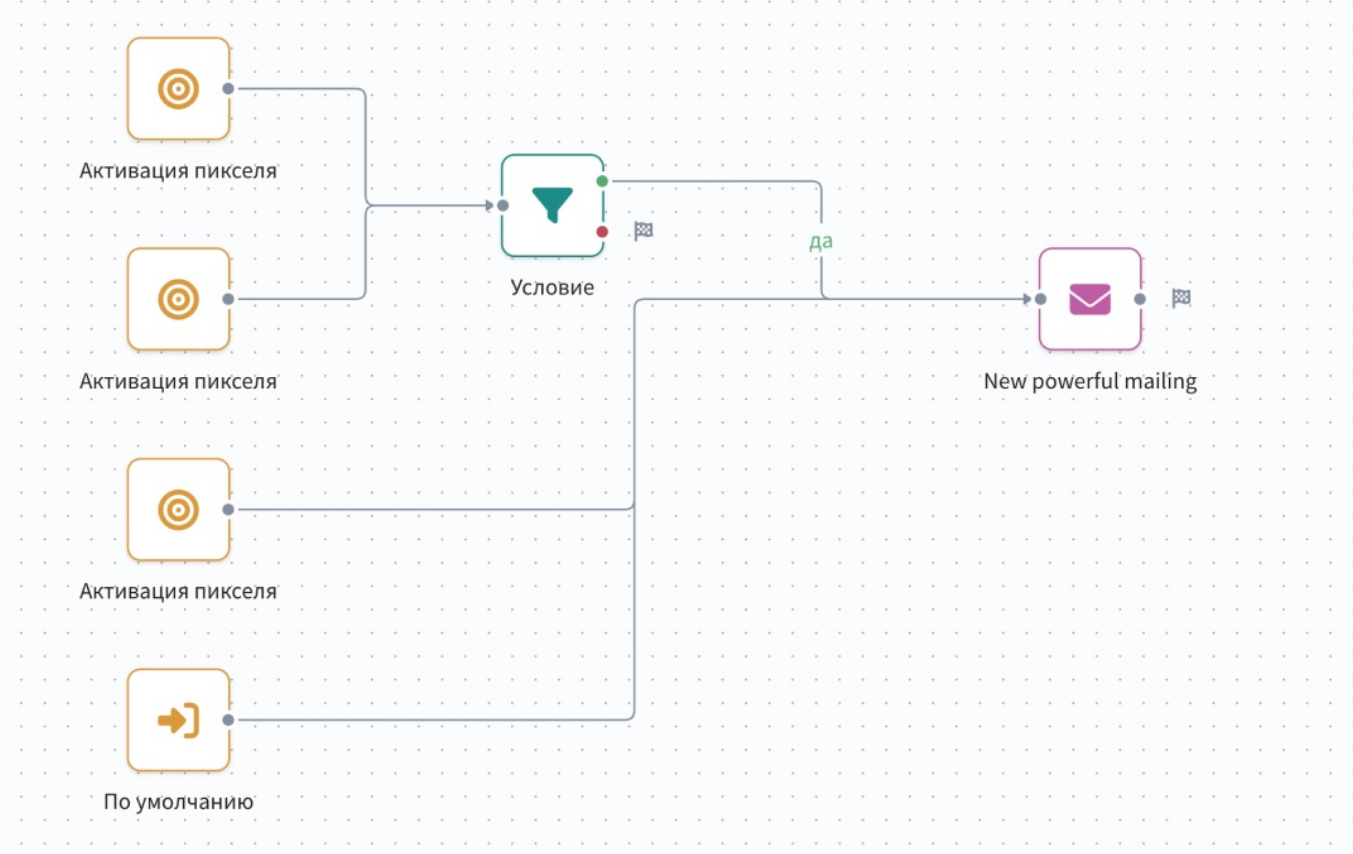
The maximum number of start nodes is limited to 10. This value is configurable via WORKFLOW_MAX_START_NODES_COUNT.
Other
- Several UI/UX components were improved.
- Fixed issues in some Market APIs.
- Improved stability of
proctaskandprocpixelprocesses. - Fixed issues with campaigns using custom channels.
- Message delivery in the Intellin SMS provider integration is now correctly registered.
- Fixed cases where segments failed to calculate or calculated extremely slowly.
- Goals with SMID from a custom channel are registered correctly again.
- When starting the platform with the
--configflag, the custom configuration file path is now passed to all services, not only the main process.
References
v2025.4.74.0: PL-16253 PL-20320 PL-20303 PL-20304 PL-19139 PL-20225 PL-20226 PL-20194 PL-19904 PL-20183 PL-19144 PL-20157 PL-20114 PL-20092 PL-20082 PL-19212 PL-19729 PL-19606 PL-19775 PL-19709 PL-19870 PL-19734 PL-19919 PL-19981 PL-19850 PL-19855 PL-19818 PL-19671 PL-19661 PL-19633 PL-19328 PL-18624 PL-19600 PL-19567 PL-1785 PL-19053 PL-17465 PL-19441 PL-17851 PL-19266 PL-19257 PL-19254 PL-19227 PL-18933 PL-19082 PL-1875 PL-17774 PL-18922 PL-8756 PL-18527 PL-18857 PL-18572 PL-17696 PL-18570 PL-18788 PL-17775 PL-18232 PL-17740 PL-17008 PL-19207