Yandex.AppMetrica
When to use
Yandex.AppMetrica is an analytics platform that also supports push notification delivery. Use AppMetrica if:
- your app already uses AppMetrica for analytics
- you want to combine analytics and push campaigns
- you prefer managing settings in a single service
caution
Yandex.AppMetrica uses Google Firebase SDK for delivery. To send notifications, you need to install the Firebase SDK in your app.
Prerequisites
- AppMetrica Push SDK installed in the app. More details in the AppMetrica documentation.
- An AppMetrica account with a created app.
Subscription sources
The following identifiers can be used as subscription sources:
- AppMetrica device ID — device identifier in AppMetrica (for both OSes)
- iOS IFA — advertising identifier (Apple only)
- Google AID — advertising identifier (Android only)
- Android Push Token — token from AppMetrica SDK
- iOS Push Token — token from AppMetrica SDK
Setting up in Altcraft
You can configure delivery to both operating systems within a single resource.
-
On the Push tab in the resource, select the AppMetrica platform.
-
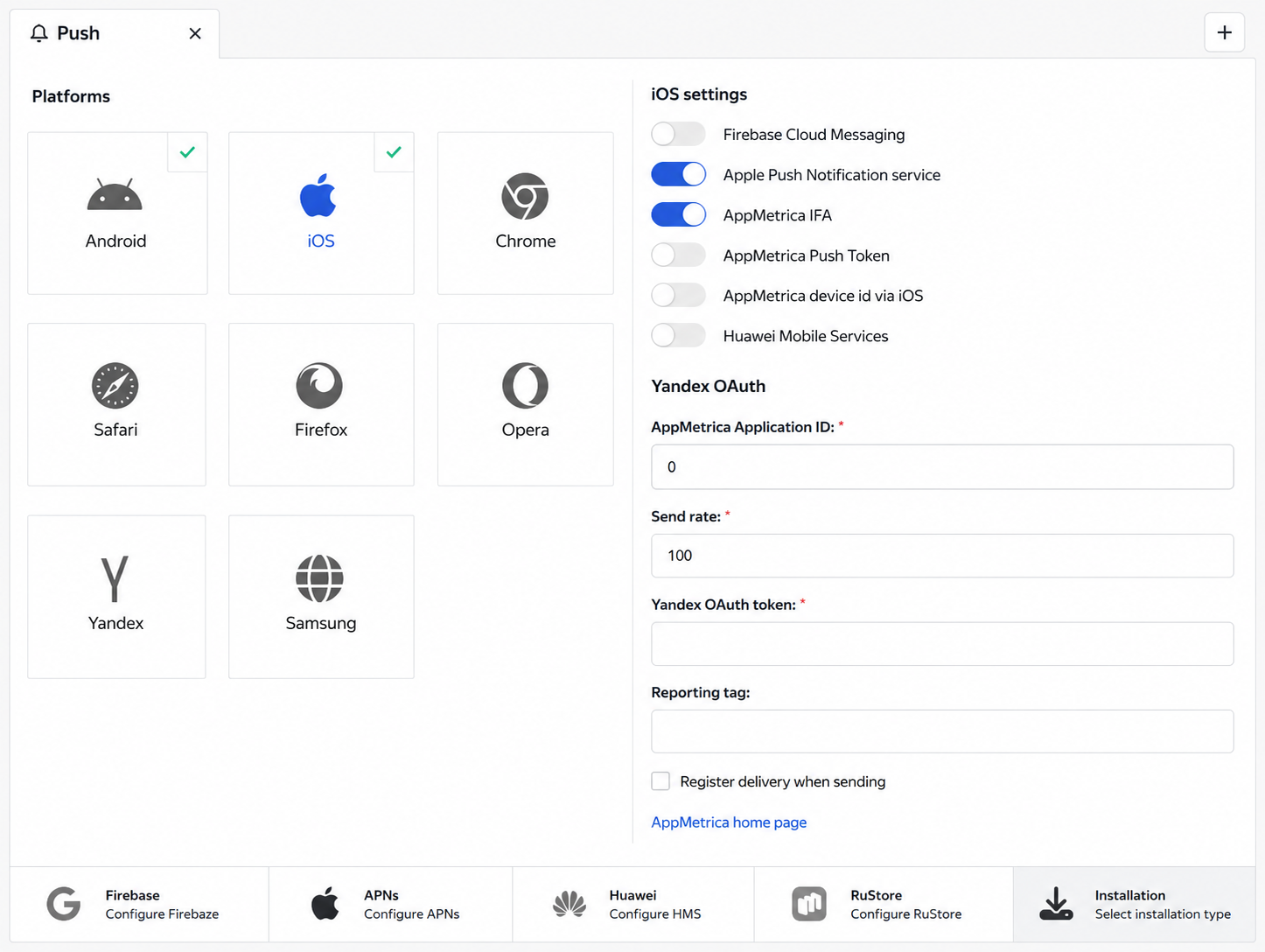
Fill in the settings:
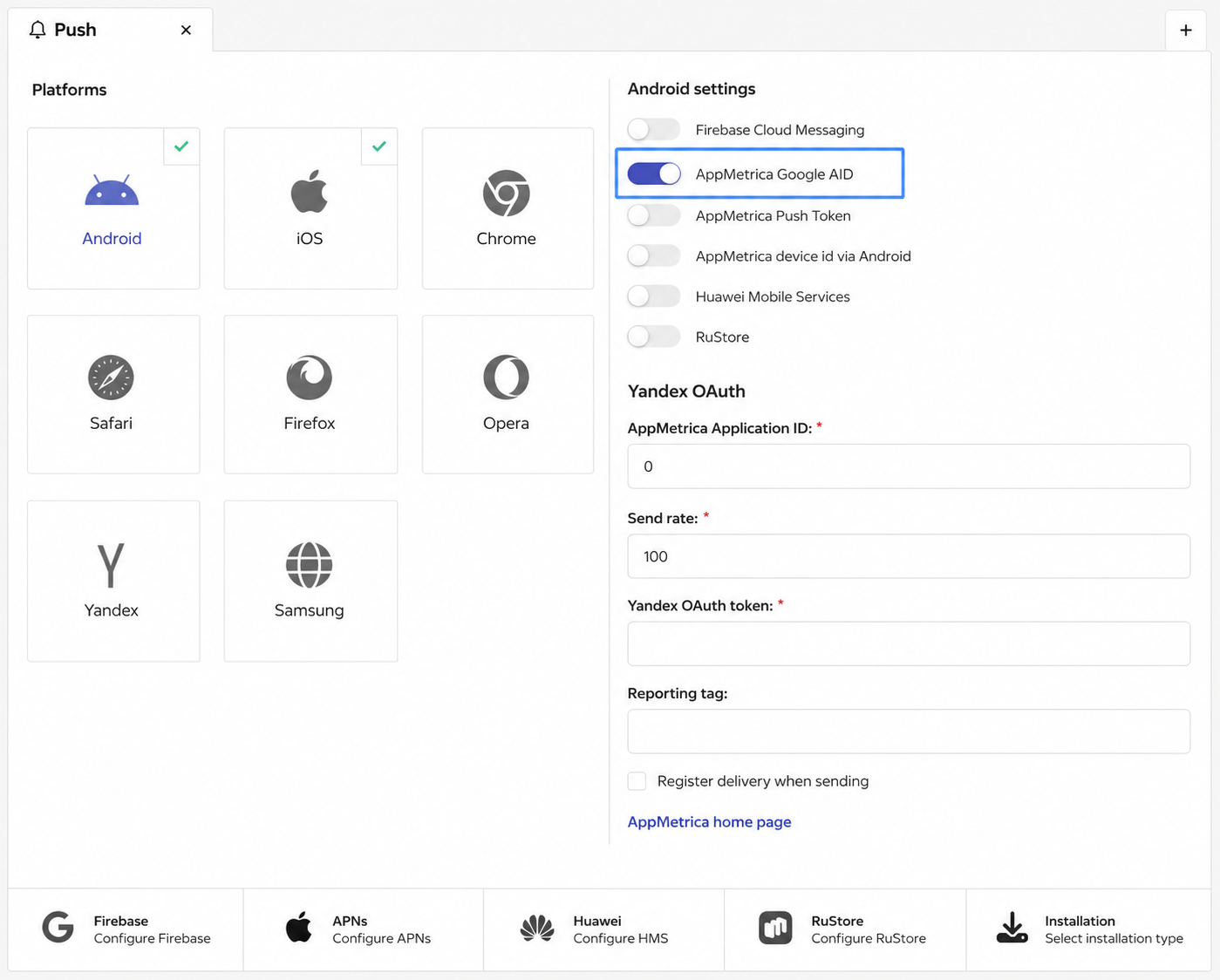
- AppMetrica API token — token for accessing the AppMetrica API
- AppMetrica Application ID — app identifier in AppMetrica
- Send rate — maximum notification delivery rate per second
- Yandex OAuth token — authorization token for Yandex services
- Reporting tag — tag for AppMetrica reports
tip
AppMetrica subscriptions can be added automatically to app users with the connected analytics service. More details in the Integration with Yandex.AppMetrica article.
What's next
- App integration with Altcraft
- AppMetrica push message structure
- Integration with Yandex.AppMetrica — for importing profiles and events