v2026.1.76
v2026.1.76 — MAX integration, Loyalty Programs & Segments optimization
Migration
Migration is required for the platform to function correctly.
To perform the migration, follow these steps:
- Replace the platform files with the files from the new build.
- Set the
CH_READ_ACTIONS: trueparameter in the configuration file on ALL hosts. - Run
./akd upgradeand confirm the migration. - Set the
CH_READ_ACTIONS: falseparameter in the configuration file on ALL hosts. - Fully restart the platform using the
./akd restartcommand.
The migration is resource-intensive and requires updating all profiles across all account databases. MongoDB and ClickHouse databases are involved in the process.
Additionally, in this update, all active mailings that do not use a resource will stop working.
To ensure mailings continue to work correctly, create a new or select an existing resource and assign it in the mailings settings.
A list of such mailings can be obtained using the command ./aktool mailings upgrade-blocker-list or ./aktool mailings upgrade-blocker-list --account-id 12345 (for a specific account).
MAX messenger integration
This update introduces support for a new communication channel — integration with the MAX messenger. Two types of integration are available:
- MAX Bot — for sending personalized messages to users
- MAX Group — for sending messages to group chats
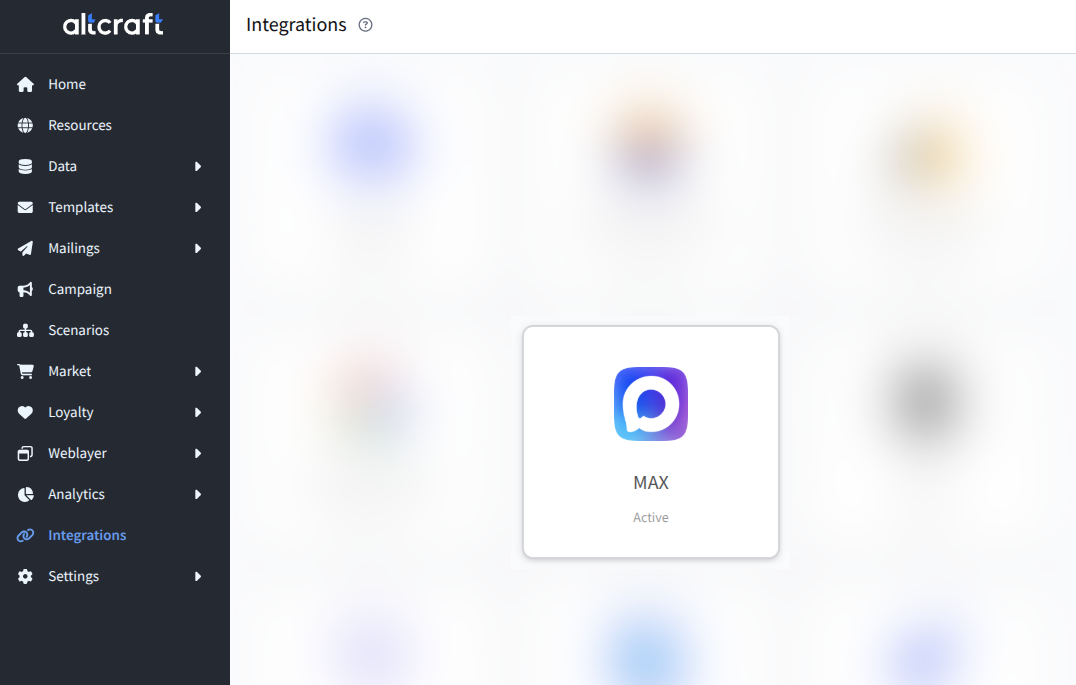
You can create a message template for the MAX messenger using the built-in template editor. A template may include the following elements:
- Text.
- Image.
- Video.
- Audio.
- File.
You can also immediately add interaction buttons for recipients:
- Text button — displays a button with text.
- Link button — opens a specified link.
- Callback button — returns a specified text or command to the bot after clicking.
- Open application — opens a mini-application.
- Request location — requests the user’s location.
- Request contact data — requests the user's contact details and phone number.
- Button group — a combination of buttons of several types.
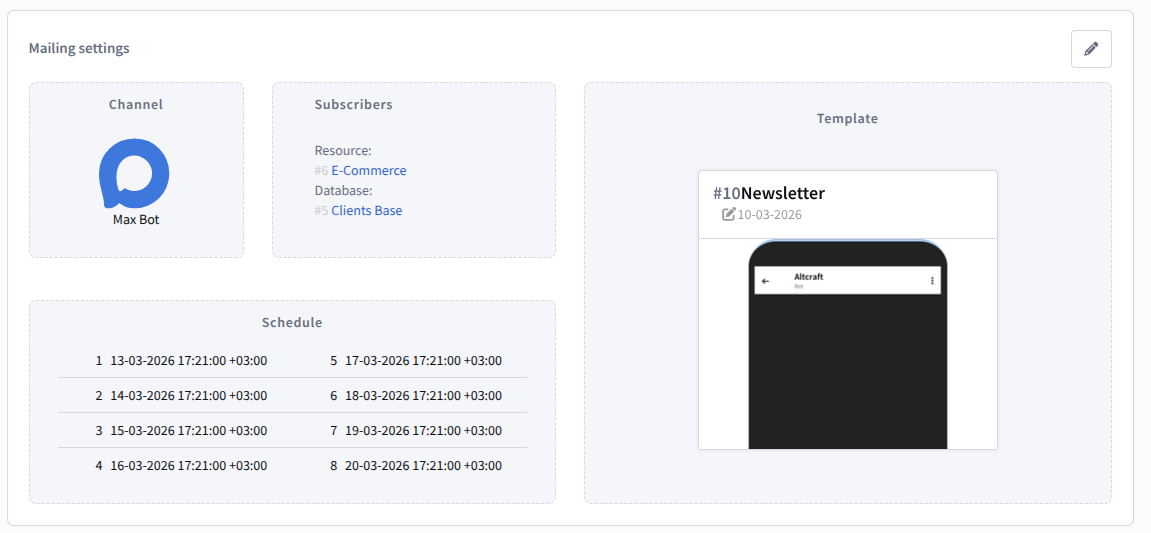
The channel can be used in mailings, scenarios, and campaigns, and analytics is also available:
Segmentation Optimization
Processing of exists / does not exist conditions for channel events (send, open, click, etc.) has been optimized, significantly accelerating segmentation:
- up to 90x faster for simple conditions.
- up to 8x faster for complex conditions with multiple filters.
The algorithm for recalculating static segments based on dynamic conditions has also been optimized, reducing database load and speeding up recalculation of large segments.
To use the accelerated segmentation mechanism, complete the migration steps described at the beginning of the article.
Other
- When importing into the stop list, a report with rejection reasons is now displayed (similar to database import).
- Added the ability to update object attributes (for example, completed Mailings).
- Fixed an issue where Mailings inside a campaign were not sent when using dynamic segments.
- Fixed an issue with
procloyaltystartup on dedicated servers. - Product segments can now be used in order filters.
- Added logging for Web Push notifications in Safari.
- Fixed an issue where links did not work in preview for Telegram bot templates and Custom channels.
- Improved loyalty program analytics interface.
- Fixed an issue where it was impossible to add a Mailing via a Custom channel after cloning a Scenario.
- Optimized performance of loyalty program APIs.
- Fixed event duplication in ClickHouse. Added deduplication and reversal mechanisms for duplicate events (send, open, click, etc.) and pixel goals.
- Fixed an issue with profile entry into a Scenario when using scheduled segments with the "in dynamic segment" condition.
- Fixed an issue where profiles returned to a previous node if the "Condition" node was unavailable.
- Fixed an issue where static segments with conditions were not recognized as updatable.
- Profiles now correctly exit the "Wait for event" node in Scenarios.
- Fixed incorrect display of Scenario IDs in condition nodes.
- Attributes can now be selected in segment or RTG setup even if no value is assigned.
- Deactivated and hierarchically assigned attributes are now available for viewing in entity objects.
- Fixed issues related to form creation and configuration.
- Fixed an issue where content in the event capture storage was saved when it should not have been.
- Fixed an issue when creating a transaction with points accrual and a 5-year expiration.
- Added message lifetime (TTL) configuration. You can now define message validity in Smart Mailing settings or via API when launching triggered Campaigns. Messages with expired TTL are guaranteed not to be delivered.
- Segmentation by Custom channel events now works correctly.
- Fixed issues with parallel execution of identical tasks on different cluster hosts.
- Fixed an issue where scheduled segments did not start in Scenarios linked to Campaigns.
- Unsubscribe events via API are now correctly captured in event tracking.
- Link shortening in Telegram communications works correctly again.
- Reduced memory consumption of certain platform processes.
References
v2026.1.76.0: PL-21468 PL-16462 PL-21464 PL-21432 PL-21456 PL-21443 PL-20569 PL-21441 PL-21439 PL-21425 PL-21438 PL-21137 PL-15793 PL-21420 PL-21418 PL-21397 PL-21413 PL-21360 PL-21369 PL-21377 PL-21402 PL-18631 PL-21374 PL-19708 PL-21142 PL-21376 PL-19366 PL-21229 PL-21364 PL-21357 PL-20988 PL-21193 PL-21294 PL-21295 PL-17213 PL-21269 PL-21209 PL-21230 PL-21223 PL-21215 PL-21217 PL-21214 PL-21162 PL-21190 PL-21183 PL-21003 PL-21164 PL-17598 PL-17820 PL-17675 PL-21135 PL-21147 PL-21108 PL-20839 PL-21045 PL-19209 PL-21004 PL-20969 PL-20775
v2026.1.76.951 — Fixes and improvements
All platform processes now write logs exclusively in JSON format. If you use external log collection systems, please take this change into account when configuring.
This update changes the event registration logic in the eventer pipe for custom channels.
- The
event_typefield is no longer used for system events (read,open,click, etc.). If the pipeline contains"event_type": "custom", the channel will not pass validation. Remove this field, leaving onlyaction_type. - The exception is the
stop,moderate_pass, andmoderate_errorevents, for whichevent_typeremains required.
Improved
- Base Docker image has been updated to Ubuntu 24.04.
- Optimized the performance of the webcontrol process when calculating dynamic segments.
- Optimized the operation of API, segments, mailings, and scenarios — read requests are now distributed across database replicas.
- Logs from all processes are now correctly written in JSON format.
- Fixed an issue where a disabled loyalty module continued to create queues.
- Fixed an issue where support chat history was lost after page reload.
- Added performance monitoring metrics for mailings.
- Added API handlers
loyalty/register_member_batchandloyalty/register_member_batch_taskfor bulk profile import into a loyalty program.
Other
- Fixed profile looping in the "Condition" node when no filters were present.
- Improved loading speed of the static and updatable segment editing page.
- Fixed an error with date substitution via variables in segmentation queries to external databases.
- Fixed an issue where synchronization of updatable segments with SQL databases was not working correctly.
- Fixed recalculation of segments with segmentation queries containing "array" type parameters.
- Fixed an issue where segment search was not working when importing conditions.
- Calculations with "OR" conditions inside nested segments now work correctly.
- Fixed an issue where custom channel mailings were not sent when the template contained required fields.
- Links in the preview of custom channel templates now open in a new window.
- Added link validation for buttons in Telegram templates — a template with an invalid link can no longer be saved.
- Fixed JSON validation when saving templates — templates with dynamic JSON containing variable substitutions can now be saved.
- Variables in custom channel mailing fields are now correctly substituted.
- Fixed the resource filter in profile subscriptions — the filter no longer resets when deleting a subscription or applying changes.
- Fixed an issue where a profile with a custom channel subscription could not be saved.
- Fixed an error in the "Condition" node when checking the total purchase amount in the Market module.
- Conditions for selecting updatable product segments are now available in scenarios.
- Fixed column display in analytics.
- Users without "Master" permissions can now save promo codes.
- Fixed matching by
profile_idin scheduled imports. - Fixed list filtering by attribute with the "Not set" value.
- Fixed minor UI issues related to the block editor and browser navigation.
References
v2026.1.76.951: PL-21645 PL-21633 PL-21630 PL-21613 PL-21595 PL-21599 PL-21615 PL-21606 PL-21597 PL-21598 PL-21586 PL-21578 PL-21583 PL-21565 PL-21498 PL-18083 PL-20863 PL-21562 PL-21477 PL-21548 PL-13978 PL-21029 PL-21410 PL-19757 PL-21478 PL-21352 PL-21338 PL-21187 PL-21191 PL-21184 PL-20897 PL-20634 PL-20940 PL-19867 PL-15846 PL-21484 PL-21530 PL-21528 PL-21522 PL-21496 PL-21499 PL-21386 PL-21435 PL-21385 PL-21169 PL-21424 PL-21475 PL-21457 PL-21454 PL-21384 PL-20660 PL-21436 PL-21158 PL-21375 PL-21416 PL-20179 PL-21400 PL-21346 PL-21354 PL-21322 PL-21277 PL-21316 PL-21270 PL-21138 PL-21121 PL-19911 PL-20235 PL-17714 PL-21016 PL-20713 PL-20983 PL-20985 PL-17974 PL-20964 PL-20667 PL-18947 PL-19639 PL-18914 PL-18973
v2026.1.76.1578 — TTL for messages
Added
TTL for sent messages
Message time to live (TTL) is the period during which the system tries to send a message from the queue. If the message cannot be delivered during this time, sending stops and the message is deleted from the queue.
TTL should be used for campaigns that are only relevant for a limited time. For example, when a message is related to a promotion, event reminder, one-time code, or offer that quickly loses relevance.

To configure TTL, enable the Limit message time to live (TTL) parameter in the campaign Smart settings and specify the wait time in days, hours, minutes, or seconds.
After the specified time expires, the system stops trying to deliver the unsent message and registers a non-delivery event.
- The TTL value must be within the limits set by the
MTA_MIN_TTLandMTA_MAX_TTLconfiguration parameters. - If TTL is set in several places, the value with the highest priority is applied: API parameter
expiration> value in Smart settings > configuration parameterMTA_TTL_DEFAULT. - TTL is calculated separately for each message from the moment it is placed in the queue. Therefore, even within a single campaign, different recipients may have different message TTL values.
- After TTL expires, the system stops delivery attempts, even if the channel can still technically deliver the message.
- TTL does not work for channels that do not return message sending statuses: Telegram, MAX, and custom channels.
Improved
- Added the "Segment participation" filter for product and SKU segments.
- Removed the limit of 30 values for a single attribute.
- Improved UI/UX components.
- Added deduplication for web events and mSDK events.
Other
- Connections to the MTA server no longer accumulate in the cache or cause performance issues.
- Fixed an error where the delete button for an active user was available in that user's settings.
- Improved stability of the
procworkflow,api,webcontrol, andprocloyaltyprocesses. - Fixed some errors that occurred when calculating the GCG.
- Variables are now correctly substituted into URLs inside the "API call" scenario node.
- Fixed an error where the Play Mobile SMS gateway did not return campaign statuses.
- The "at least [n] times within a period" condition in segments now works correctly again.
- Fixed errors in the handler for updating profile fields.
References
v2026.1.76.1578: PL-21638 PL-21815 PL-21755 PL-21800 PL-21803 PL-21784 PL-21772 PL-21765 PL-21754 PL-21747 PL-21593 PL-21715 PL-21740 PL-21738 PL-21718 PL-21714 PL-21659 PL-21710 PL-21702 PL-21693 PL-21697 PL-21365 PL-21660 PL-21657 PL-21652 PL-21652 PL-21537 PL-21502 PL-21390 PL-21389 PL-10664 PL-21329 PL-21290 PL-21293 PL-21273 PL-18968 PL-21050 PL-20603 PL-20766 PL-20948 PL-20870 PL-20652 PL-20650 PL-20620 PL-20339
Other
- Fixed an issue where a segment could not be opened in the interface.
- Fixed an issue where messages were not sent via custom channels after changing the event registration logic. Backward compatibility has been restored for channels that had the
event_type: customfield in their configuration. - Fixed an issue where clicks on link buttons in MAX messages were not registered in analytics.
- Changed the logic for registering system events in custom channels — the
event_type: customfield is no longer used forread,open,click, and similar events. - Added a configuration parameter for setting a proxy server specific to the Telegram channel, allowing Telegram API traffic to be routed through a dedicated proxy without affecting other channels and services.
- Optimized API process memory consumption, preventing crashes due to out-of-memory conditions.
- Fixed field mismatch in Action Hook — event data structure now matches the documentation.
- Removed the limit on the number of attribute values. Added search in the default value selection list.
- The delete button is no longer displayed for active users in settings.
- Fixed an error that occurred when saving promotions in the loyalty module.
- Added a periodic SSH connection cache cleanup mechanism with
SSH_CACHE_CONNECTION_TIMEOUT(connection lifetime) andSSH_CACHE_CONNECTION_CLEANUP(cleanup interval) parameters. - Fixed variable substitution in URLs for the "API call" element in scenarios.
- Fixed delivery status retrieval when sending SMS via the PLAYMOBILE gateway.
- Fixed the "at least [n] times within a period" condition in dynamic segments — search now covers the entire selected period.
- Fixed a JS error in the template editor that occurred when inserting a variable.
- Optimized procleadsaver and cookie_saver processes.
- Fixed control group (GCG) calculation when a segment is selected as the audience source.
- Optimized PostgreSQL locks in the loyalty module.
- Added the ability to specify message TTL via API when launching triggered campaigns.
- Fixed an issue where updatable segments were not displayed for selection in mailing settings.
- Fixed attribute inheritance in child objects.
- Added stratification condition validation in campaigns — empty conditions can no longer be saved.
- Fixed segment operations when the user lacks permission to read and export the database.
- Fixed encoding of form fill files sent by email — files now open correctly in Excel.
- Fixed profile movement from control group to test group when stratification conditions change.
- Fixed delivery status retrieval when sending via relay.
References
v2026.1.76.1642: PL-21366 PL-21864 PL-21829 PL-21736 PL-21802 PL-21409 PL-20634 PL-21449 PL-21011 PL-21988 PL-21698 PL-21931 PL-21880 PL-21791 PL-21868 PL-21500 PL-21826 PL-21387 PL-21646 PL-21636 PL-21692 PL-21684 PL-21655 PL-21040 PL-21673 PL-21654 PL-20843 PL-21629 PL-20150 PL-21601 PL-21554 PL-21199 PL-21550 PL-21345 PL-18234 PL-20786 PL-21359 PL-18337 PL-20685 PL-20876 PL-20862 PL-20308 PL-20735