SMS template
This article describes how to create a message template to send via SMS channel.
Message body
Enter the text of the short message in the input field. Links, UTM tags and variables can be used in the message body:
 — menu of variables and functions
the editor. Using this button, you can add customer profile data, promo codes to the message,
loops and boolean expressions,
as well as dynamic content and system links.
— menu of variables and functions
the editor. Using this button, you can add customer profile data, promo codes to the message,
loops and boolean expressions,
as well as dynamic content and system links.
 — link editor.
 — setting UTM labels.
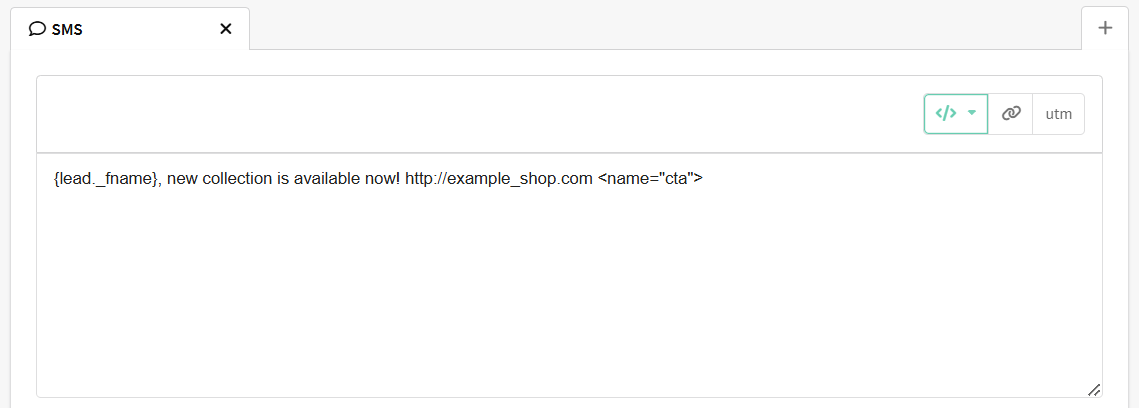
SMS link editor
Links inserted through the platform are automatically shortened. The final link path (excluding tracking domain) length is 12-14 characters, including the /.
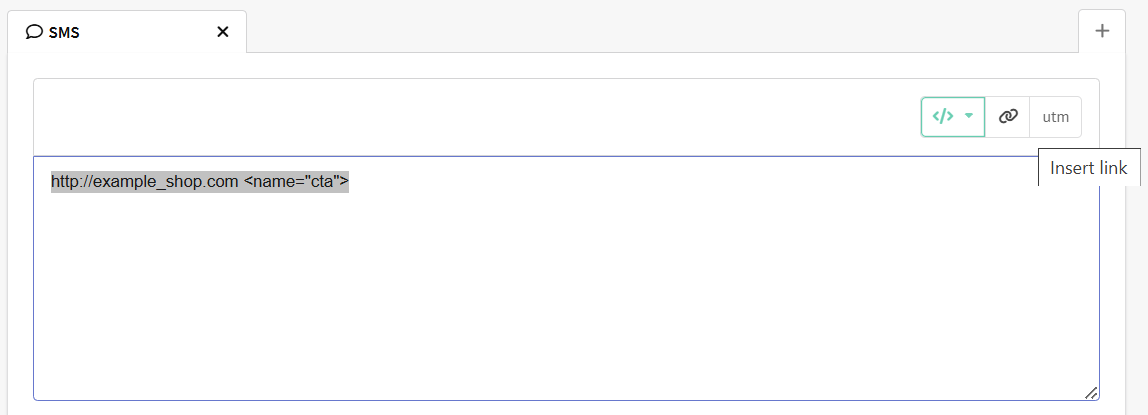
The link editor is available by clicking on the button Insert link. If you want to edit a link that has already been added to the template, select it in the editor and then open the form:
One type of links is available for SMS messages. It is a custom link. It allows you to add a link to any web page.
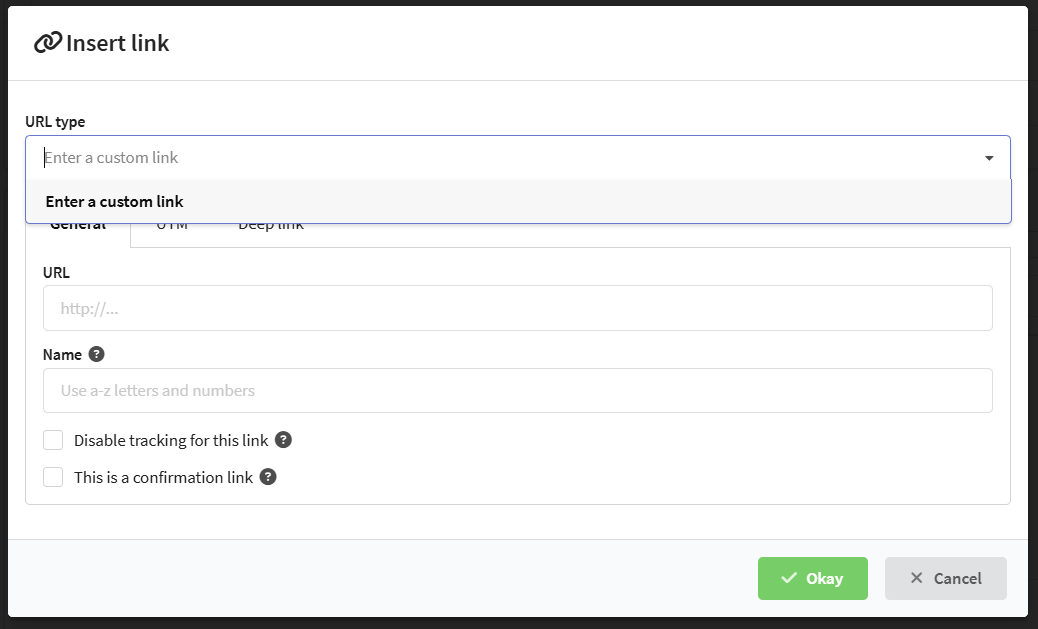
General
In the general settings enter the URL to go to. Also specify the name, which is used in reports, segmentation and when launching triggers and scenarios. The link name can only consist of numbers and Latin letters.
Please note that when you select profiles by clicking on a link in an SMS, you must specify the link name, not the URL, in the selection conditions.
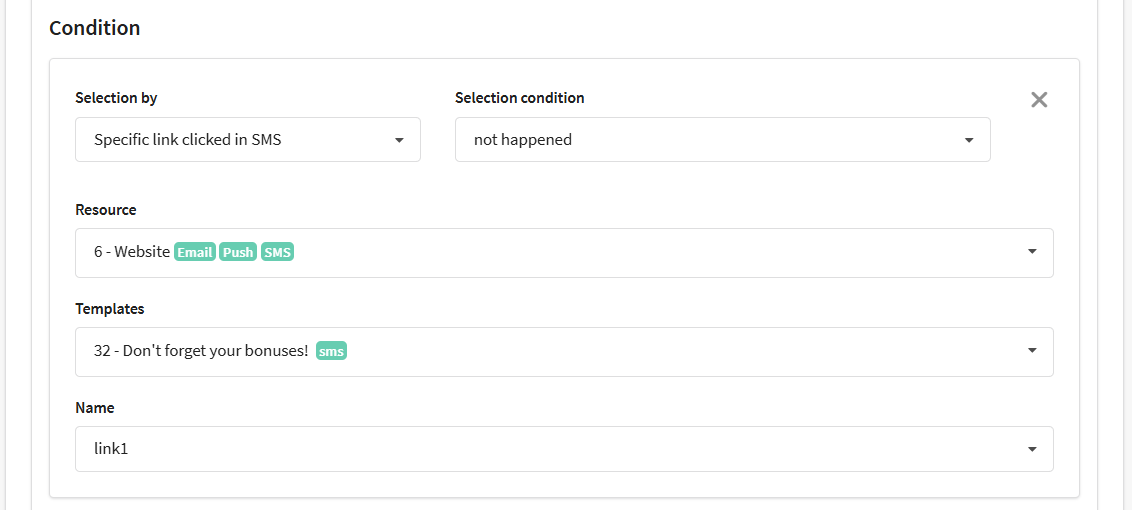
Additionally, you can disable redirection to tracking when clicking on the link, as well as make any link a subscription confirmation link.
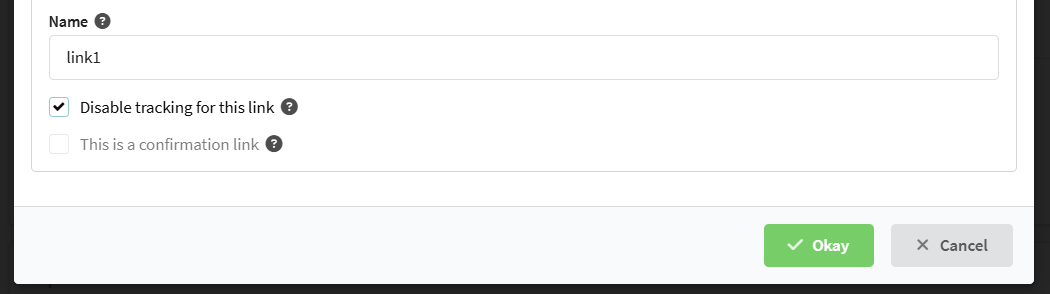
In SMS messages, angle brackets are used to indicate parameters (for example, <name=""> will be used for the name parameter). Everything you specify in angle brackets will not be included in the final message. Usage examples:
<no-track>— disables redirection to tracking when clicking on a link.<confirm-link>— makes a confirmation link.<name="example_name">— sets the name of the link.
UTM marks
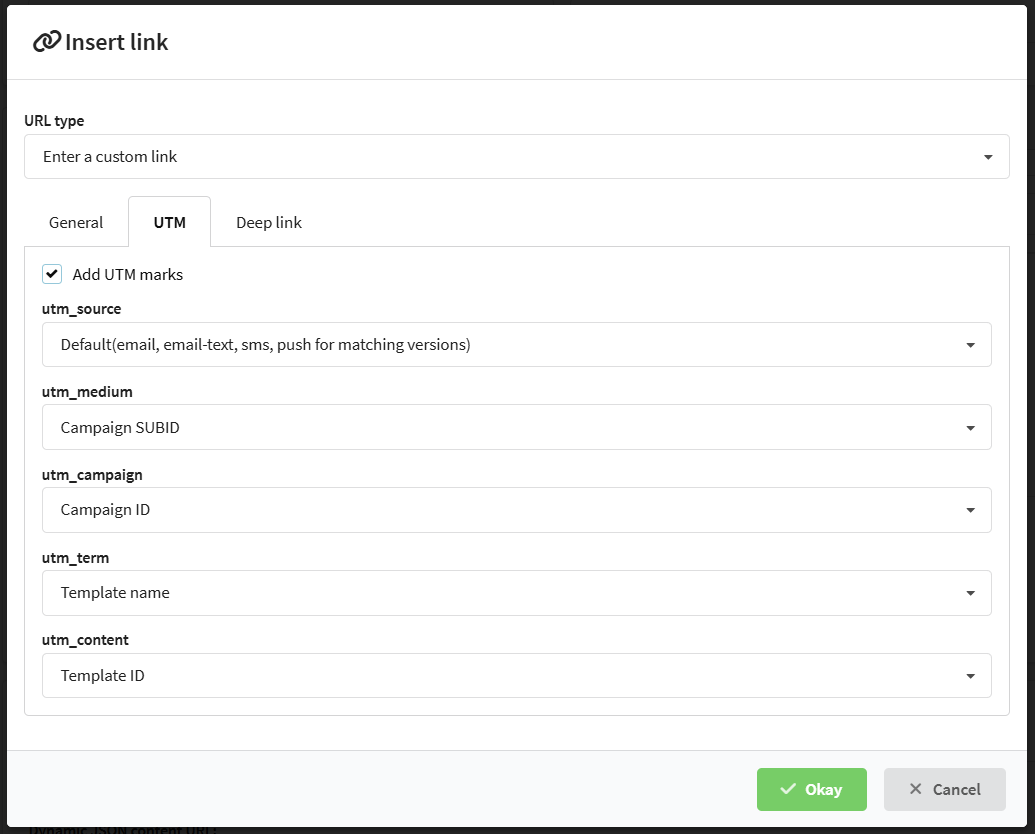
For each individual link in the message, you can override the UTM tags. To do this, go to the UTM tab and activate the Add UTM marks.
Variables can be used as labels, such as the name of the mailing or databases.
Deep link
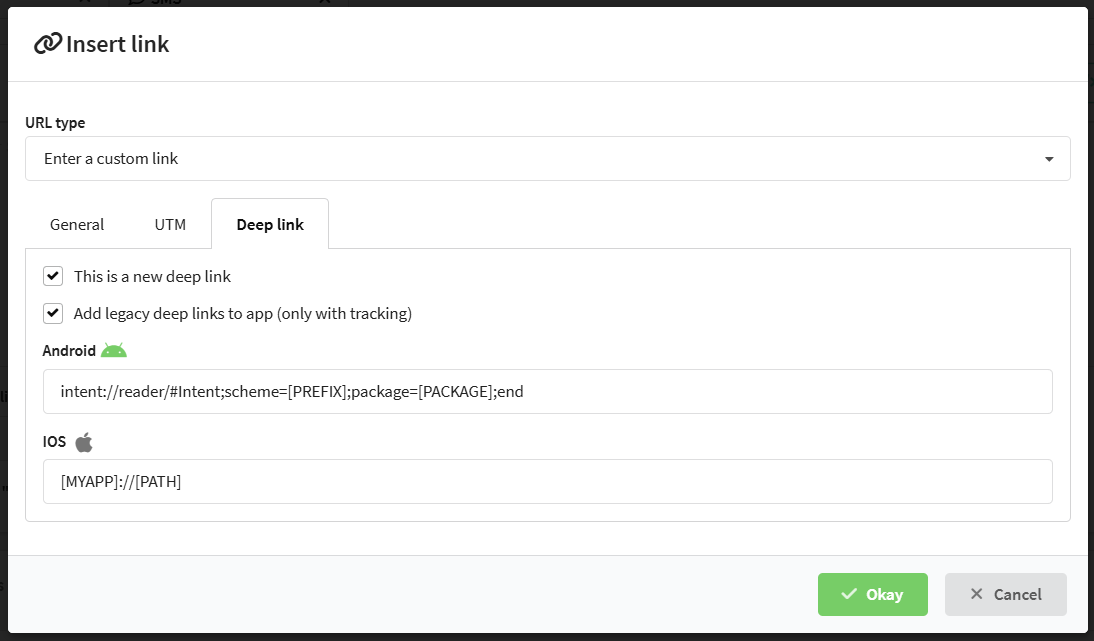
If you want to use the SMS link to go to the mobile application, activate the option This is a new deep link on the corresponding tab.
To specify different links for Android and iOS platforms, add legacy deep links. Please note that such links can only be added using tracking.
Limit on the number of characters
When sending SMS messages, it is important to take into account the length of the text, since the number of characters affects the cost of sending. One SMS message in Cyrillic can contain up to 70 characters and in Latin the are 160 characters, including spaces and punctuation marks. If you exceed these limits, your message will be charged as two SMS. The presence of at least one Cyrillic character makes the entire message Cyrillic.
The editor automatically counts the number of characters and messages. To see the counter, save the template and switch to preview mode:
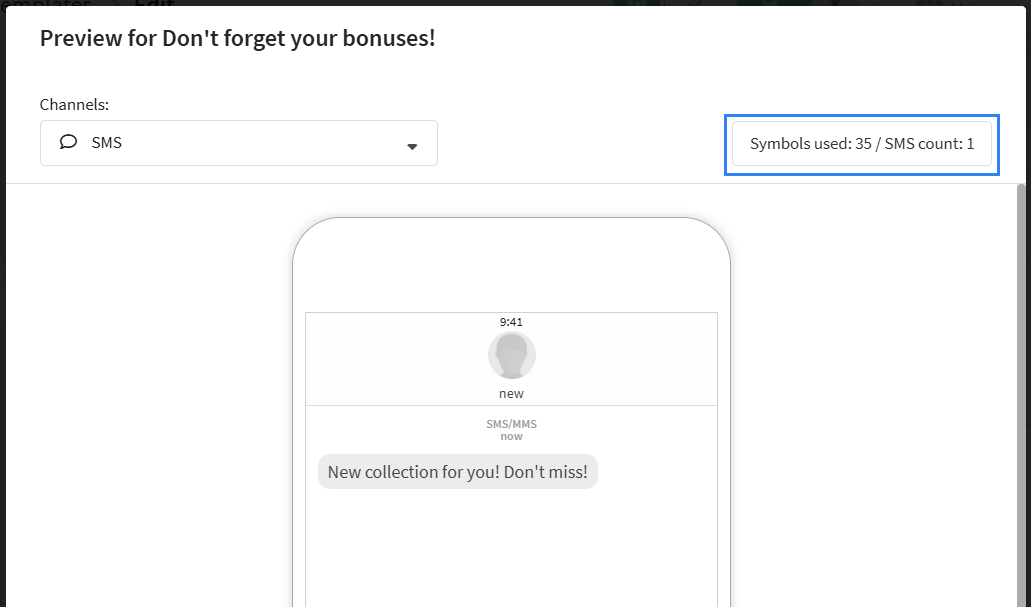
Please note that the data that is pulled from dynamic variables may exceed the expected number of characters.
The excessive sending can be restricted by specifying a value in the "SMS parts limit" field. If the message text exceeds the specified SMS parts limit after splitting, the message will not be sent at all. For example, if a user sets the limit to 3 SMS and the text length is 250 characters, no part of this message will be sent during the mailing..

In addition, the http(s):// protocol is not added to the template to shorten links, but you can enable auto-substitution. This only applies to tracking links.
When a template includes logical expressions or loops, the platform counts every formatting character — spaces and line breaks — as part of the final message. Each space or line break adds one character to the SMS and may affect the cost. To save characters and control message length, keep logical constructions on one line.
For example, instead of:
{if lead._city equal "Moscow"}
We invite you to a conference in Moscow on June 30!
{else}
We invite you to a conference in your city!
{end}

Use:
{if lead._city equal "Moscow"} We invite you in Moscow on June 30!{else}We invite you in your city!{end}

This approach keeps the logic intact and avoids unexpected SMS length growth.