Getting Started
This article will help you start using the Altcraft Platform. It provides a standard workflow for installing and configuring the platform in the Admin Panel and logging into the User Interface. Extended information about each step is available via links to related articles.
Technical Requirements and Staffing Requirements
You can read more about the technical requirements in this article of the documentation.
Verify that your systems configuration meets the requirements necessary for running the platform. Keep in mind that you should select hardware based on your specific needs. To clarify requirements in your case, you can send a request to support@altcraft.com.
Hardware Requirements
| Server / Resource | Minimum Requirements | Recommended Requirements |
|---|---|---|
| Customer database size | up to 5 mln | up to 10 mln |
| Daily delivery volume | up to 1 mln emails | up to 5 mln emails |
| Management server — CPU | 6 dedicated cores * | 12 dedicated cores * |
| Management server — RAM | 32 GB ** | 64 GB ** |
| Management server — Disk | 1 TB SSD *** | 1 TB NVME *** |
| Sending server — CPU | 3 dedicated cores * | 6 dedicated cores * |
| Sending server — RAM | 8 GB | 16 GB |
| Sending server — Disk | 0.5 TB **** | 1.5 TB **** |
* Assumes core allocation without considering hyper-threading level of Intel Xeon Gold 6240R or Intel Xeon Platinum 8260 or Intel Xeon Silver 4316 or AMD EPYC 7413 or AMD Ryzen Threadripper 2970WX or equivalent in performance.
** Additional memory allocation may be required when building suboptimal segments and automation mechanics.
*** Assumes write speed availability of 80 MB/s for HDD, 450 MB/s for SSD SATA, 1500 MB/s for NVME disks. Server-class disks are preferred. The calculation is made without considering the storage of generated content on the platform side. The number of operations and inodes on disks should not be limited.
**** The disk size is calculated for an average Email message size of 70 KB and a message lifetime of up to 72 hours. The number of operations and inodes on disks should not be limited.
Software Requirements
Management and sending servers are guaranteed to work in the following environments:
- Ubuntu Server 18.04 LTS
- Ubuntu Server 20.04 LTS
- Ubuntu Server 22.04 LTS
When using Docker containers (see Running the platform in a Docker container):
- CentOS 7+
- Red Hat Enterprise Linux 7+
- Debian 9+
- Astra Linux Common Edition 1.7+
- Astra Linux Special Edition 1.8+ (
 certified)
 - SUSE Linux Enterprise Server 12+
- RED OS 7.3+ ( certified)
During installation, the following open-source software is used:
| Software | Version | Source |
|---|---|---|
| Percona Server for MongoDB | 8.0 | https://www.percona.com |
| PostgreSQL * | 16.1 | https://www.postgresql.org |
| RabbitMQ | 3.12.9 (4.0+ also supported) | https://www.rabbitmq.com |
| Kvrocks | Latest | https://github.com/apache/kvrocks |
| ClickHouse | 24.8+ (LTS) | https://clickhouse.com |
| SSDB | 1.8.0 | https://github.com/ideawu/ssdb |
| xvfb | Any current version | Ubuntu repository ** |
| cutycapt | Any current version | Ubuntu repository ** |
* PostgreSQL is optional and required when using the "Market" section.
** The ability to install this software from official repositories must be ensured during system installation.
Staff Requirements
Specialists responsible for monitoring platform performance, administration, and infrastructure support should have the following skills and knowledge:
- technical education;
- knowledge of TCP/IP protocols;
- understanding of basic DBMS principles;
- at least 1 year of Linux administration experience;
- knowledge of the platform’s functionality;
- experience working with MongoDB (Percona Server for MongoDB);
- experience working with ClickHouse;
- knowledge of database recovery tools and server performance monitoring tools.
Platform Installation
To work with Altcraft, you need to install it on your server. You can read more about all installation methods in this section.
The platform is distributed as a compressed archive with the .tar.gz extension.
Accessing the Admin Panel
The Admin Panel address is set in the main.json configuration file located at /opt/akd/config/:
{ADMIN_WEBCONTROL_LOCAL_IP}:{ADMIN_WEBCONTROL_LOCAL_PORT}
or
{WEBCONTROL_HOSTNAME}:{WEBCONTROL_PUBLIC_PORT}/admin
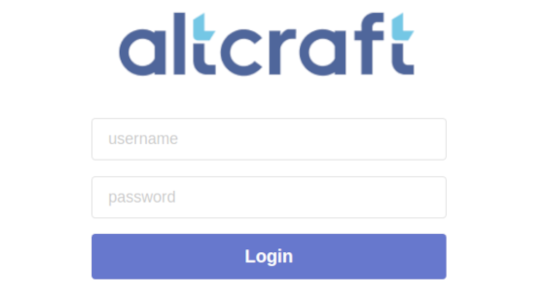
After installation, an administrator account is automatically created:
Username: admin
Password: admin
After the first login, you must change the password for the admin account.
Configuring the Platform in the Admin Panel
To ensure correct platform operation, you must configure several required entities in the Admin Panel. This section briefly describes what these entities are and how to configure them.
In the Admin Panel, you need to create:
- Sender — configuration of the messaging service. Senders are configured for email and SMS channels;
- Node — the network interface of the sending server used by AKMTA senders. A node can be on the same server as the Altcraft management components;
- Tariff — a set of restrictions for a platform account. The Altcraft Platform license agreement does not impose any restrictions on data usage, but you can define your own restrictions for certain accounts;
- Account — the workspace for marketers and related specialists working with the Altcraft User Interface;
Logging in to the User Interface
Access from the Admin Panel
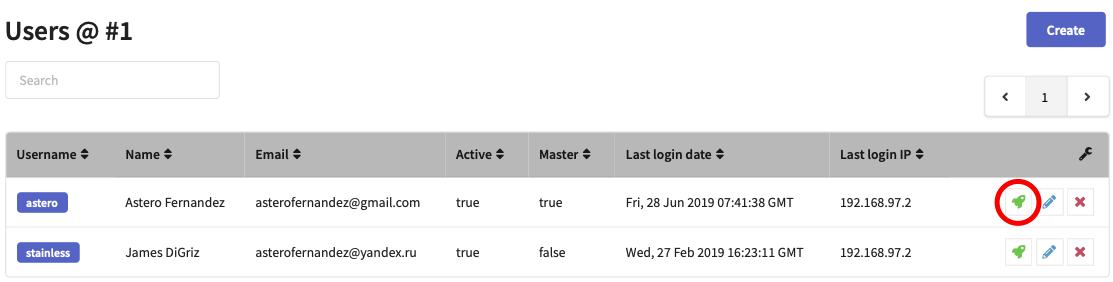
You can log into an account directly from the Altcraft Admin Panel. To do this, pop-ups must be allowed in your web browser. Go to the list of account users and click the rocket button next to the desired user:
Access via Link
The User Interface of an account is available at the address set in the main.json configuration file:
{WEBCONTROL_HOSTNAME}:{WEBCONTROL_PUBLIC_PORT}/
or
{WEBCONTROL_PUBLIC_IP}:{WEBCONTROL_PUBLIC_PORT}/
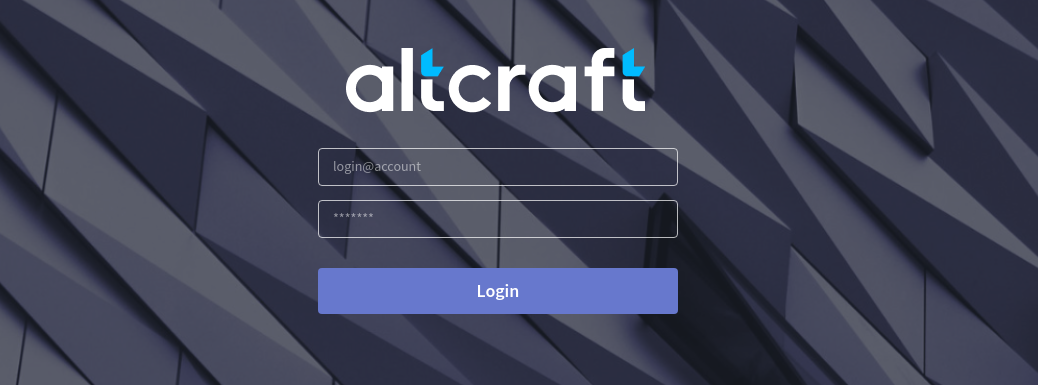
To log in, enter your credentials in the appropriate fields.