v2025.4.75
v2025.4.75.0 – Loyalty Programs, New Segmentation, UI Update
To ensure correct platform operation, a migration is required. To do this:
- Replace the platform files with files from the new build;
- Run
./akd upgradeand confirm the migration; - Fully restart the platform using
./akd restart.
You also need to add the following required objects to the main.json configuration file:
SYSTEM_REDIS— main Redis storage configurationLOYALTY_CACHE— Redis storage configuration used for loyalty program operationsPROCWORKFLOW_DISTRIBUTED_CACHE_DB— parameters of the distributed cache storage used by theprocworkflowprocessCAMP_DUPLICATESDB— Redis configuration for the duplicates database
More details about these configuration parameters are available in the administrator documentation.
Loyalty Programs
In this update, the Loyalty Programs module has been added to the Altcraft platform. A loyalty program is a customer reward system for target actions such as purchases, registration, content views, and other activities. Customers earn points that can be redeemed for discounts, movies, plans, and services.
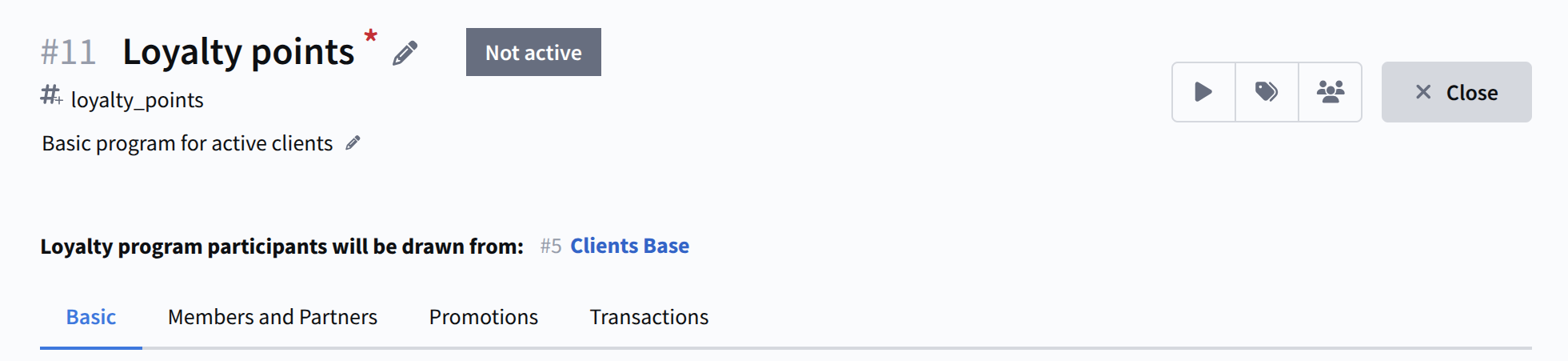
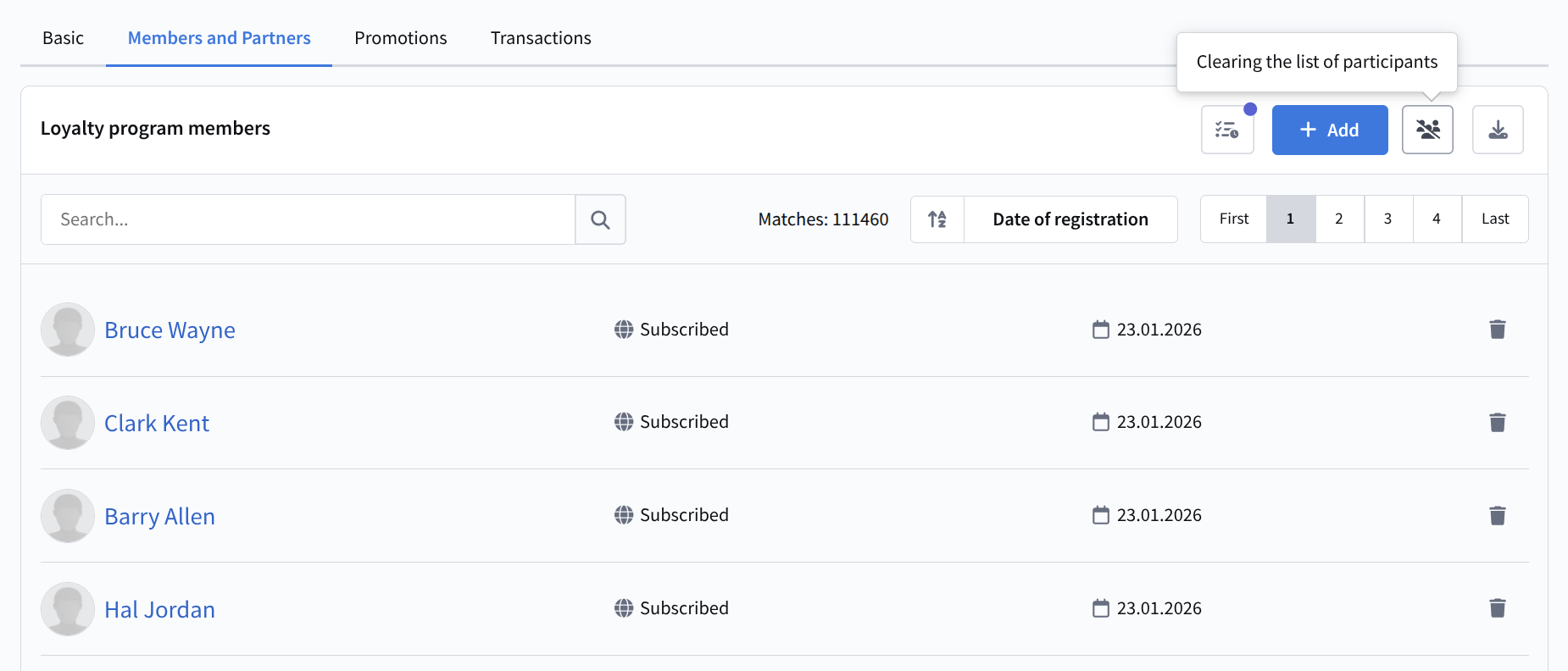
All profiles in the database or a specific segment can participate in a loyalty program. Participants can also be added manually or via API requests:
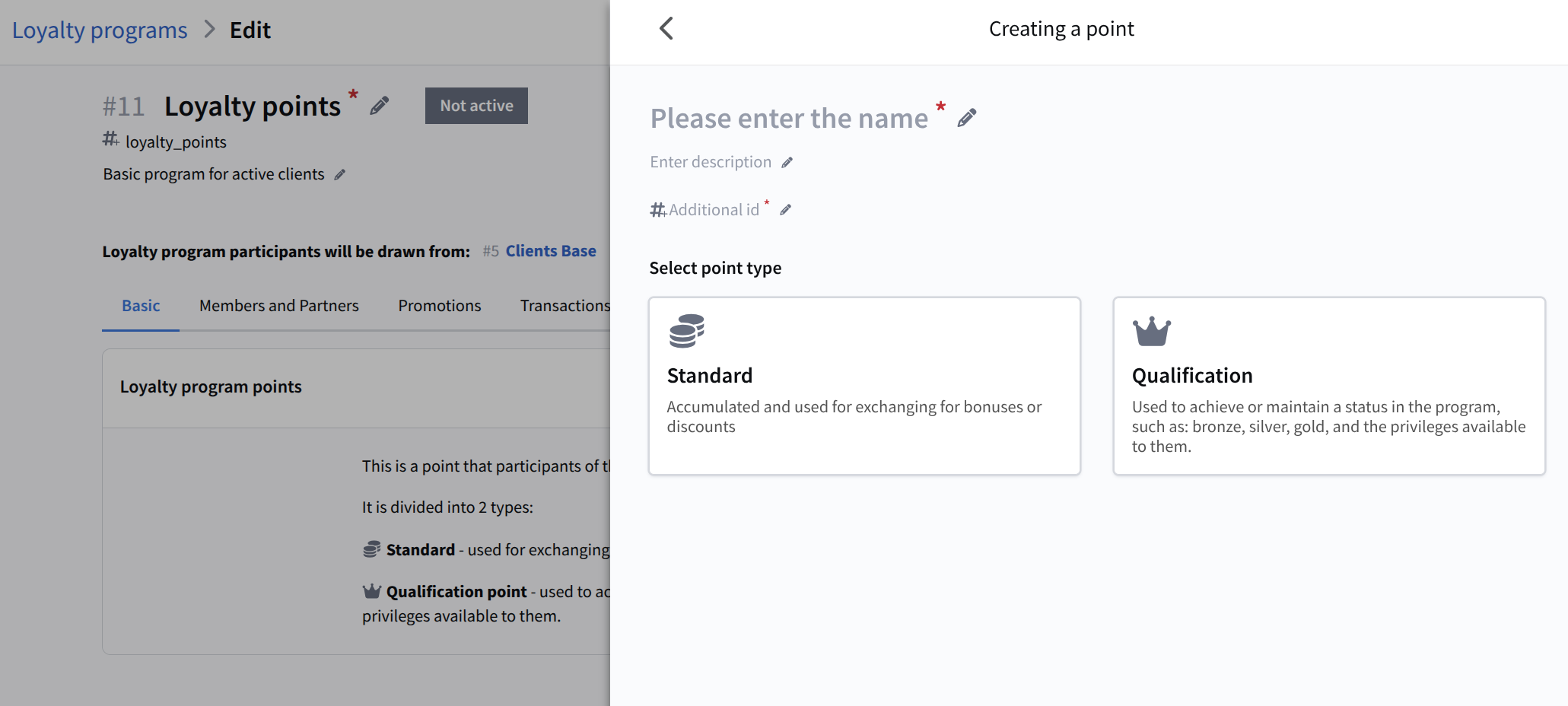
Loyalty program participants can earn points. Points are divided into standard and qualification points. Standard points are used for rewards, while qualification points determine the participant's level. Each point type can be assigned an equivalent in real currency:
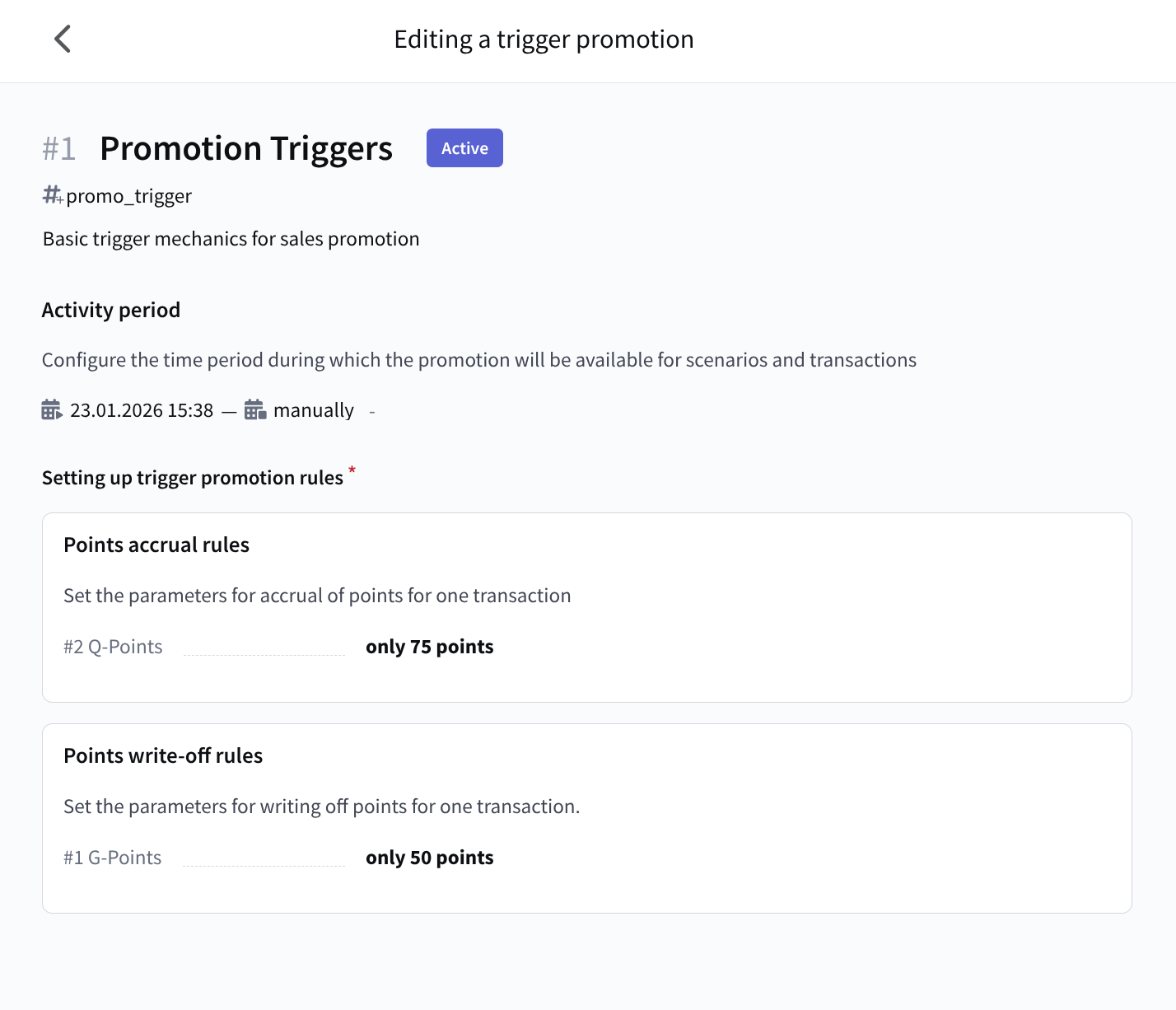
Point accrual and redemption are managed using trigger-based promotional campaigns:
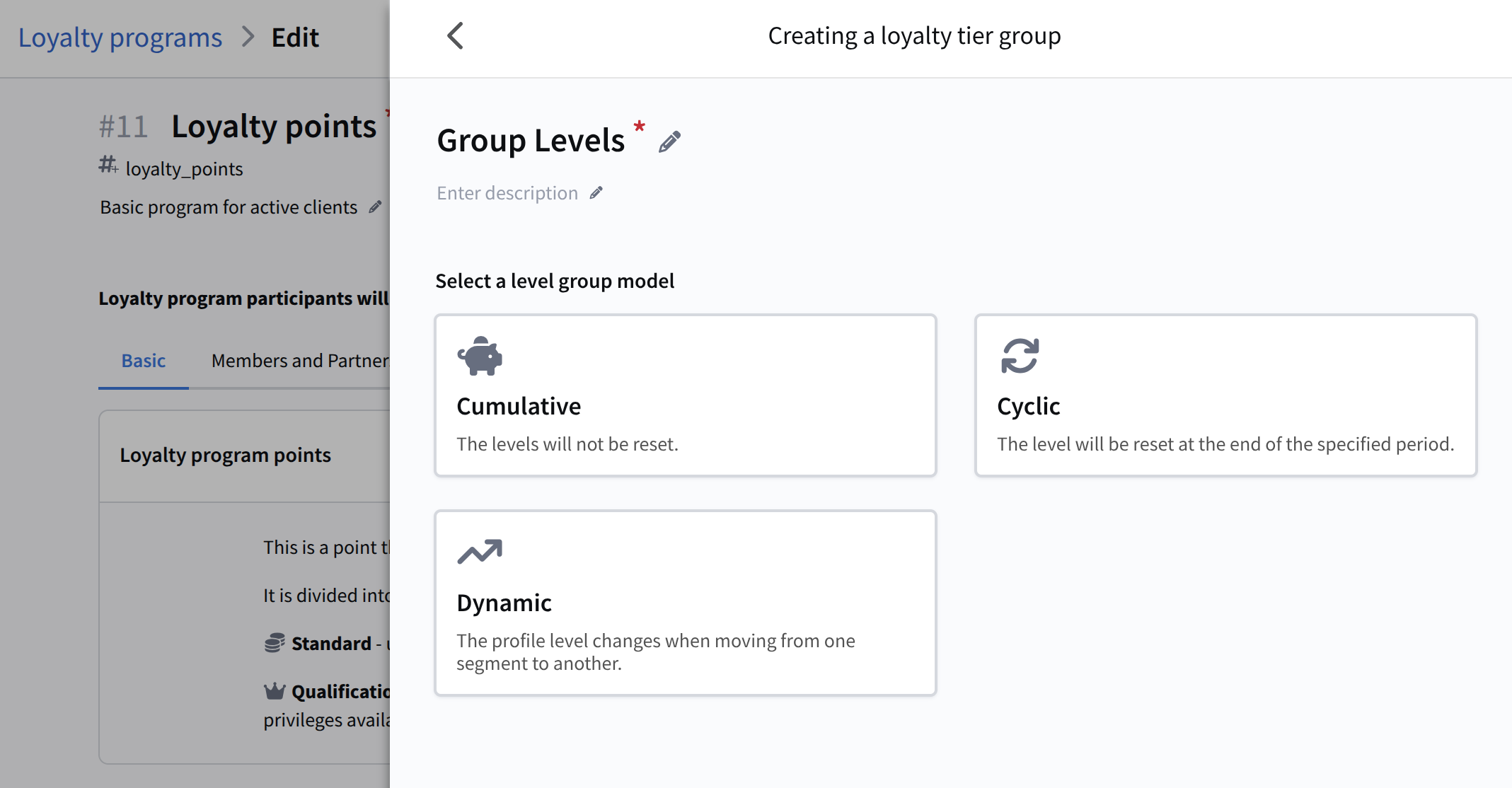
For loyalty levels, groups are configured with their own rules for status review and point reset. Different reward and purchase stimulation mechanics can be set up for participants at each level:
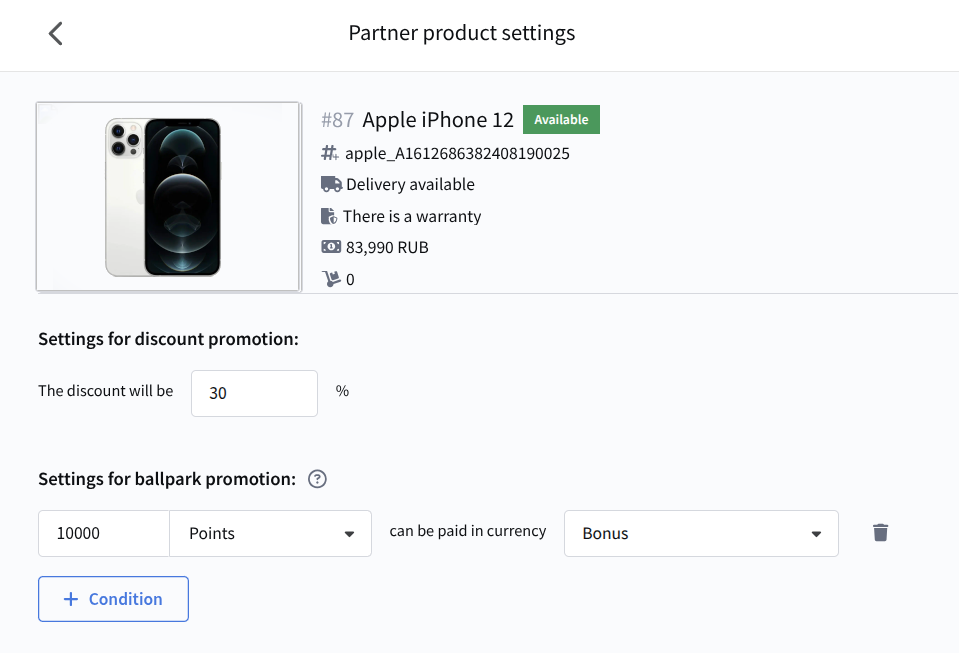
You can configure partners within a loyalty program. Special offers are available for partner products from the Market:
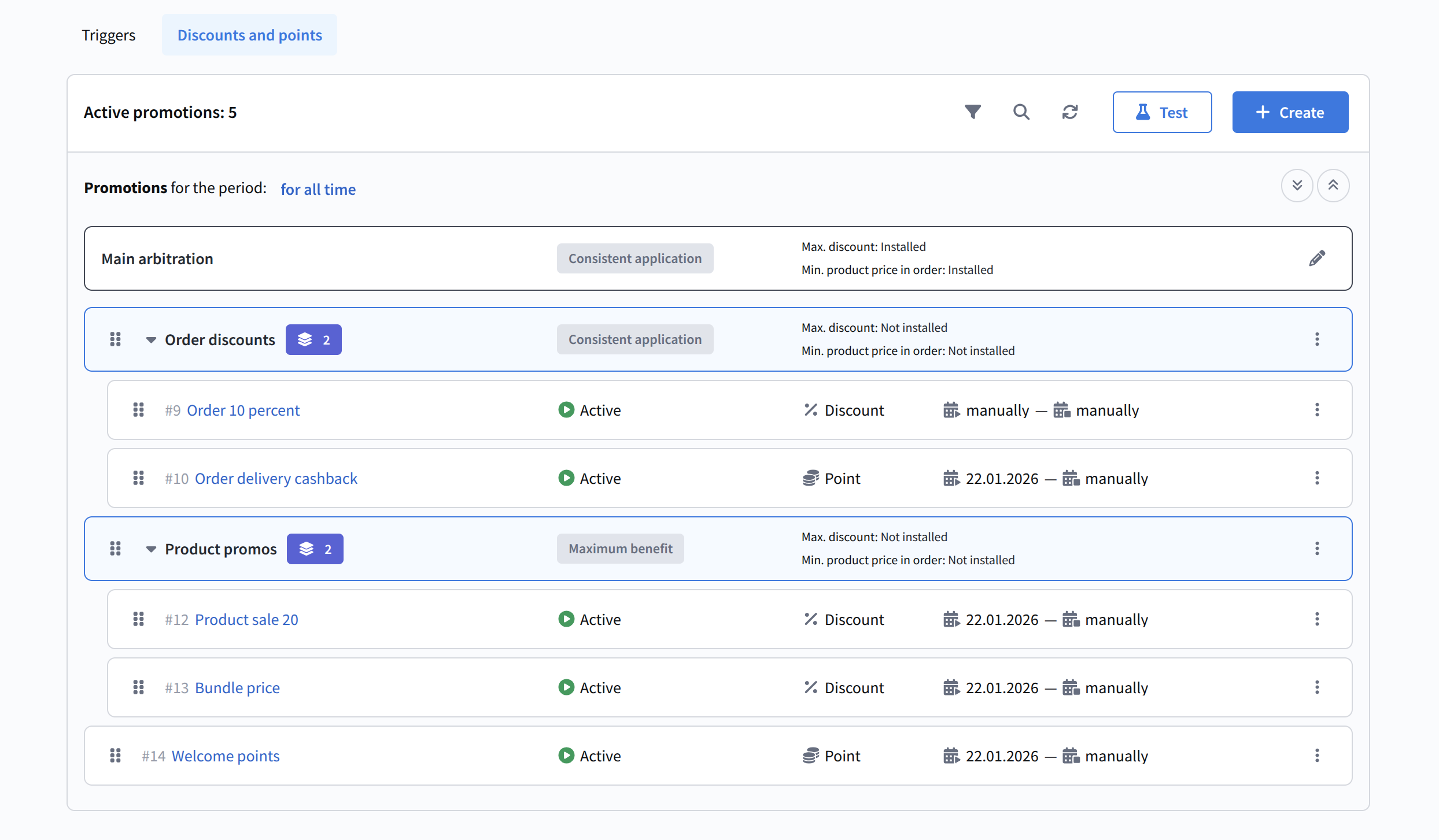
Discount and points-based promotional campaigns handle rewards for ordering products from the Market. You can create multiple such campaigns and fine-tune their interaction using arbitration:
After configuring points and promotional campaigns, you can verify that everything works correctly using the promotion testing feature. You can perform a preliminary order calculation for both an existing profile in the database and a test participant with manually specified context:
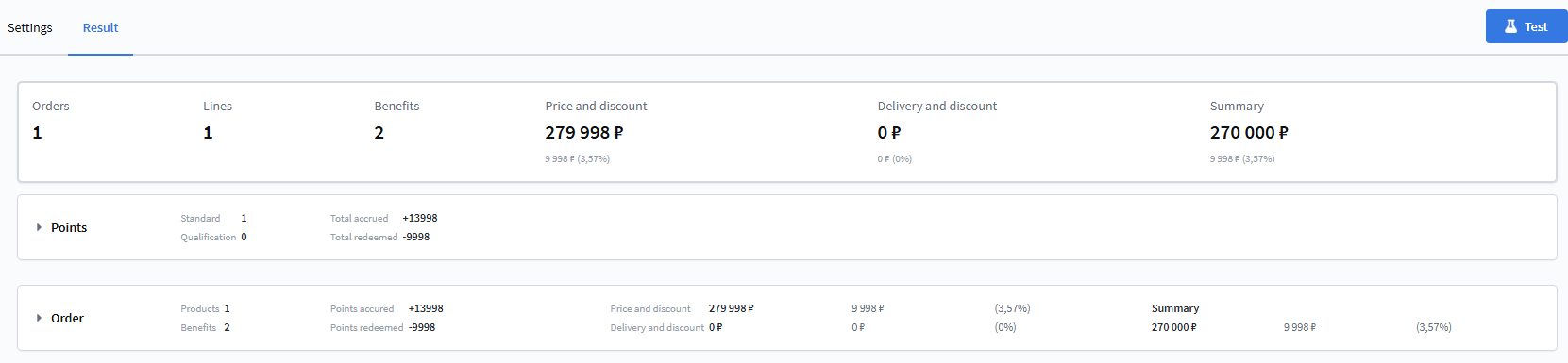
Testing makes it clear how and in what order benefits are applied for loyalty program participants.
Learn more about creating and configuring loyalty programs here.
Updated Segmentation
Major changes have been introduced to the profile segmentation mechanism. The key update is a redesign of segment types:
- Static segment — an entity for storing profiles, filled manually or via API. The segment is not recalculated on use and does not update automatically. It can be saved empty; only a name and database selection are required.
- Dynamic segment — essentially a set of conditions rather than a list of profiles. The segment is recalculated on each use and can display selection results without saving the segment.
- Updatable segment — cannot be filled manually or via API. Profiles are added based on defined conditions according to a schedule or via manual recalculation.
- Quick segments have been removed. Use a dynamic segment instead and click Calculate when configuring it.
The segment configuration menu UI has also been significantly redesigned:
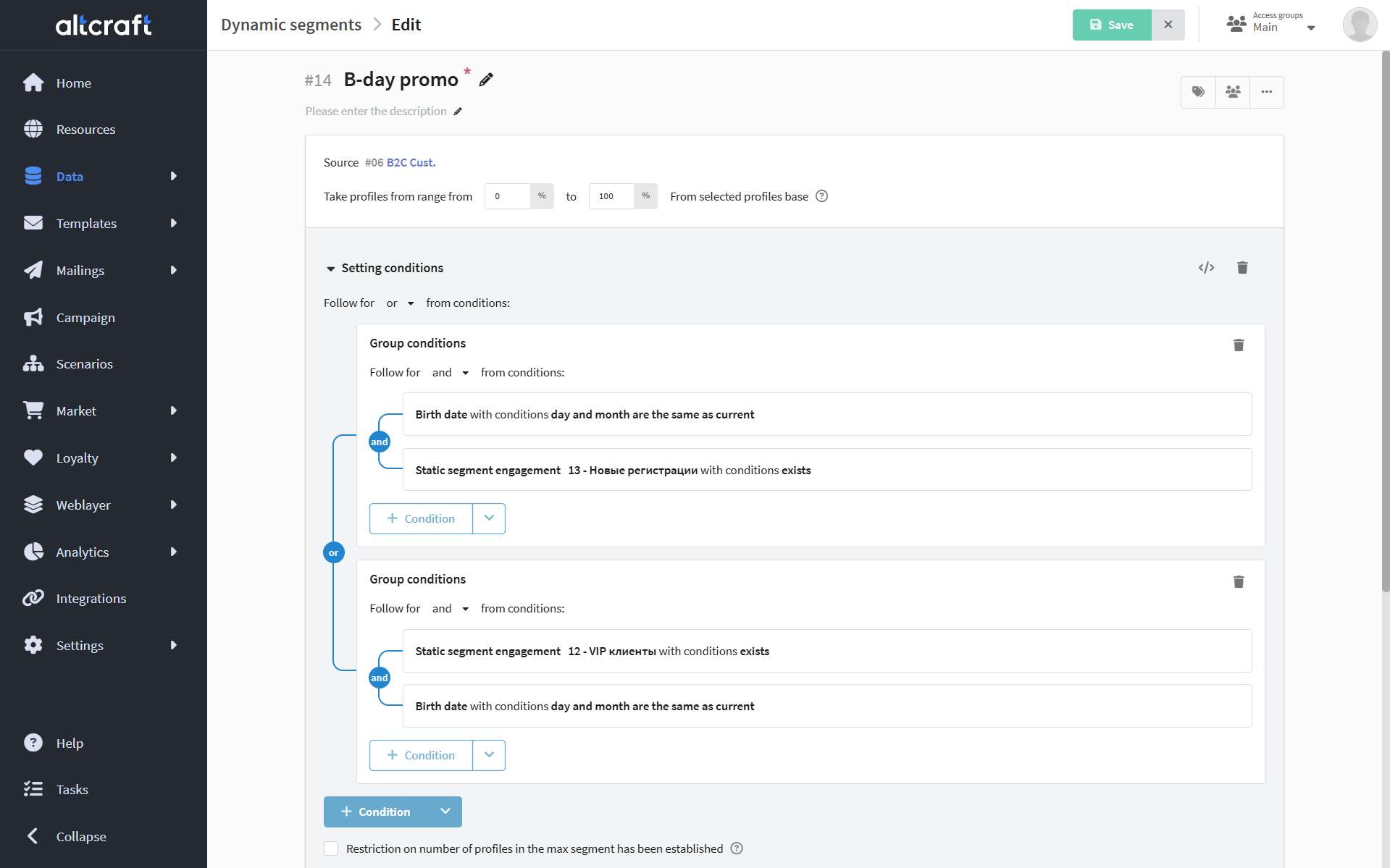
The interface is now more modern and intuitive. More details about segmentation are available in this section of the documentation.
Product Segments
Within the Market, you can now group products into product segments. These are sets of products and their modifiers (SKU) grouped by a specific attribute:

There are two types of segments: static (grouped manually or via API using selection conditions) and updatable (automatically recalculated on a schedule). A completed segment can be exported and used for sales data analysis.
Instructions for configuring product segments are available in this article of the Market documentation.
UI Updates
Along with the update, the interface has been improved:
- Updated the platform's color palette;
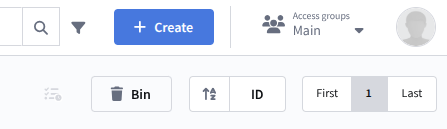
- Changed the appearance of some components, such as the date range picker;
- Improved the display of auxiliary side menus (for example, stratification in control groups);
- Tags and attributes in lists now look more consistent with the overall design;
- Fixed several table display issues.
- Color Palette
- Date Ranges
- List Display
Before:
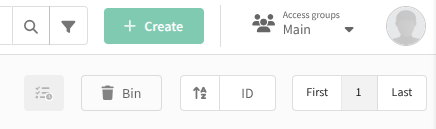
After:
Before:
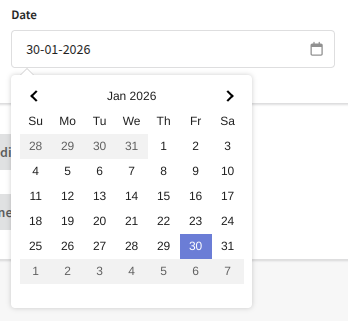
After:
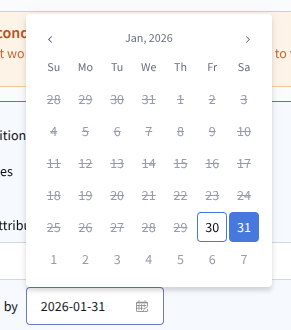
Before:

After:

These small improvements enhance usability, make the interface more cohesive and modern, and reduce visual noise.
Keycloak Integration
This update adds support for integrating the platform with Keycloak. Administrators can configure access control using centralized authentication and assign groups and roles according to Keycloak settings.
Connector creation and access configuration are performed via the Admin Panel.
Other
- Changes in virtual sender settings are now saved correctly again.
- Fixed an issue where the
CLICKHOUSE_SYSTEM.CONN_TIMEOUTparameter affected the overall host connection timeout instead of a single connection attempt. - Control groups no longer cause errors after being recreated.
- Fixed an issue where a required custom channel field could become optional.
- Email addresses are now correctly converted to lowercase when creating LDAP users.
- Fixed an issue where the regular expression for arrays only validated the first array item and failed JSON filter validation.
- Telegram template previews in scenarios now display correctly.
- Improved display of errors and warnings across the platform.
- Duplicate emails warning about profile import limits are no longer generated.
- Fixed an issue where some scenarios could not be saved.
- Profile import speed has been optimized.
- Deleted custom events no longer appear in the event capture list and no longer trigger events.
References
v2025.4.75.0: PL-20429 PL-20573 PL-20313 PL-20551 PL-20498 PL-20474 PL-20485 PL-20095 PL-19769 PL-20192 PL-19817 PL-16969 PL-20344 PL-20141 PL-20057 PL-19157 PL-19942 PL-20372 PL-20306 PL-17956 PL-20270 PL-20273 PL-19106 PL-20266 PL-19173 PL-19937 PL-19087 PL-18576 PL-20170 PL-19912 PL-19289 PL-19935 PL-19938 PL-19762 PL-20032 PL-20060 PL-19785 PL-19941 PL-18104 PL-18357 PL-19455 PL-18995 PL-19781 PL-19639 PL-17787 PL-18173 PL-19851 PL-19548 PL-17393 PL-18637 PL-19101 PL-19064 PL-17906
v2025.4.75.1005 – Loyalty fixes, minor improvements
Improved
- Added the ability to wait until a specific date in the "Event Waiting" node.
- Added validation to ensure a template is selected when launching a mailing, as well as a restriction on deleting a template linked to a mailing.
Other
This release includes fixes in the loyalty program module, as well as a number of other issues.
- Creating a mailing by a non-master user no longer causes errors.
- Fixed an issue where some scenarios were not attached to campaigns.
- The restriction on repeated form submission works correctly again.
- Added validation and inheritance of configuration parameters related to Redis storage.
- Fixed issues in collecting and displaying loyalty program analytics.
- Events in the campaign log are now displayed correctly.
- Improved stability of the
webcontrolprocess. - Added filtering by statuses in campaign lists.
- Fixed an issue that occurred when attempting to save a campaign.
- The platform now displays correct error information in case of connection issues with Yandex.Audience.
- Navigation to a template from the preview in the template list now works correctly.
- Fixed an issue where the profile ID was not passed when exporting form data.
- The time in the "Pause" scenario node now updates correctly.
- Fixed an issue that prevented entering a value less than 100% in virtual sender rules.
- Filtering by groups in the loyalty program list works correctly again.
- Fixed issues that occurred when opening an email template.
- Deactivating a mailing during sending now works correctly.
- Fixed several issues in the visual editor.
- The preview of the AMP version of an email template now opens and displays correctly.
- Fixed an issue where the provider was not specified in complaint events.
- The date in event capture and API is now passed correctly.
- Fixed an issue where the preview in custom channels was always displayed as an HTML message.
- The
subscription_fieldsvariable is now correctly passed in test sendings. - Fast segment calculation with a query to an external database now works correctly.
- Added validation to prevent linking to a non-existent group in the platform.
References
v2025.4.75.1005: PL-20912 PL-20916 PL-20899 PL-20826 PL-20881 PL-20624 PL-20847 PL-20791 PL-20794 PL-20752 PL-20756 PL-20753 PL-20767 PL-19819 PL-20760 PL-20205 PL-20757 PL-20744 PL-20754 PL-20749 PL-20718 PL-20644 PL-20724 PL-20730 PL-20732 PL-20725 PL-20041 PL-20469 PL-20705 PL-20632 PL-20704 PL-20552 PL-20702 PL-20635 PL-20683 PL-20693 PL-20684 PL-20190 PL-20618 PL-19500 PL-20380 PL-20674 PL-20099 PL-20669 PL-20651 PL-20671 PL-20648 PL-20668 PL-20666 PL-20620 PL-20665 PL-17606 PL-20659 PL-20650 PL-20069 PL-20653 PL-20649 PL-20647 PL-20637 PL-19347 PL-20233 PL-20148 PL-20625 PL-20606 PL-20314 PL-19211 PL-20523 PL-20572 PL-20534 PL-19602 PL-20500 PL-18808 PL-20376 PL-20169 PL-20377 PL-20073 PL-19950 PL-19940 PL-19822 PL-18473 PL-19411 PL-18360 PL-19802 PL-19688 PL-18742 PL-19370 PL-19619 PL-16670 PL-18771 PL-19338 PL-19174 PL-18741 PL-18918 PL-16688 PL-16687
v2025.4.75.2408 – React Native mSDK, product segment improvements
If you have already upgraded to version 75, you need to run a migration to ensure correct operation of static segments. To do this:
- Stop the
webcontrol,api, andproctaskprocesses. - Run the migration using the command
./aktool segments run-separation-migration --config=path-to-configuration-file. - Start the stopped processes.
Altcraft mSDK for React Native
Support for the cross-platform framework React Native has been added to the Altcraft mobile SDK. This makes it possible to use the SDK for both iOS and Android applications simultaneously.
You can learn more about integrating and using Altcraft mSDK for React Native here. The NPM package is available at this link.
Improved
- Added a filter by participation in segments for product segments, as well as the ability to import conditions from another segment.
- When creating and editing a template or template fragment, the interface now displays a list of available attributes.
- API requests that transmit mailing data now include information about the associated campaign.
- Added the ability to update profile fields in the mobile SDK.
- Segment audience updates are now blocked if the segment is used as the main segment of a campaign.
- Added a notification about the need to complete a campaign before deleting it.
- Added a Redis storage connection check at platform startup.
Other
- Attributes are now correctly displayed in the mailing template preview.
- JSON from the Object and Array of objects fields in the API request node is now substituted correctly.
- Fixed Viber sending issues via SMSTraffic caused by UTC time in the
start_dateparameter. - Improved collection and display of loyalty program reports.
- The event type filter in the profile card works correctly again.
- Emails about form submissions no longer contain invalid special characters.
- Fixed several issues related to attributes.
- The limit in the
http_requestpipe of custom channels now works correctly. - Fixed issues when cloning custom channel templates.
- The "exists" condition for string fields in fast segments works correctly again.
- Improved stability of the
webadmin,proctask, andapiprocesses. - Increased the processing speed of the
trk_pixel_defqueue. - Links in push templates in the beta editor now work correctly.
- Fixed issues with connecting to the platform via LDAP.
- Fixed an issue where template previews were not saved in FileDB.
- Processing of a custom field with the name of a system field now works correctly.
- Custom channels can be used in scenarios again.
- Fixed an issue where the audit log export contained a time not matching the account time zone.
- The
utm_mediumUTM parameter is now updated in the profile card when registering a goal via API. - Fixed an issue where hard bounces from Telegram bot mailings were not registered.
- Sending policies are now applied during массовой trigger-based sending of profiles to a scenario.
- The character limit is no longer applied when using dynamic variables with long logical conditions.
- Fixed an issue where the
/profiles/listAPI method did not return all profiles from the database. - Fixed issues with displaying the External object value in custom channel templates.
References
v2025.4.75.2408: PL-20956 PL-21090 PL-21117 PL-21116 PL-21118 PL-21115 PL-19263 PL-21087 PL-21089 PL-18153 PL-21062 PL-21046 PL-17906 PL-20943 PL-21038 PL-20987 PL-21023 PL-20499 PL-20999 PL-20641 PL-21008 PL-20971 PL-20986 PL-20636 PL-20542 PL-20865 PL-18467 PL-20802 PL-20846 PL-20780 PL-18407 PL-17935 PL-19747 PL-20682 PL-20719 PL-20652 PL-20312 PL-18757 PL-18575 PL-18663 PL-21027 PL-21009 PL-20990 PL-18111 PL-20914 PL-20980 PL-21025 PL-20968 PL-20970 PL-21002 PL-21005 PL-20984 PL-20860 PL-20833 PL-20966 PL-20931 PL-20953 PL-17662 PL-20896 PL-20875 PL-20862 PL-20541 PL-20764 PL-20738 PL-20553 PL-19277 PL-20428 PL-19278 PL-20201 PL-17754 PL-18981 PL-21018 PL-20992 PL-20815 PL-20967 PL-20963 PL-20456 PL-20962 PL-20934 PL-20893 PL-20825 PL-20540 PL-20588 PL-20236 PL-18822 PL-20901 PL-20525 PL-19672 PL-20751 PL-17954 PL-20980 PL-20965 PL-20891 PL-20954 PL-20958 PL-20951 PL-20908 PL-20955 PL-20927 PL-20935 PL-20922 PL-20297 PL-2087 PL-20879 PL-20886 PL-20866 PL-20830 PL-20804 PL-20831 PL-20761 PL-20814 PL-20789 PL-20720 PL-19344 PL-20808 PL-20714 PL-20803 PL-20707 PL-20790 PL-20786 PL-20759 PL-20433 PL-20539 PL-20688 PL-20709 PL-20685 PL-18299 PL-20712 PL-20623 PL-20408 PL-20164 PL-20677 PL-20160 PL-20594 PL-20622 PL-20056 PL-20247 PL-18498 PL-16893
v2025.4.75.2774 – Custom Authentication, block editor improvements
In upcoming updates, all active mailings that do not use a resource will stop working.
To avoid issues, create a new resource or use an existing one and add it in the mailing settings.
You can retrieve the list of such mailings using the ./aktool campaigns upgrade-blocker-list or ./aktool campaigns upgrade-blocker-list --account-id 12345 command.
Added
A new type of connector for external connections has been introduced — Custom Authentication. This connection type enables configuration of custom HTTP headers for API requests, including the predefined Authorization header. The solution provides flexible configuration and sending of API requests and supports validation and error handling.
With this connection type, you can integrate the Altcraft platform with any external service that requires custom HTTP headers for authentication or other purposes, including API requests that use a key in the header.
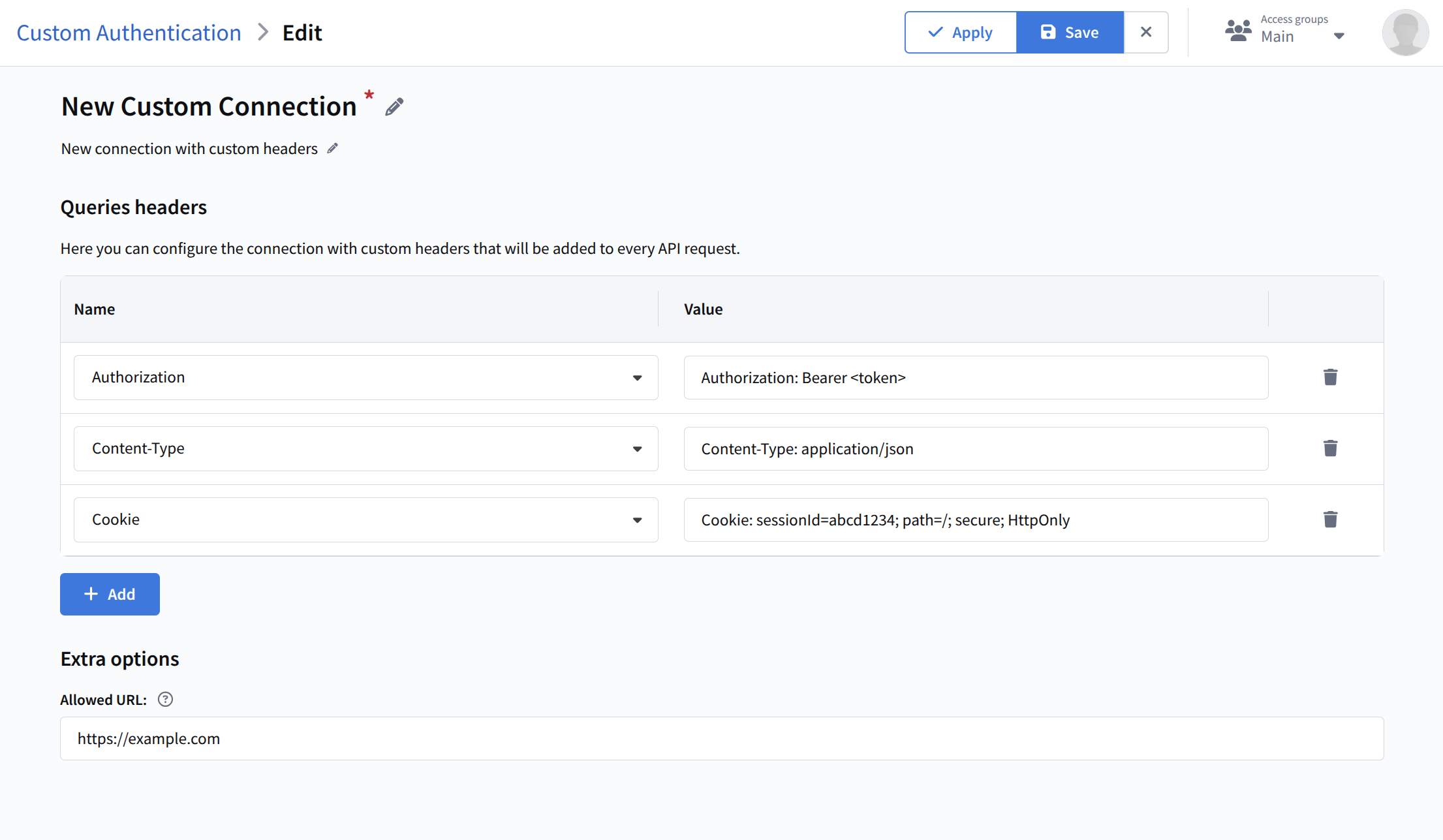
Learn more about configuring this connection type here.
Improved
The email template block editor has been improved:
- ability to insert links and emoji into tables added;
- save and export UI updated;
- proxying for empty images fixed;
- visual and UI improvements applied to several interface elements.
Read more about the block editor in this article.
Other
- The Altcraft team continues fixing issues in the Loyalty module and improving its stability.
- Fixed an issue where the
data/segmentdirectory was not cleared automatically. - PostgreSQL connection passwords containing special characters now work correctly.
- Fixed an issue that prevented creating transactions with a long expiration period for points.
- Editing of mailings, scenarios, and campaigns is now restricted if a required attribute is assigned without a selected value.
- Improved platform stability when executing multiple trigger API calls.
- Fixed issues with analytics and report display in the platform.
- Values in templates for
external objectfields are now saved correctly. - Fixed several issues related to attributes and their value processing.
- Campaigns now deactivate correctly even if the deactivation moment coincides with the audience generation moment.
References
v2025.4.75.2774: PL-20989 PL-21186 PL-20844 PL-21107 PL-21228 PL-21163 PL-19018 PL-19865 PL-21208 PL-21194 PL-20755 PL-21189 PL-21051 PL-21145 PL-21154 PL-16968 PL-21074 PL-21130 PL-21111 PL-20834 PL-20870 PL-21106 PL-21093 PL-21048 PL-21100 PL-20807 PL-21102 PL-21099 PL-18812 PL-21064 PL-20938 PL-21000 PL-20071 PL-20932 PL-20066 PL-20973 PL-21015 PL-20972 PL-20824 PL-20828 PL-20774 PL-20858 PL-20809 PL-20703 PL-21205 PL-18625 PL-20952