Account settings
Description
 | The "Account settings" section includes configuration settings that are applied globally: to all processes and objects in the account. Settings affect different functionality. |
Administration
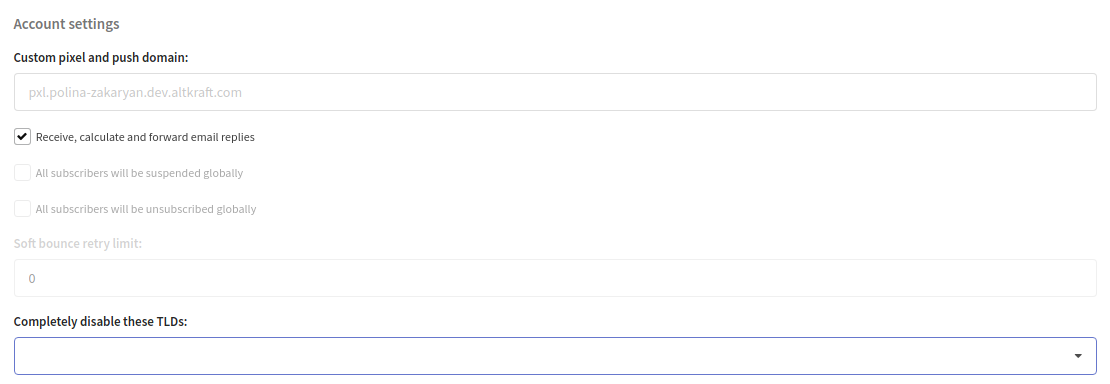
In this tab, you'll find the settings of email sending and subscriptions. You also can specify your custom pixel and push domain.
Report settings
In this tab, you can set the day of the week and hour at which the platform sends reports to the platform users' email. The report is delivered to the address the user specified in their profile settings.

Report types
There are two report types:
- Daily — a summary of the last 24 hours.
- Weekly — a summary of the previous week.
Each user enables or disables these types in their notification settings. By default, only the weekly report is enabled.
The day of the week and hour configured in this section set the delivery moment: the daily report is sent at the configured hour every day, and the weekly report is sent at the configured hour on the configured day of the week.
Report content
The report is aggregated across the profile databases the user has access to and contains three blocks:
- Channel metrics — for each channel (Email, SMS, Push, etc.): sent, delivered, opened, clicks, unsubscribes, complaints, hard bounces, soft bounces, and the rates (delivered to sent, opened to delivered, clicks to delivered). For comparison, the change relative to the previous period is shown (for the daily report — versus the previous 24 hours, for the weekly report — versus the previous week).
- Audience growth — the change in the number of profiles in the databases over the period.
- Goals — data on goals (pixels), sorted by the number of clicks.
Global sending policy
In the next tab, you can set the global sending policy. It will apply to all resources and mailings that do not have their own policy:

Additional options
At the bottom of the page there are options for proxying tracking requests and auto-setting utm tags when saving a message template:
