Yandex AppMetrica™
Yandex AppMetrica™ is an analytics platform for mobile applications with push notification delivery.
Website: https://appmetrica.yandex.ru
Altcraft can capture events and installations from AppMetrica for:
- registering target actions and their value;
- importing or updating subscriber profiles.
Step 1. Connecting to the AppMetrica™ API
Navigate to Integrations. Create a new integration and specify a name. Select the type — Yandex AppMetrica events. Enable the activation toggle: | 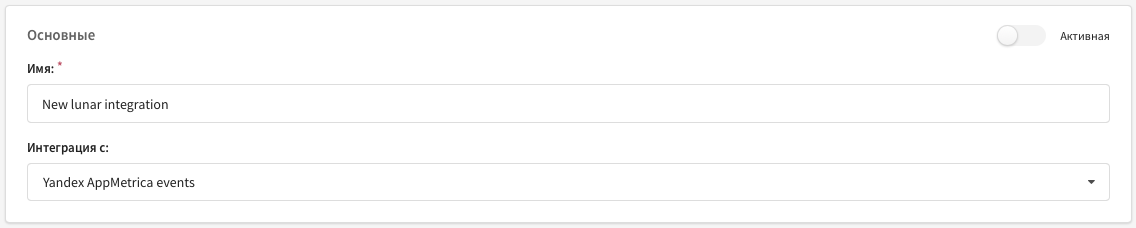 |
Specify the parameters:
|  |
Step 2. Setting up event captures
Add captures of events and/or installations. For each, set triggering conditions based on AppMetrica fields. Filtering with the | 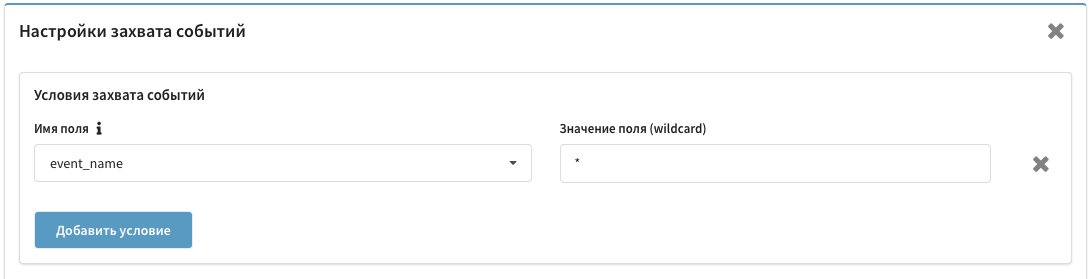 |
Event fields
The integration supports all fields from the AppMetrica Logs API:
- Events — documentation
- Installations — documentation
Enter additional parameters from event_json manually in Field name, separating levels with a dot: event_json.email, event_json.contacts.email. Altcraft supports up to 10 nesting levels.
Step 3. Selecting the action type
Goal registration
Select Action type: Goal registration. Select a pixel. Specify the goal name and value — manually or from event fields: | 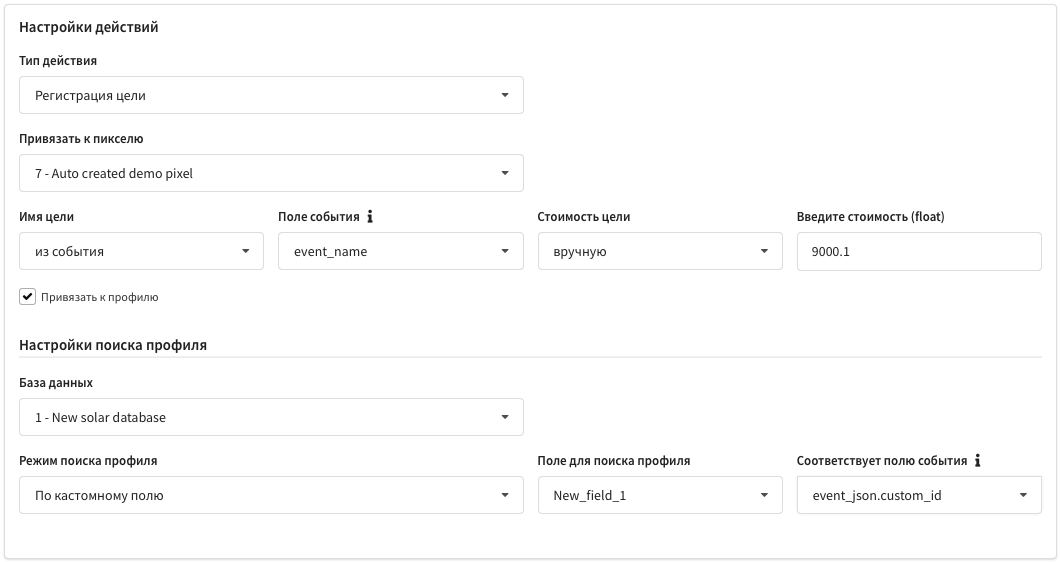 |
To attach a goal to a profile, enable Attach to profile. Select a database and a matching mode:
- By email from profile
- By email from profile or subscriptions
- By AppMetrica ID — by
appmetrica_device_id - By custom field — by an additional profile field
Profile import
Select Action type: Import profiles. Modes: add new and update existing, add only, update only. Specify a database and a matching mode: | 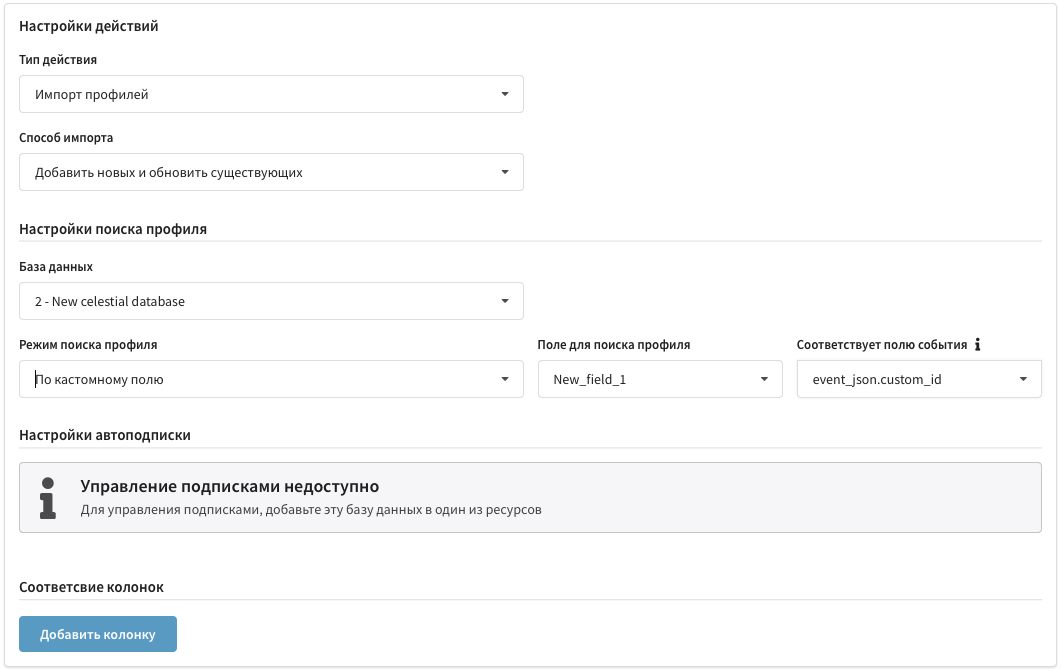 |
It is not recommended to change the matching mode from email/custom to appmetrica_device_id within a single database.
Auto-subscription
First create a resource with the required channels and add the database for import to it. The Add subscription button appears. Select Resource, Channel, and Subscription source: |  |
For Push from AppMetrica:
| Provider | Event field |
|---|---|
| AppMetrica with device id | appmetrica_device_id |
| AppMetrica with iOS IFA | ios_ifa |
| AppMetrica with Google AID | google_aid |
For other providers and Email/SMS — pass the data via event_json.
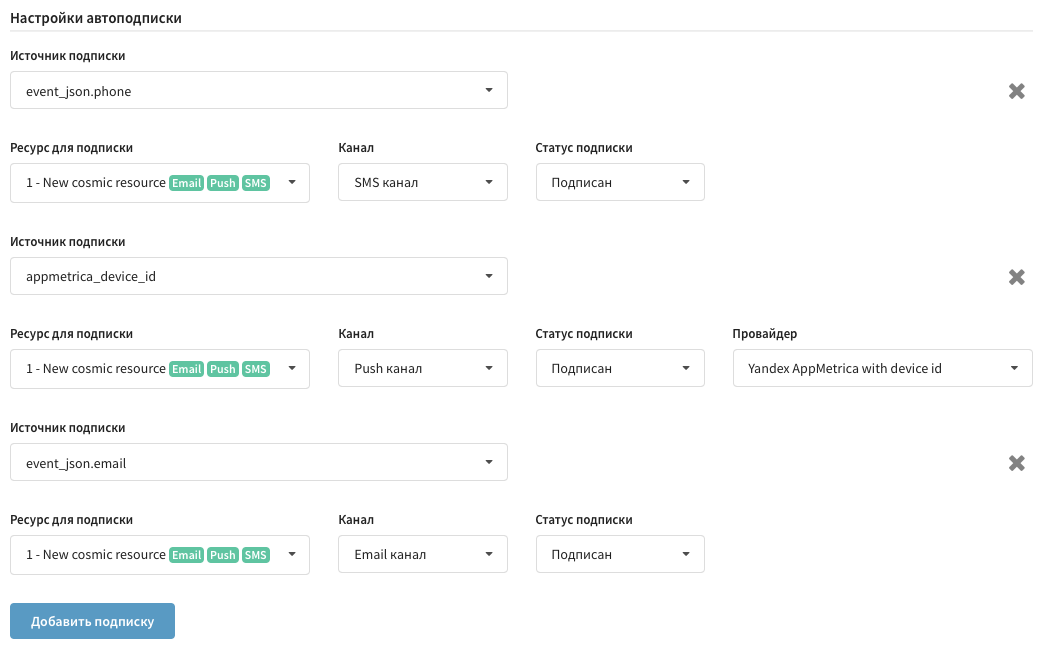
For each subscription, a status can be set: "Subscribed" (single opt-in) or "Not confirmed" (double opt-in).
Data matching
Set a correspondence between AppMetrica event fields and Altcraft profile fields. The Ignore empty option prevents writing an empty value: | 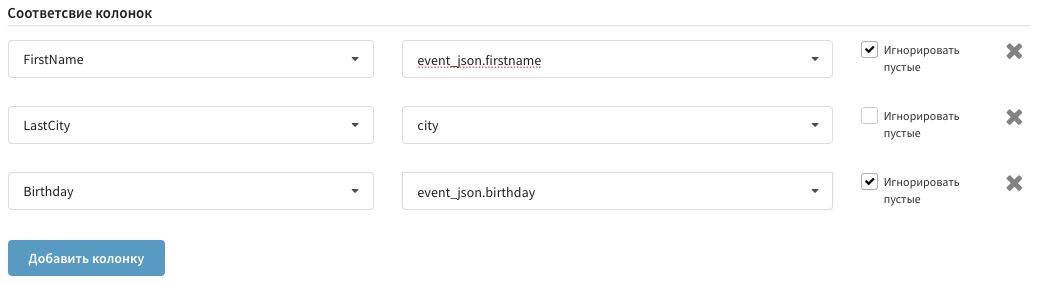 |
Step 4. Saving the integration
Click Save. The integration is ready to use.