Getting Started
Altcraft Platform is an omnichannel CDP platform designed for storing customer data and managing communications across multiple channels such as email, SMS, push notifications, messengers, and more.
The platform includes a wide range of features and tools, so during the first login it may not be immediately clear where to start and how different interface modules are connected. This article helps you understand the core logic of Altcraft Platform and points you to the documentation sections worth exploring next.
If you are just starting to work with the platform, we also recommend reviewing the FAQ and Glossary sections.
If you prefer learning through practical examples, this article also includes videos demonstrating basic operations: preparing a profile database and launching the first email mailing.
Profile Databases and Subscriber Profile
Altcraft Platform is built around data. All communications, automation, and analytics are based on customer profiles and their actions. All customer data in Altcraft is stored in profile databases.
A profile database defines the data structure: which fields are used, what data types are allowed, and which resources (subscription sources) can be associated with profiles. In most cases, a single profile database corresponds to a specific product, service, or business unit. More details on data structure configuration are available in this article.
A subscriber profile is a unified digital customer profile. It combines contact details, personal information, action history, channel subscriptions, and participation in marketing activities. In the documentation, you may encounter the terms "customer", "subscriber", or "user", but in all cases they refer to the same object — the subscriber profile.
For example, a profile may initially contain only an email address, later include an SMS subscription, and then record activity from a mobile application. All this information is stored within a single subscriber profile.
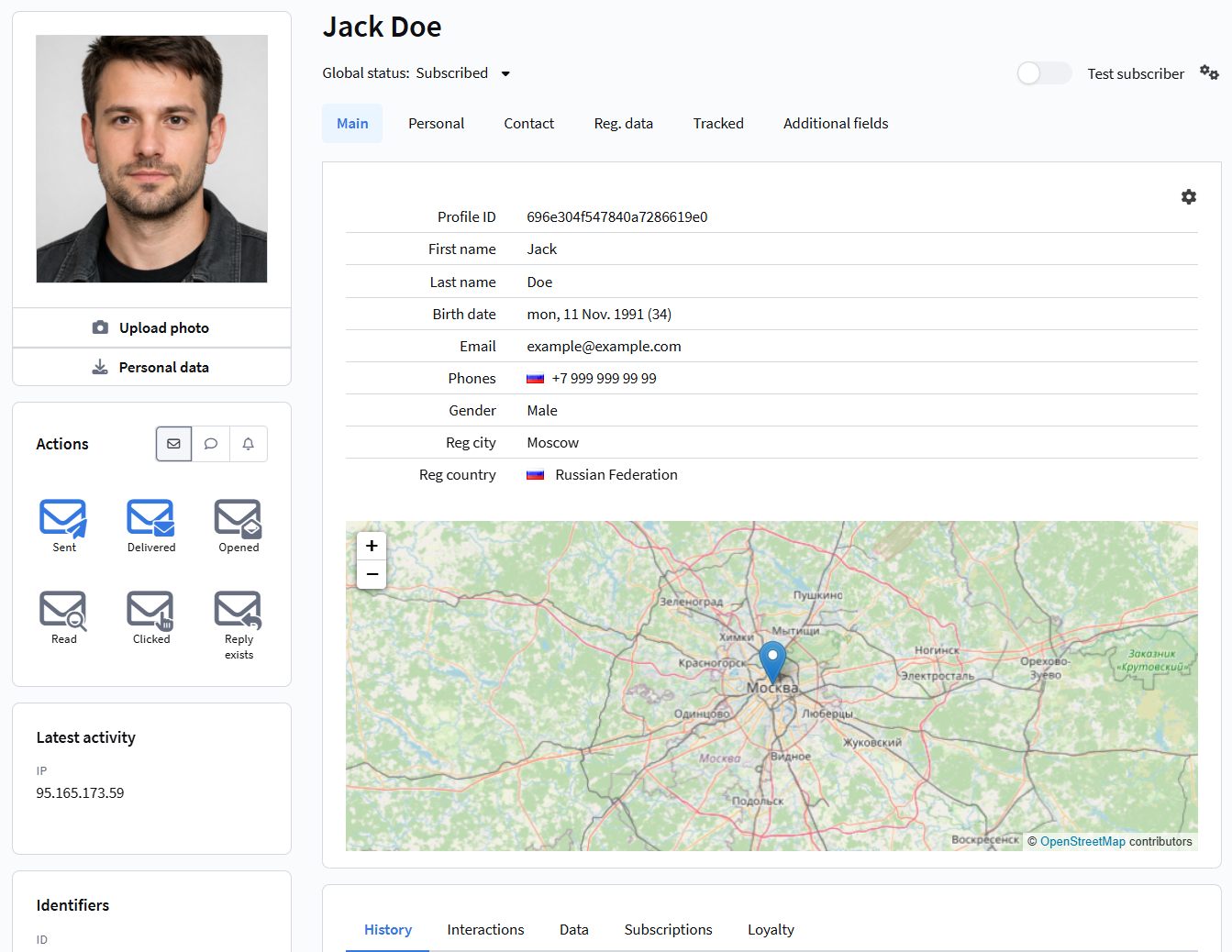
A detailed description of the profile structure and its tabs is available in this article.
Resources and Subscriptions
Altcraft uses subscription resources to manage communications.
A resource is a logical content source within which a customer receives messages. It can be viewed as a context or interaction point: a website, mobile application, service, brand, or a specific company project.
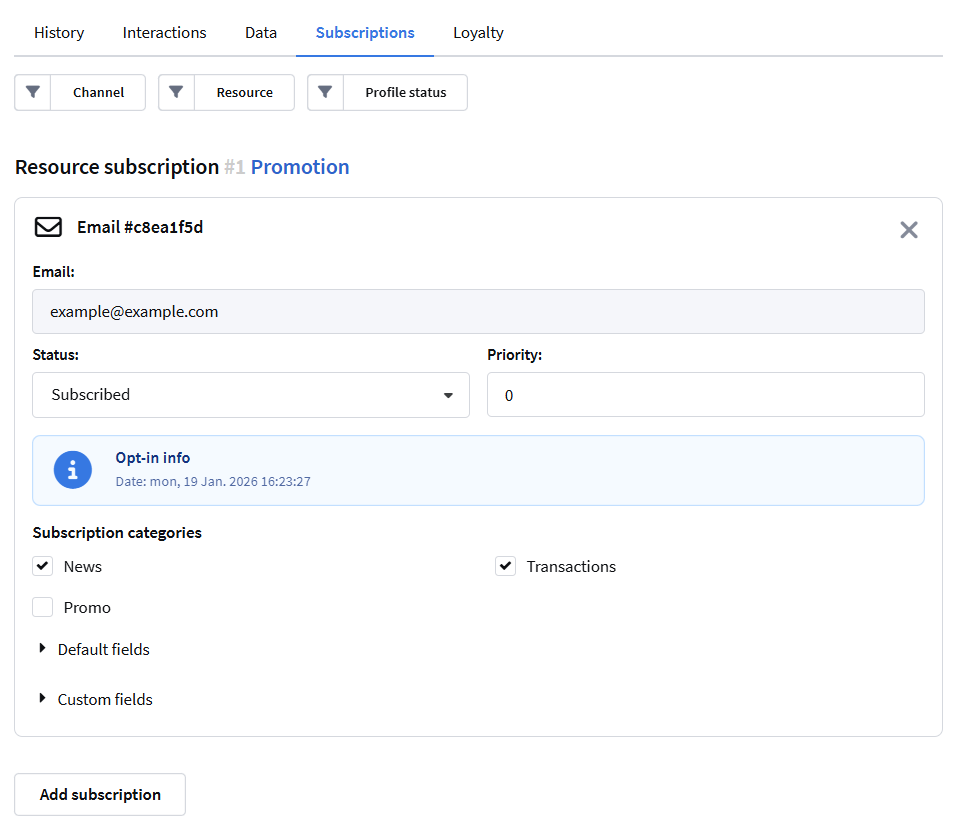
Resources allow you to separate customer subscriptions and consents. The same profile can be subscribed to multiple resources and have different subscription statuses in each of them.
A profile subscription links a customer to a specific resource and communication channel. It is the subscription that determines whether messages can be sent to particular contact details.
More information about configuring resources and subscriptions is available in this article.
How profile databases, resources, and subscriptions are created
Below is a basic process of preparing data for communications: creating a profile database, creating a resource, and adding profiles with subscriptions. These steps form the foundation for further segmentation, mailings, and automation scenarios.
Data and Action History
Altcraft Platform tracks all key customer actions and stores them in the subscriber profile history. This includes message sends and opens, link clicks, form submissions, website or app events, as well as order and promo code data.
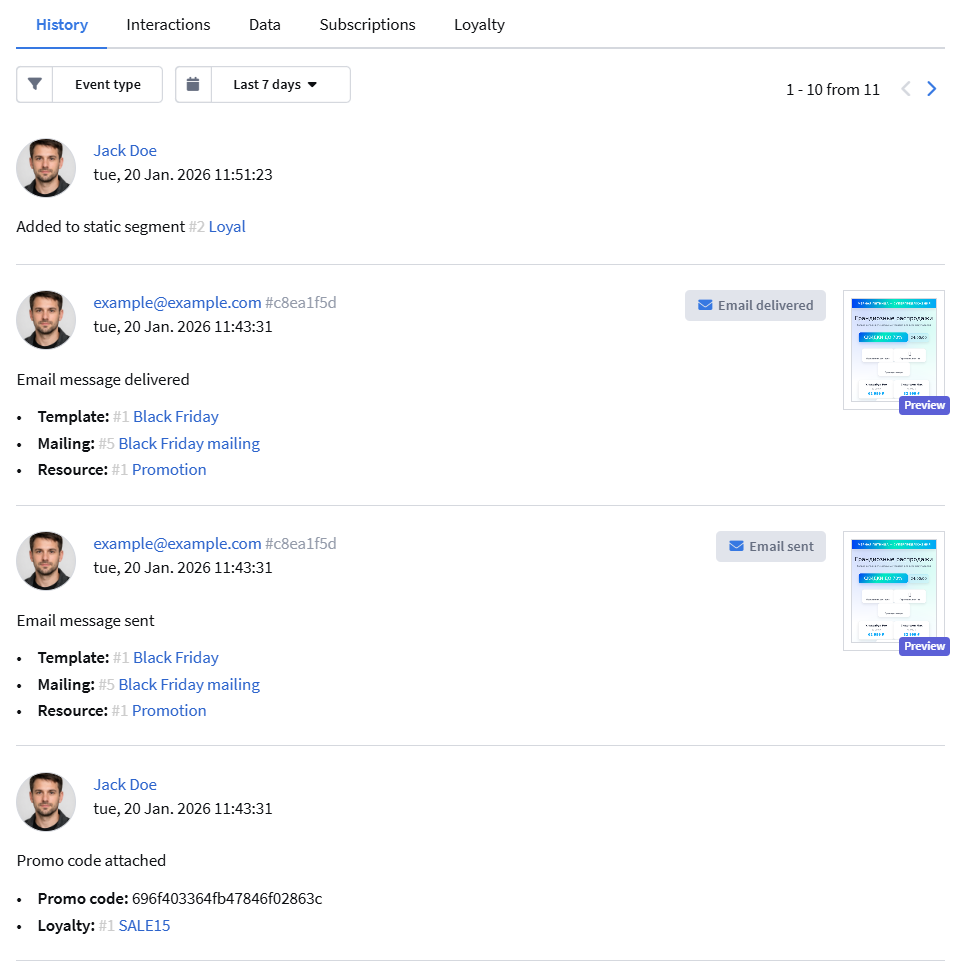
Action history is used for segmentation, automation, and analytics. For example, you can send a message only to customers who opened emails in the last seven days or made a purchase.
Audience Segmentation
Segmentation allows you to group profiles based on defined conditions.
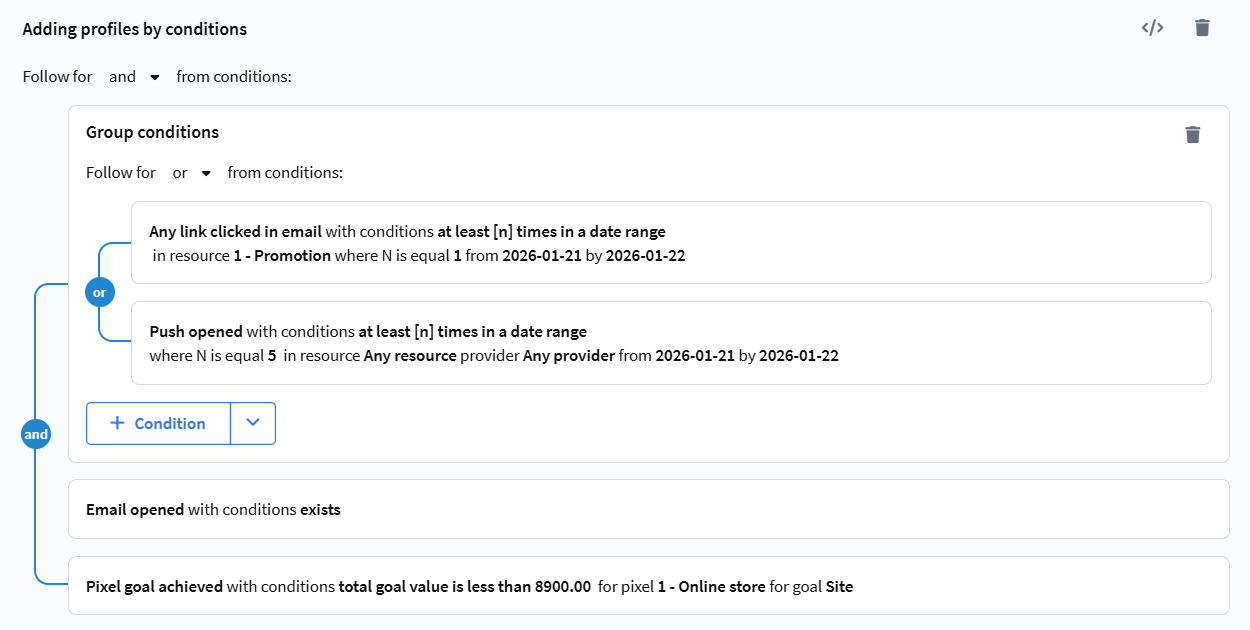
Altcraft supports static, dynamic, and updatable segments. These segment types differ in how the audience is formed and how data is refreshed.
Static segments are used for working with fixed lists of profiles. Dynamic segments are recalculated at the time of message sending and always use up-to-date data. Updatable segments are recalculated on a defined schedule and store the result until the next update.
For example, you can create a segment of customers who placed an order in the last week or a segment of active subscribers who opened emails during the last month.
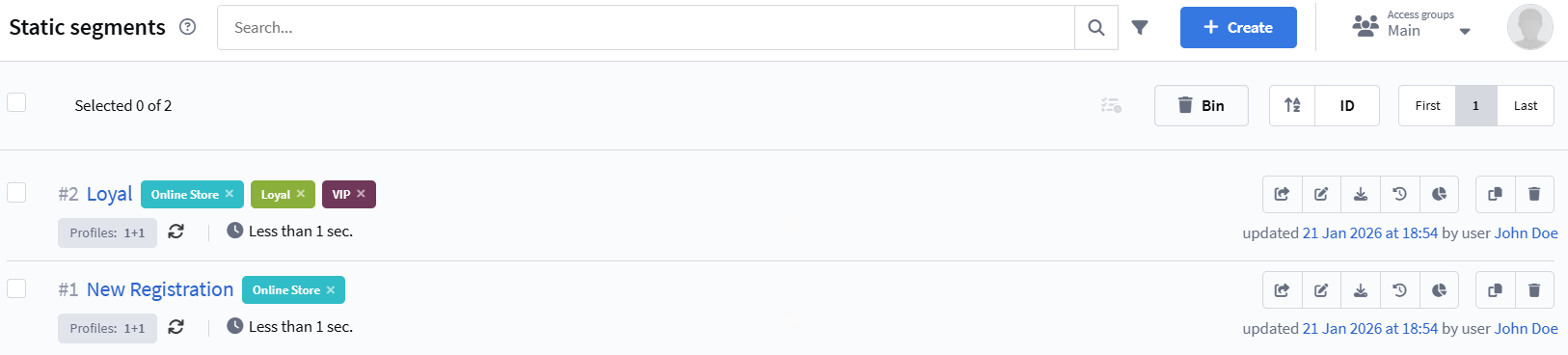
More details about segment types and selection conditions are available in this article.
Communications
Communications in Altcraft Platform refer to sending messages to subscriber profiles through various communication channels. The platform supports email, SMS, Web Push, Mobile Push, messengers, and other channels that can be used individually or as part of omnichannel scenarios.
Each channel has its own configuration and delivery specifics, but the overall communication logic in the platform is unified. Messages are sent based on profile data and always take into account contact details, subscriptions, and consents.
Altcraft supports several main types of mailings. Broadcast mailings are used for one-time sends, such as news or promotions. Regular mailings are suitable for repeated communications based on a schedule. Trigger mailings automatically send messages in response to customer actions or specific events.
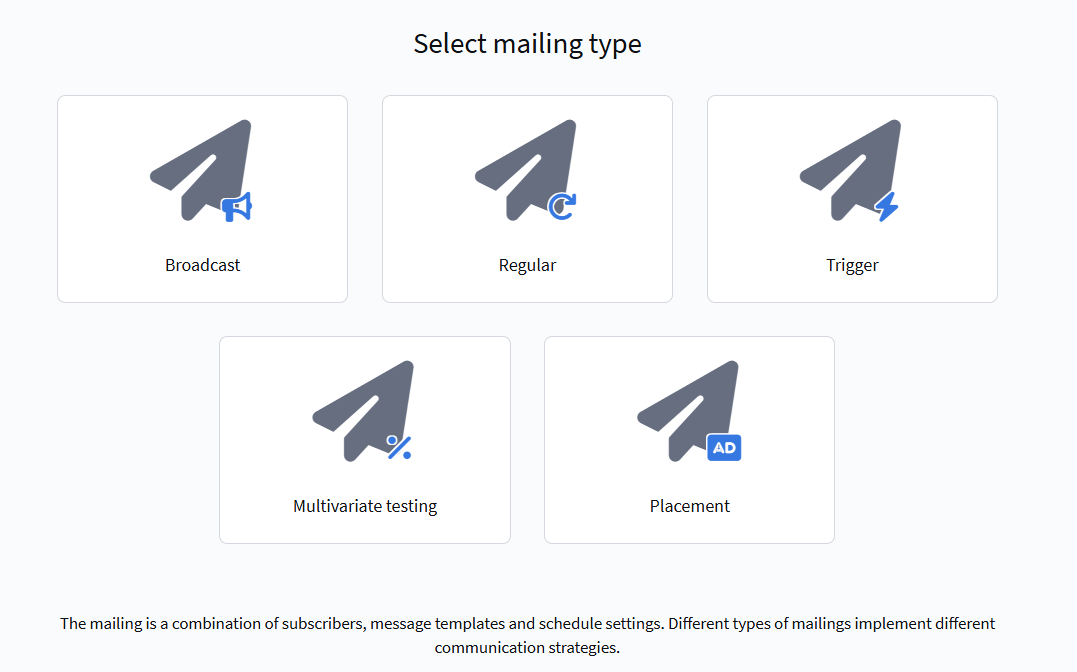
Communications can be launched for the entire profile database or for selected audience segments. Mailings are often part of more complex processes — automation scenarios or campaigns.
How to launch the first email mailing
To send email messages, a configured "DKIM" is required for the sender domain. It is not issued automatically. Please contact technical support via chat to set it up.
Below is an example of the full process of creating an email mailing: from preparing a template to launching the send. The video shows how working with profiles, subscriptions, and templates comes together in a real communication process.
In the interface shown in the video, the term "campaign" may be used to refer to a mailing.
In the current version of the platform, the terminology has changed:
Mailings are a separate tool for sending messages (Broadcast, Regular, Triggered).
Campaigns are a different tool designed for building complex marketing processes and combining communications, scenarios, and customer interaction logic.
For your first hands-on experience with message sending, we recommend starting with step-by-step channel guides, for example Your First Email mailing. A full list of tutorials is available in the Communication Channels section.
Automation Scenarios
Automation scenarios allow you to build communication flows based on customer actions, events, and conditions.
Scenarios are used for onboarding, welcome journeys, reactivation, reminders, and other common marketing use cases. Profiles can enter scenarios either from segments or directly from the database if they meet the entry conditions.
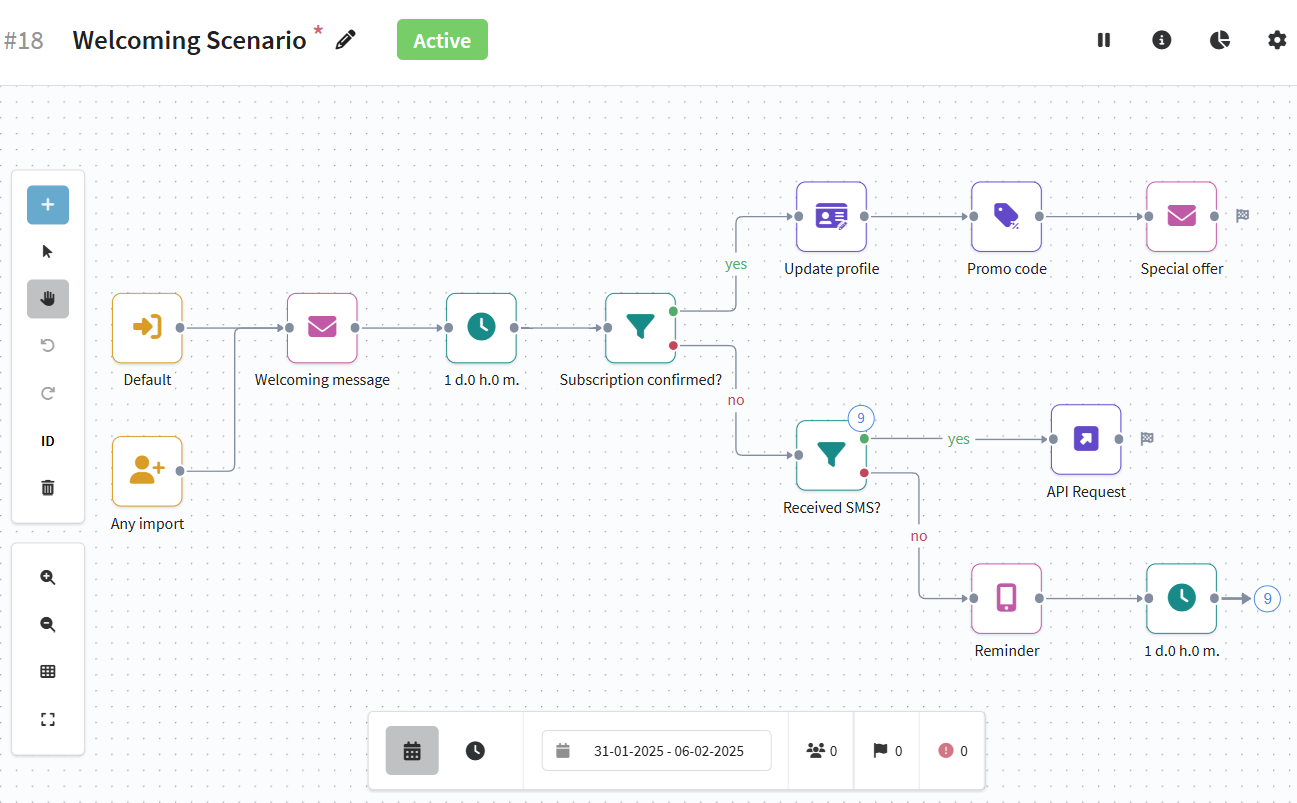
An overview of the automation tool is available in the Automation Scenarios section, and examples of common scenarios can be found in Classic Marketing Automation Scenarios.
Other Platform Capabilities
Altcraft Platform is not limited to data storage, segmentation, and communications. The platform includes additional modules that support comprehensive customer lifecycle management.
Marketing activities can be managed using mailings. Learn more in the mailings section.
Working with product and order data is described in the Market section.
The loyalty module allows you to create reward programs and use promo codes. More details are available in the Loyalty section.
The web layer is used for data collection and subscription management. Learn more in the Web Layer section.
Analytics is covered in the Reports and Analytics section.
Integrations are described in the Integrations section, and technical capabilities are covered in the Developer Documentation and API: Getting Started.