Altcraft Docs LogoAltcraft Docs Logo
User guideDeveloper guideAdmin guide
Company siteHelp center
English
  • Русский
  • English
v74
  • v74
  • v73
  • v72
Login
  • Getting Started
  • Administrator documentation
  • Functional characteristics
  • Technology description
  • System requirements
  • Admin Panel
  • Platform installation
  • Platform configuration
    • Configuration file
    • Domain settings
    • LDAP access configuration
    • Sending Email via SMTP relay
    • Pixel and push domain configuration
    • Cluster and Replication Setup
    • System notifications configuration
    • Processes UNIX sockets configuration
    • HTTPS Configuration
    • External SQL database integration
    • Adding sender IP addresses
    • Deduplication request settings
    • PostgreSQL database for account data
    • Proxy server settings
    • Keycloak Integration with Altcraft
    • Getting HTTP service statuses
    • Configuration MongoDB logs rotation
    • Configuration of system constants and directories
  • Platform maintenance
  • Custom channels guide
  • Extra
  • Processing HTTP/HTTPS traffic
  • Administrator API
  • Platform configuration
  • Adding sender IP addresses
Documentation for version v74

Adding sender IP addresses

1. Add new IP addresses to any interface of your operating system.

2. In Altcraft MP administrative panel open node settings and save it to enable new IPs.

3. Reopen settings to make sure the new IP addresses are available:
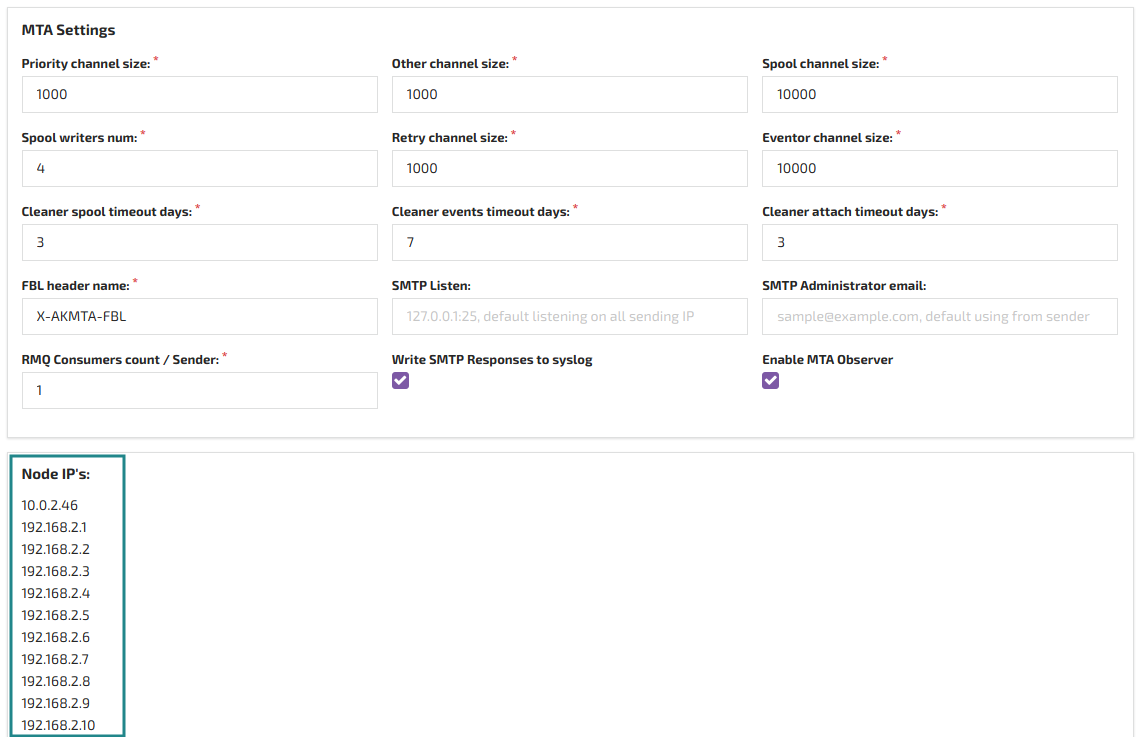
4. Add the new IPs to your sender and restart the node to sync the settings.

Last updated on Feb 11, 2019
Previous
External SQL database integration
Next
Deduplication request settings
© 2015 - 2025 Altcraft, LLC. All rights reserved.