Send Message ID
Send Message ID is a unique sending identifier used in the platform. It stores the identifiers necessary to determine the profile and objects within which the message was sent. There are several identifier formats in Altcraft Platform.
Identifier types
| Type | Prefix | Description |
|---|---|---|
| USMID | u | Unique SendMessageID. It is passed in Action Hooks and is used to save the web version. |
| ESMID | m | Email-safe SendMessageID. It is added to the Message-ID and Return-Path headers in email messages. |
| FSMID | f | Full SendMessageID. Added to the X-AKMTA-FSMID header in email messages. Contains maximum information about the send. |
| SMID | w | The identifier is used in version 2022.3.66 and below. |
Obtaining SMID
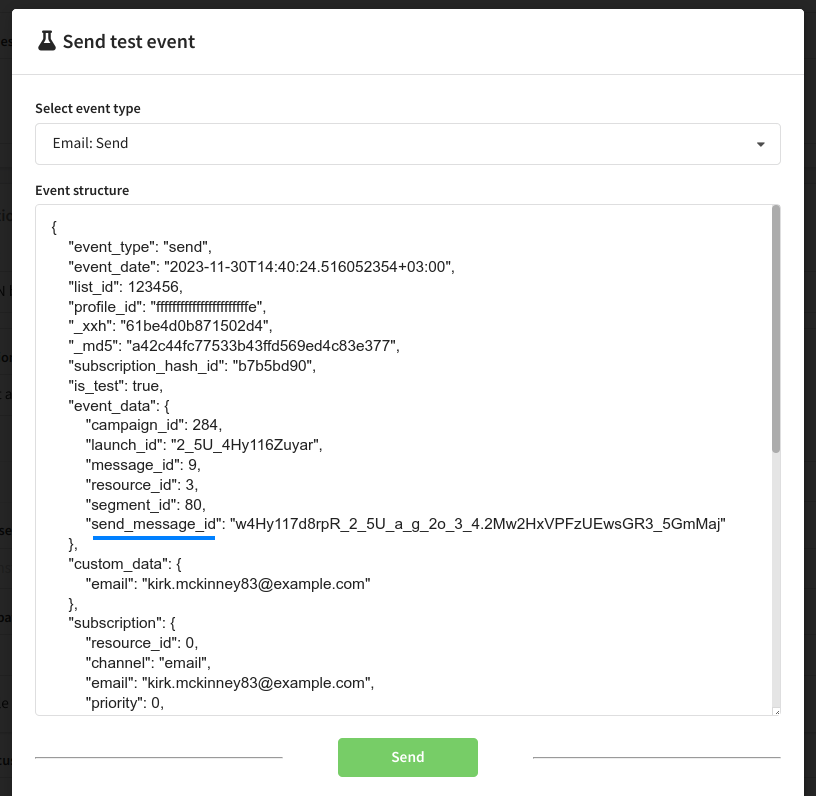
You can get SendMessageID using Action Hooks — field send_message_id:
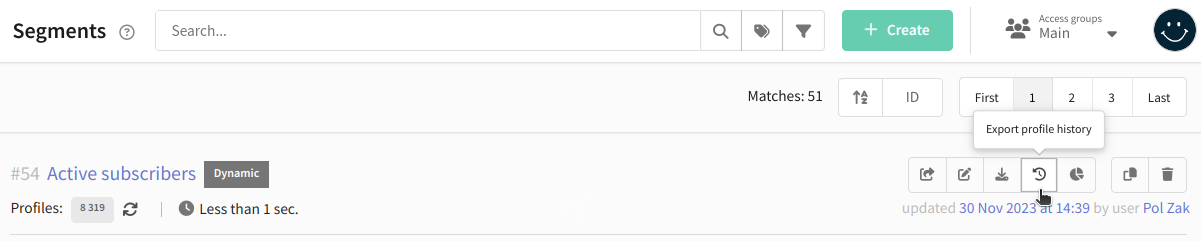
Also SendMessageID is available in the profile history. You can export profile history from a database or segment. The identifiers are recorded in the SMID column.
Decoding SMID
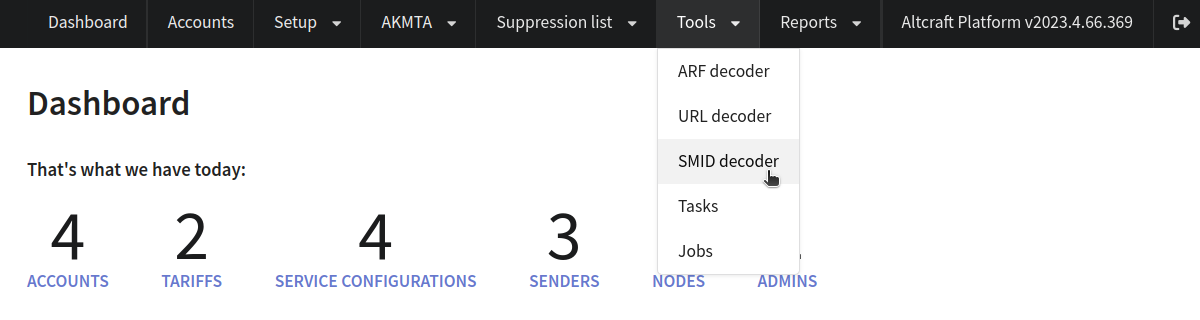
In the main menu select Tools —> Message ID decoder:
Paste the message ID (SMID, FSMID, ESMID или USMID) and click Decode. Depending on the identifier type, the result contains detailed information about platform objects used to generate this message:
- date and time of sending,
- mailing and template,
- database and segment,
- profile data,
- resource subscriptions and other data.
Object labels are clickable and will open the corresponding screens of Administrative panel or User interface.
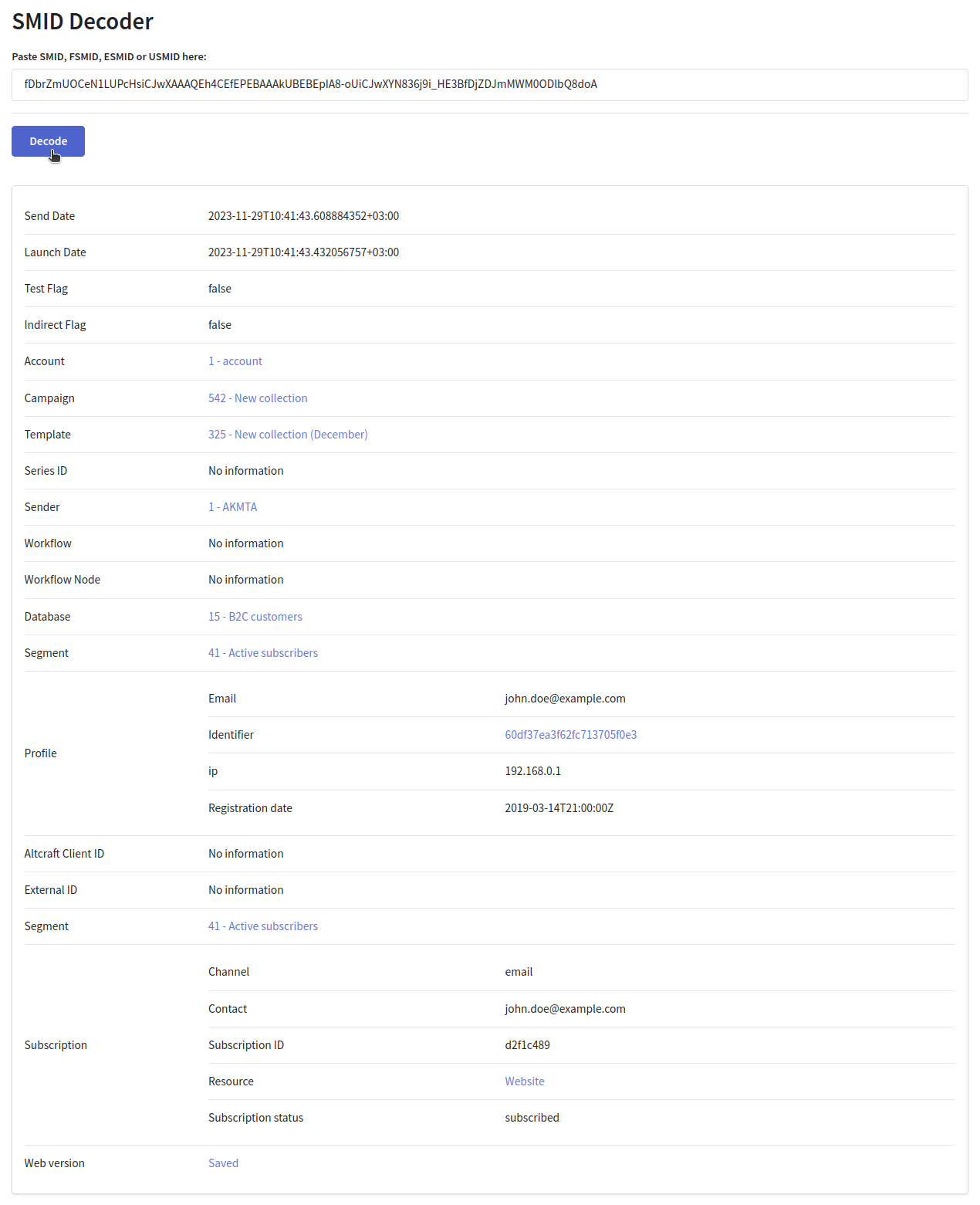
If the message web version is available, you can open the message preview by clicking Saved.
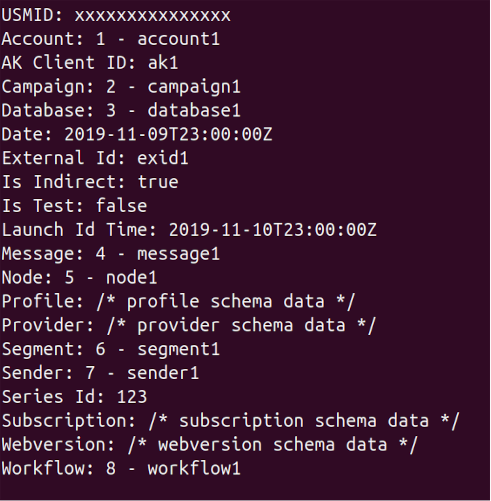
You can also use the aktool utility for decoding. Run the command ./aktool smid "<Any SMID>" in the terminal from the root directory of the platform, replacing <Any SMID> with the desired SMID. The command will return the same arguments as the decoder in the Admin Panel, but in plain text:
More detailed information about the utility and command reference is available in this article.