Notifiers
Description
Notification Service is a mechanism in the Altcraft platform designed to automatically inform administrators about issues with message delivery.
It allows you to promptly respond to failures and ensure the stable operation of the platform.
Creating, Editing, and Deleting
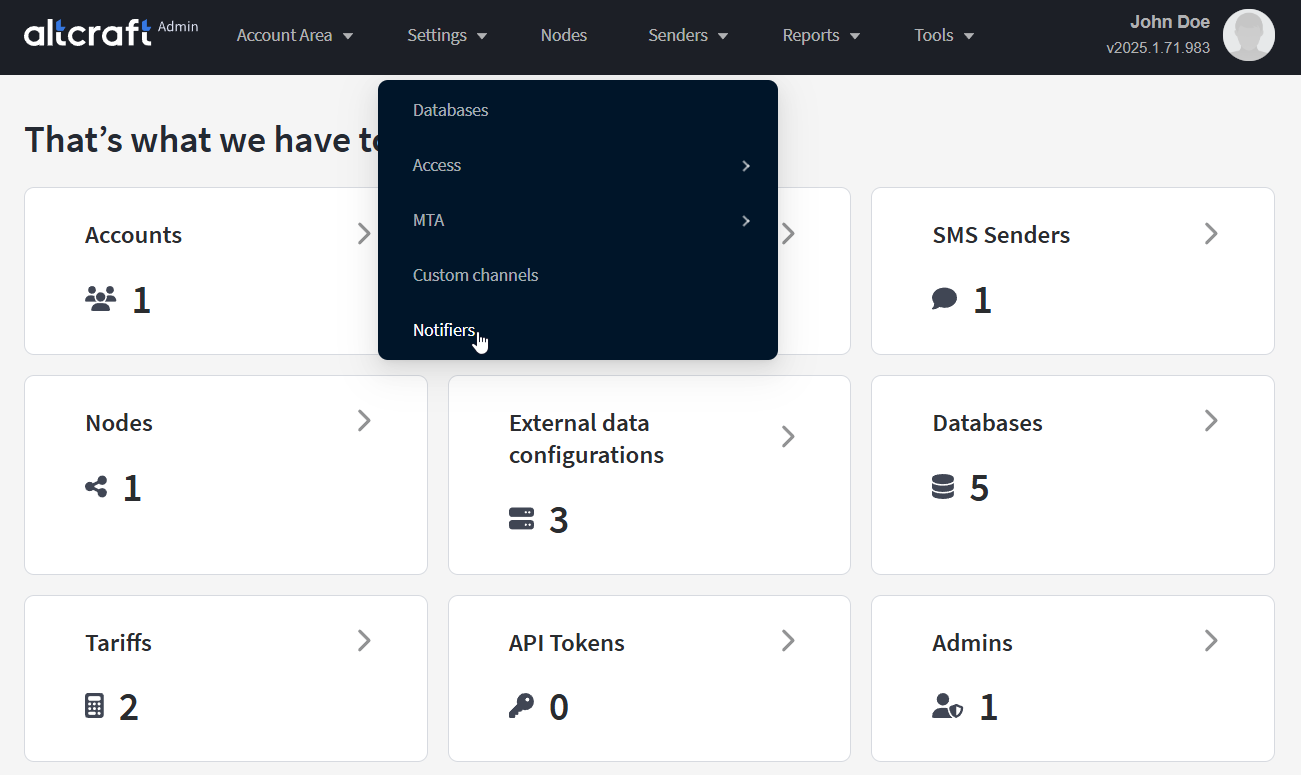
To manage notification settings, in the main menu select Settings — Notifiers.
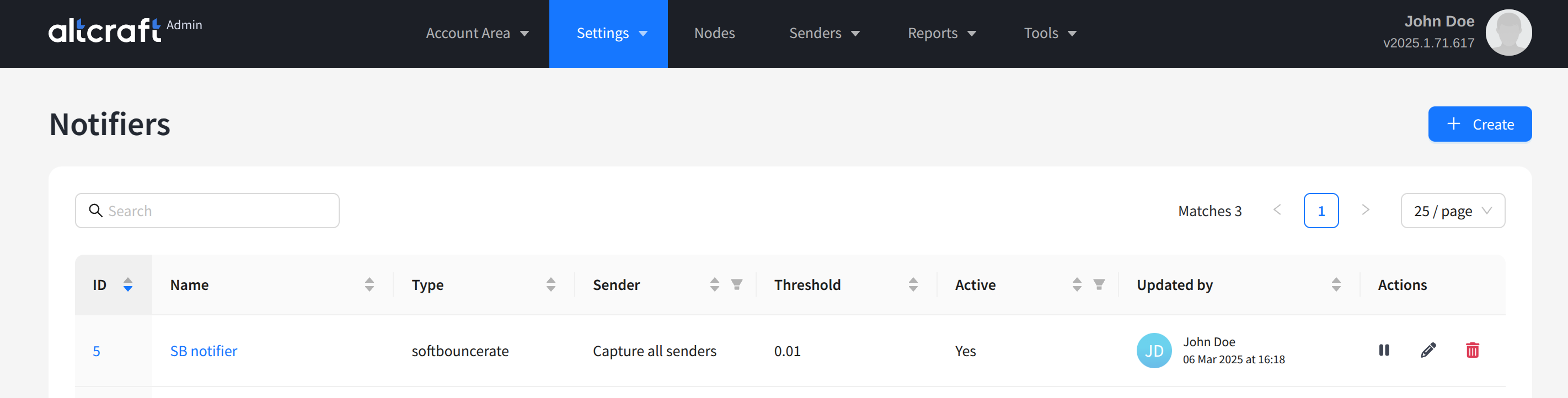
The opened list displays existing notification settings. On the right side of the table are the edit and delete buttons, as well as the activation/deactivation button. You can also edit an object by clicking its identifier or name on the left. To create a new object, click + Create:
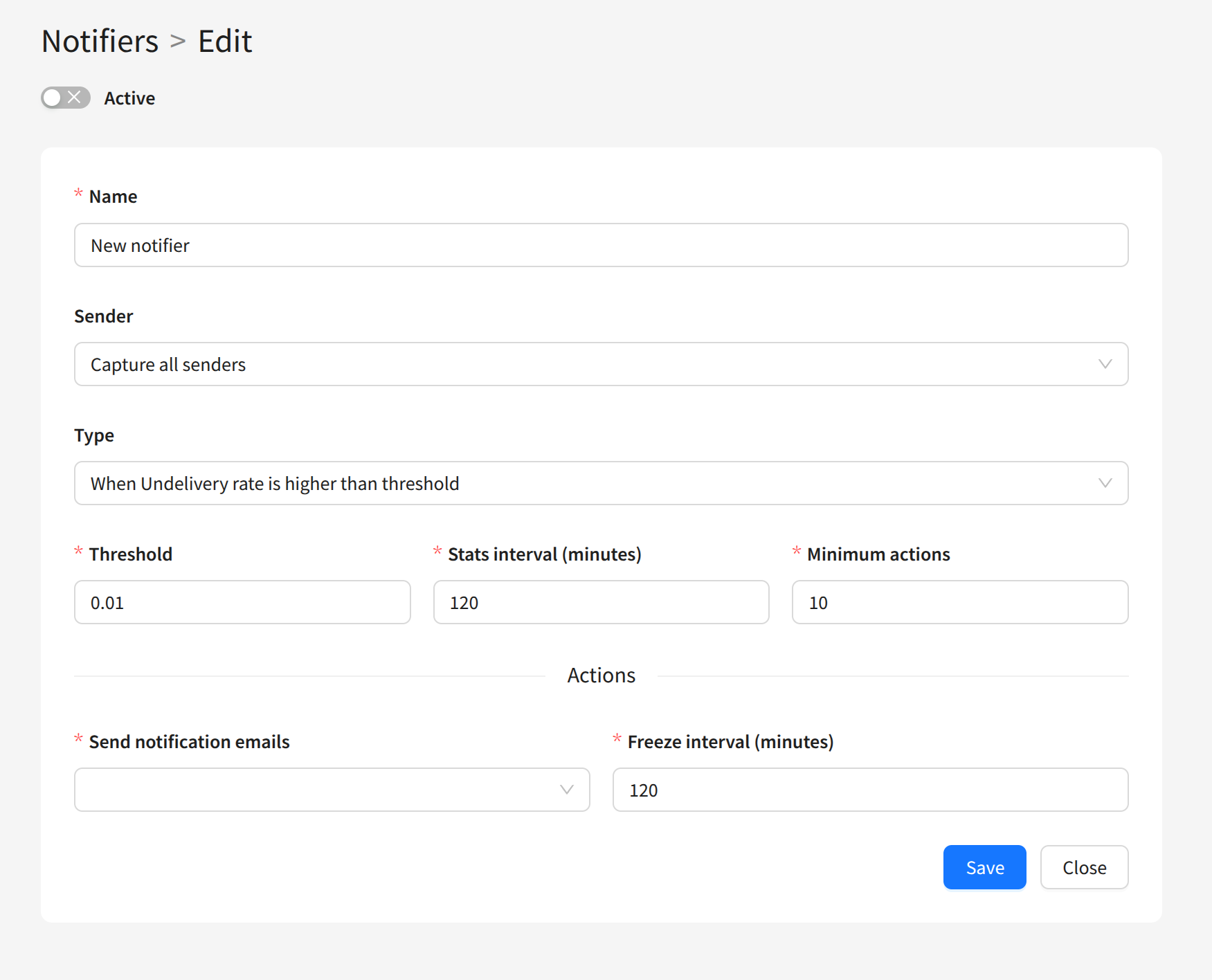
To configure notifications, you need to specify the following parameters:
- Name — the name of the notification settings
- Sender — the senders to be monitored. If you want to monitor all senders, select Capture all senders.
- Type — the error type for the notification. The following options are available:
- When Hard bounce rate is higher than threshold — notification will be sent if the Hard bounce rate exceeds the specified threshold;
- When Soft bounce rate is higher than threshold — notification will be sent if the Soft bounce rate exceeds the specified threshold;
- When Complaints rate is higher than threshold — notification will be sent if the complaints rate exceeds the specified threshold;
- When Undelivery rate is higher than threshold — notification will be sent if the undelivery rate exceeds the specified threshold;
- When Performance rate is lower than threshold — notification will be sent if the performance rate drops below the specified threshold;
- Threshold — the threshold for the selected error metric
- Stats interval (minutes) — the statistics collection interval for metrics
- Minimum actions — the minimum number of registered events required to send a notification
- Send notification emails — the email addresses where the notification will be sent
- Freeze interval (minutes) — the time during which a repeat notification will not be sent