Keys
Description
Keys are cryptographic tools used to ensure the secure transfer of data.
The platform supports two types of keys:
-
DKIM (DomainKeys Identified Mail) — used to authenticate the sender of email messages and protect against spoofing.
-
SSH (Secure Shell) — used for securely connecting to the server for administration.
Creating, Editing, and Deleting
To create keys, in the main menu select Settings — MTA — Keys.
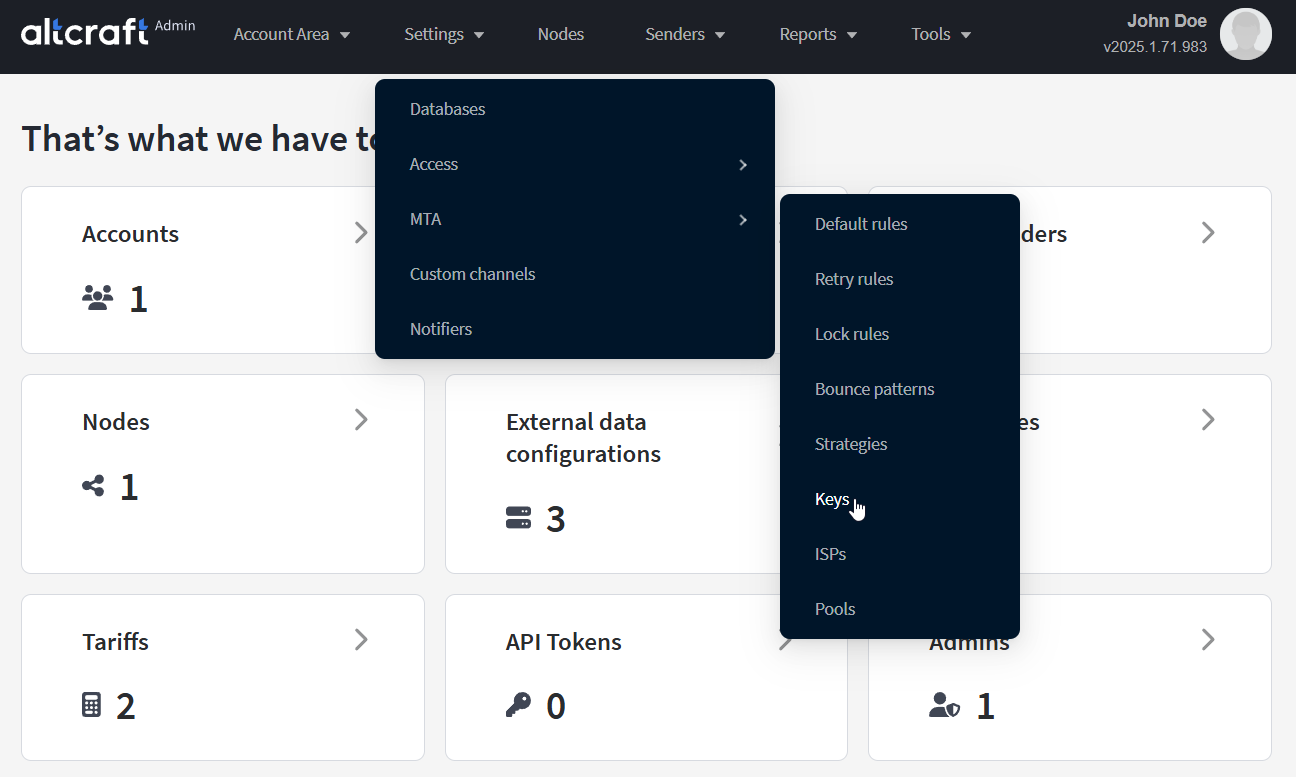
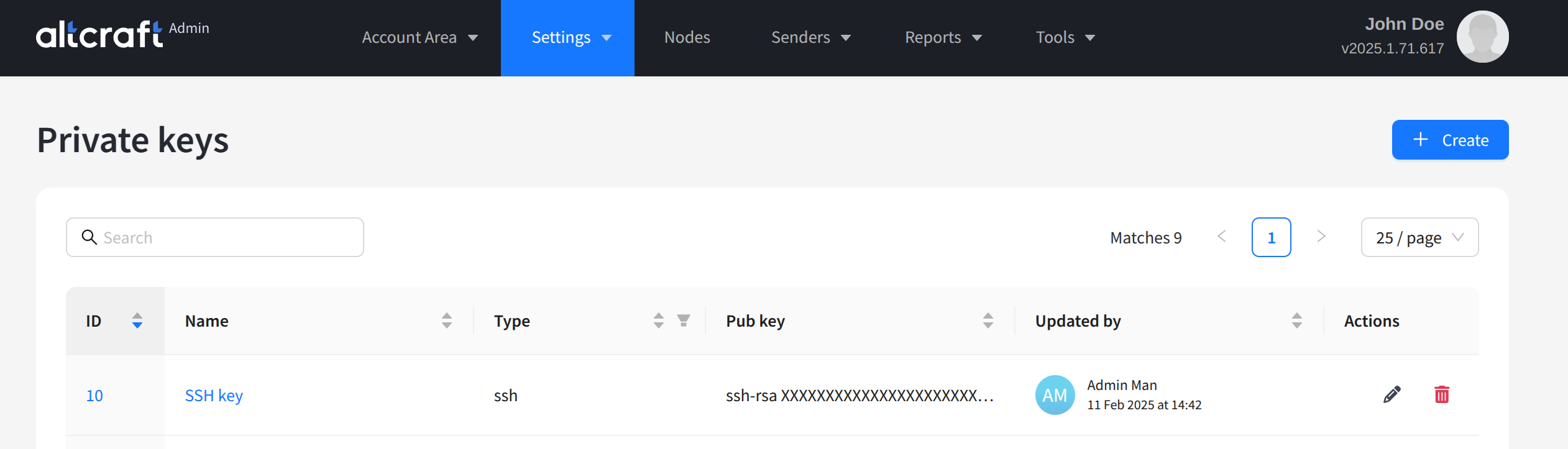
The opened list displays existing SSH and DKIM key pairs. On the right side of the table are the edit and delete buttons. You can also open editing by clicking the key identifier or name on the left. To create a new key pair, click + Create:
Select the key type (DKIM or SSH). After that, you can paste existing keys into the Public key and Private key fields or generate a new pair by clicking Generate key pair:
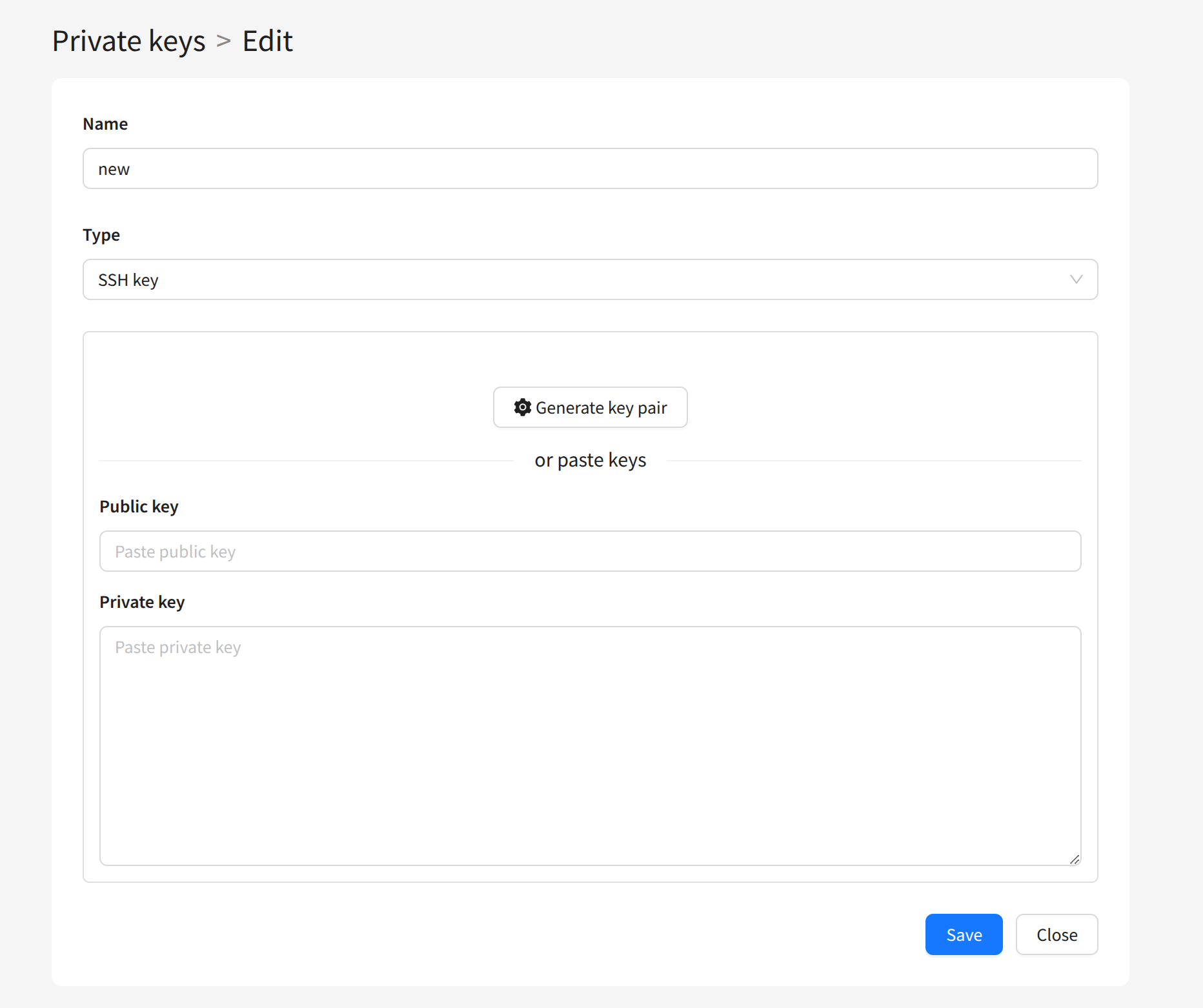
Save the key. Later, you can use it when configuring other entities in the Admin Panel.