Altcraft Docs LogoAltcraft Docs Logo
User guide iconUser guide
Developer guide iconDeveloper guide
Admin guide iconAdmin guide
English
  • Русский
  • English
Login
    Getting StartedAdministrator documentationFunctional characteristics
      Technology descriptionarrow
    • Architecture OverviewComponent Description
        Deployment schemesarrow
      • Basic schemeFail-safe schemeTypical Placement in Infrastructure
    System requirements
      Admin Panelarrow
      • Account areaarrow
        • Accountsarrow
        • Account UsersAccount Virtual SendersAccount Database Indexes
        TariffsExternal data configurationLDAPTasksSchedule JobsGlobal Stop ListsWebversion Store Policies
        Settingsarrow
      • Databases
          Accessarrow
        • AdminsAPI tokens
        Notifiers
          MTAarrow
        • Default rulesRetry rulesLock rulesBounce patternsStrategiesKeysISPsPools
      Nodes
        Sendersarrow
      • EmailSMSEvent generatorIntegration with SendsayENS: настройка сендера
        Reportsarrow
      • Audit JournalData Usage
        Toolsarrow
      • ARF decoderURL decoderSMID decoderLicense
      Platform installationarrow
    • Automatic installationManual installationRunning the platform in a Docker container
      Platform configurationarrow
    • Configuration fileDomain settingsLDAP access configurationSending Email via SMTP relayPixel and push domain configurationCluster and Replication SetupSystem notifications configurationProcesses UNIX sockets configurationHTTPS ConfigurationMigrating from MongoDB Community Edition to Percona Server for MongoDBAdding sender IP addressesDeduplication request settingsPostgreSQL database for account dataProxy server settingsKeycloak Integration with AltcraftGetting HTTP service statusesConfiguration MongoDB logs rotation
        Configuration of system constants and directoriesarrow
      • Filtering bot actionsDirectory of gender markers
      Platform maintenancearrow
    • Personnel requirementsPlatform maintenance processesPlatform updatingPlatform service monitoringBackup and recoveryTransferring the platform to a new serverCreating, deleting, and populating tables for statistics in ClickHouseUsage of the aktool utilityUsers and directories engaged by the platform
      Custom channels guidearrow
    • OverviewCreating and configuring a channelEntity field configurationTemplate languageEntities
        Pipesarrow
      • Pipe: Basic ConceptsResultErrorsLogPackUnpackHTTP RequestStore SetStore GetSelectorSQLEventerScheduler
        Pipelinesarrow
      • Pipeline: Basic ConceptsMessageScheduleListenerModerateStop
      Extraarrow
    • System page customizationSend Message IDИнструкция по миграции истории в ClickHouseInstructions for migrating history to ClickHouseUtility for importing push subscriptions to Firebase projectUtility for importing push subscriptions to Firebase project
    Processing HTTP/HTTPS traffic
      Administrator APIarrow
      • Accounts admin apiarrow
        • Restricted accessarrow
        • Account Activation and DeactivationAccount Freeze and Unfreeze
        Get accounts listAdd a new accountDelete the account
        Account usersarrow
      • Update an Existing AccountAdd a new accountDelete a userGet a list of usersSending a Welcome Email
        Nodesarrow
      • Synchronize node MTA configurationGet nodes listGet node MTA statusActivate node MTADeactivate node MTA
        Senders admin apiarrow
      • Create or update AKMTA senderGet AKMTA sender informationAssign account to senderGet senders listDelete senderRestore sender
          Sender queuearrow
        • Get sender queue informationHold sender queueRelease sender queueClear sender queue
        Virtual sendersarrow
      • Get virtual senders listGet virtual sender informationCreate virtual senderUpdate virtual senderClone virtual senderDelete virtual sender
    Documentation Archive
  • Admin Panel
  • Account area
  • Tariffs

Tariffs

Description​

A tariff is a set of limits for a platform account. The license agreement for the Altcraft marketing platform does not impose any restrictions on data usage, but you can set your own limits for specific platform accounts.

caution

A tariff is a mandatory attribute of an account. Create at least one basic tariff even if you do not plan to limit data or communications.

Creating, Editing, and Deleting​

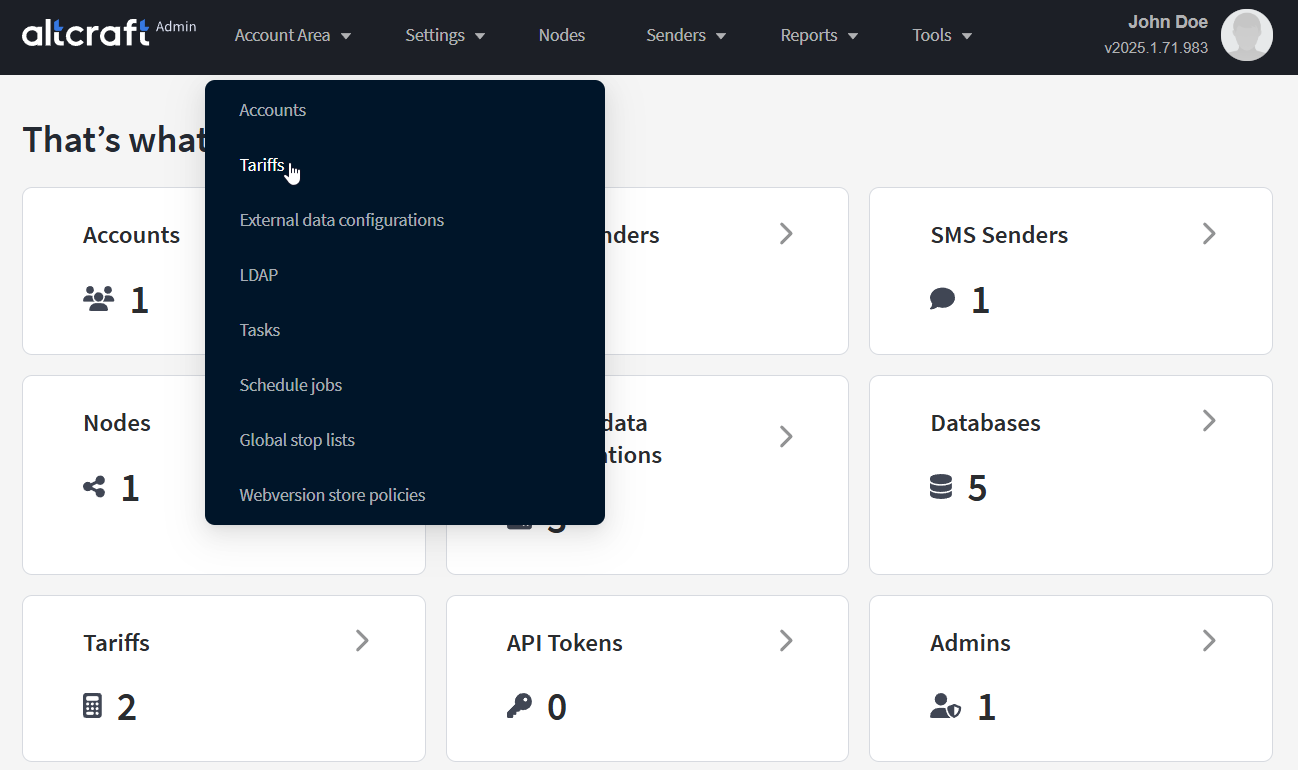
To manage tariffs, in the main menu select Account Area — Tariffs.
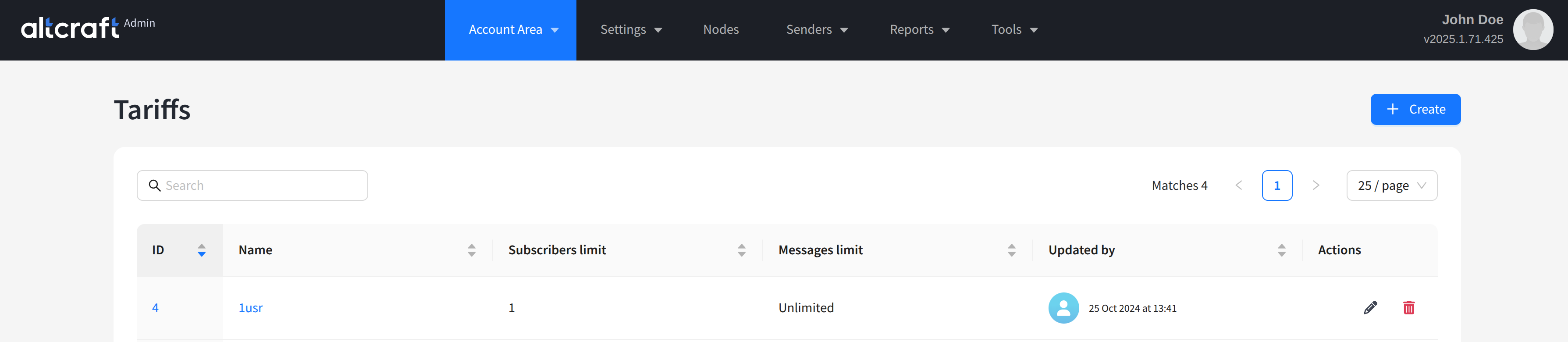
The list will display existing tariffs. On the right side of the table are the edit and delete buttons. You can also click the tariff identifier on the left to edit. To create a new tariff, click + Create:
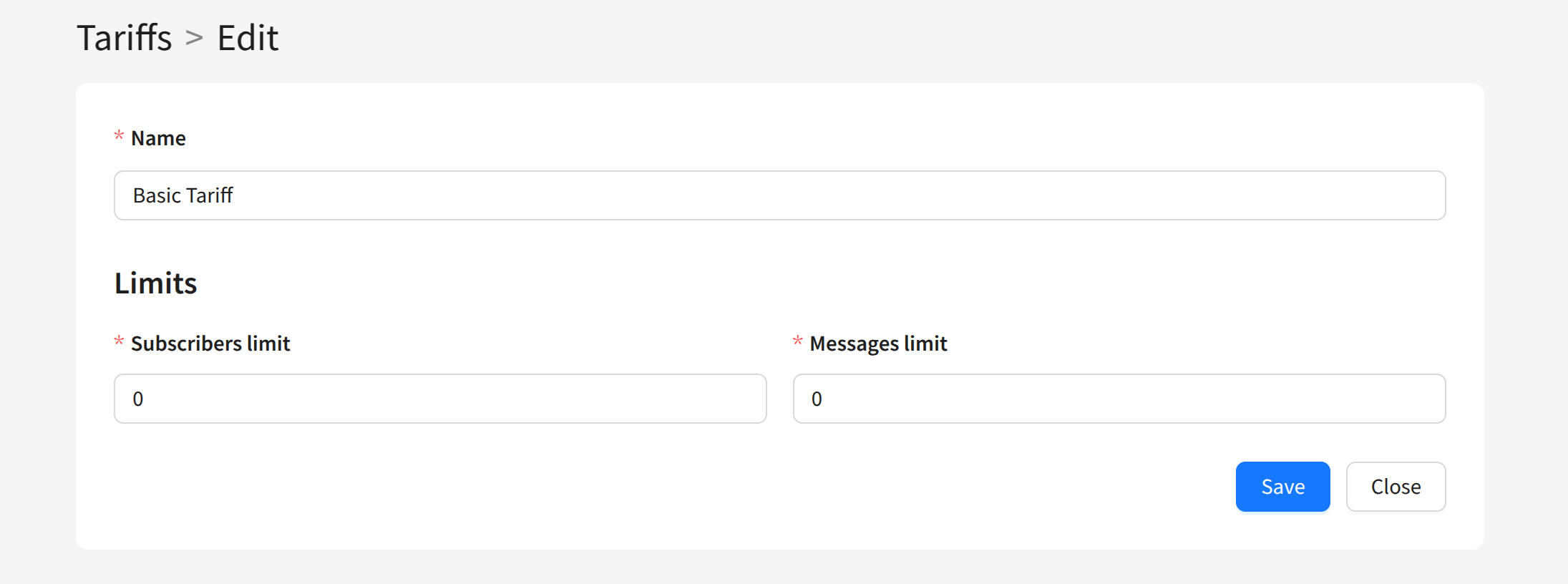
For each tariff, in addition to the name, configure two parameters:

  • Subscribers limit — limit on the total number of subscriber profiles in the account (all profile statuses are counted).

  • Messages limit — limit on the number of messages sent (all communication channels are counted).
note

If you do not plan to set limits, leave the values at zero. Such a tariff will be unlimited.

Last updated on Apr 10, 2025
Previous
Account Database Indexes
Next
External data configuration
  • Description
  • Creating, Editing, and Deleting
© 2015 - 2026 Altcraft, LLC. All rights reserved.