Listener
Listener is a pipeline for processing incoming events from external services. Events are received in two ways: via the platform's tracking domain (HTTP) or via RabbitMQ.
Features
- An event can land on any pipe in the pipeline. The
idof the initial pipe is specified in the URL to which the external service sends data. - In the Listener pipeline settings, there is an additional field Response body — a string that the platform will use to respond to incoming HTTP requests.
Event sources
The Listener can receive events from two sources:
HTTP via tracking domain
The external service sends an HTTP request to the platform's tracking domain. Nginx automatically proxies the request to the internal trklistener service.
RabbitMQ
If the external service publishes events to RabbitMQ, the Listener can pull them directly from the queue. To do this, specify a connector and queue name in the Listener pipeline settings:
| Field | Description |
|---|---|
| Type | Connector type. Default is Not chosen |
| Connector shortname | A connector created in the External Data Configuration section. Default is Not chosen |
| Queue name | RabbitMQ queue name from which the Listener will pull events |
| Queue args | Optional queue arguments in the "key = value" format. Passed when the queue is declared (created). For example, publisher-id or result-type, depending on the external service requirements |
The Queue args field is only used if the external queue requires arguments at declaration. If no arguments are needed, leave the field empty. If the queue already exists in RabbitMQ, the arguments must match those used when it was created; otherwise, RabbitMQ rejects the declaration.
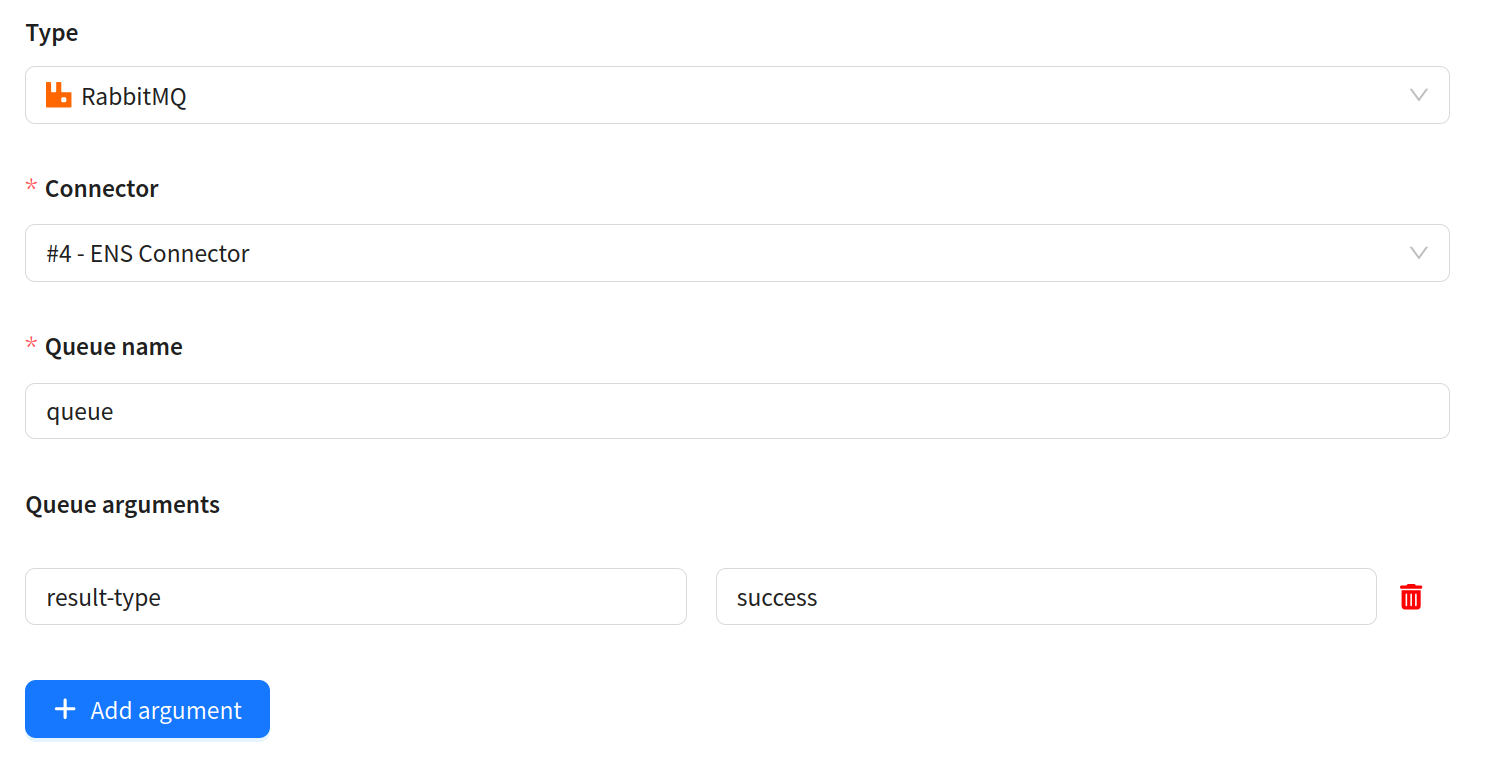
Connector and queue settings are only needed if events arrive via RabbitMQ. If events come via HTTP through the tracking domain, all fields remain at their defaults (Not chosen / empty).
Data transfer
HTTP request
The external service sends data to the URL:
https://<tracking_domain>/fbp/v1/<custom_channel_sid>/<pipe_id>
Where:
<tracking_domain>— the tracking domain of your platform (for example,track.yourplatform.com). Confirm with the platform administrators.<custom_channel_sid>— the channel's string identifier (String ID).<pipe_id>— theidof the pipe in the Listener pipeline where the event will land.
GET parameters of the request are written to $in.form. The request body is written to $in.body as a byte array. To convert bytes into an object, use the Unpack pipe.
RabbitMQ
The RabbitMQ message body is written to $in.body as a byte array. Message headers are written to $in.headers (hyphens in keys are replaced with underscores).
Listener pipeline example
Typical scenario: an external service sends a webhook about delivery status.
[
  {
    "id": 1,
    "type": "unpack",
    "params": {
      "type": "JSON"
    },
    "outs": {
      "success": 2,
      "error": 4
    }
  },
  {
    "id": 2,
    "type": "selector",
    "params": {
      "outs": [
        {
          "query": "('$in.data.status' = 'delivered')",
          "out": 3
        },
        {
          "query": "('$in.data.status' = 'failed')",
          "out": 5
        }
      ]
    },
    "outs": {
      "success": 6,
      "error": 4
    }
  },
  {
    "id": 3,
    "type": "event",
    "params": {
      "channel_id": 10001,
      "action_type": 100002,
      "event": {
        "send_message_id": "$in.form.send_message_id"
      }
    }
  },
  {
    "id": 5,
    "type": "event",
    "params": {
      "channel_id": 10001,
      "action_type": 100003,
      "event": {
        "send_message_id": "$in.form.send_message_id",
        "message": "$error.code $error.message"
      }
    }
  },
  {
    "id": 6,
    "type": "log",
    "params": {
      "message": "[Listener] status unknown: $in.data.status",
      "level": "warn"
    }
  },
  {
    "id": 4,
    "type": "log",
    "params": {
      "message": "[Listener Error] code: $error.code, message: $error.message",
      "level": "error"
    }
  }
]
Here:
- Unpack (id: 1) — unpacks the webhook body from
$in.bodyinto$in.data - Selector (id: 2) — branches by status:
delivered→ pipe 3,failed→ pipe 5 - Eventer (id: 3) — registers delivery (deliv)
- Eventer (id: 5) — registers non-delivery (undeliv) with error text
- Log (id: 6) — logs unknown status
- Log (id: 4) — logs unpacking error