Admins
Description
Administrator in Altcraft is an account in the Admin Panel. Administrator records are created separately from user accounts of the platform. However, each administrator can access any account within the platform.
After installing the platform, an administrator account is created automatically:
Username: admin
Password: admin
After the first login, you must change the password of the admin account.
Creating, Editing, and Deleting
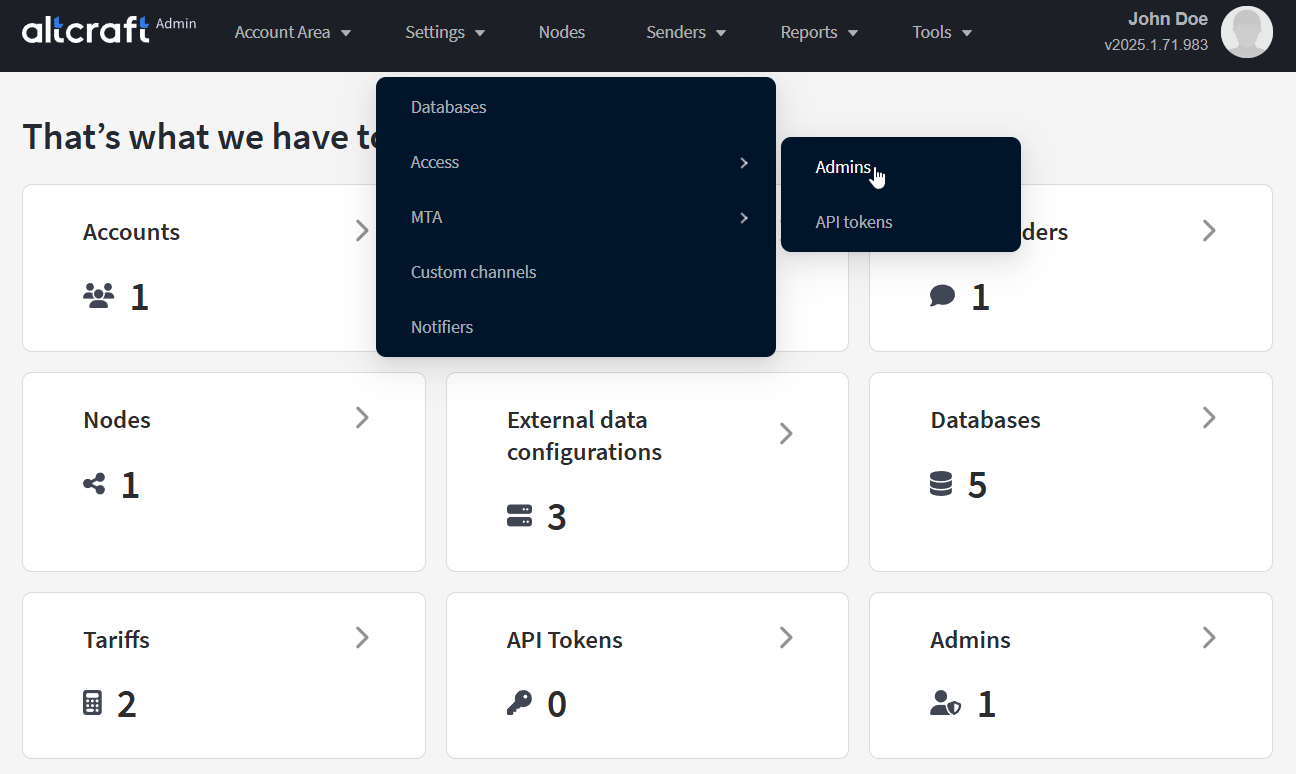
To manage administrators, in the main menu select Settings — Access — Admins.
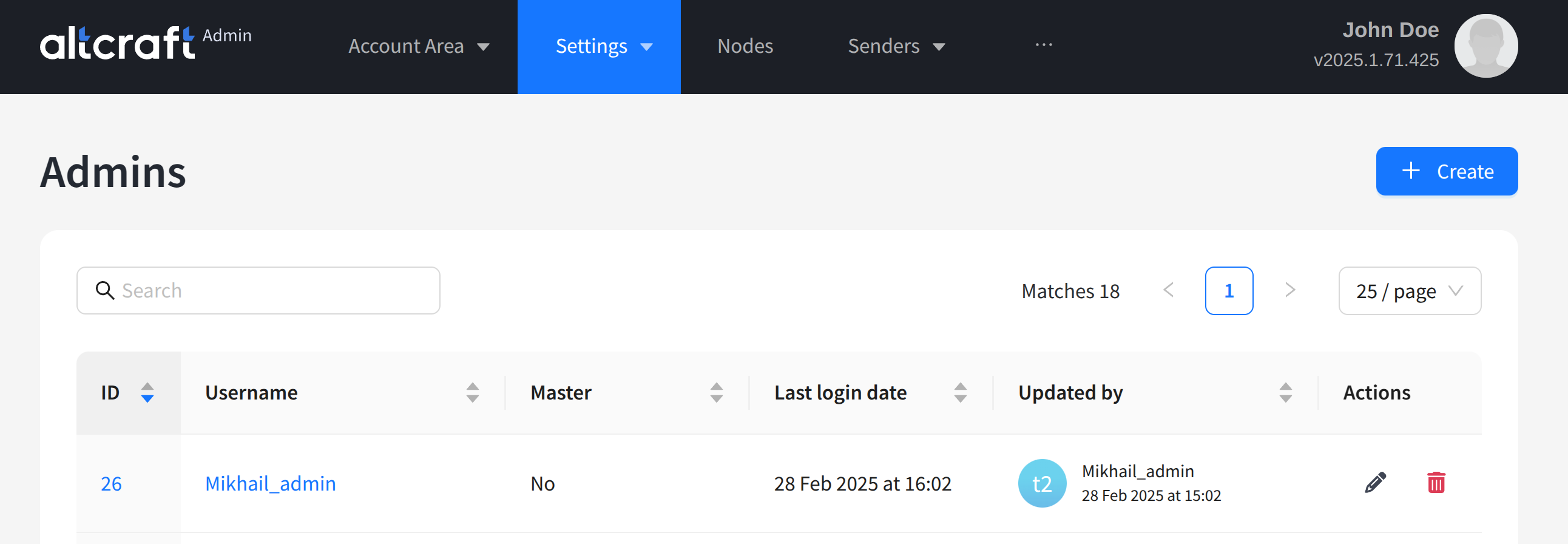
The opened list displays existing administrator accounts. On the right side of the table, there are edit and delete buttons. You can also edit by clicking the identifier or name of the administrator account (on the left). To create a new account, click + Create:
The following parameters are configured for an administrator account:
- Username and Password — username and password. These credentials are used to log in to the Admin Panel.
- First name and Last name — administrator’s first and last name.
- Contact email address — administrator’s contact email.
- Language — Admin Panel interface language.
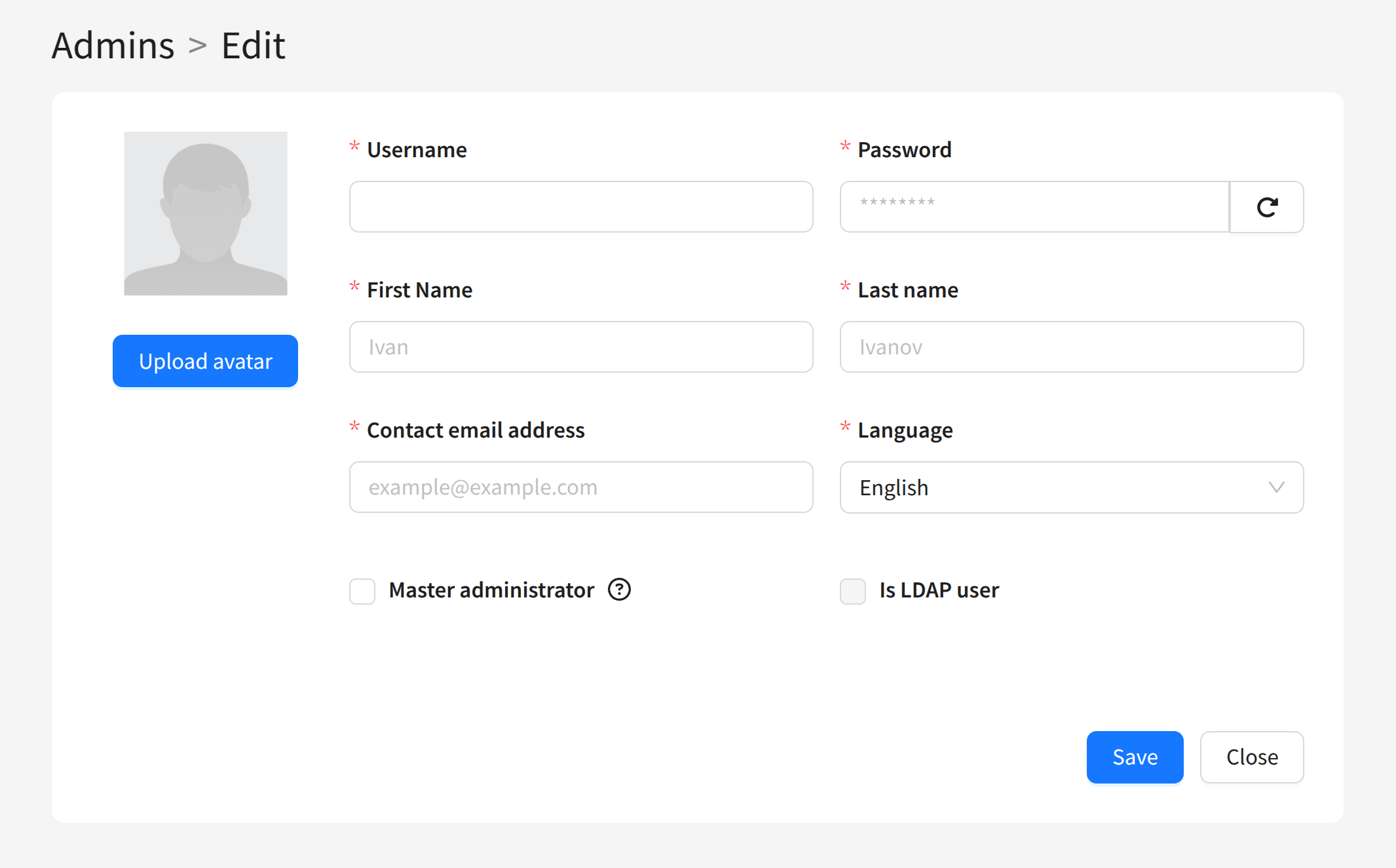
Select the Master administrator option if you want to allow the administrator to manage other accounts in the Panel.
LDAP authentication is also available for administrators. More details in this article.
Gaining access to platform accounts from the Admin Panel
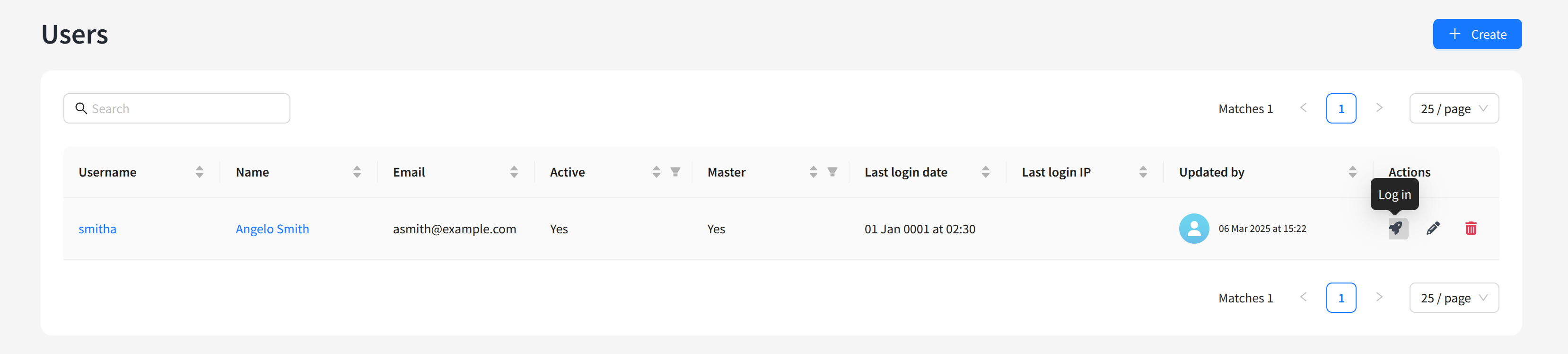
An Altcraft administrator can access any user account of any account created on the platform. To do this, open the Accounts list and go to the list of users:

Click the rocket button to access the selected Altcraft user account:
Your web browser must allow pop-ups.
Brute-force protection
The Administrator panel protects against password brute-forcing: after 5 failed login attempts from a single IP address, further login attempts from this address are temporarily blocked by the platform.
The block lasts for 60 seconds after the last failed attempt: each new attempt resets the countdown, and the block is prolonged for another 60 seconds. If no attempts are made within 60 seconds, login becomes available again.
The attempt limit (INVALID_LOGINS_ATTEMPTS_MAX) and the period (INVALID_LOGINS_ATTEMPTS_SEC) are set in the platform configuration file, see Configuration file. A similar protection applies to the platform user interface — Password and login security.