Altcraft Docs LogoAltcraft Docs Logo
User guide iconUser guide
Developer guide iconDeveloper guide
Admin guide iconAdmin guide
English
  • Русский
  • English
Login
    Getting Started
    Administrator documentation
    Functional characteristics
      Technology descriptionarrow
    • Architecture Overview
      Component Description
        Deployment schemesarrow
      • Basic scheme
        Fail-safe scheme
        Typical Placement in Infrastructure
    System requirements
      Admin Panelarrow
      • Account areaarrow
        • Accountsarrow
        • Account Users
          Account Virtual Senders
          Account Database Indexes
        Tariffs
        External data configuration
        LDAP
        Tasks
        Schedule Jobs
        Global Stop Lists
        Webversion Store Policies
        Settingsarrow
      • Databases
          Accessarrow
        • Admins
          API tokens
        Notifiers
          MTAarrow
        • Default rules
          Retry rules
          Lock rules
          Bounce patterns
          Strategies
          Keys
          ISPs
          Pools
      Nodes
        Sendersarrow
      • Email
        SMS
        Event generator
        Integration with Sendsay
        ENS: настройка сендера
        Reportsarrow
      • Audit Journal
        Data Usage
        Toolsarrow
      • ARF decoder
        URL decoder
        SMID decoder
        License
      Platform installationarrow
    • Automatic installation
      Manual installation
      Running the platform in a Docker container
      Platform configurationarrow
    • Configuration file
      Domain settings
      LDAP access configuration
      Sending Email via SMTP relay
      Pixel and push domain configuration
      Cluster and Replication Setup
      System notifications configuration
      Processes UNIX sockets configuration
      HTTPS Configuration
      Migrating from MongoDB Community Edition to Percona Server for MongoDB
      Adding sender IP addresses
      Deduplication request settings
      PostgreSQL database for account data
      Proxy server settings
      Keycloak Integration with Altcraft
      Getting HTTP service statuses
      Configuration MongoDB logs rotation
        Configuration of system constants and directoriesarrow
      • Filtering bot actions
        Directory of gender markers
      Platform maintenancearrow
    • Personnel requirements
      Platform maintenance processes
      Platform updating
      Platform service monitoring
      Backup and recovery
      Transferring the platform to a new server
      Creating, deleting, and populating tables for statistics in ClickHouse
      Usage of the aktool utility
      Users and directories engaged by the platform
      Custom channels guidearrow
    • Overview
      Creating and configuring a channel
      Entity field configuration
      Template language
      Entities
        Pipesarrow
      • Pipe: Basic Concepts
        Result
        Errors
        Log
        Pack
        Unpack
        HTTP Request
        Store Set
        Store Get
        Selector
        SQL
        Eventer
        Scheduler
        Pipelinesarrow
      • Pipeline: Basic Concepts
        Message
        Schedule
        Listener
        Moderate
        Stop
      Extraarrow
    • System page customization
      Send Message ID
      Инструкция по миграции истории в ClickHouse
      Instructions for migrating history to ClickHouse
      Utility for importing push subscriptions to Firebase project
      Utility for importing push subscriptions to Firebase project
    Processing HTTP/HTTPS traffic
      Administrator APIarrow
      • Accounts admin apiarrow
        • Restricted accessarrow
        • Account Activation and Deactivation
          Account Freeze and Unfreeze
        Get accounts list
        Add a new account
        Delete the account
        Account usersarrow
      • Update an Existing Account
        Add a new account
        Delete a user
        Get a list of users
        Sending a Welcome Email
        Nodesarrow
      • Synchronize node MTA configuration
        Get nodes list
        Get node MTA status
        Activate node MTA
        Deactivate node MTA
        Senders admin apiarrow
      • Create or update AKMTA sender
        Get AKMTA sender information
        Assign account to sender
        Get senders list
        Delete sender
        Restore sender
          Sender queuearrow
        • Get sender queue information
          Hold sender queue
          Release sender queue
          Clear sender queue
        Virtual sendersarrow
      • Get virtual senders list
        Get virtual sender information
        Create virtual sender
        Update virtual sender
        Clone virtual sender
        Delete virtual sender
    Documentation Archive
  • Admin Panel
  • Settings
  • MTA
  • Pools

Pools

Description​

A Pool is a set of resources required to send emails from a specific domain. The pool allows you to simultaneously track sending statistics and perform SPF alignment.

Creating, Editing, and Deleting​

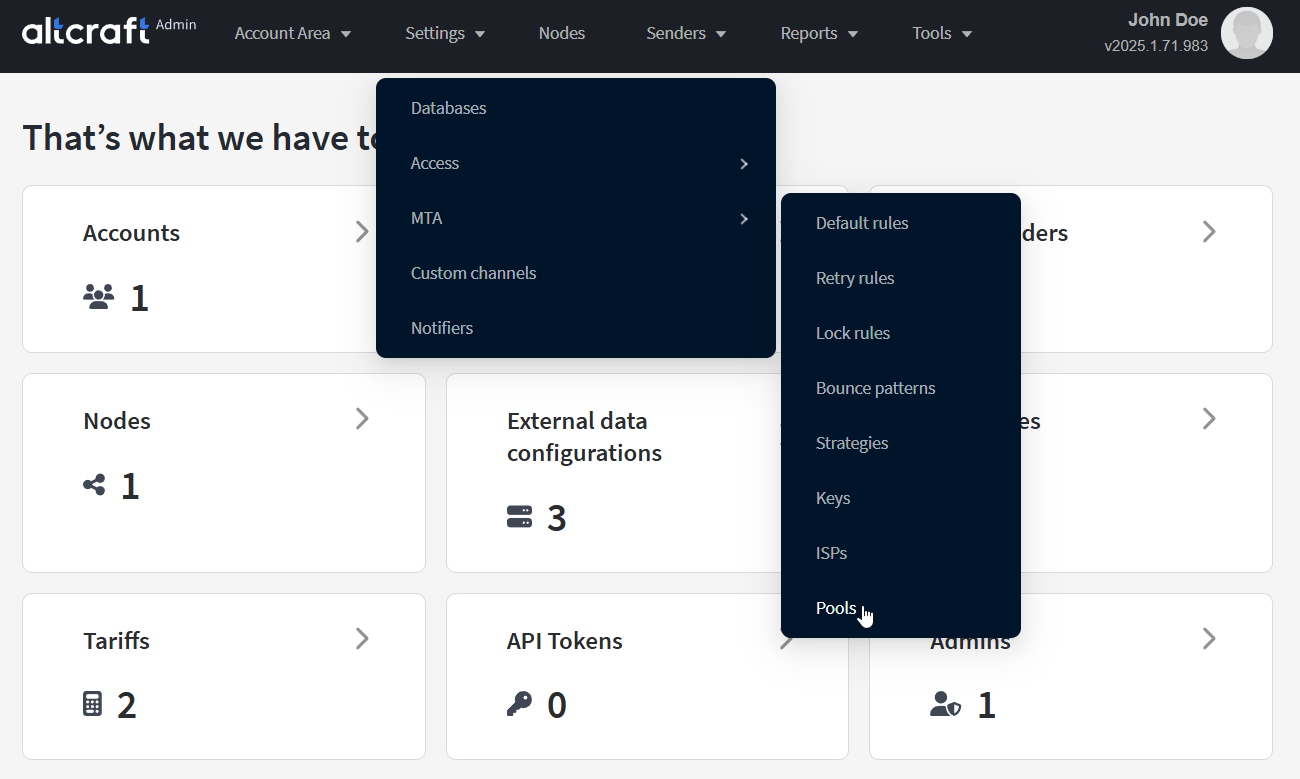
To manage pools, in the main menu select Settings — MTA — Pools.
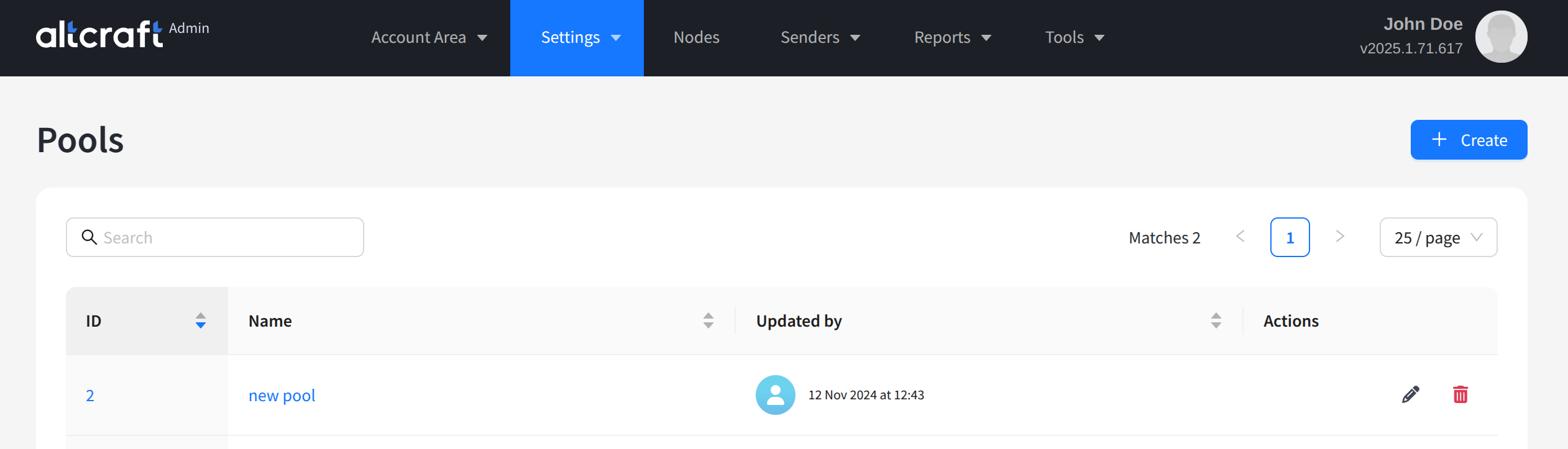
The opened list displays existing pools. On the right side of the table are the edit and delete buttons. You can also open editing by clicking the pool identifier or its name on the left. To create a new pool, click + Create:
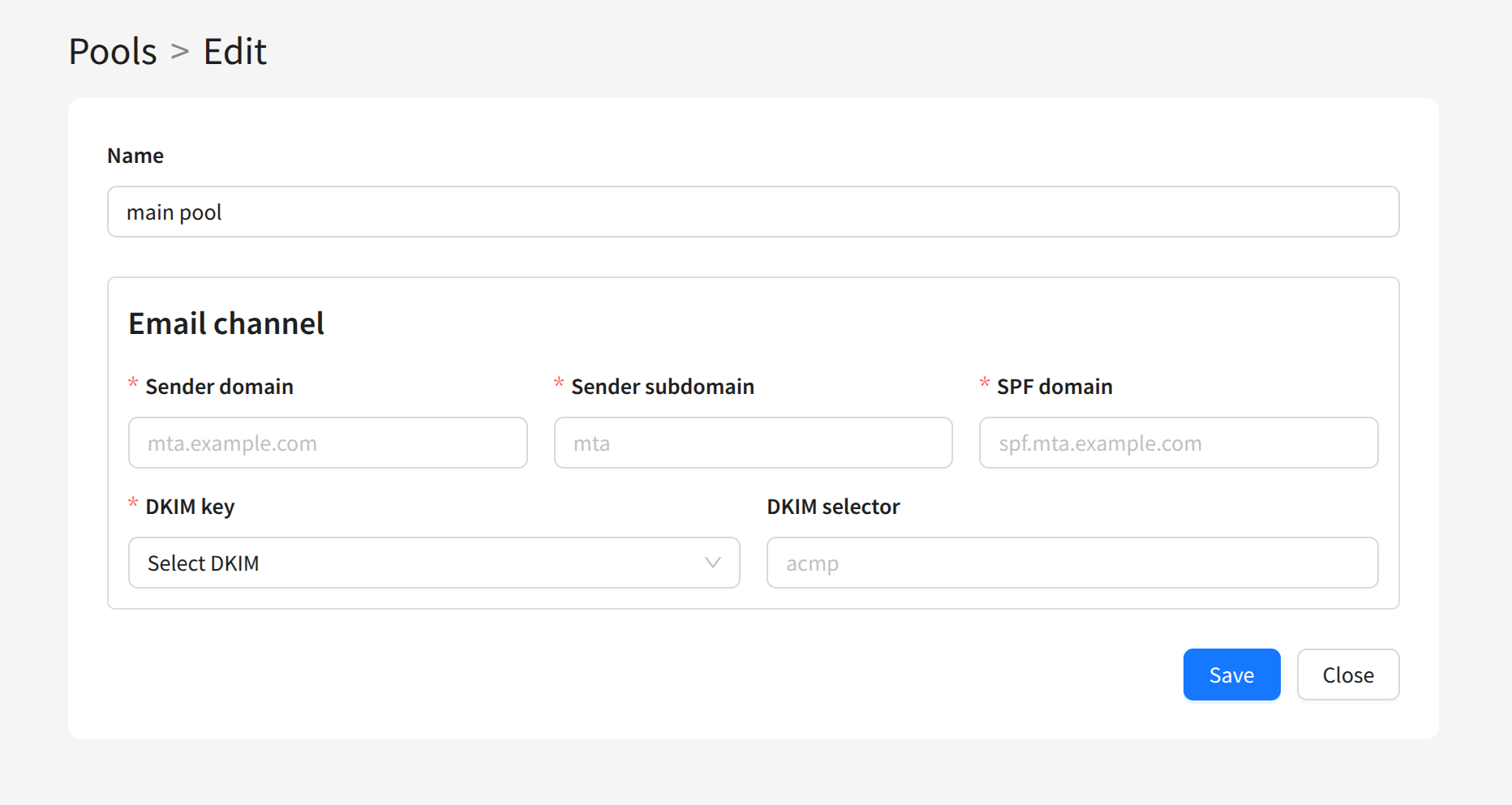
To create a pool, you need to specify the following settings:

  • Name — the pool name
  • Sender domain — the sending module’s domain
  • Sender subdomain — the sending module’s subdomain
  • SPF domain — the sender’s SPF domain
  • DKIM selector — the DKIM key selector of the sending domain
  • DKIM key — the DKIM key for the sending domains
After saving, the created pool will appear in the list. You can use it when configuring other entities in the Admin Panel.

Last updated on Feb 25, 2025
Previous
ISPs
Next
Nodes
  • Description
  • Creating, Editing, and Deleting
© 2015 - 2026 Altcraft, LLC. All rights reserved.