Segmentation by Interactions with Entities
This section contains rules for segmenting profiles based on their interactions with various functional entities of the Altcraft platform, such as automation scenarios, forms, popups, segments, and loyalty programs.
Scenarios
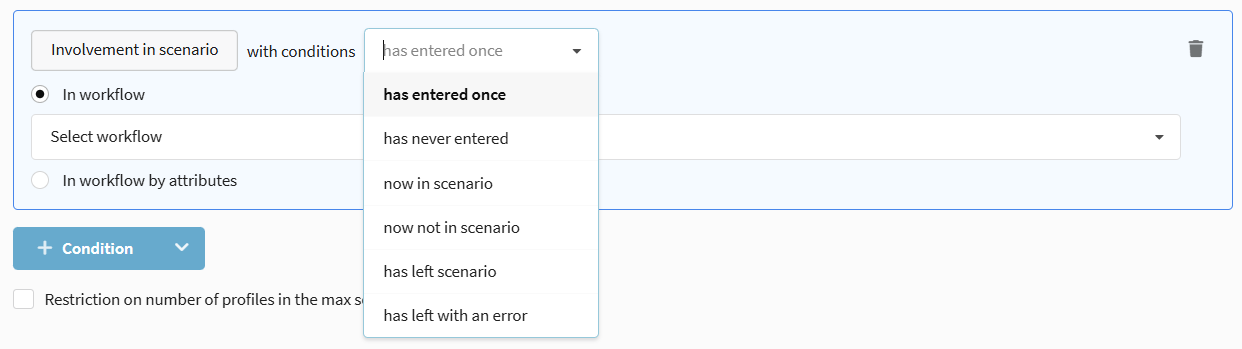
Segmentation by participation in automation scenarios. Allows selecting profiles that are in a scenario, have completed it, or exited with an error.
Available operators:
- has entered once — the profile has ever participated in the selected scenario.
- has never entered — the profile has never participated in the selected scenario.
- now in scenario — the profile is currently active in the scenario.
- now not in scenario — the profile is currently not active in the scenario.
- has left scenario — the profile successfully completed the scenario.
- has left with an error — the profile exited the scenario due to an error.
Segments
Selection of profiles based on their participation in other segments (dynamic or static). Allows creating complex multi-level selections.
Participation in a Dynamic Segment
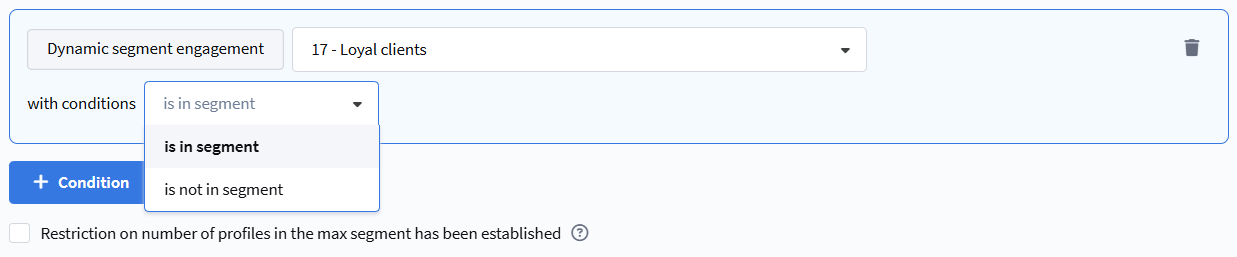
The rule checks whether a profile is included in the calculation result of another dynamic segment.
Available operators:
- Is in segment — the profile is included in the selected dynamic segment.
- Is not in segment — the profile is not included in the selected dynamic segment.
Try to avoid the Is not in segment operator for large selections, as such a rule consumes significant system resources for comparing data arrays.
The dynamic segment for selection must be configured for the same database as the current segment.
Participation in a Static Segment
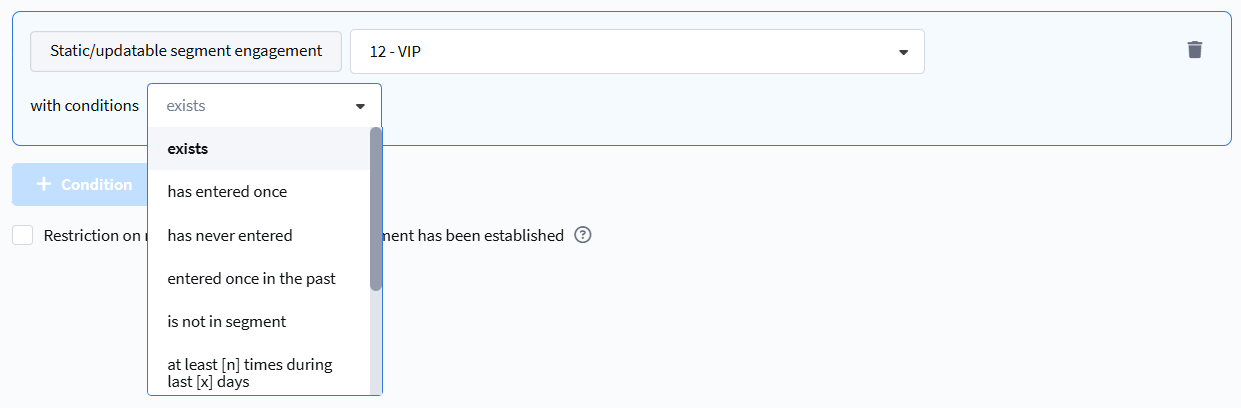
The rule checks whether a profile is in a static segment (control group) or has ever been in it.
Available operators:
- exists — the profile is currently in the static segment.
- has entered once — the profile has ever been in this segment.
- has never entered — the profile has never been in this segment.
- entered once in the past — the profile is currently not in the segment but was in it previously.
- is not in segment — the profile is currently not included in the segment.
- entered at least [n] times during [x] days — the profile entered the segment the specified number of times in the last X days.
- entered at least [n] times during period — the profile entered the segment the specified number of times in the selected period.
- never entered during [x] days — the profile has not entered the segment in the last X days.
- never entered during period — the profile has not entered the segment in the selected period.
Popup Behavior
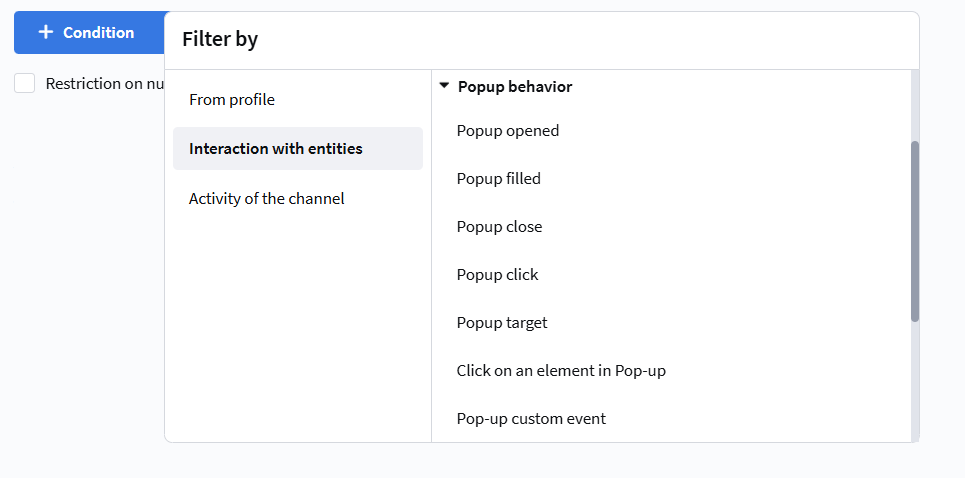
Segmentation based on user interaction with popups on your website.
Available events for selection:
- Pop-up opened — the popup was shown to the user.
- Pop-up filling — the form in the popup was successfully filled and submitted.
- Pop-up closed — the user closed the popup (click on the "Close" button).
- Click on pop-up — click on any element of the popup, except the close button.
- Pop-up target — the conditions for showing the popup were met (even if it wasn't shown due to limits).
- Click on an element in Pop-up — click on a specific HTML element with a given
nameattribute. - Pop-up custom event — an event configured via JavaScript code.
Available selection conditions:
- Exists — the event was registered at least once.
- Does not exist — the event was never registered.
- At least [n] times in a date range — the event occurred at least N times during the specified period.
- Not happened in a date range — the event did not occur during the specified period.
- At least [n] times during [x] days — the event occurred at least N times in the last X days.
- Not happened during last [x] days — the event did not occur in the last X days.

Loyalty
Promo code
Segmentation by participation in loyalty programs using promo codes.
Available operators:
- Assigned / not assigned — selection of subscribers to whom a promo code was assigned by a loyalty program (manually or automatically).
- Activated / not activated — selection based on the fact of promo code activation (for example, when making a purchase).
Loyalty Programs
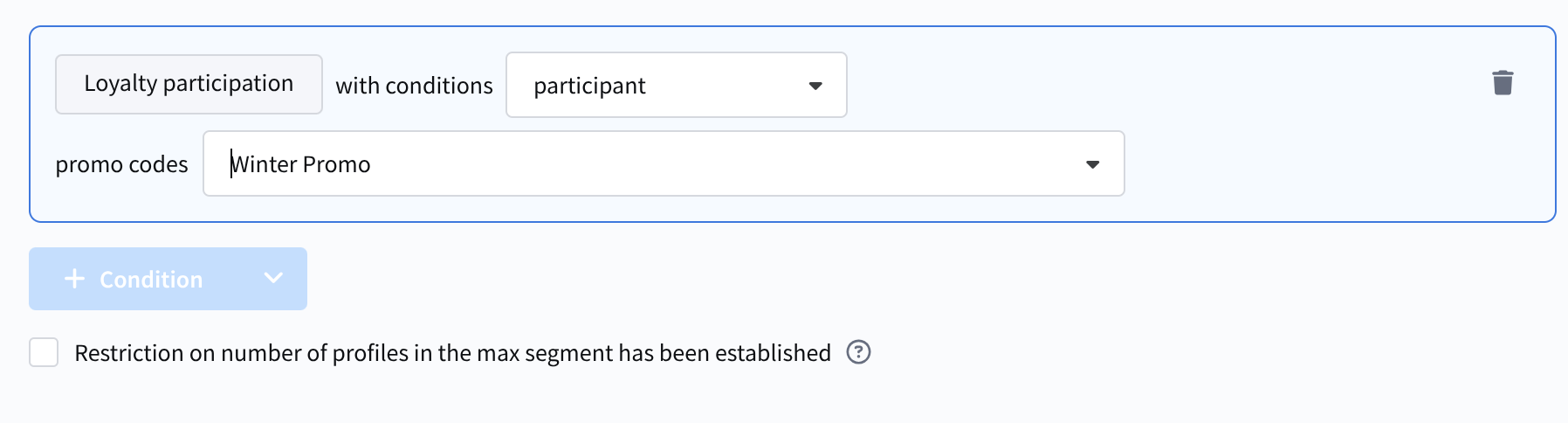
Profile segmentation can use data based on actions in loyalty programs.
Available selection conditions:
- Participation in a loyalty program — whether the profile is a participant in the selected loyalty program.
- Points balance on members' accounts — the number of points in the loyalty program.
- Points accrued in promotions.
- Points expiration in promotions.
Available operators:
- Member / Not a member.
- Points balance equal / not equal / is within points range.
- points amount from n to m within a period / points amount from n to m in the next x days.
- in the next x days / points amount from n to m in the next x days.
To configure these conditions, you may need to select a loyalty program, a promotion, a balance type (active/final), and a point type.
Accrued points can have an activation time. If it is not specified, the points become active immediately. If an activation time is set, the points cannot be used until that moment. The active balance is the number of points that can be used right now. The final balance is the total points balance, including inactive points.
Relations
Segmentation by the presence of relations between subscriber profiles.
Available operators:
- Is / Is not in direct relation — selection of subscribers who have or do not have a direct relation with another profile.
- Is / Is not in reverse relation — selection of subscribers who have or do not have a reverse relation from another profile.
Forms
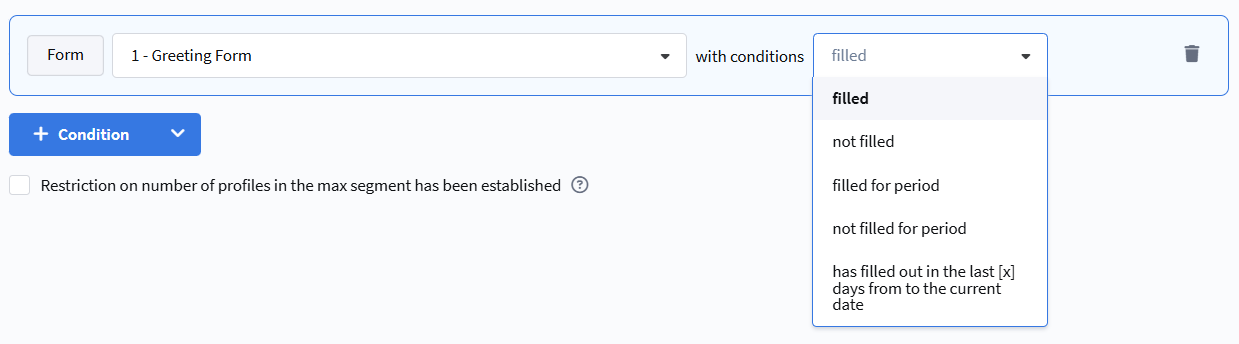
Segmentation based on interaction with forms placed on the website.
Available selection conditions:
- filled out — the subscriber has ever filled out the specified form.
- did not fill out — the subscriber has never filled out the specified form.
- filled out for the selected period — the subscriber filled out the form during the specified dates.
- did not fill out for the selected period — the subscriber did not fill out the form during the specified dates.
- filled out in the last [x] days from the current date — dynamic selection for the last X days.
Orders
Segmentation based on orders registered in the Market module. Allows building selections by quantity, amount, average check, order composition, as well as by geography, sales channels, and statuses.
Basic Conditions
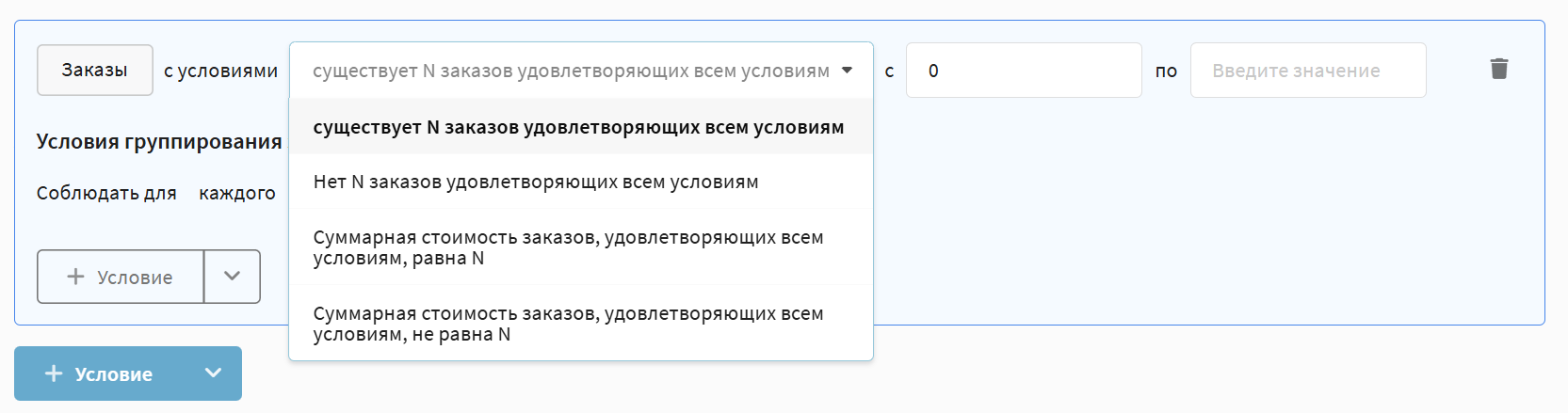
Rules of this type allow you to select profiles that have (or do not have) orders meeting the specified parameters. The following operators are available:
- here are N orders that meet all the conditions — selection of profiles with the specified number of orders that fall under additional conditions.
- No N orders that meet all the conditions — selection of profiles that do not have the specified number of matching orders.
- Total cost of orders that meet all the conditions equals N — selection by total order amount taking into account additional conditions.
- Total cost of orders that meet all the conditions does not equal N — exclusion by total amount.
- Total cost of orders that meet all the conditions in range — selection of profiles whose total order amount falls within the specified numeric range.
- Total cost of orders that meet all the conditions is not in range — exclusion by total amount range.
Purchase Analytics Conditions
For deeper analysis of purchasing behavior, rules based on average values are available. These conditions take into account all profile orders (or only those that meet additional parameters) over a certain period of time.
Available operators include checks for a period (specific dates) and for the last X days (relative to the current date). For each of these time intervals, you can set an "in range" or "not in range" condition:
- Average check — the average cost of one order (sum of all orders / number of orders)
- Average check for period in range / not in range
- Average check for last X days in range / not in range
- Average sum of purchases — the average cost of one item in orders (sum of all orders / total number of items in all orders)
- Average check from segment A for period in range / not in range — the average cost of an order containing products from the specified product segment (sum of orders containing products from segment A / number of such orders)
- Average check for orders from segment A for last X days in range / not in range
- Average sum of purchases for orders from segment A for period in range / not in range — the average cost of one product item from the specified segment (sum of cost of all items of products from segment A / number of these items)
- Average sum of purchases for orders from segment A for last X days in range / not in range
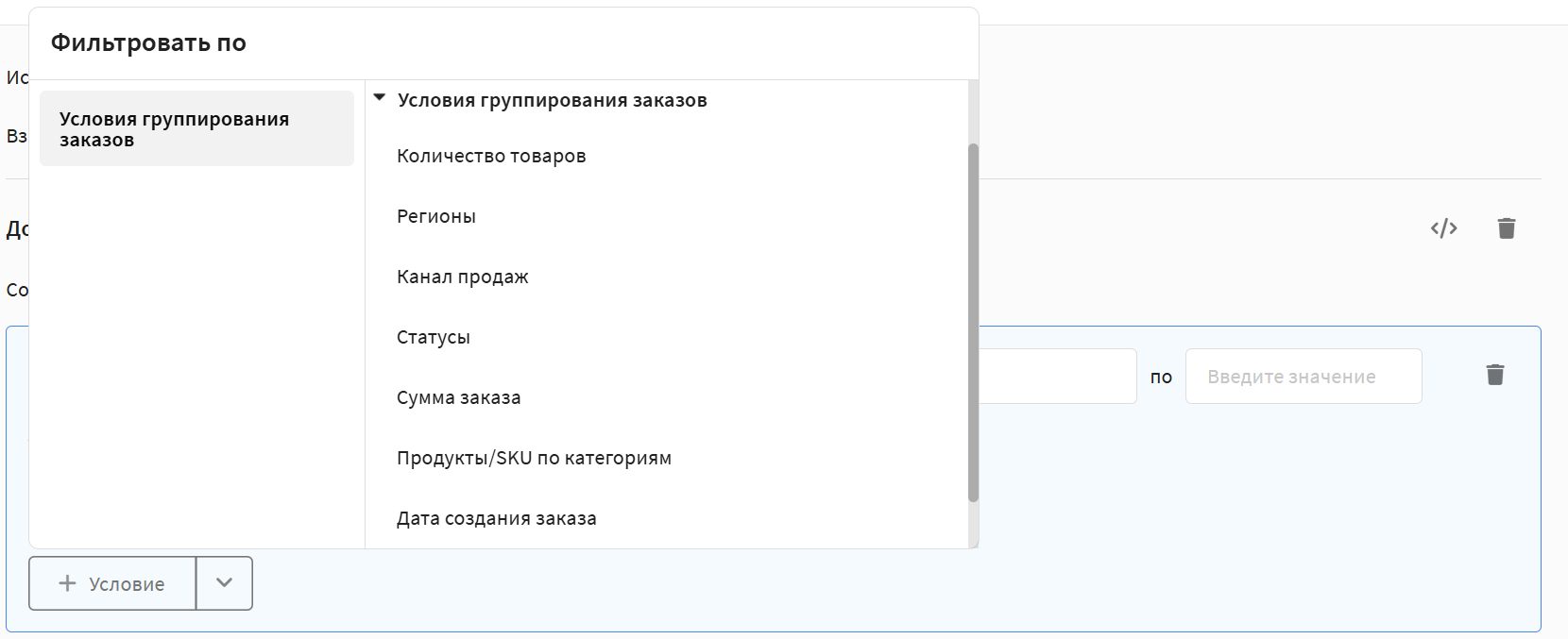
Order Filtering Terms
In any of the rules described above, you can set additional conditions to specify which orders to take into account. The following parameters are available:
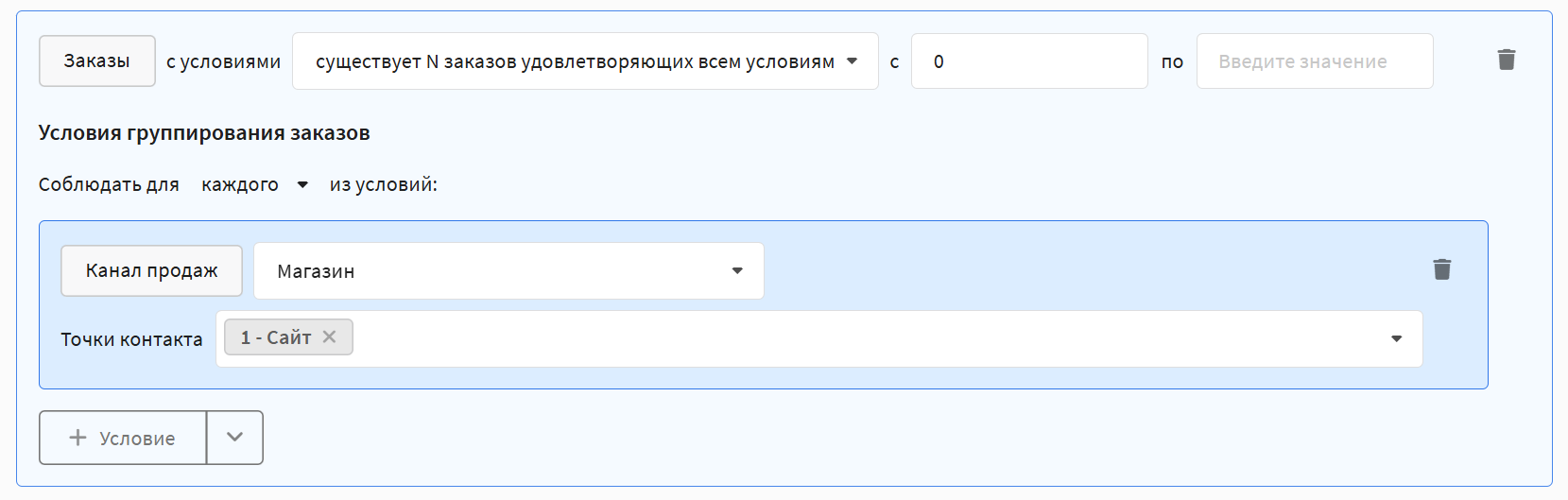
Sales Channel
Selects orders made in one sales channel. Multiple contact points can be specified.
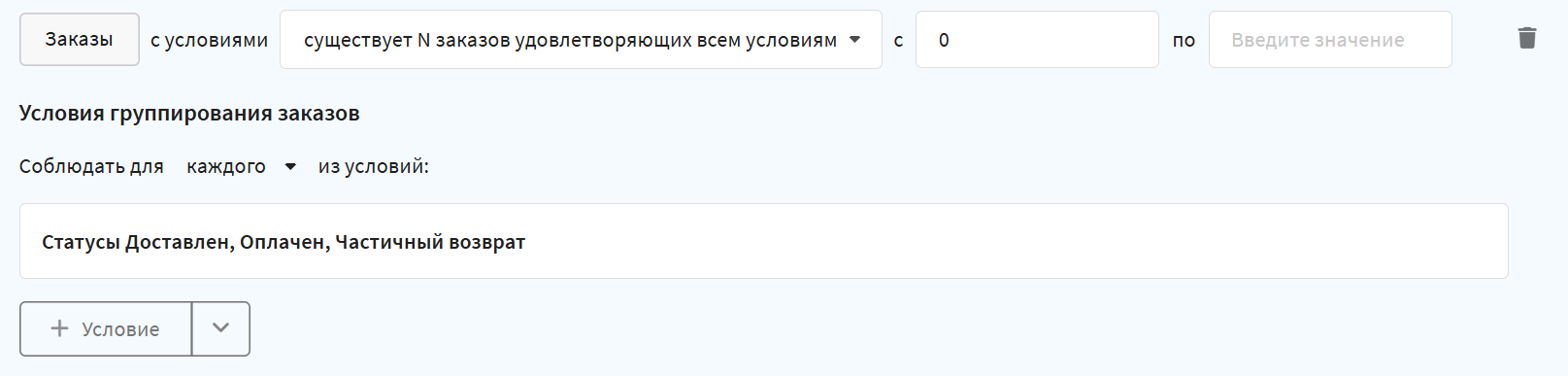
Statuses
Selects orders with the specified statuses: new, delivered, paid, canceled, partial return.
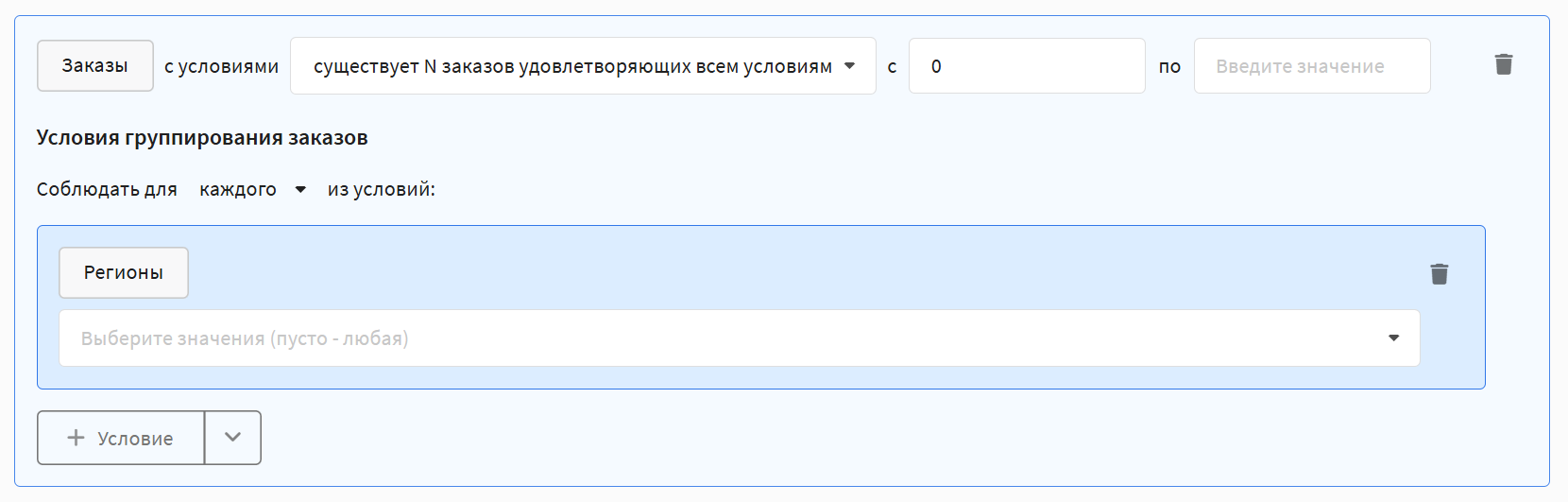
Regions
Selects orders made in specific regions.
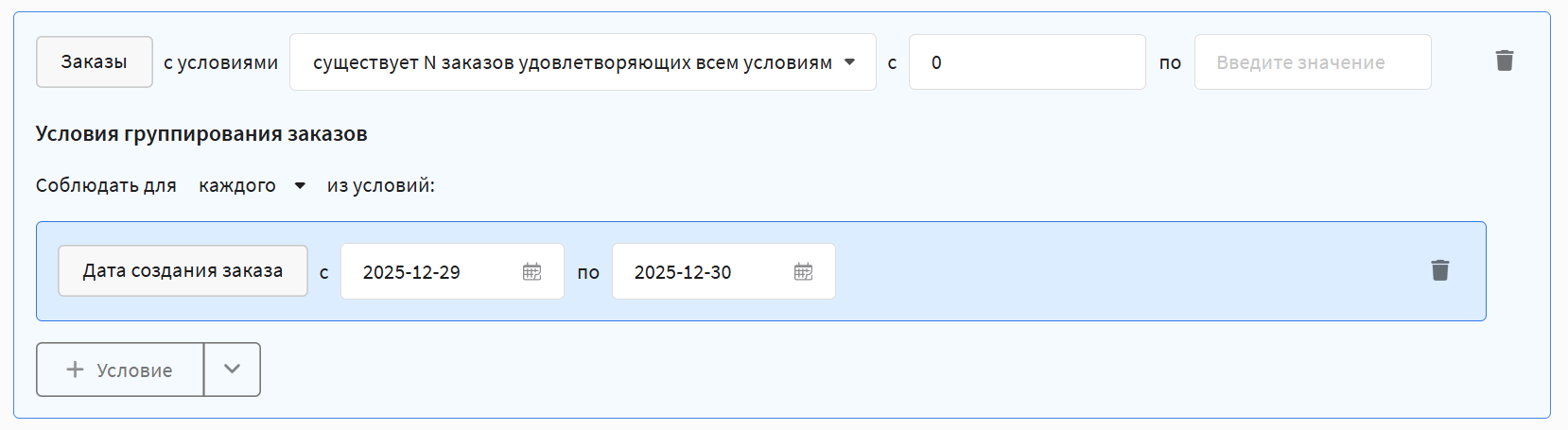
Date Created
Selects orders registered during the specified time period.
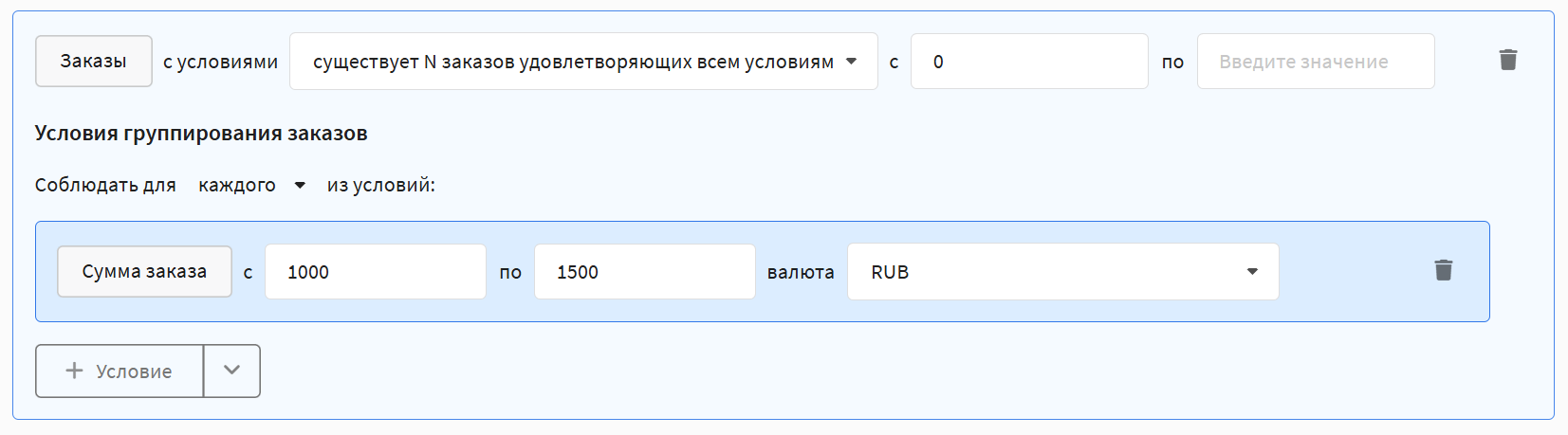
By Order Amount
Selects orders with a specific cost. Calculation currency can be specified.
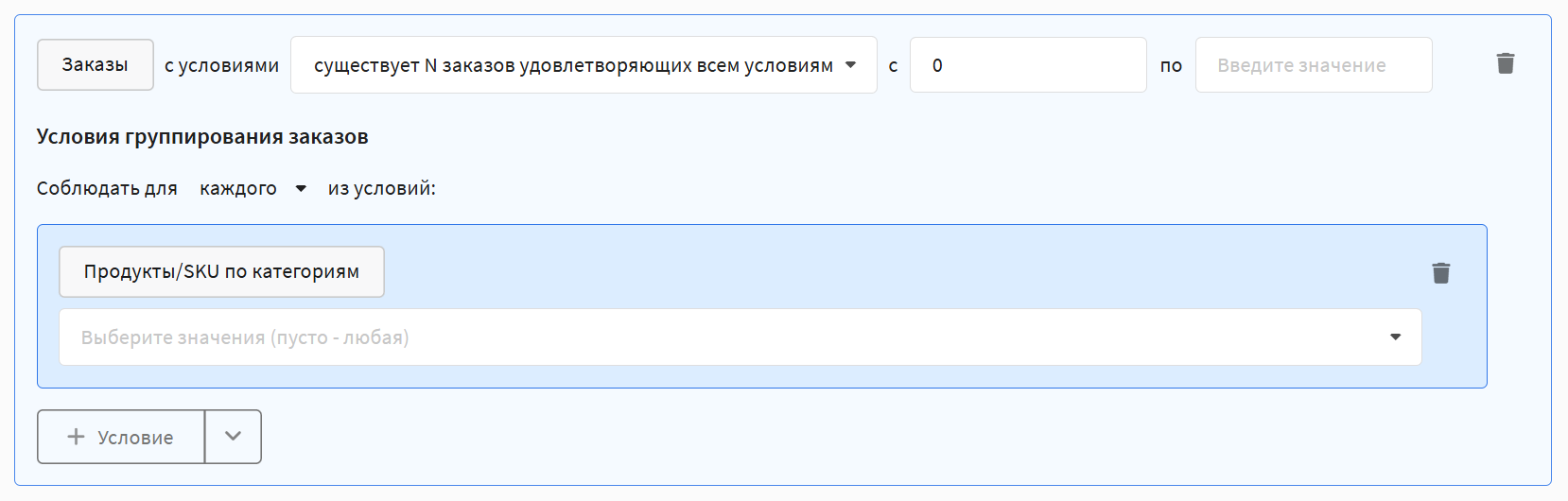
Products/SKUs by Category
Selects orders containing products from specific categories.
Products by Name
Selects orders containing specific products — by name or SKU.
Product Segments
Selects orders containing products included in the specified product segment.
By Quantity of Goods
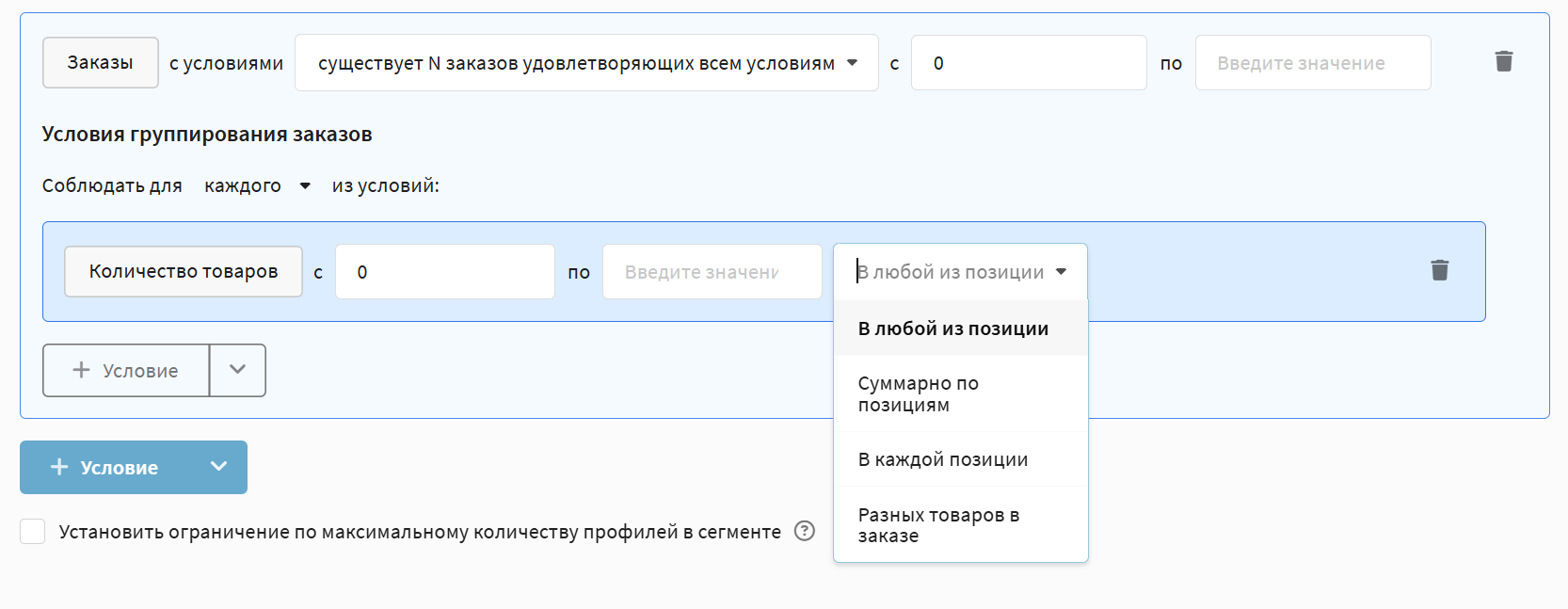
Selects orders with a specific quantity of products. Available calculation methods:
- in any of the items — any order item has the specified quantity.
- summed across items — all order items together have the specified quantity.
- in each of the items — each order item has the specified quantity.
- different products in order — number of items in the order (1 product = 1 item).
Goal/Pixel Behavior
Goal Achieved
Segmentation based on subscriber actions on external resources (websites, apps) tracked using Altcraft pixels.
Available operators:
- Exists / Does not exist — checks for the presence or absence of goal achievements.
- Total goal value — calculates the sum of the cost of achieved goals. Operators: greater than / less than / equal to. Can be specified for all time, for a period, or for the last [x] days.

- Average goal value — calculates the arithmetic mean of the cost of achieved goals. Operators: greater than / less than / equal to. Can be specified for all time, for a period, or for the last [x] days.

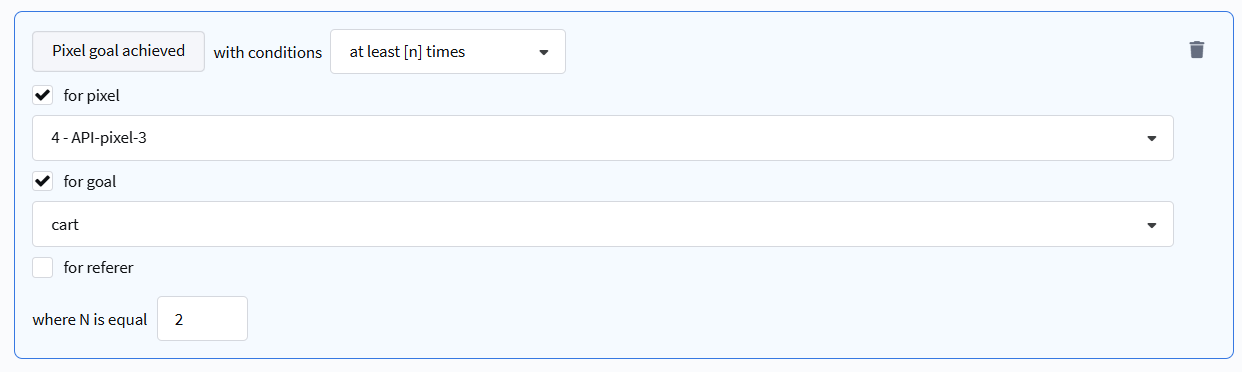
- At least [n] times / Not happened — selection based on the number and frequency of actions performed. Can specify goal, pixel, or referer (traffic source).
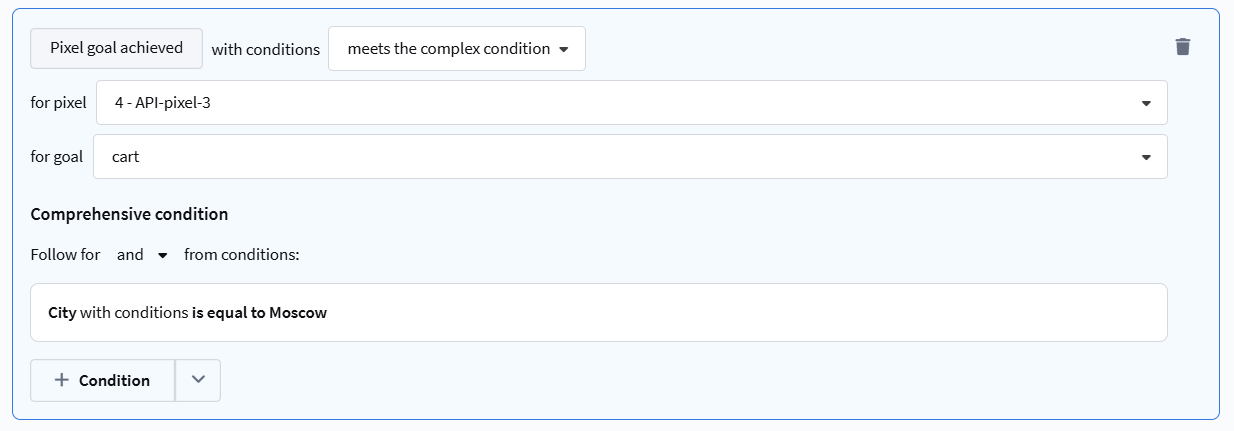
- Meets / Does not meet complex condition — extended selection based on additional data passed when registering a goal via API.
Rules can be configured for selection by:
- Goal value (cost)
- Data from the
pixel_dataobject (string, numeric, date, boolean) - Profile device and geo-data (browser, OS, country, city, etc.)
- Sent messages and promo codes
- UTM labels
- URL Referer and Origin
- Profile order data
Campaigns
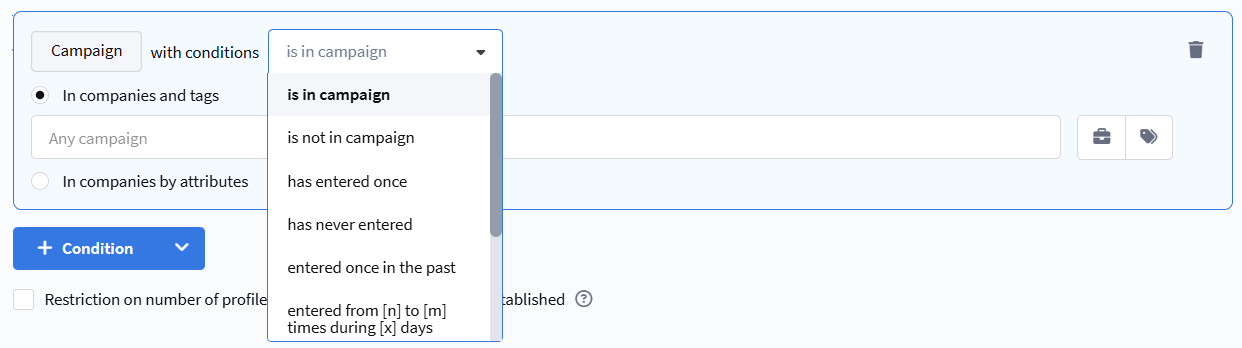
Segmentation by participation in a campaign.
- currently in campaign — the profile is currently in the campaign.
- not in campaign — the profile is currently not in the campaign.
- entered at least once — the profile has ever been in the campaign.
- never entered — the profile has never been in the campaign.
- currently not, but entered at least once — the profile is currently not in the campaign but was previously.
- entered at least [n] times in the last [x] days — the profile entered the campaign the specified number of times in the last X days.
- entered at least [n] times in period — the profile entered the campaign the specified number of times in the selected period.
- never entered in the last [x] days — the profile has not entered the campaign in the last X days.
- never entered in period — the profile has not entered the campaign in the selected period.
Control Group / Test Group
Segmentation by participation in test or local control groups.
Available operators:
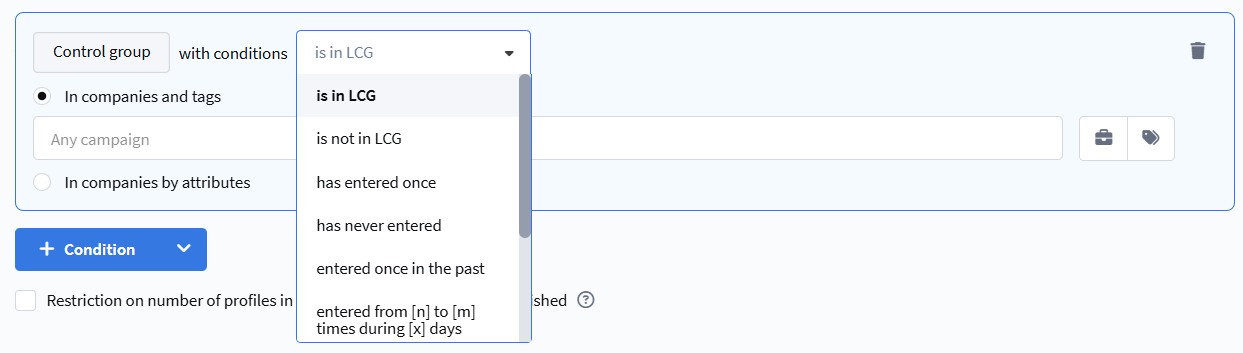
- is in GCG — the profile is currently in the global control group.
- is not in GCG — the profile is currently not in the global control group.
- has entered once — the profile has ever been in the control group.
- has never entered — the profile has never been in the control group.
- entered once in the past — the profile is currently not in the control group but was previously.
- entered at least [n] times during [x] days — the profile entered the control group the specified number of times in the last X days.
- entered at least [n] times during period — the profile entered the control group the specified number of times in the selected period.
- never entered during [x] days — the profile has not entered the control group in the last X days.
- never entered during period — the profile has not entered the control group in the selected period.