Altcraft Docs LogoAltcraft Docs Logo
User guideDeveloper guideAdmin guide
Company siteHelp center
English
  • Русский
  • English
v72
  • v74
  • v73
  • v72
Login
  • Getting Started
  • Administrator documentation
  • Functional characteristics
  • Technology description
  • System requirements
  • Admin Panel
    • Account area
    • Settings
      • Databases
      • Access
      • Notifiers
      • MTA
        • Default rules
        • Retry rules
        • Lock rules
        • Bounce patterns
        • Strategies
        • Keys
        • ISPs
        • Pools
    • Nodes
    • Senders
    • Reports
    • Tools
  • Platform installation
  • Platform configuration
  • Platform maintenance
  • Custom channels guide
  • Extra
  • Processing HTTP/HTTPS traffic
  • Administrator API
This is documentation for Altcraft Platform v72. This documentation is no longer maintained.
The information for up-to-date platform version at this page is available (v74).
  • Admin Panel
  • Settings
  • MTA
  • Pools
Documentation for version v72

Pools

Description​

A Pool is a set of resources required to send emails from a specific domain. The pool allows you to simultaneously track sending statistics and perform SPF alignment.

Creating, Editing, and Deleting​

To manage pools, in the main menu select Settings — MTA — Pools.
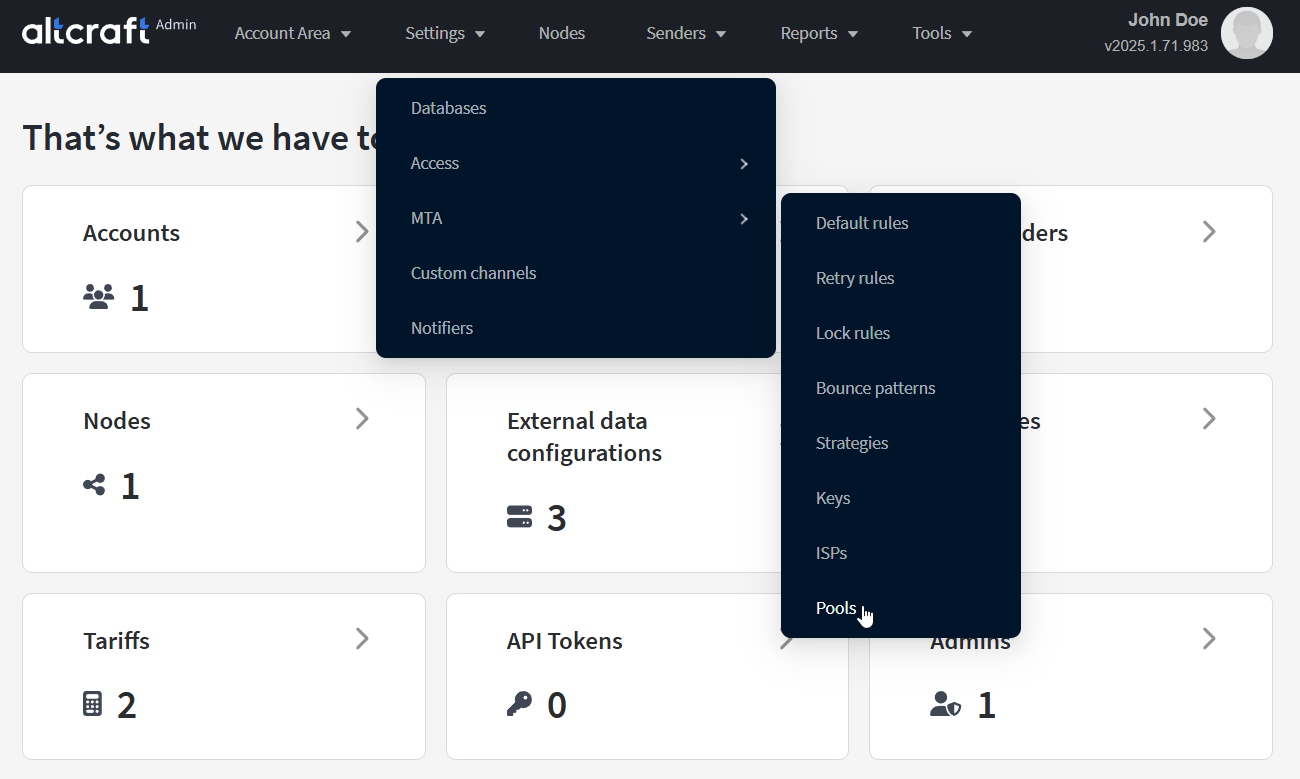
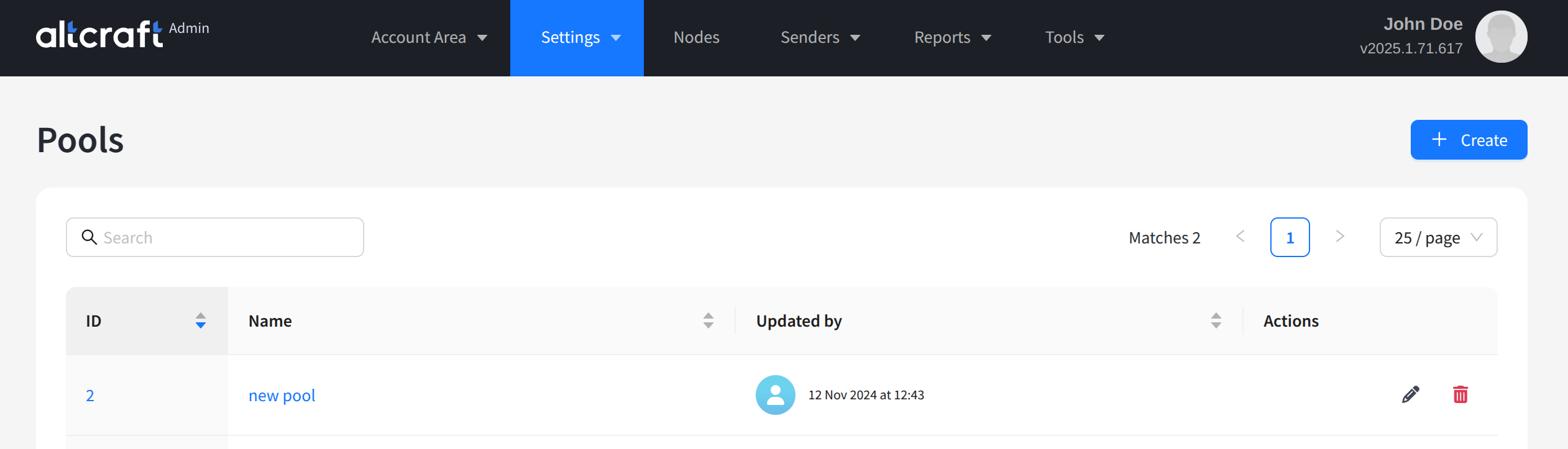
The opened list displays existing pools. On the right side of the table are the edit and delete buttons. You can also open editing by clicking the pool identifier or its name on the left. To create a new pool, click + Create:
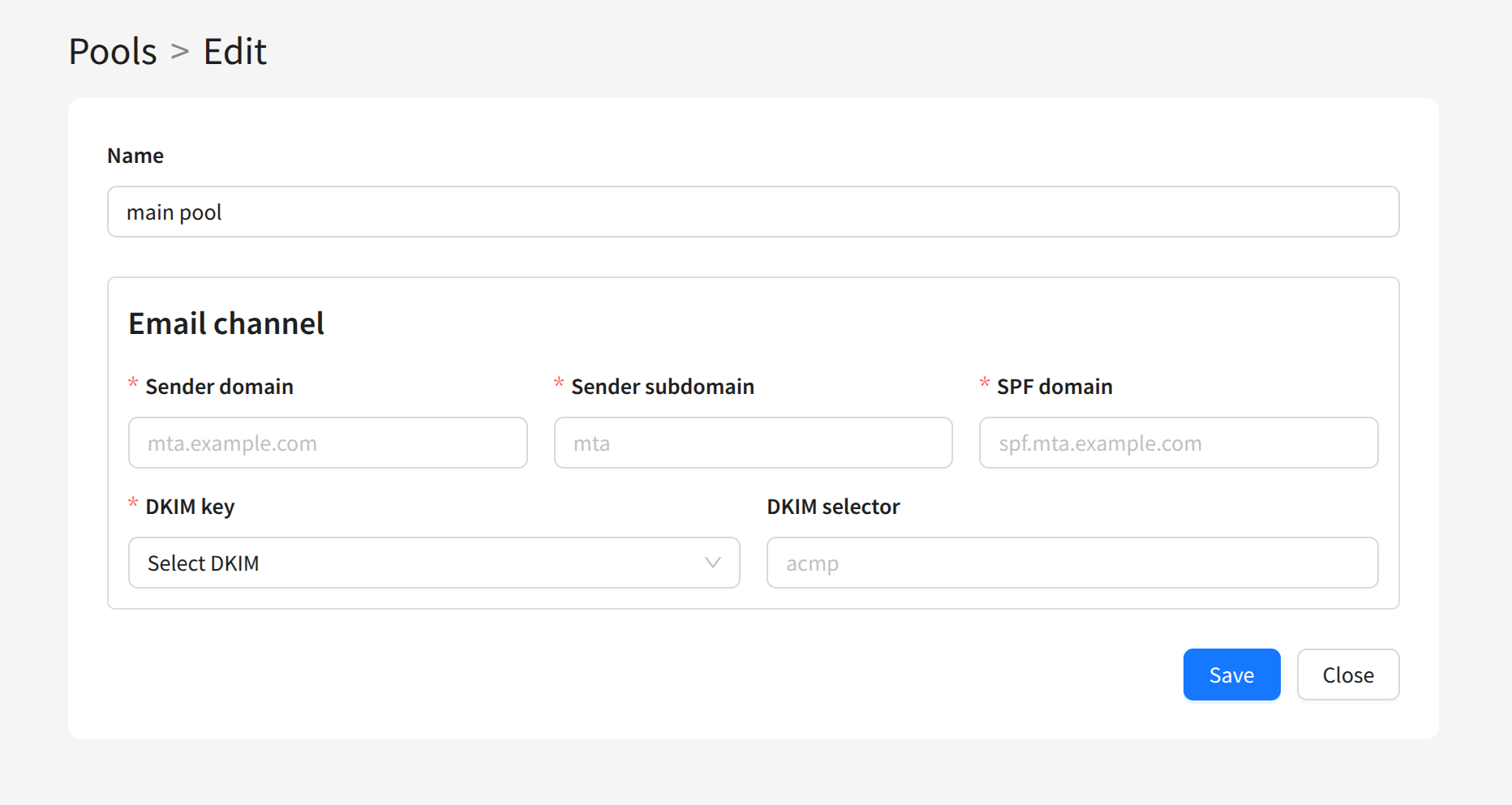
To create a pool, you need to specify the following settings:

  • Name — the pool name
  • Sender domain — the sending module’s domain
  • Sender subdomain — the sending module’s subdomain
  • SPF domain — the sender’s SPF domain
  • DKIM selector — the DKIM key selector of the sending domain
  • DKIM key — the DKIM key for the sending domains
After saving, the created pool will appear in the list. You can use it when configuring other entities in the Admin Panel.

Last updated on Feb 25, 2025
Previous
ISPs
Next
Nodes
  • Description
  • Creating, Editing, and Deleting
© 2015 - 2025 Altcraft, LLC. All rights reserved.