Databases
Description
Databases is a section in the Altcraft platform designed for managing connections. In this section, you configure connectors to various databases used for storing data about orders, products, user statistics, and reports.
Database Types
For each account in the Altcraft marketing platform, you can configure connectors to the following databases:
-
Account DB Postgres — used by the Market module for storing data about products and orders.
-
Account DB ClickHouse — used for storing history, statistics, and building user reports.
Creating, Editing, and Deleting
To manage database connectors, in the main menu select Settings — Databases.
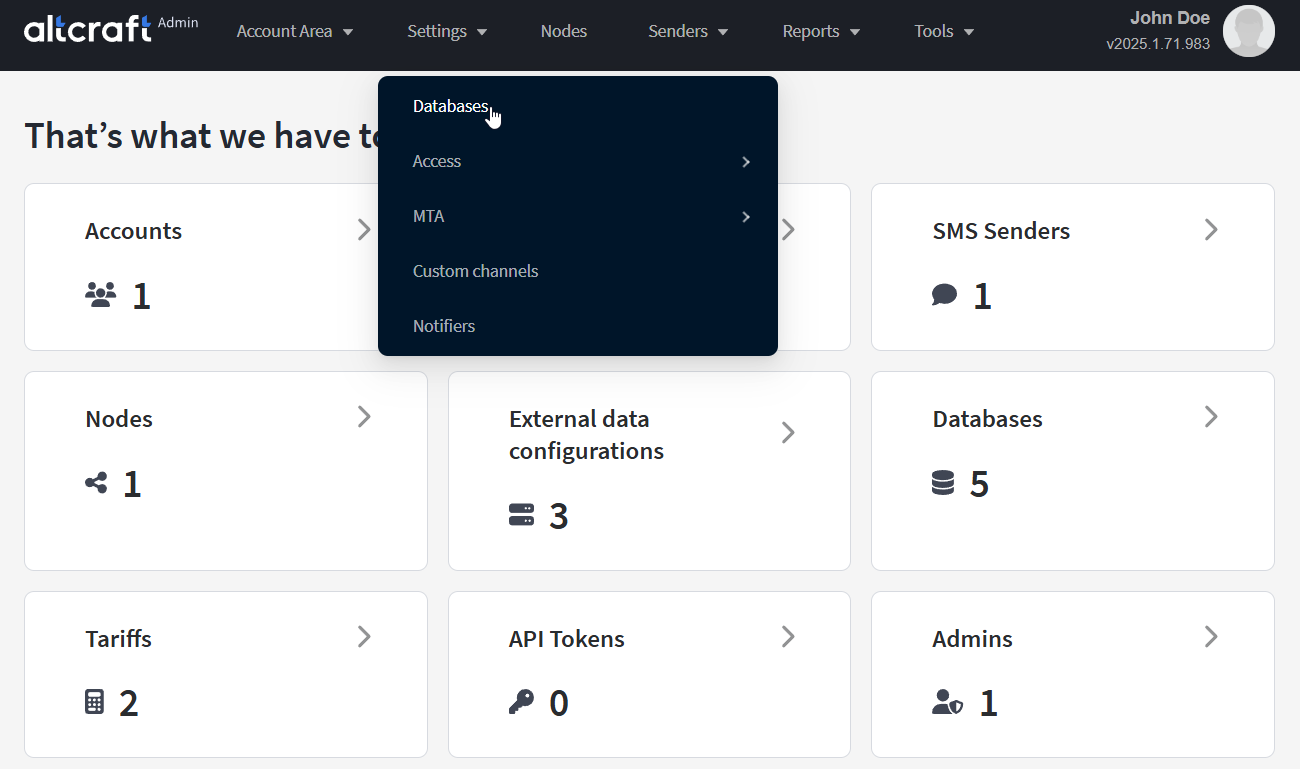
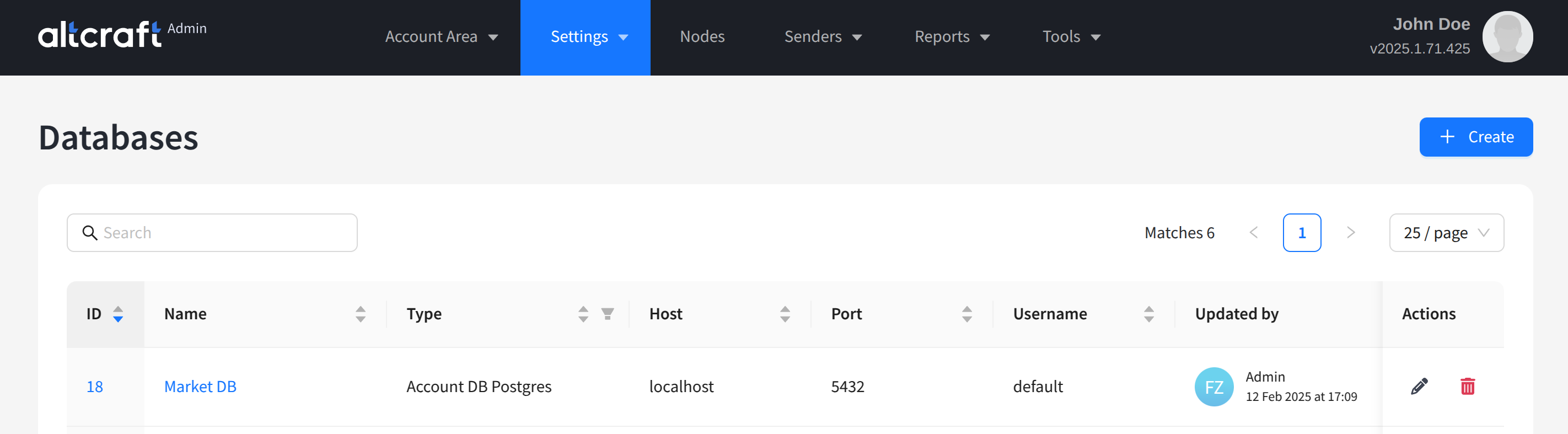
The opened list displays existing connectors. On the right side of the table are the edit and delete buttons. You can also edit a connector by clicking its identifier or name on the left. To create a new connector, click + Create.
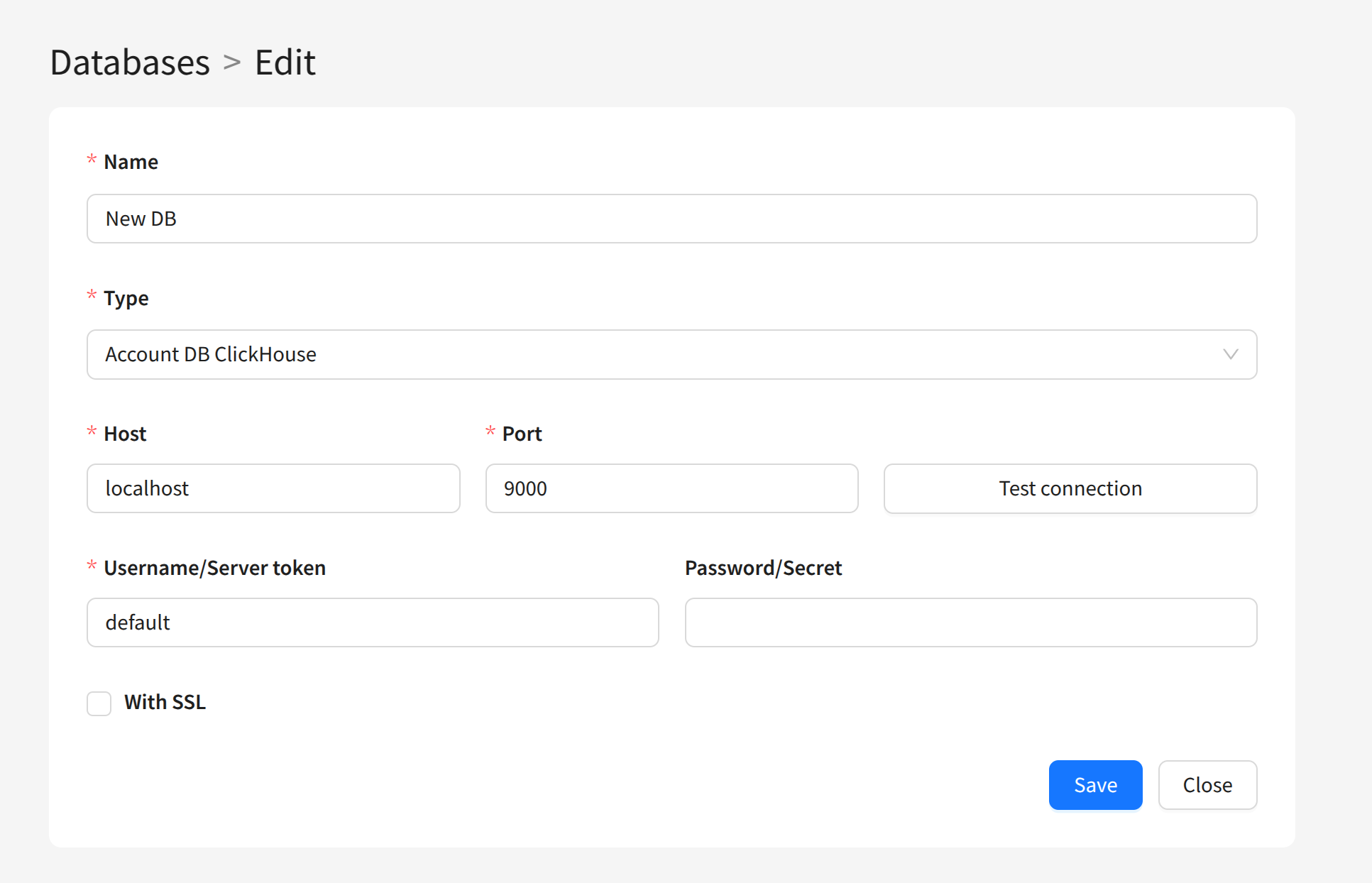
For each connector record, you need to enter a unique name and specify the following parameters:
- Name — the connector name.
- Type — select the connector type depending on the target database.
- Host and Port — the network address and port for connecting to the system component.
- Username/Server token and Password/Secret — authentication data for connecting to the database. A password is not used for local database deployments.
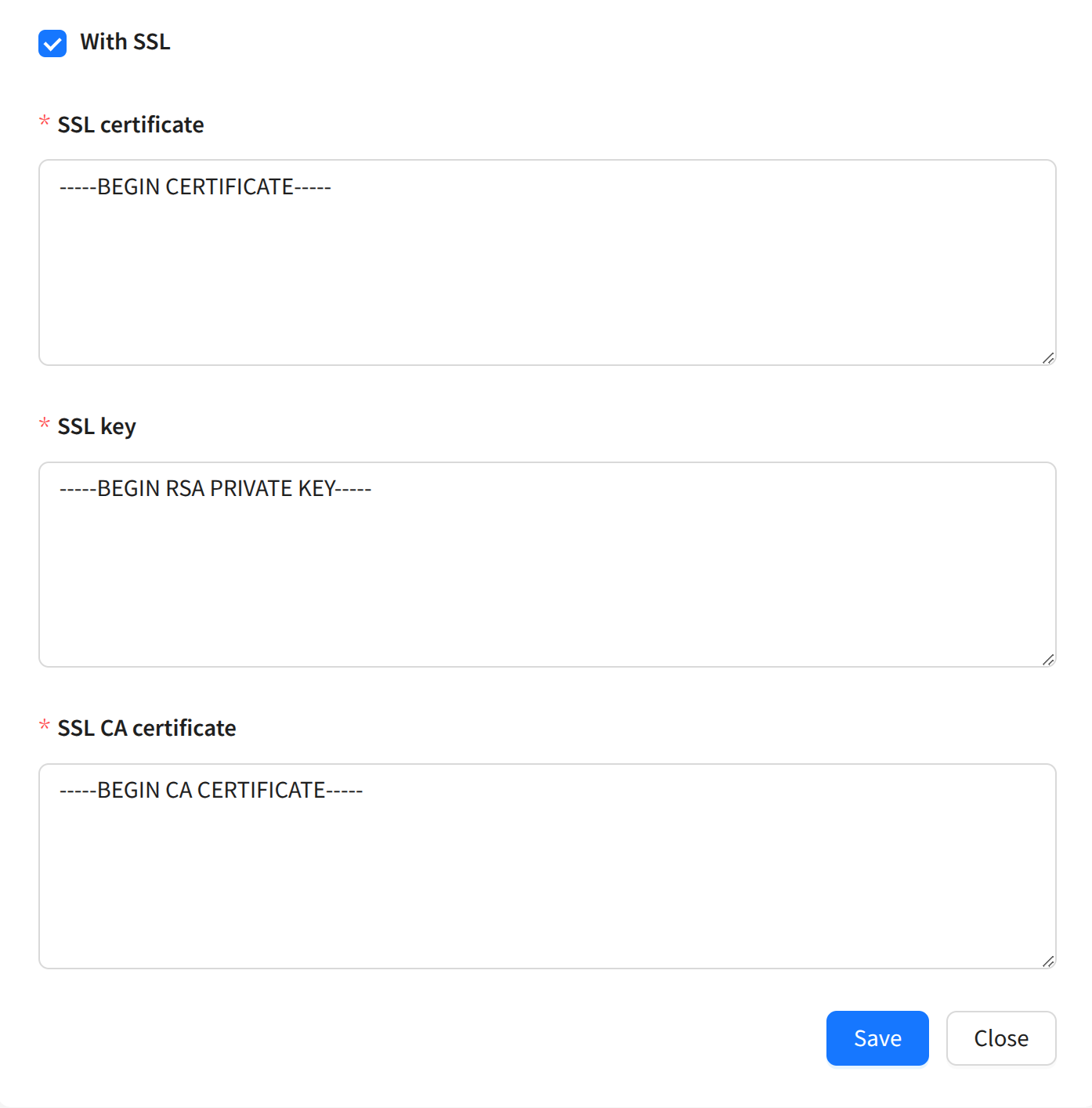
For ClickHouse databases, you can enable SSL support. To do this, activate the Via SSL connection parameter and fill in the necessary fields:
When deploying platform components in a cluster to implement a high-availability deployment scheme, you must create configuration records for each MongoDB cluster shard and add records to the account.