Documentation for version v73
Pools
Description
A Pool is a set of resources required to send emails from a specific domain. The pool allows you to simultaneously track sending statistics and perform SPF alignment.
Creating, Editing, and Deleting
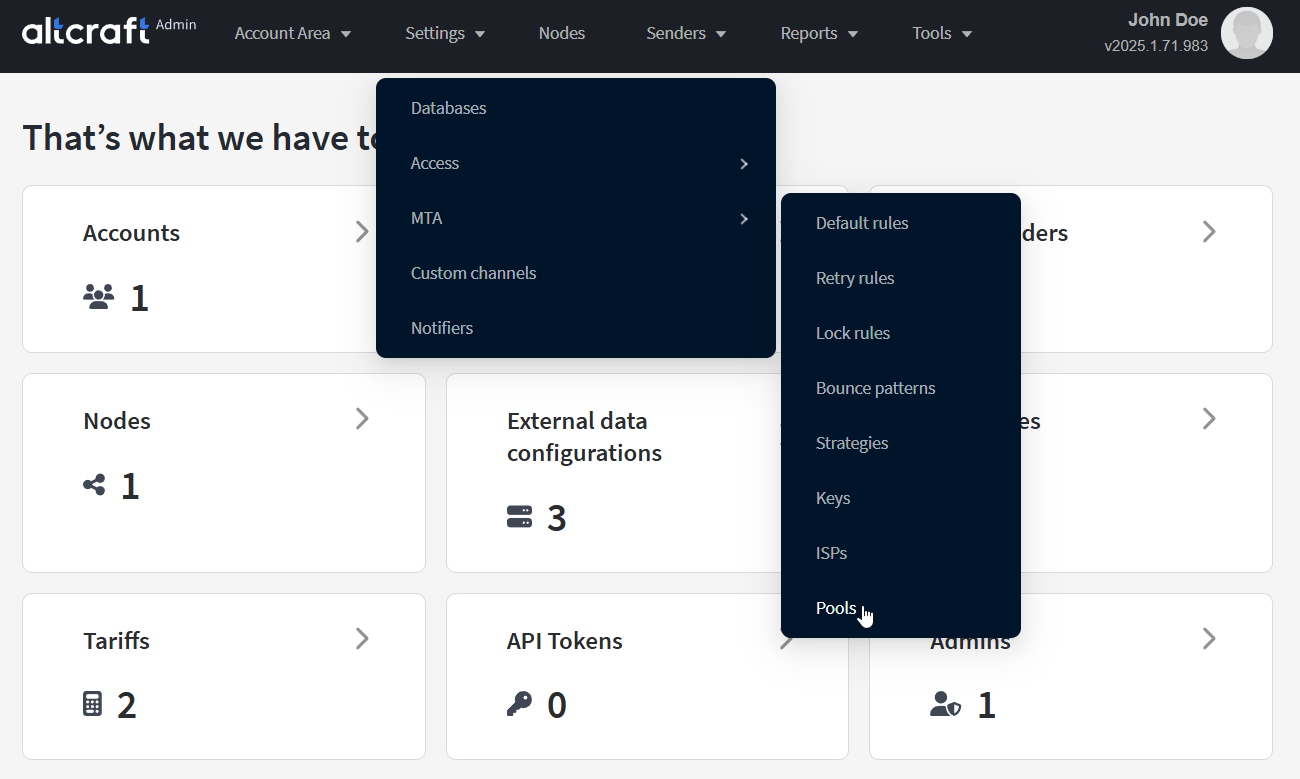
To manage pools, in the main menu select Settings — MTA — Pools.
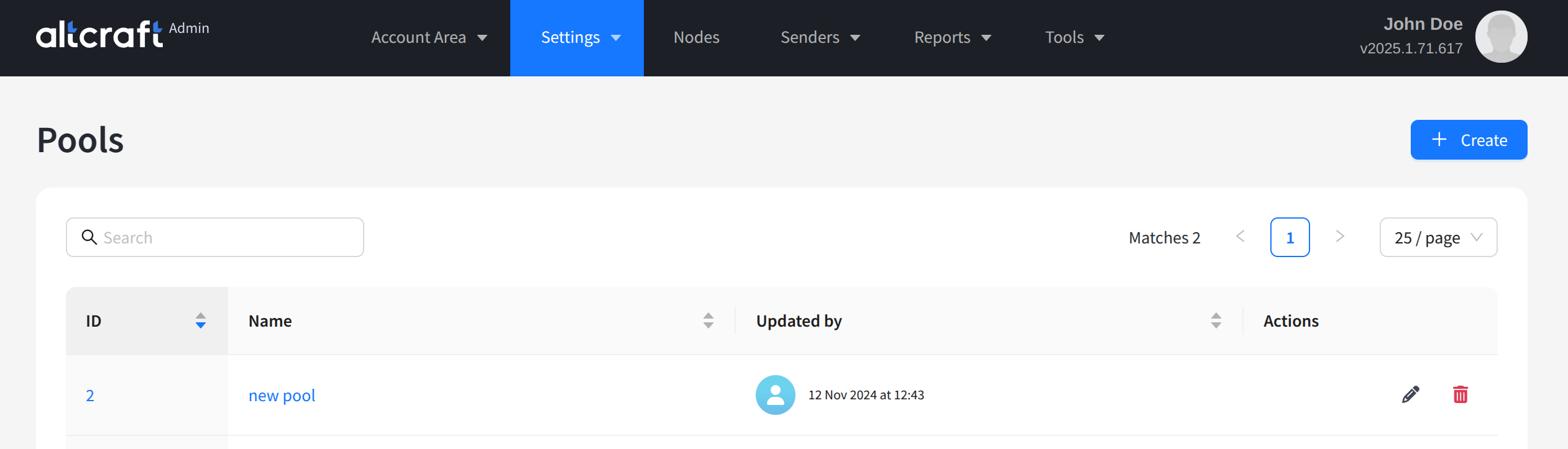
The opened list displays existing pools. On the right side of the table are the edit and delete buttons. You can also open editing by clicking the pool identifier or its name on the left. To create a new pool, click + Create:
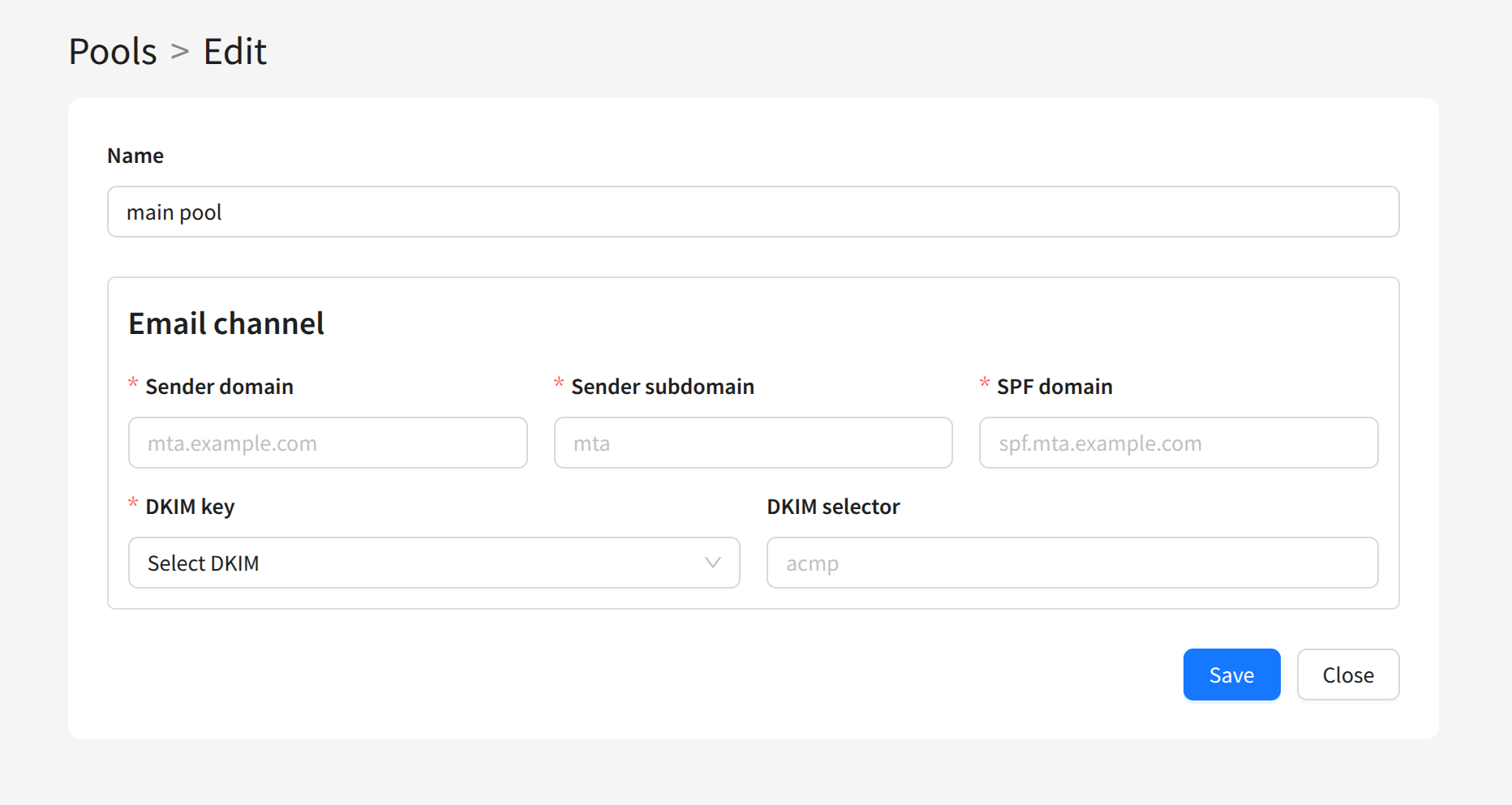
To create a pool, you need to specify the following settings:
- Name — the pool name
- Sender domain — the sending module’s domain
- Sender subdomain — the sending module’s subdomain
- SPF domain — the sender’s SPF domain
- DKIM selector — the DKIM key selector of the sending domain
- DKIM key — the DKIM key for the sending domains
After saving, the created pool will appear in the list. You can use it when configuring other entities in the Admin Panel.