Altcraft Docs LogoAltcraft Docs Logo
User guideDeveloper guideAdmin guide
Company siteHelp center
English
  • Русский
  • English
v72
  • v74
  • v73
  • v72
Login
  • Getting Started
  • Administrator documentation
  • Functional characteristics
  • Technology description
  • System requirements
  • Admin Panel
    • Account area
    • Settings
      • Databases
      • Access
      • Notifiers
      • MTA
        • Default rules
        • Retry rules
        • Lock rules
        • Bounce patterns
        • Strategies
        • Keys
        • ISPs
        • Pools
    • Nodes
    • Senders
    • Reports
    • Tools
  • Platform installation
  • Platform configuration
  • Platform maintenance
  • Custom channels guide
  • Extra
  • Processing HTTP/HTTPS traffic
  • Administrator API
This is documentation for Altcraft Platform v72. This documentation is no longer maintained.
The information for up-to-date platform version at this page is available (v74).
  • Admin Panel
  • Settings
  • MTA
  • Default rules
Documentation for version v72

Default rules

Description​

Default rules are configuration records that define AKMTA sending scenarios when receiving negative responses from all or specific ISPs, as well as from certain groups of ISP domains.

Connection settings​

To manage sending scenarios, in the main menu select Settings — MTA — Default rules.
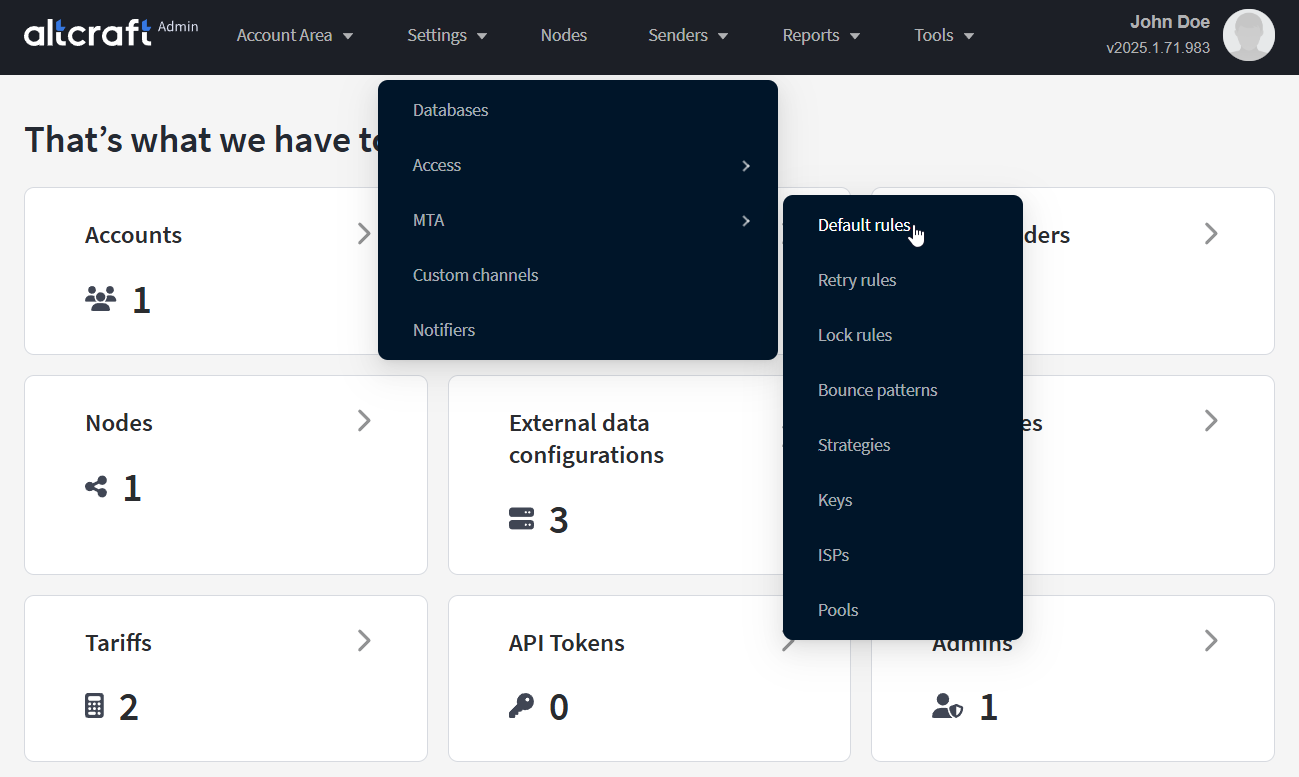
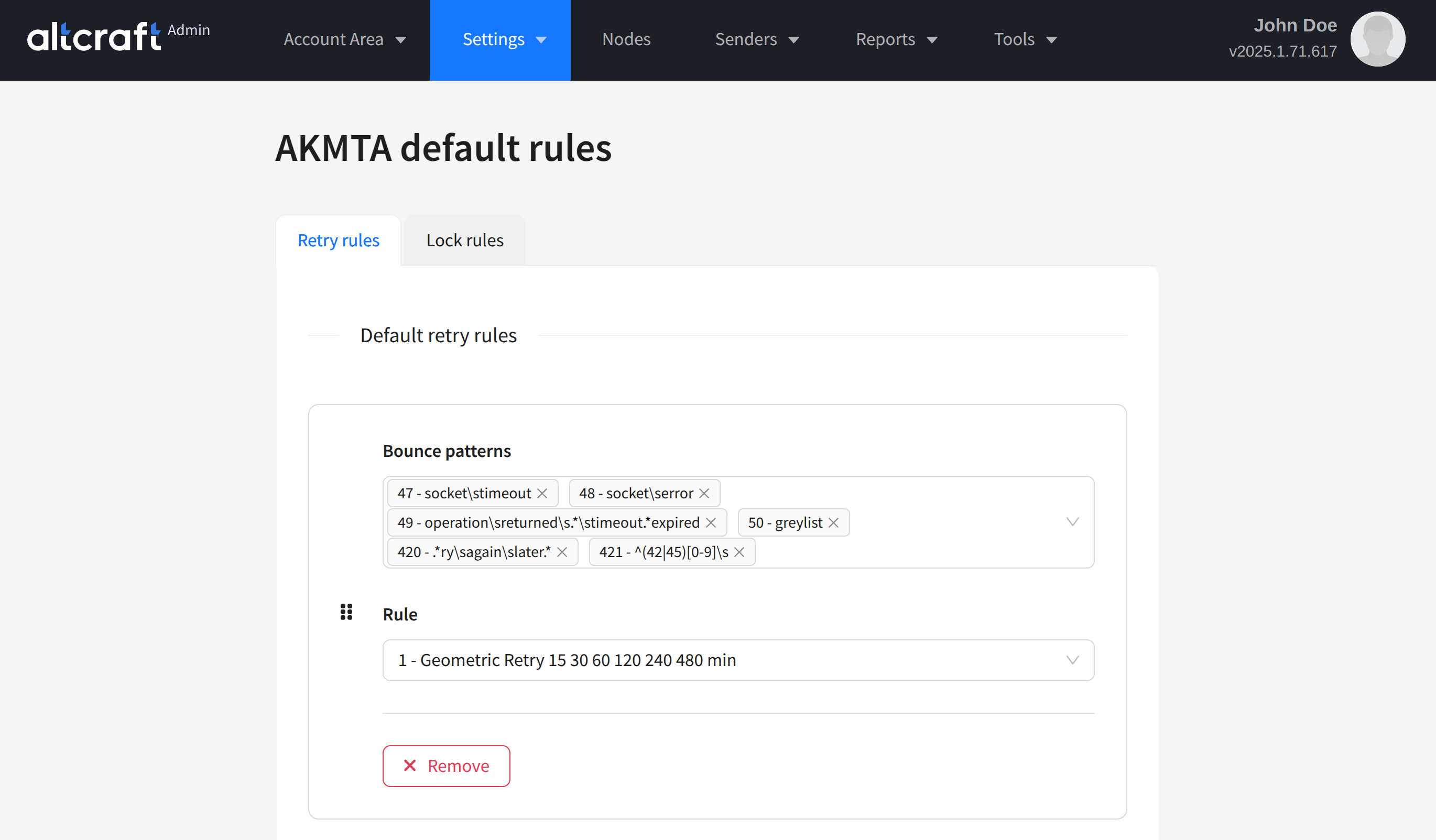
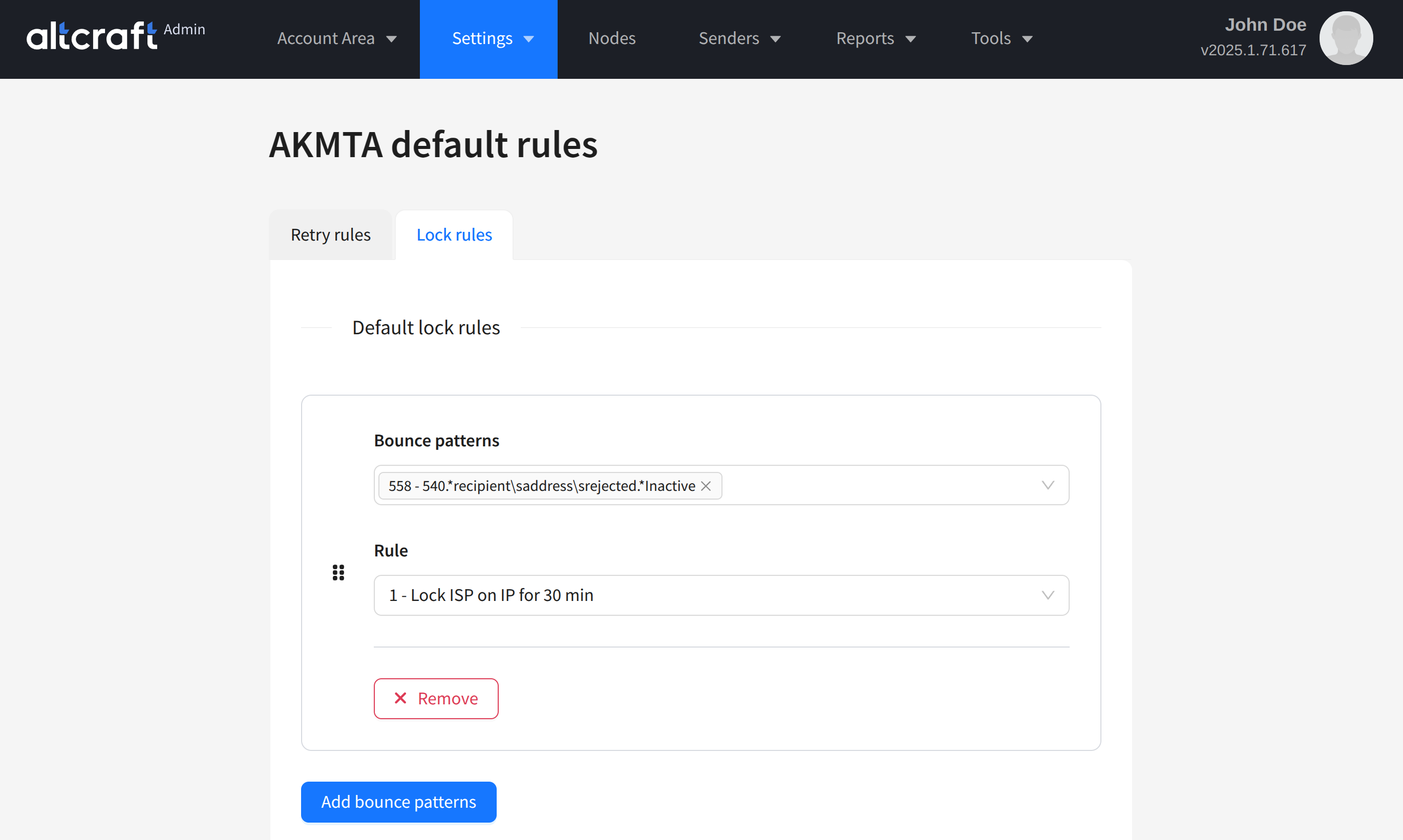
The Default rules page contains two tabs:

  • Retry rules — scenarios that use retry rules.
  • Lock rules — scenarios that use sending lock rules.
Most MTA behavior scenarios for negative ISP server responses are already configured by Altcraft specialists. You can modify existing patterns and add new ones. If any data is outdated, please let us know: team@altcraft.com.

Last updated on Feb 25, 2025
Previous
MTA
Next
Retry rules
  • Description
  • Connection settings
© 2015 - 2025 Altcraft, LLC. All rights reserved.