ISPs
Description
ISPs are email providers through which email messages are sent. The platform allows you to configure rules for different domain groups belonging to specific ISPs.
When is customization needed?
Configuring ISPs can be useful in the following cases:
- Sending limits — some providers limit the number of incoming messages as part of bulk mailing policies.
- Improving domain and IP reputation — setting individual rules for ISPs helps improve email deliverability.
- Specific response codes from providers — some ISPs use unique error codes and delivery statuses.
- Adding service headers — some providers may require including additional headers in emails.
Creating, Editing, and Deleting
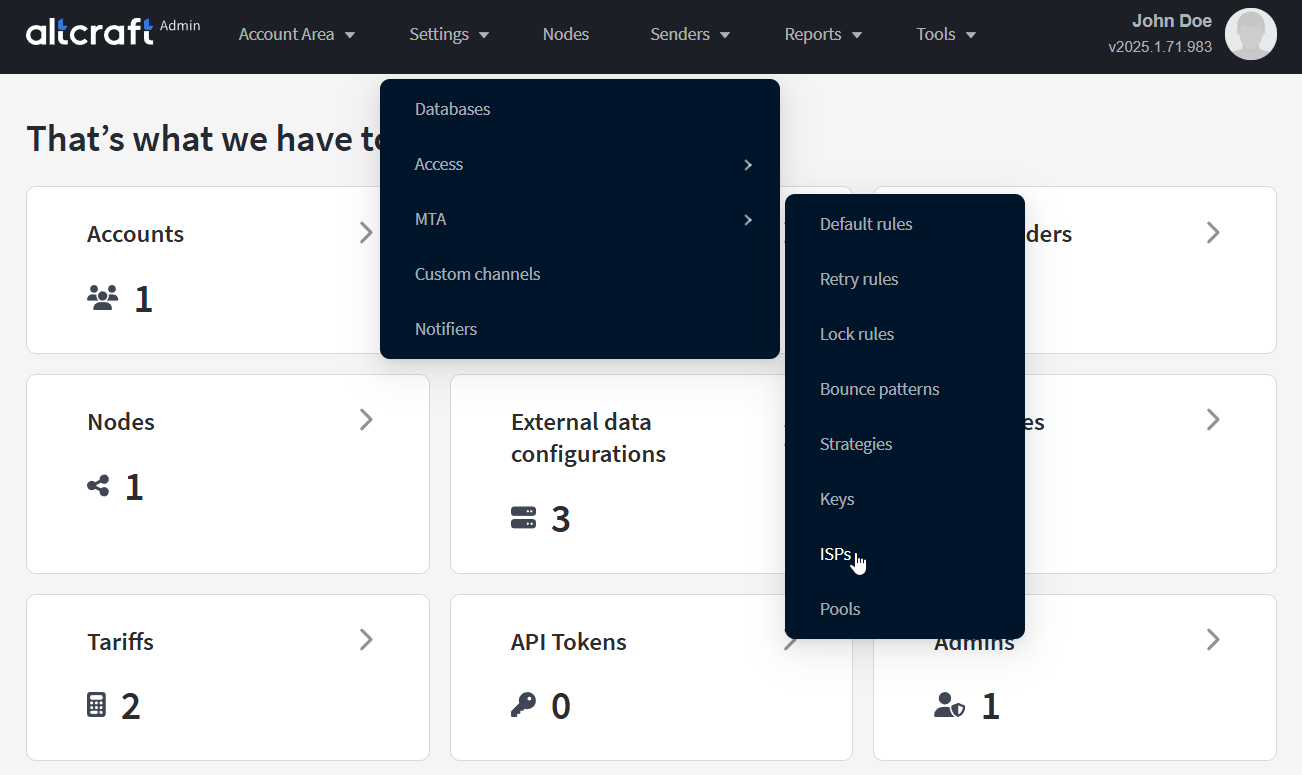
To manage email providers, in the main menu select Settings — MTA — ISPs.
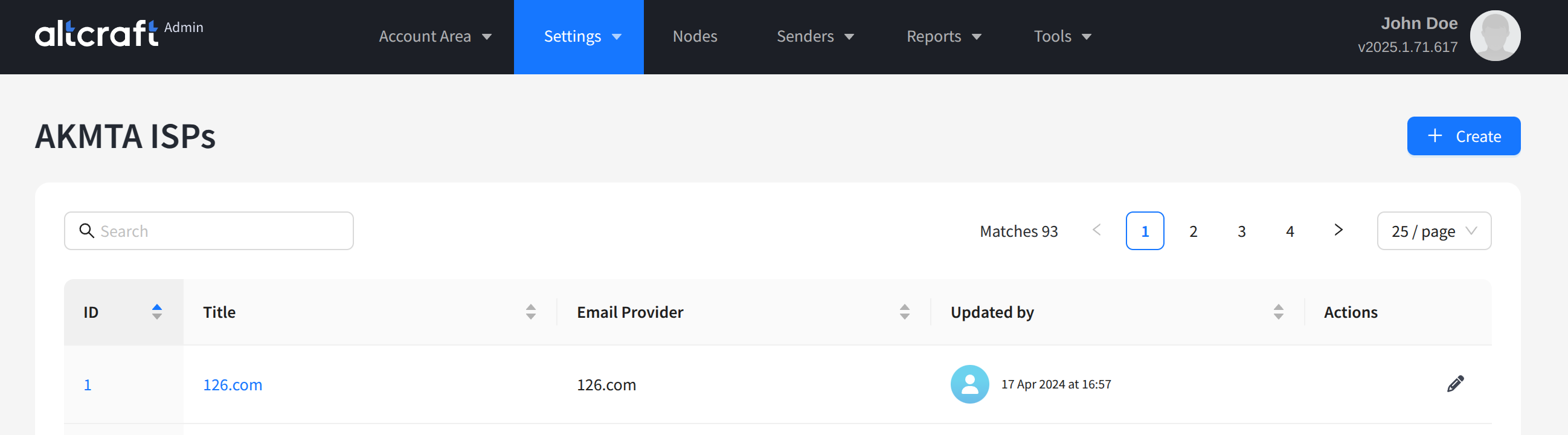
The opened list displays existing ISP records in the AKMTA module. For most email providers, entries already exist in the default AKMTA configuration. To edit an existing ISP record, click the quick action button on the right side of the list or the record identifier on the left. To create a new record, click + Create:
Only custom email provider records can be deleted.
ISP Record Settings
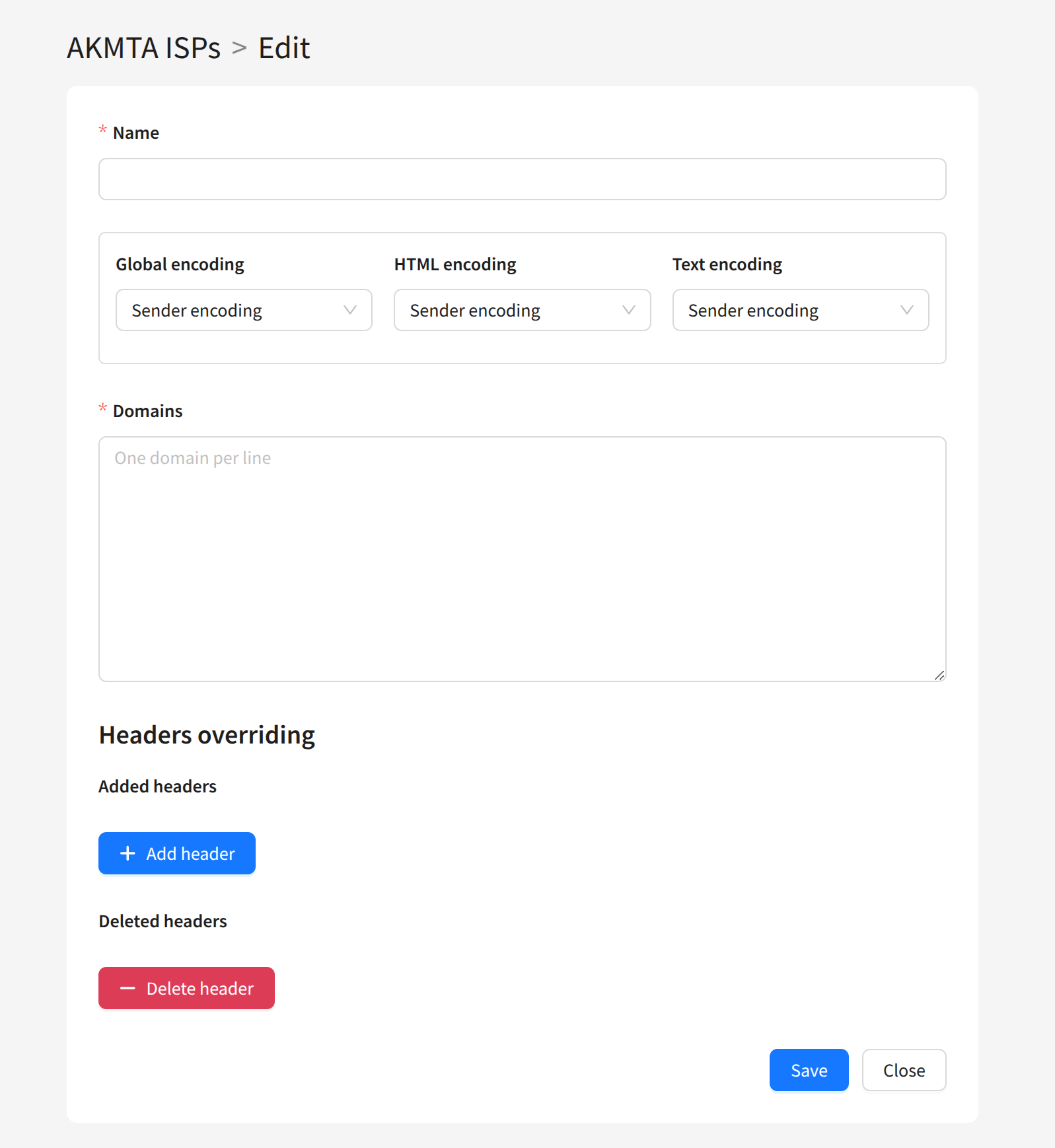
Each ISP record is configured with:
Name — the email provider name.
Encoding (Global, HTML, Text) — the message data encoding type. Available options: Quoted-Printable, Base64, 8-bit.
Domains — the domains of the email provider's mailboxes.
If you need to separately configure delivery to part of the email provider’s domains, create a separate ISP record and move the required domains into it.
Overriding Headers
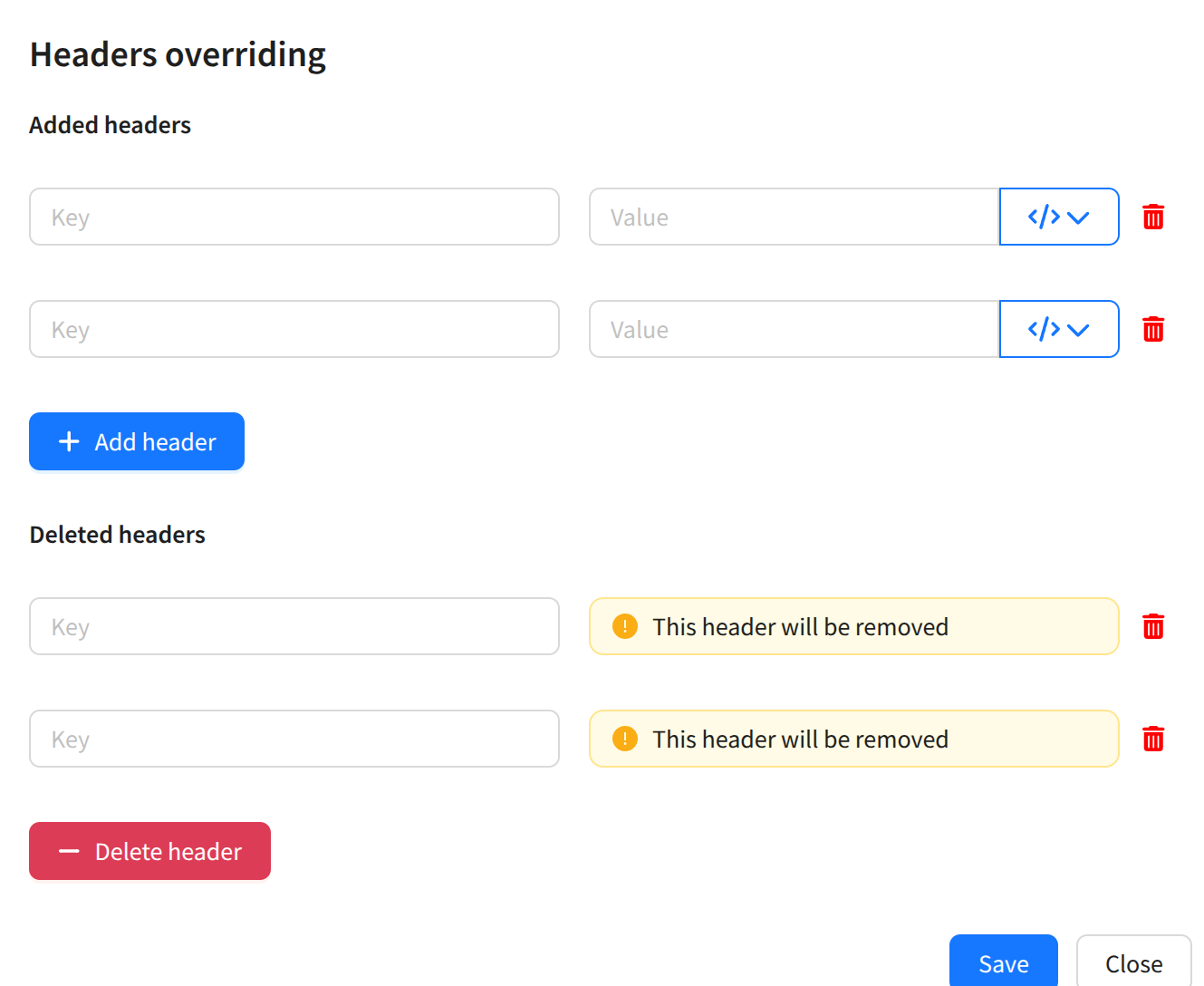
In AKMTA ISP records, you can modify email headers:
-
Add a header — by specifying the key and its value.
-
Delete a header — by specifying the key you want to remove.