Segmentation by best send time
Description
Segmentation by best sending time allows you to select profiles that are best delivered to on the current day, hour, or within a specific time period. Once you've created a segment, you can set up a campaign by specifying the segment's audience as recipients. In this way, each subscriber will receive the message at the optimal time for them.
The optimal time to send a message is calculated through machine learning algorithms. The ML service determines the hour and day of the week when the profile is most likely to open a message.
The algorithms will not be able to calculate the best send time for a profile that has less than one week of send and open history.
Pre-settings
To make this type of segmentation available, you need to enable the ML service. To do this, the platform administrator must add additional fields to the configuration file.
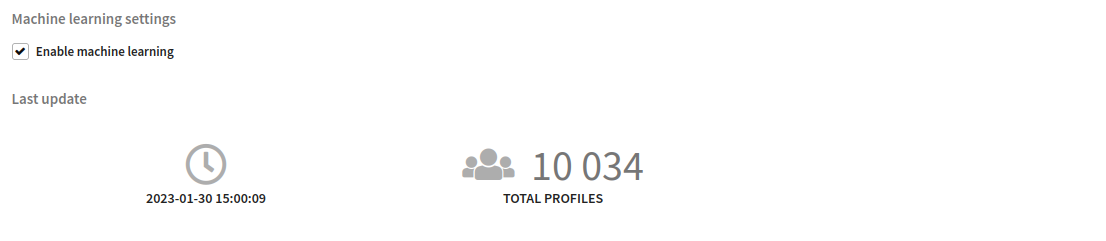
You also need to enable machine learning in the profile database. To do this, go to the database editor and in the "Machine learning settings" block, check "Enable machine learning".
The best send time data is regularly updated in the database according to the specified schedule. The schedule is set in the configuration file; the default is at 00:00 (UTC +0). You can see the time of the next update in the database settings.
If machine learning has recently been enabled, wait for the first data recalculation.
Segmentation settings
Select a profile database that has machine learning enabled. Specify the selection by Best send time. Next, specify a selection condition:

For current day
The segment will capture profiles for which the ML service considers today the best time to send a message.

For current day and time
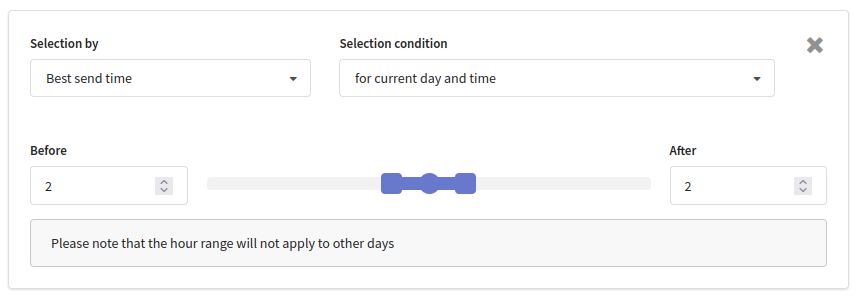
The segment will include profiles to which it is best to send a message during the specified time period today. The period is calculated relative to the current time.
The example below selects profiles that would be better off sending messages today within the range of +/– 2 hours from the current time. In other words, if it is now 2:00 pm, then the segment will include those to whom it is better to send messages today between 12:00 pm and 4:00 pm.
For current time
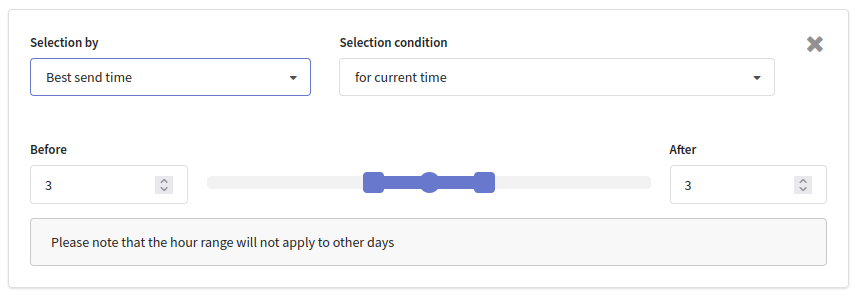
This selection condition takes into account only the best time of sending, but not the best day of sending. The segment will include profiles to which it is best to send a message in the specified time period. The period is calculated relative to the current time.
The example below selects profiles for which the optimal send time is +/– 3 hours from the current time:
Select days and hours
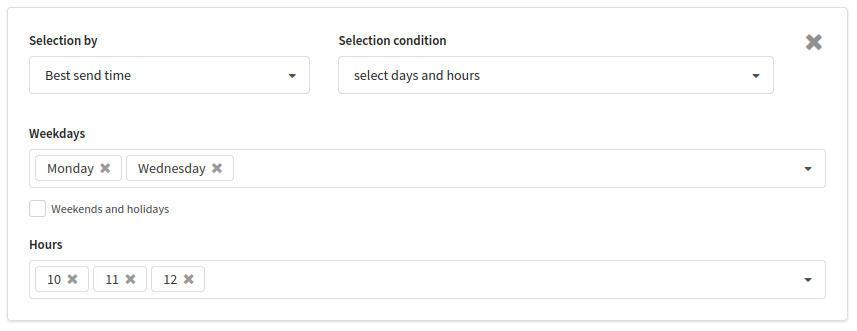
This condition allows you to select profiles to which it is best to deliver a message on certain days of the week and at certain hours. If the profile's best delivery day coincides with one of the selected days, and the best delivery hour coincides with one of the selected hours, then the profile joins the segment.
To select those who are most likely to open a message on holidays, check the "Weekends and holidays" checkbox.
In the example below, we select profiles whose best send times are Monday and Wednesday from 10:00 am to 12:00 pm: