Documentation for version v72
Segmentation by UTM
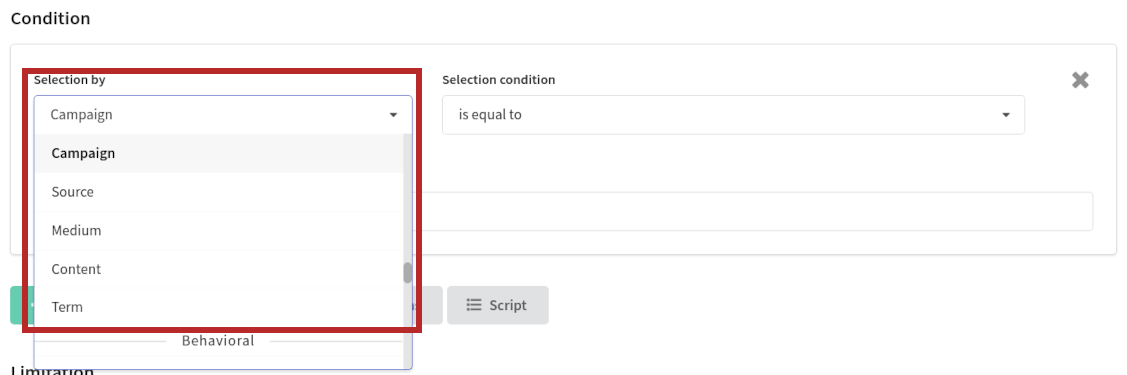
UTM fields that are available for segmentation are:
- Campaign — the campaign name.
- Source — the source of the traffic.
- Medium — the marketing medium where the link was shared.
- Content — helps to differentiate links or ads that point to the same URL from the same source, medium and campaign.
- Term — identifies the paid search term associated with an add.
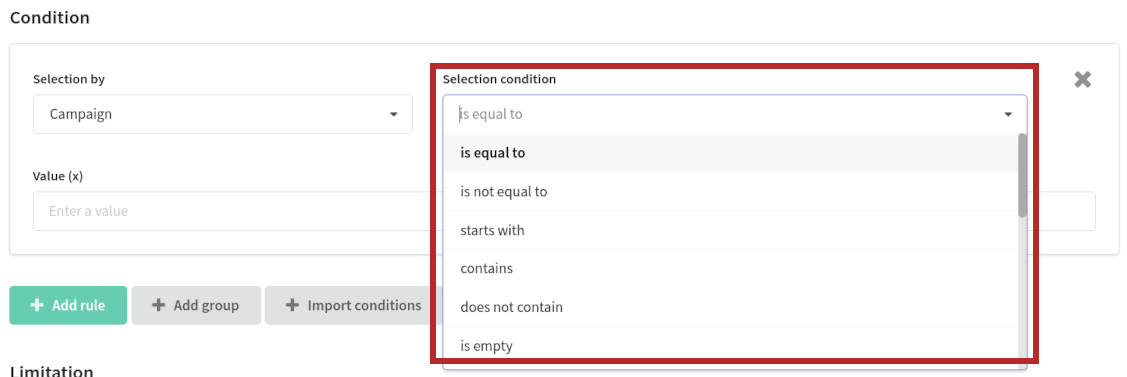
The following operators are available for UTM fields:
- Is equal to / is not equal to — exact equality between subscriber utm field and segmentation rule. You can set rule value manually, or select it form the list.
- Starts with — thew rule checks if the field starts with input value.
- Contains / does not contain — if the profile field exists, it may contain value of certain type, or it can be empty.
- Is empty / is not empty — the rule checks if the filed is empty or not.
- Exists / does not exist — the field can be active or not, for certain profile. Existing field can be empty, or contain value of certain type.
- Is in file in column / is not in file in column — the rule looks for field accordance in the table file (CSV, xls) column, which can be attached to segmentation rule.
- Is in data table / is not in data table — the rule looks for field accordance in the query to the SQL database.
- Is in a field of post url response / is not in a filed of post url response — the rule looks for field accordance in the answer of post method query to external API.
- Is in list / is not in list —the rule looks for field accordance in the list, that you can set in the values field. The values must be defined with line break (pipe).