Audience growth report
Description
The audience growth report allows you to track the increase in the number of profiles in your database. This report only records events of new subscriber profile additions and does not account for unsubscribes or deletions.
Report settings
At the top of the page, select the period for generating the report.
By default, the report is generated for all available profile databases. You can use the dropdown menu to select a specific client database:

You can download report in MS Excel or CSV formats.
Growth graph
The visual part of the report displays the dynamics of audience growth. The data can be presented in the form of charts, grouped by days, weeks, or months of the selected period.
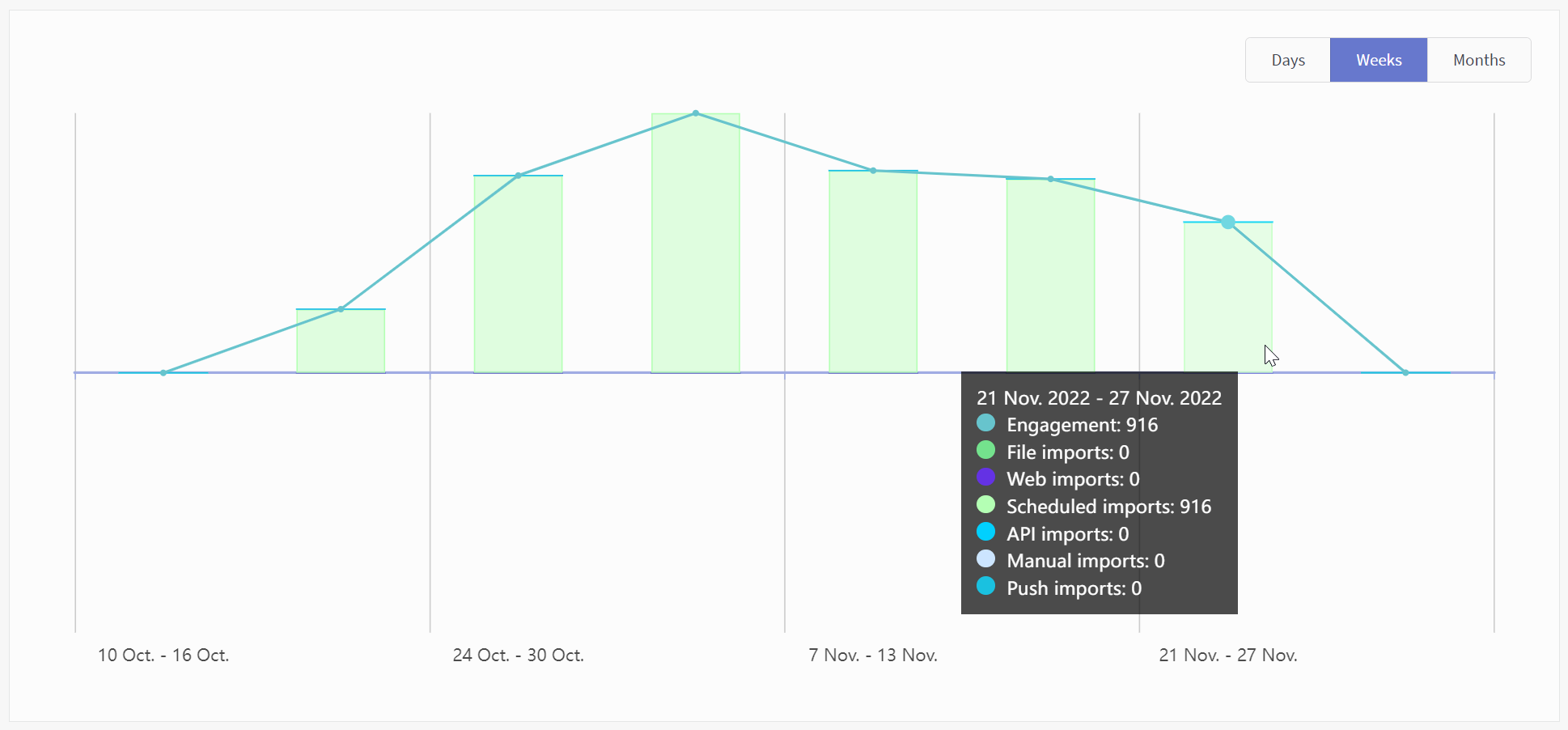
Audience dynamics metrics
Audience growth is represented by the following import metrics:
-
Engagements — net increase in the number of profiles in the database (excluding unsubscribes or other factors that reduce the number of profiles).
-
File imports — adding multiple profiles from a table file.
-
Web imports — creating new profiles at the moment of subscribing through the form or pop-up published on the website.
-
Scheduled imports — creating of new profiles on a schedule from an external SQL database.
-
API imports — creating new profiles via API.
-
Manual import — creating profiles through the platform interface.
-
Push imports — creating anonymous and personal profiles at the moment of subscribing to push channel.
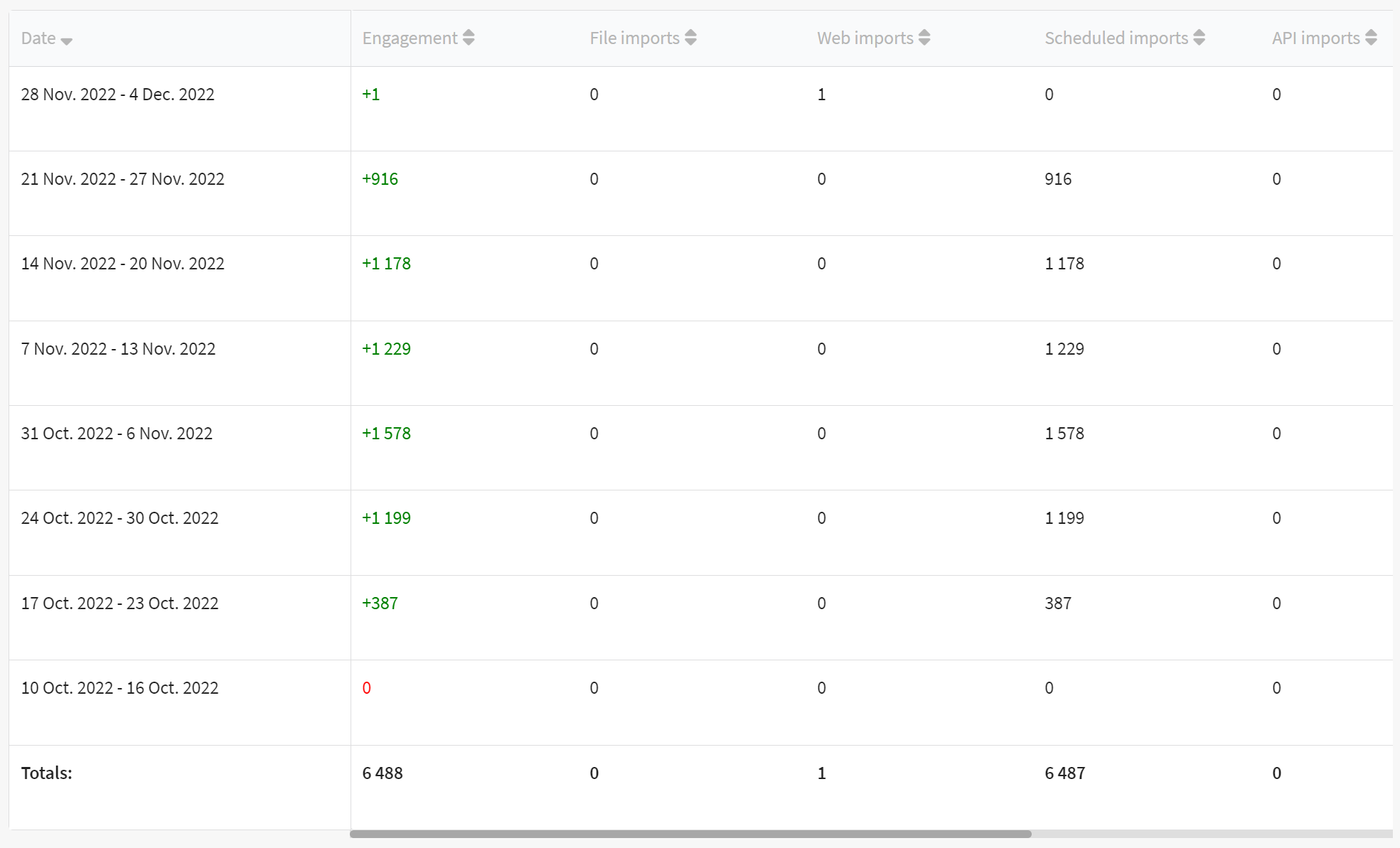
The Altcraft platform allows an inaccuracy of 0.02% when generating reports.
Audience growth report displays the increase in the number of profiles in the database. If you need to track changes in the number of subscriptions to a resource, use Traffic report and apply the filter.