Click map report
Description
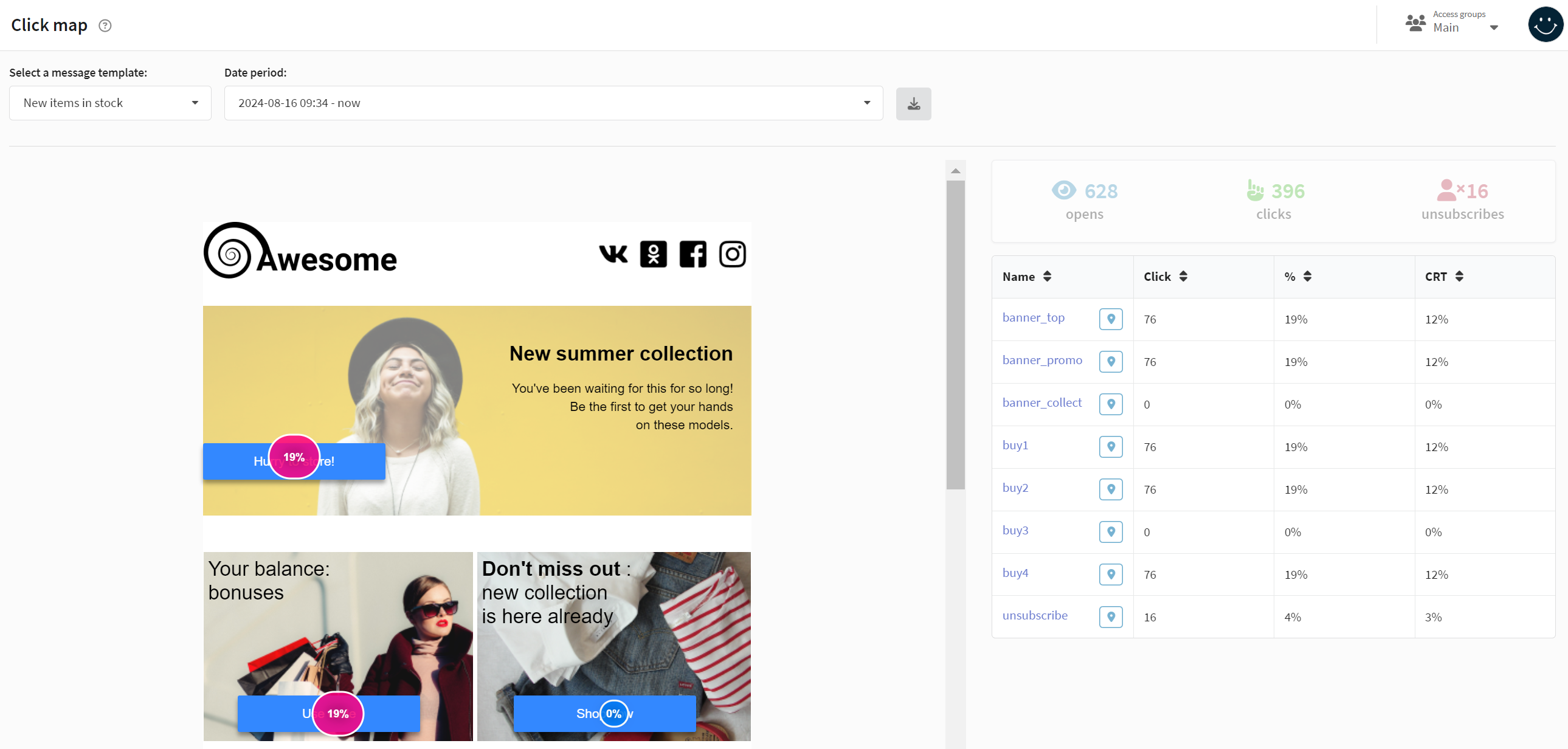
Click map is a report on your customers' clicks on links in a sent Email message. The click map displays only unique clicks on all links of an Email message, including unsubscribe links. The click map helps to determine the quality of the template content and identify the most successful location and design of links.
It should be noted that the report is based on a template, not on a campaigns. If the template was used in several companies, the data will be summarized.
Managing click map
To start working on click map report, you need to select the template that you want to analyze. If you have changed the message, for example, for different campaigns, select the required version from the drop-down menu Date period:

You can download the resulting report in MS Excel and CSV format by clicking the Export report button.
Click map report displays only unique clicks for all links in email message, including unsubscription links.
Additional information is displayed on the right:
- The number of unique openings of the template
- The total number of unique clicks
- The number of unsubscribed customers
Below is a click chart and a table with the number of clicks on a particular link, percentage of total clicks and CTR for each individual link of the message:
The Altcraft platform allows an inaccuracy of 0.02% when generating reports.
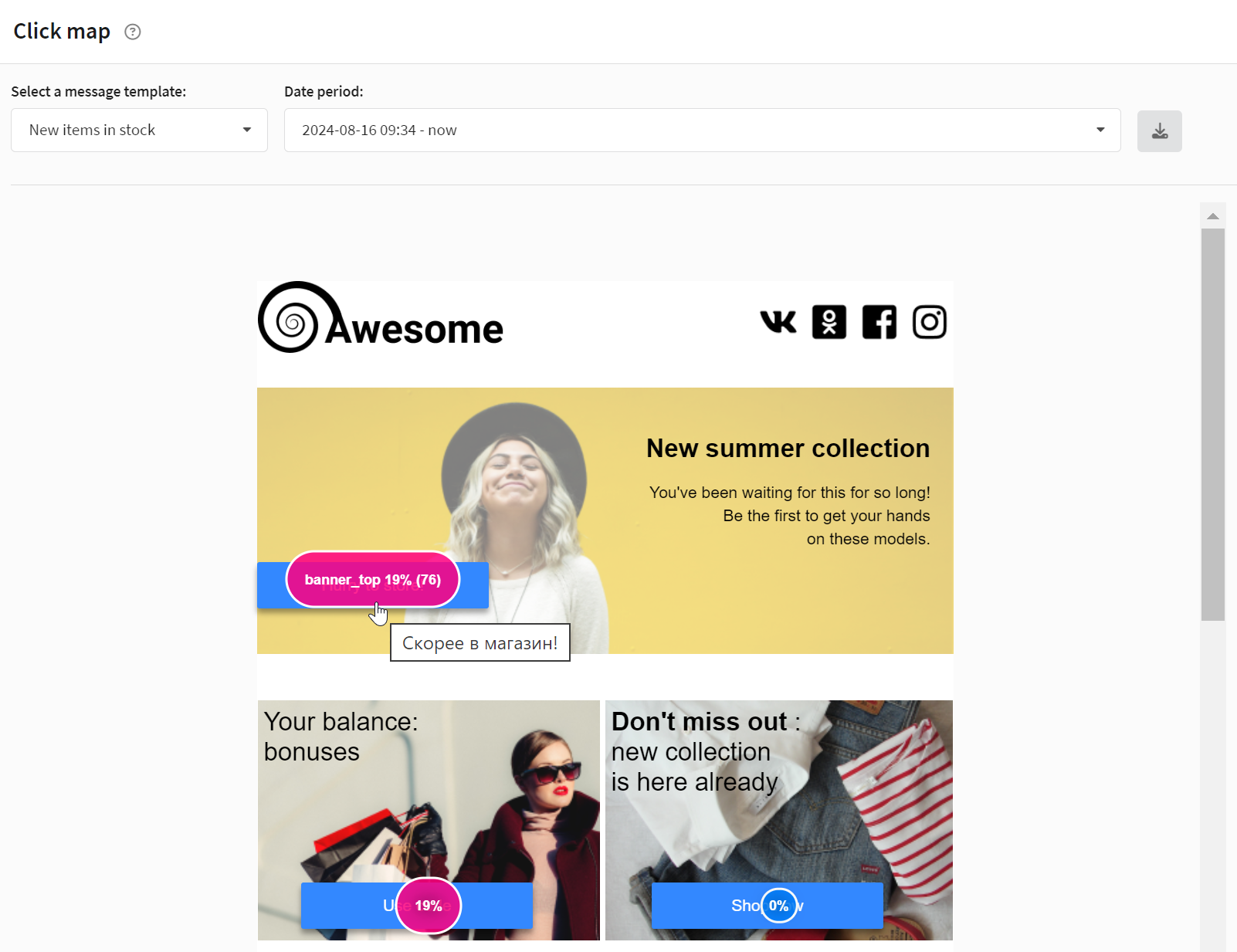
There is a geo-location button next to each link. When you click on it, you are transported to the area of the letter where the link is located.
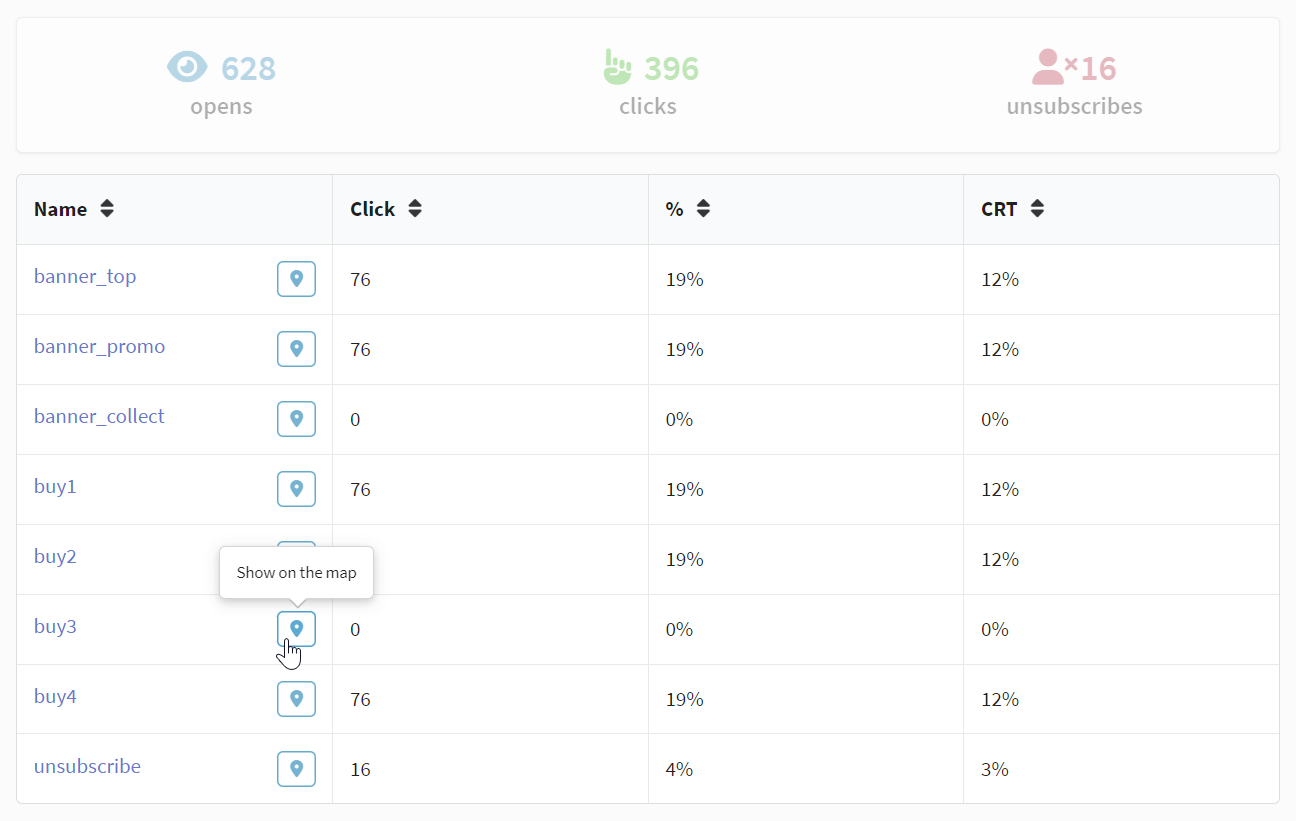
This makes the search for links more convenient, especially if there are a lot of them in the template or you are analyzing a large letter with links scattered around.
The Altcraft platform allows an inaccuracy of 0.02% when generating reports.