Strategies
Description
Strategies are a set of rules and settings that define message delivery parameters via AKMTA strategy. They control the sending speed, depending on the number of IP addresses of the sender and the selected sending strategies (for different IP addresses or different ISPs).
Creating, Editing, and Deleting
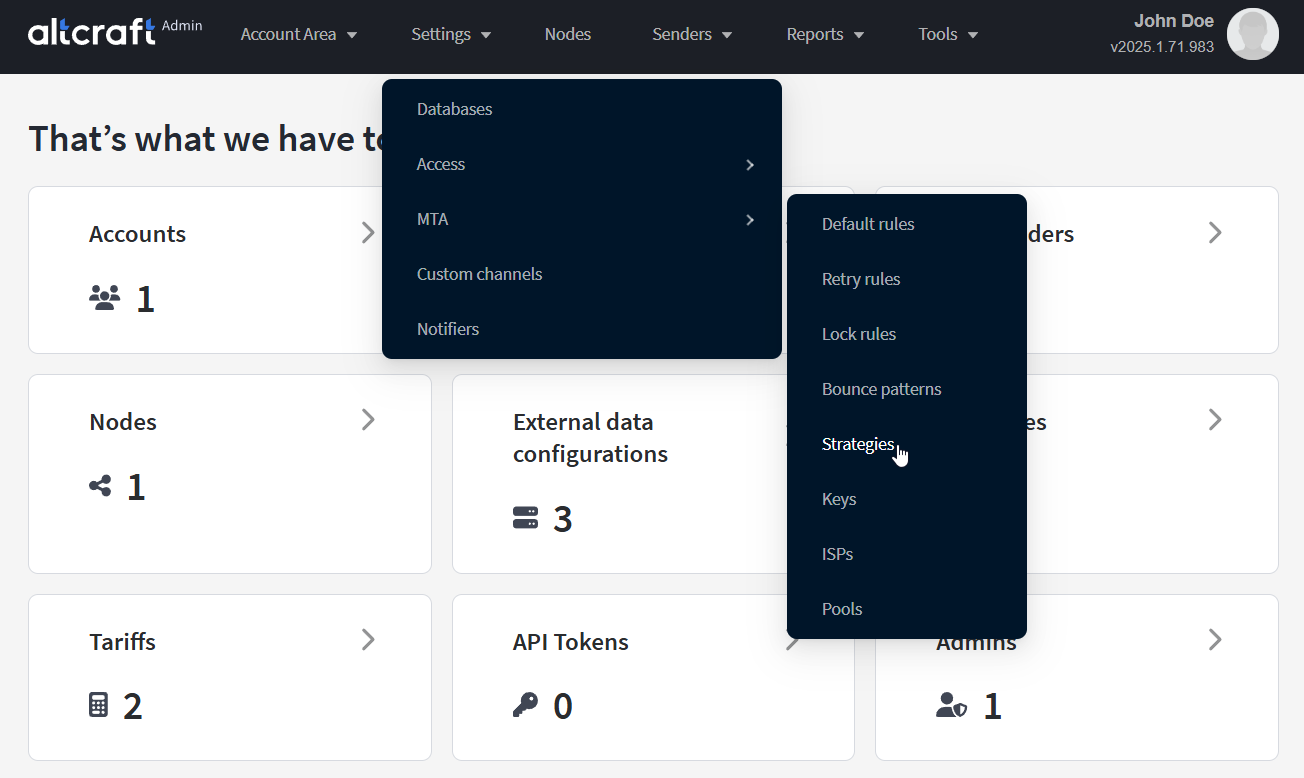
To manage sending strategies, in the main menu select Settings — MTA — Strategies.
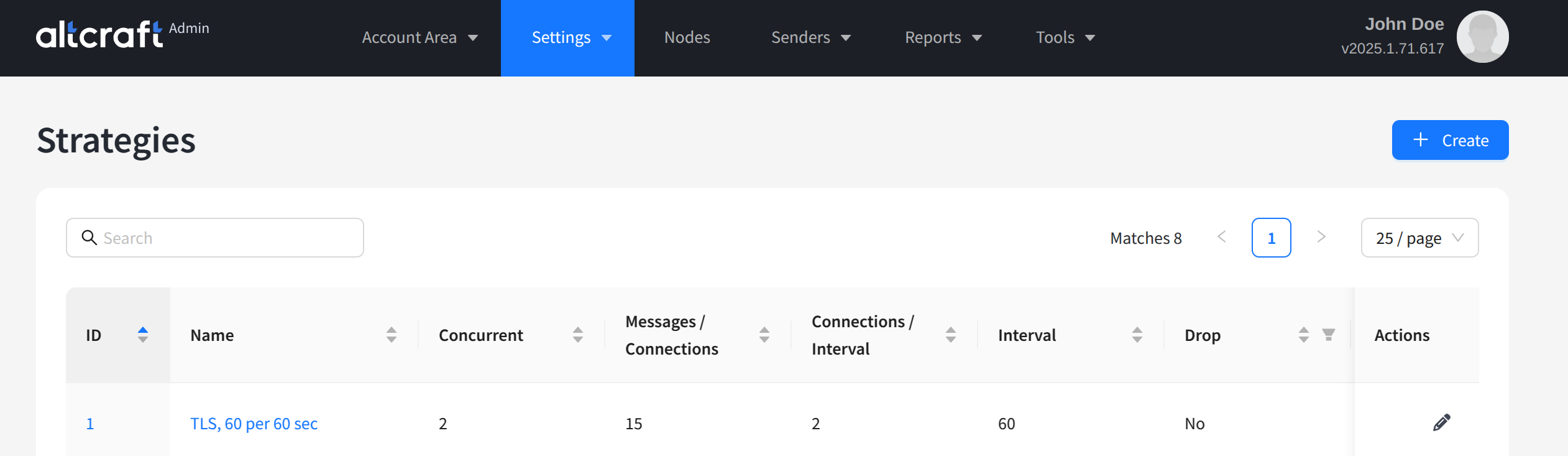
The opened list displays existing AKMTA sending strategies. By default, the system has a 60:60 strategy — 60 messages every 60 seconds. On the right side of the table are the edit and delete buttons. You can also edit a strategy by clicking its identifier or name on the left. To create a new strategy, click + Create.
The default strategy cannot be deleted from the system. However, if you only need one configuration, you can modify the system record.
Sending Strategy Settings
For each sending strategy, you must specify the following settings:
Name — the strategy name.
Concurrent connections — the number of simultaneous connections.
Messages per connection — the number of messages per connection.
Number of connection attempts — the number of connection attempts within the time interval.
Time interval (seconds) — the time interval in seconds.
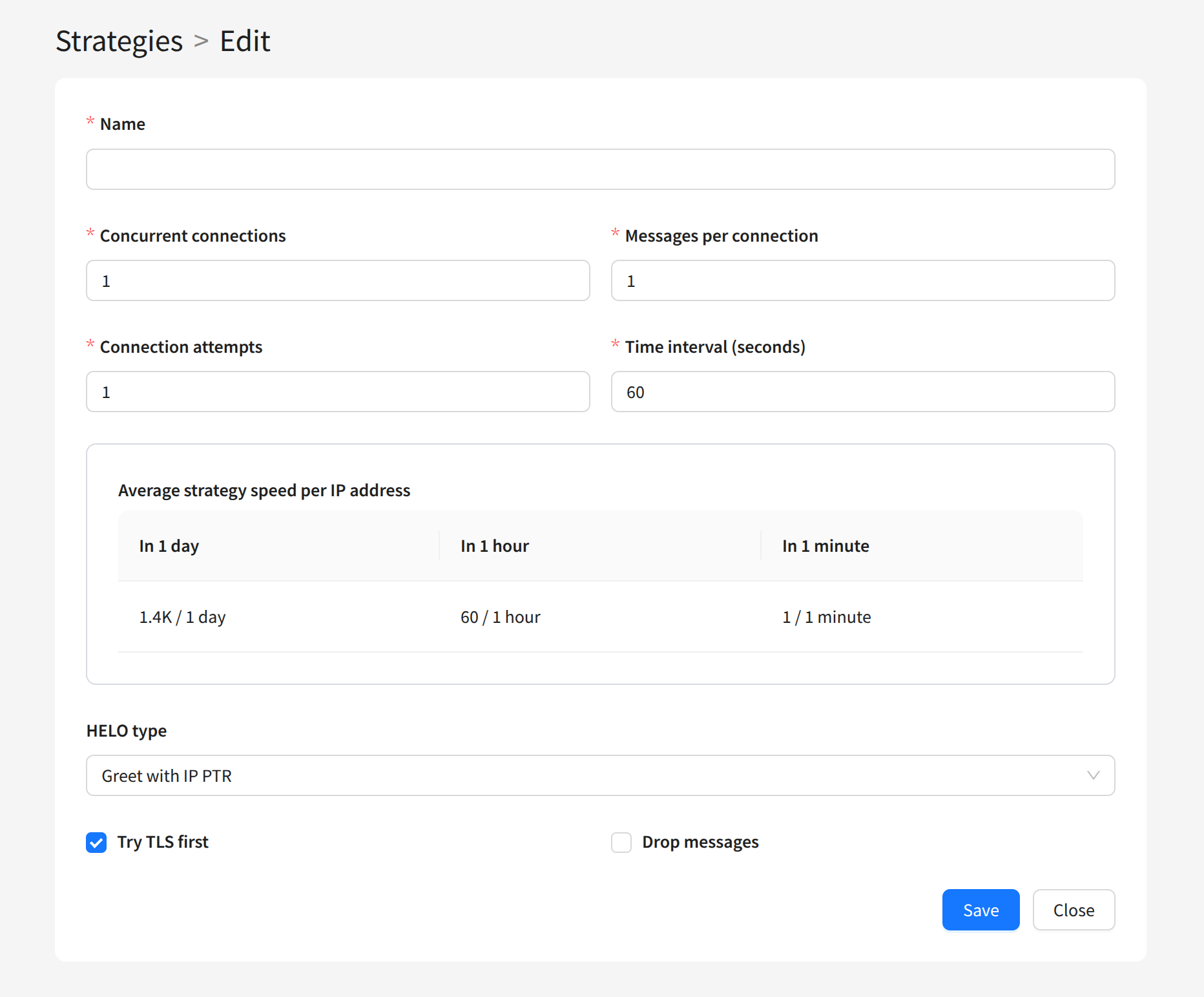
The number of messages sent per interval equals the product of the first three parameters. The Average strategy speed per IP address table shows the sending speed per day, hour, and minute for one sender IP address.
Within the strategy, you can also configure the HELO command. Three greeting types are available:
Greet with IP PTR — using the reverse PTR record of the IP address.
Greet with From domain — using the sender domain (From email).
Greet with IP — using the sender's IP address.
The Try TLS first option will attempt to use an encrypted connection when connecting.
The Drop message option deletes all messages from the sender’s queue instead of delivering them. This may be necessary if you want to create a sender stub for testing purposes.