Retry rules
Description
Retry rules are a tool used in cases when the ISP server responds that the recipient’s mailbox is temporarily unavailable.
Creating, Editing, and Deleting
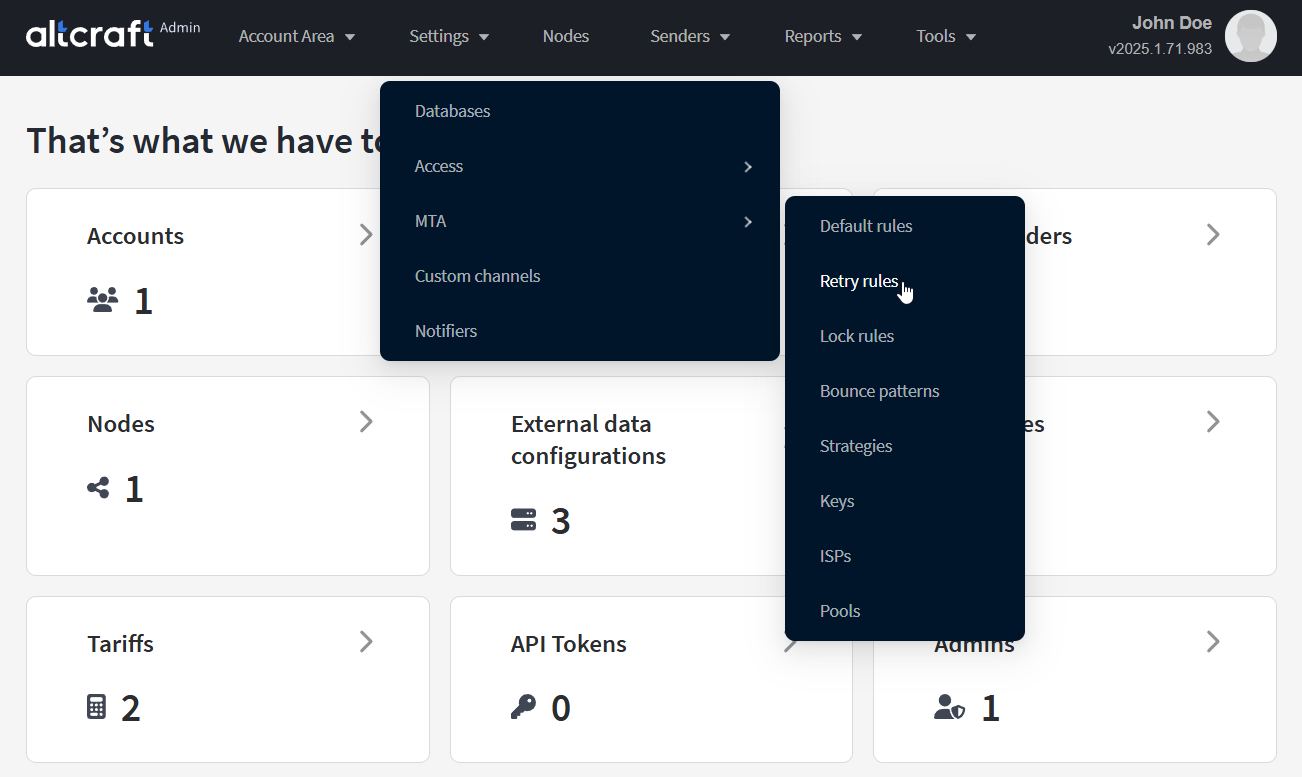
To manage retry rules, in the main menu select Settings — MTA — Retry rules.
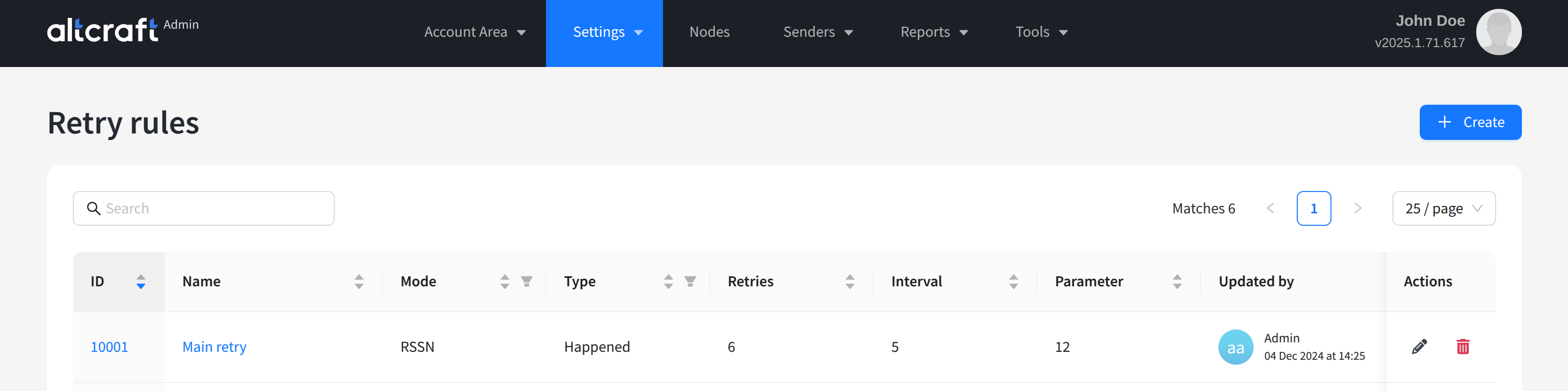
The opened list displays existing AKMTA retry rules. On the right side of the table are the edit and delete buttons. You can also edit a rule by clicking the identifier or name on the left. To create a new rule, click + Create:
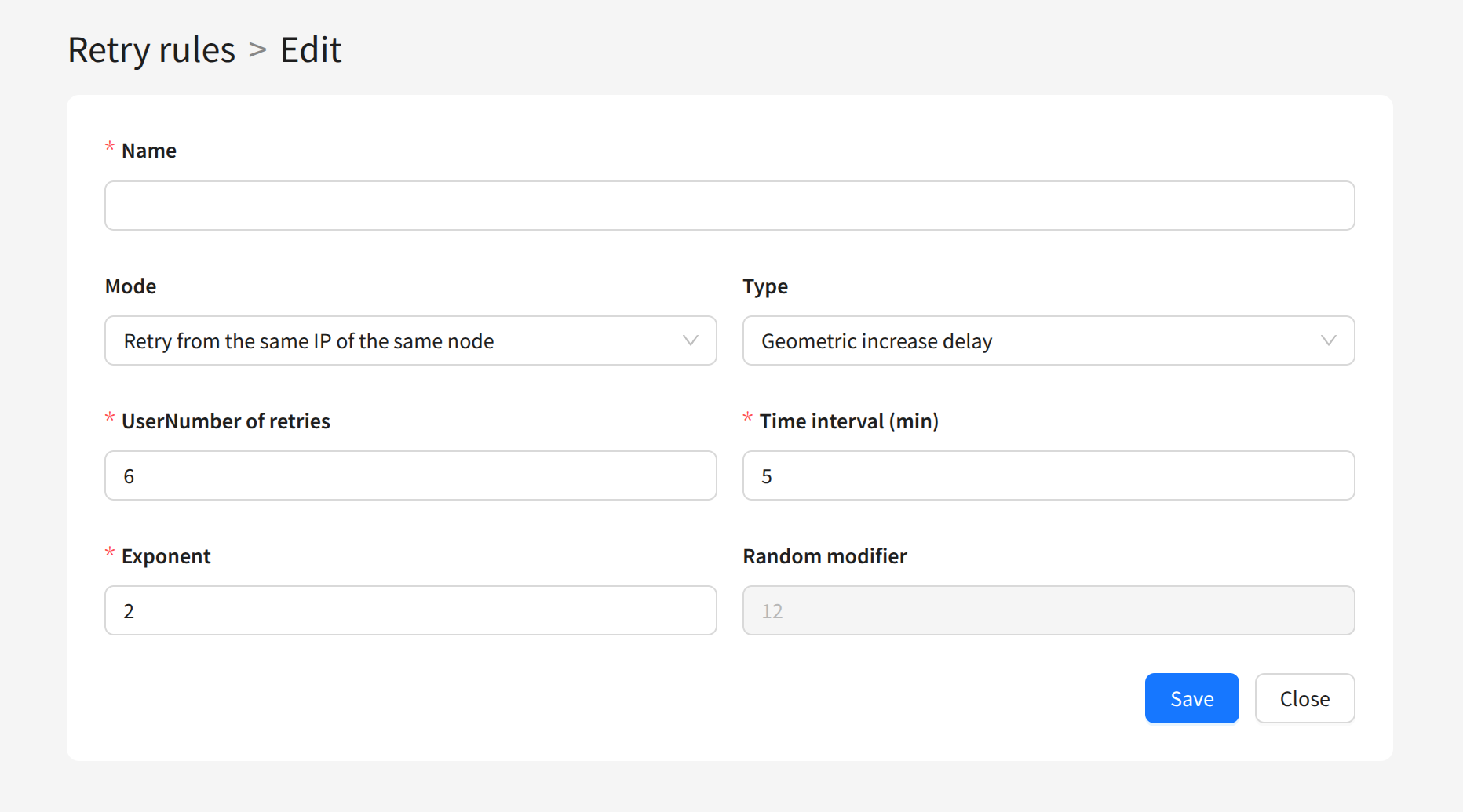
The following parameters are available for each rule:
Name — the rule name. The more informative it is, the more convenient it is to use in sending scenarios.
Mode — IP selection for retry:
Retry from the same IP of the same node — the same IP address on the same node,
Retry from any other IP of the same node — any other IP on the same node,
Retry from any other IP of any node — any other IP on any node.
Number of retries — the number of delivery attempts.
Time interval (min) — the interval between attempts.
Type — the type of interval increase between attempts:
- Fixed (no increase) — fixed interval without increase,
Geometric increase delay — geometric interval increase exponentially,
Calculated random delay — interval increase by a random value with a modifier.
Exponent — exponent for interval increase in geometric progression.
Random modifier — modifier for calculating the random interval increase.
The minimum random value for interval increase is the interval itself. The maximum is the interval multiplied by (1 + Random modifier).