Documentation for version v72
Integration with Sendsay
Configuring the Sendsay SMTP relay
Sender configuration
- Go to Senders → Email
- Create a new sender or edit an existing one
- In the Type field, select Email: AKMTA
- Enable the Send via SMTP relay option
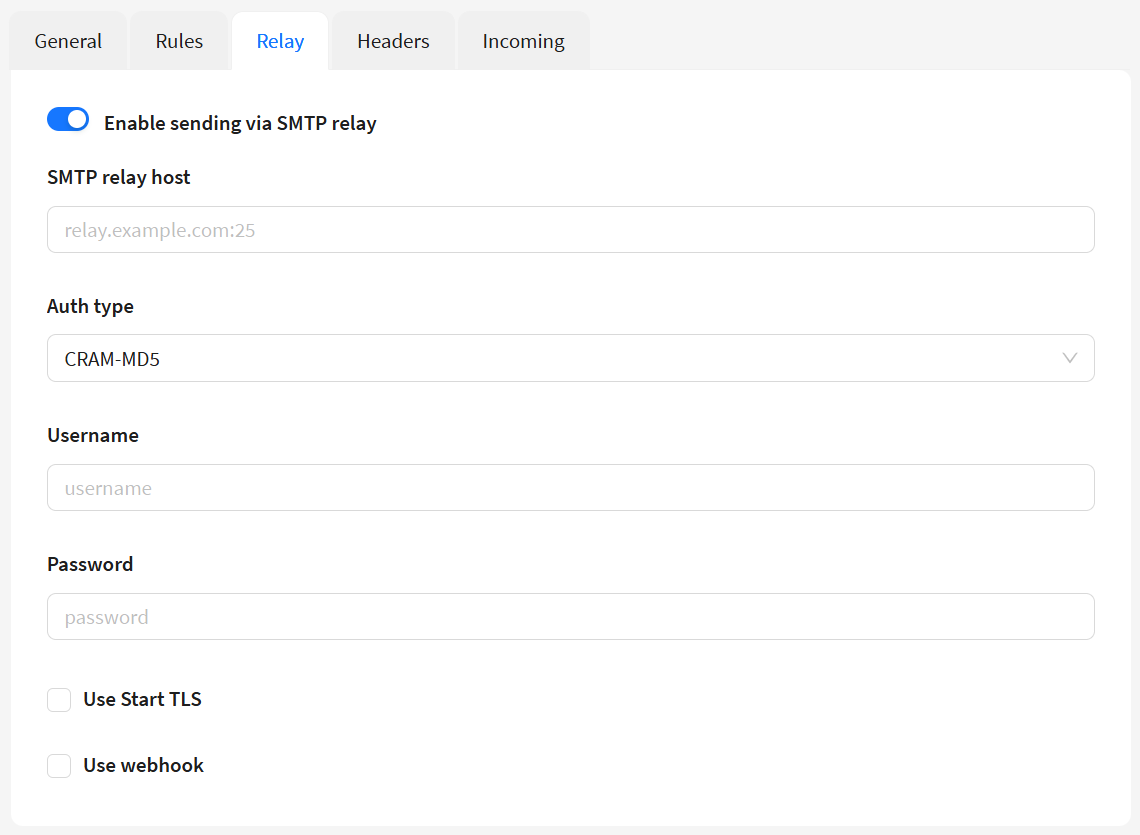
Connection parameters
To connect to the Sendsay relay, specify the following data:
- SMTP relay host:
smtp.gate.sendsay.ru:587 - Username: Your login in the Sendsay system
- Password: Your password in the Sendsay system
- SMTP auth type: Login
- Use Start TLS: Enable
Webhook configuration
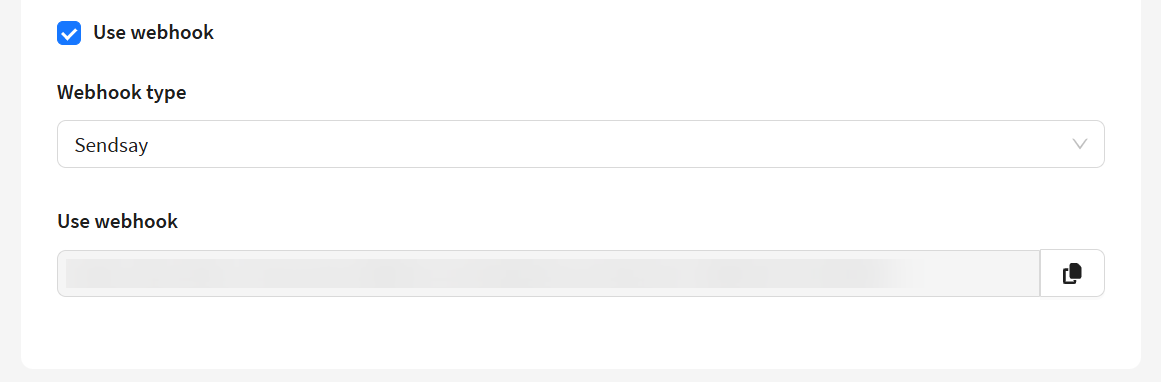
To receive delivery statuses, enable the Use webhook option:
- Select a gateway from the drop-down list
- Copy the generated webhook URL
- Configure webhook reception in your Sendsay account according to the official documentation
Checking relay operation
Analyzing email headers
To make sure that the message went through the Sendsay relay:
- Open the source code of the email (the “View source code” menu)
- Find the lines in the headers that start with
Received: - The presence of the following entry will confirm that the relay is working:
    Received: from gatoNNN.sndsy.ru (gatoNNN.sndsy.ru [185.138.182.XXX])
        by your-server.com with ESMTPS id XXXXXXXXXX
Specifics of statistics when working with Sendsay
Comparison of key indicators
| Event | Altcraft | Sendsay |
|---|---|---|
| Sends | Counts each send | Counts each send |
| Opens | All opens (including repeats) | All opens (including repeats) |
| Unique opens | First open | Not supported |
| Deliveries | Successful deliveries | Successful deliveries |
| Clicks | All clicks (including repeat clicks) | All clicks (including repeat clicks) |
| Unique clicks | First click | Not supported |
| Unsubscribes | Special unsubscribe event | Counted as regular clicks |
caution
Key difference: Clicks on unsubscribe links in Altcraft are recorded as unsubscribe events, while in Sendsay they are counted as regular clicks. Unsubscribes via the List-Unsubscribe header may also not be recorded in Sendsay.
note
Altcraft reports are recommended as the primary source of analytics, as the platform provides more detailed statistics and correctly identifies special events (unsubscribes).