SMS
Description
Sender in Altcraft is a configuration of the message delivery service. Senders are configured for email and SMS communication channels. As an email sender, Altcraft Mail Transfer Agent (AKMTA) can be used — a built-in email delivery module with extensive configuration capabilities.
Creating, Editing, Deleting
To manage SMS senders, in the main menu select Senders — SMS
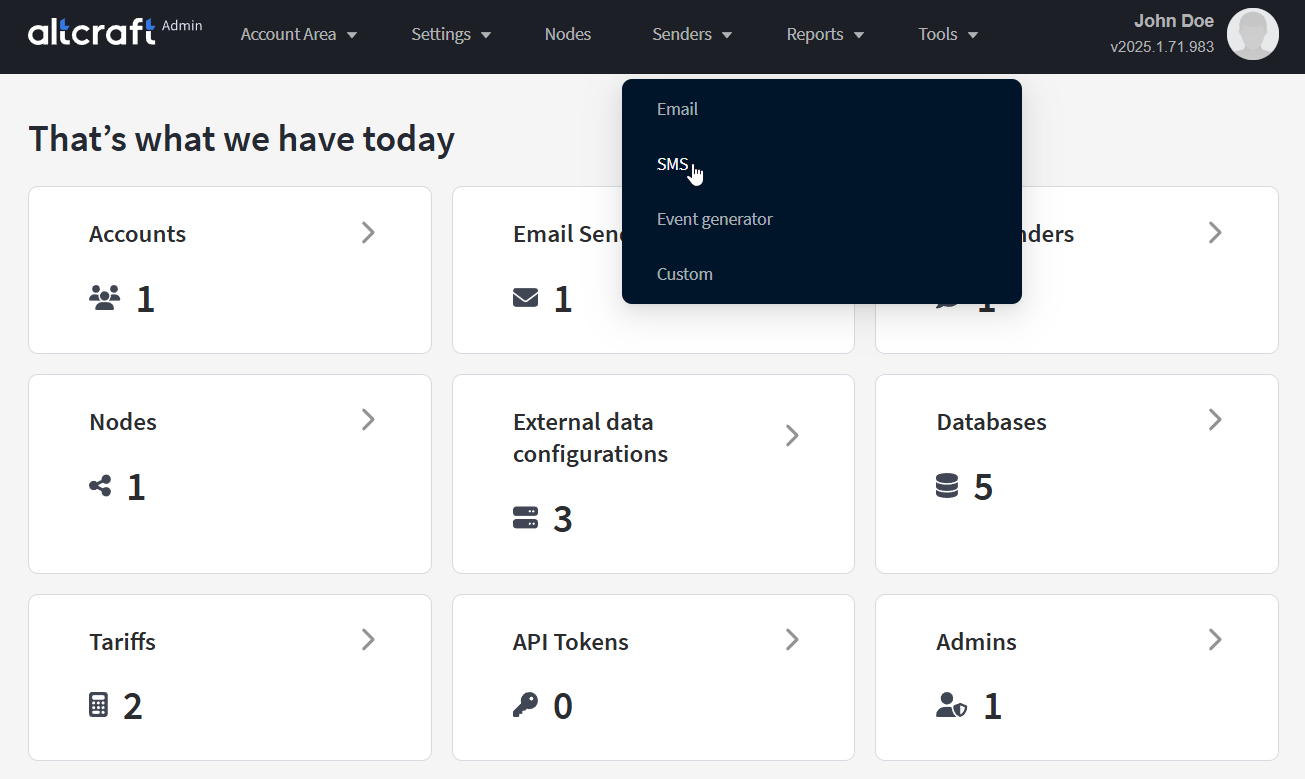
The opened sender list displays existing senders. On the right side of the table, there are edit and delete buttons. You can also edit by clicking the sender ID (on the left). To create a new sender, click Create.
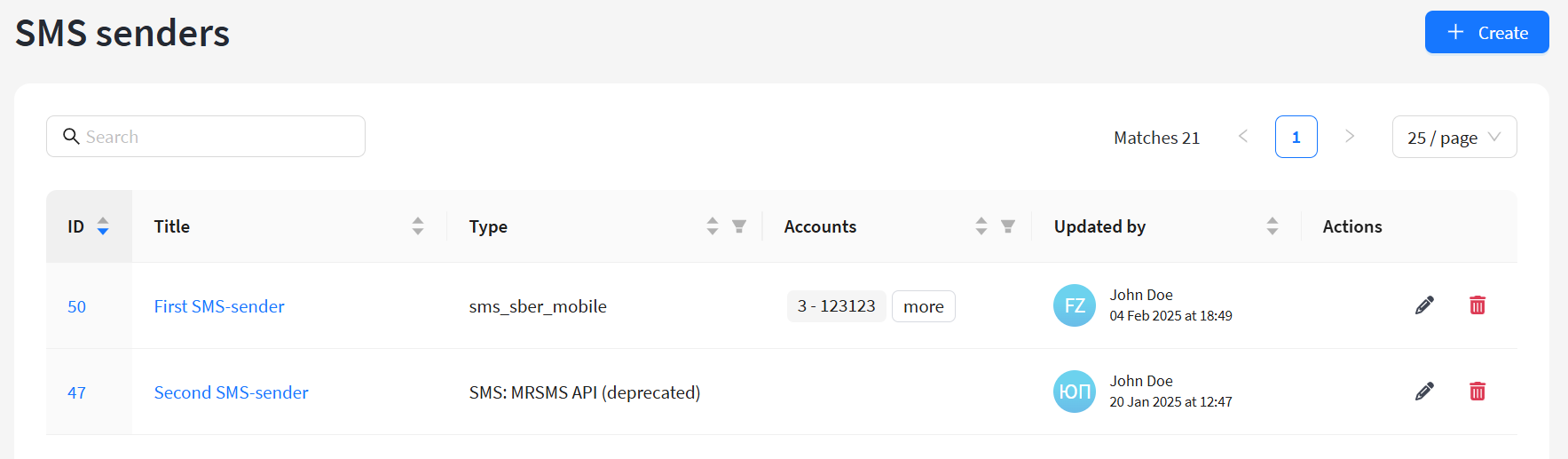
For a new sender, in the Name field specify a unique name, and in the Assigned accounts menu select platform accounts that will be able to use the sender for delivering messages.
SMS and telecom gateways
The following ready-made integrations are available for SMS:
- SMSc.ru — integration with SMS Center gateway.
Documentation: https://smsc.ru/api/ - SMSimple.ru — integration with the SMSimple gateway.
Documentation: http://www.smsimple.ru/api/ - BulkSMS.com — integration with Celerity Systems SMS gateway.
Documentation: https://www.bulksms.com/developer/json/v1/# - Devino.Online SMS — integration with Devino Telecom multifunctional gateway API.
Documentation: https://docs.devino.online/0.2.0/ru - SMSTraffic — integration with SMSTraffic gateway.
Documentation: https://lk.smstraffic.ru/techdocs - Infobip — integration with Infobip gateway.
Documentation: https://www.infobip.com/docs/api#channels/sms/send-sms-message - MTS — integration with the MTS SMS gateway.
Documentation: https://support.mts.ru/mts_marketolog/Rassilki-po-svoei-baze-PRO-i-API-k-nim/dokumentatsiya-rest-api - MFMS EDNA — integration with EDNA SMS gateway.
Documentation: SMS-MFMS-PROTOCOL-HPG.pdf - Sky Media — integration with Sky Media SMS gateway.
Documentation: https://sky-ms.ru/api.html - Play Mobile — integration with Play Mobile SMS gateway (documentation).
- Rapporto — integration with Rapporto (ex. Zagruzka) SMS gateway.
Documentation: https://doc.rapporto.ru/api/http/http_main.html - VK Notify — integration with the Notify service SMS gateway.
- SberMobile — integration with SberMobile SMS gateway.
Documentation: SMS-SBER-PROTOCOL.pdf - Stream telecom — integration with Stream telecom SMS gateway.
Documentation: https://stream-telecom.ru/solutions/integrations/ - Intellin — integration with Intellin SMS gateway.
- Seven Tech — integration with the SEVENTECH SMS gateway. Documentation: https://docs.seven.tech/
Infobip Gateway
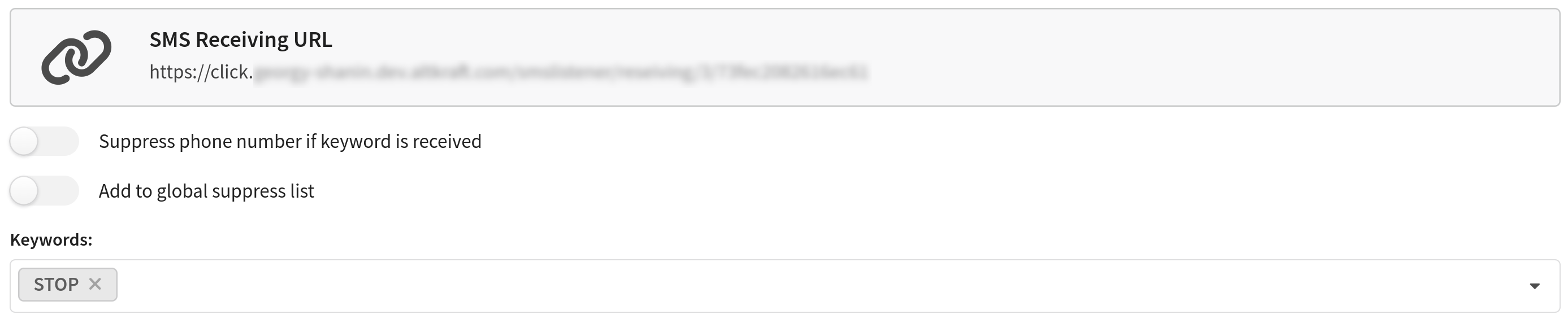
For Infobip, there is a feature to stop sending to a phone number that replies with a stop word. After saving the SMS sender, SMS Receiving URL will appear on the screen. You need to specify it in the URL settings in your service account.
Then, in the Keywords field, you can add stop words. When these are received, the platform will add the phone number to the suppress lists of all accounts linked to this sender. The word STOP is included by default.
The Add to global suppress list option also adds the unsubscribed phone number to the platform's global blacklist.
Play Mobile Gateway
When integrating with Play Mobile, you must consider the provider’s limits on the number and volume of requests. The sending limit is configured in the configuration file with this parameter:
PLAY_MOBILE_LIMIT_REQUESTS_PER_SEC: 49 // Maximum number of SMS send requests per second (default - 49)
MFMS EDNA Gateway
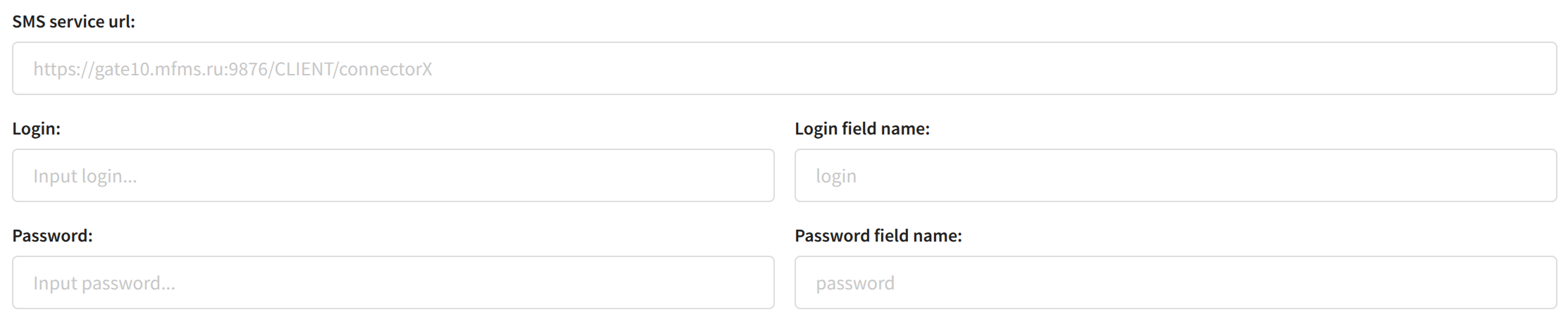
In some configurations, the login and password fields for EDNA may have names different from login and password. To work properly, you must specify the Login field name and Password field name parameters. If these fields are not specified, the platform will use the default names (login and password):
Rapporto Gateway
To receive the statuses of sent SMS messages, you must provide Rapporto with a URL to receive delivery statuses.
URL: http://{trk_domain}/smslistener/listen_type/sms_rapporto, where {trk_domain} is your tracking domain.
You can specify this URL in your Rapporto account or send it to their support team.
SMS Sender Configuration
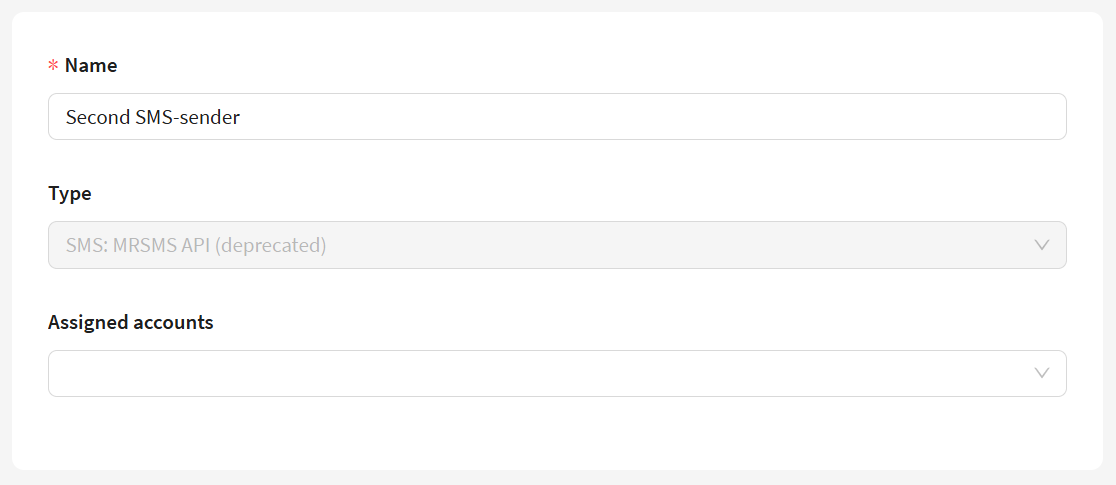
When selecting one of the SMS gateways as the delivery service, you must fill in the following fields (fields may vary depending on the selected gateway):
SMS service sending script/URL — server URL used to send SMS.
Login and Password — client credentials for gateway authorization.
Await delivery (seconds) — wait time after which the platform checks delivery status from the gateway.
Max SMS per message number — limit on the number of SMS in one message.
Only verified CallerIDs — list of sender names purchased from the SMS provider (specified if you need to restrict names).
Only verified Phones — list of numbers to which sending is allowed (used for test gateways).