Sending policies
Overview
Sending policies prevent from sending too much messages to a single recipient. Such policy can be applied to:
- Account — a policy will be applied globally to all account campaigns.
- Resource — a policy will affect all campaigns within a Resource, overriding Account policy.
- Campaign — a policy will affect only the campaign it was applied to, overriding both Account and Resource policies.
The sending policy cannot be set for a specific profile. The policy is configured and valid for all profiles of the account/resource/company.
Managing sending policies
Only master-users can create, edit or delete sending policies.
To start managing sending policies in the main menu select Settings → Sending policies. The list you will see contains the existing sending policies:
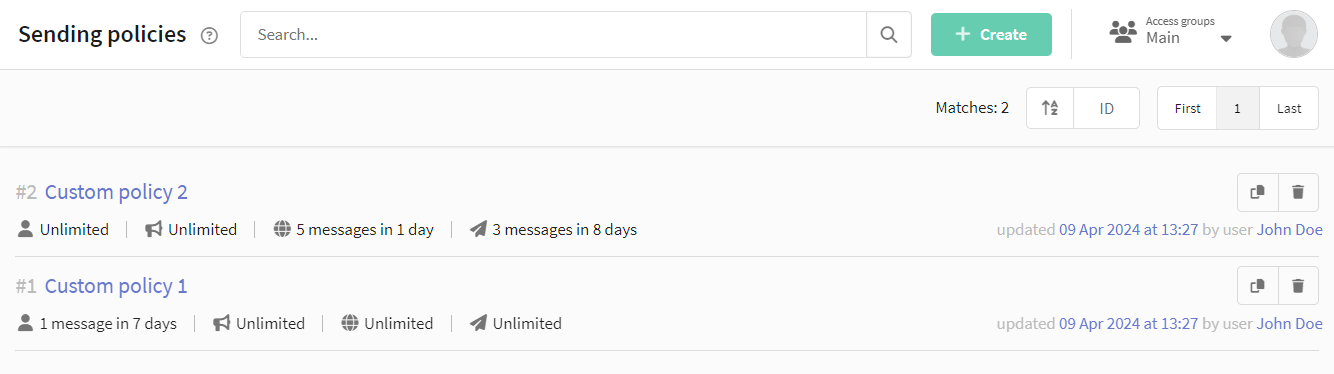
You can clone or delete a policy in a context menu on the right side of the list. To edit a policy you can as well click on its name.
To create a new policy click + Create in page header. Every policy has three sections of settings. In the first one specify policy name:

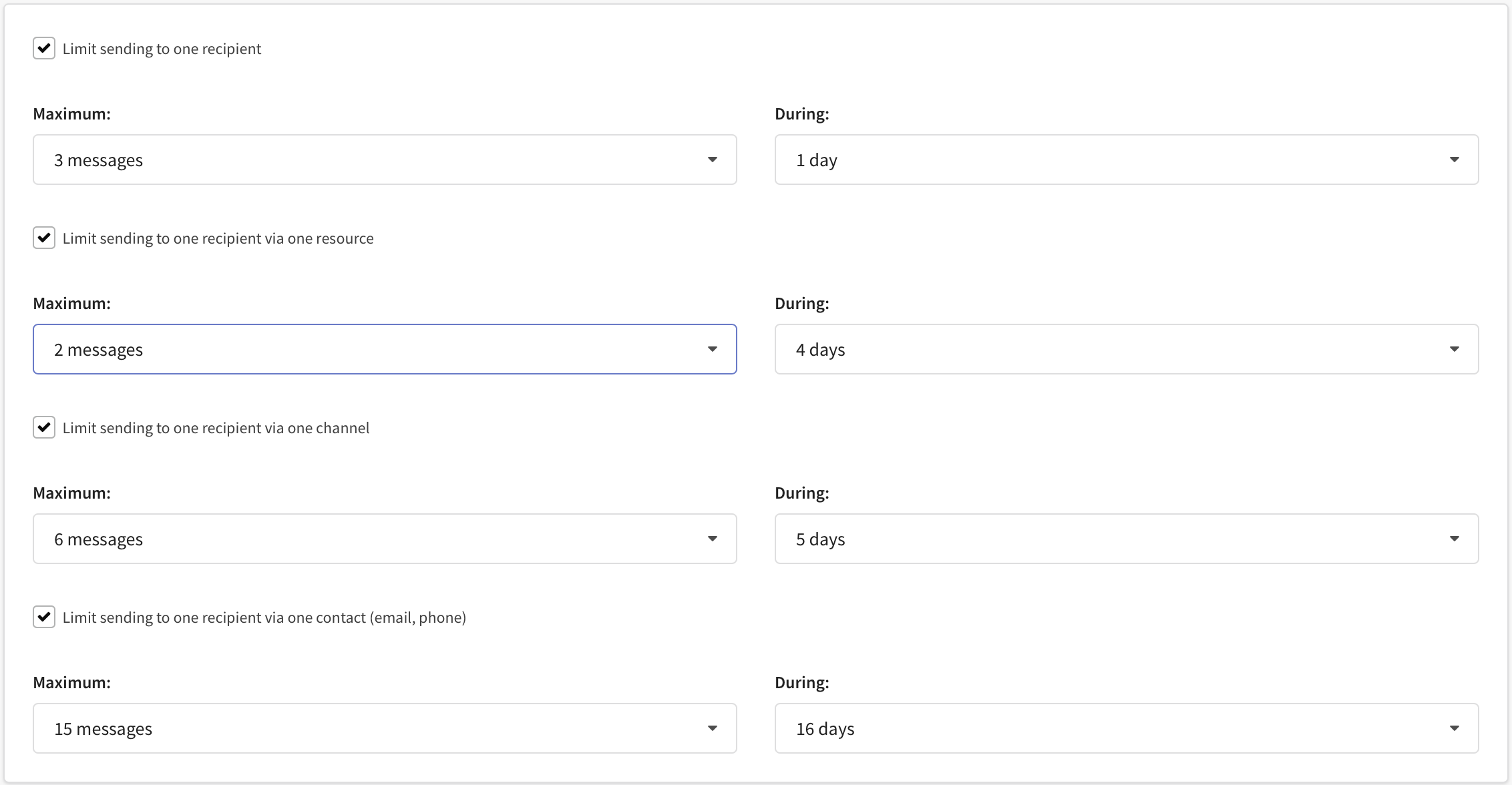
In the second section specify messaging limitations. Set maximum number of messages between 1 and 15 and time period between 1 and 16 days:
-
Limit sending to one recipient — will limit messaging from all resources and channels for one subscriber profile.
-
Limit sending to one recipient via one resource — will limit messaging from all channels of any single resource for one subscriber profile.
-
Limit sending to one recipient via one channel — will limit messaging via one channel (email, sms, push) from all resources for one subscriber profile.
-
Limit sending to one recipient via one contact (email, phone) — will limit messaging for a subscription containing specific contact data. The subscription can be associated with multiple subscriber profiles.
A sending policy with no restrictions specified is unlimited. Thus you can set restrictions for the whole account and then override them for a single campaign or a resource applying an unlimited policy.
In the third section you can optionally set access group to the sending policy. Thus it will be available only in Resources and Campaigns of the groups you specify:

Applying sending policies
You can apply a sending policy to the whole account, to a specific resource - or to a specific campaign.
Global sending policy
To apply a global account policy open Settings → Account settings and select a sending policy in this dropdown menu:
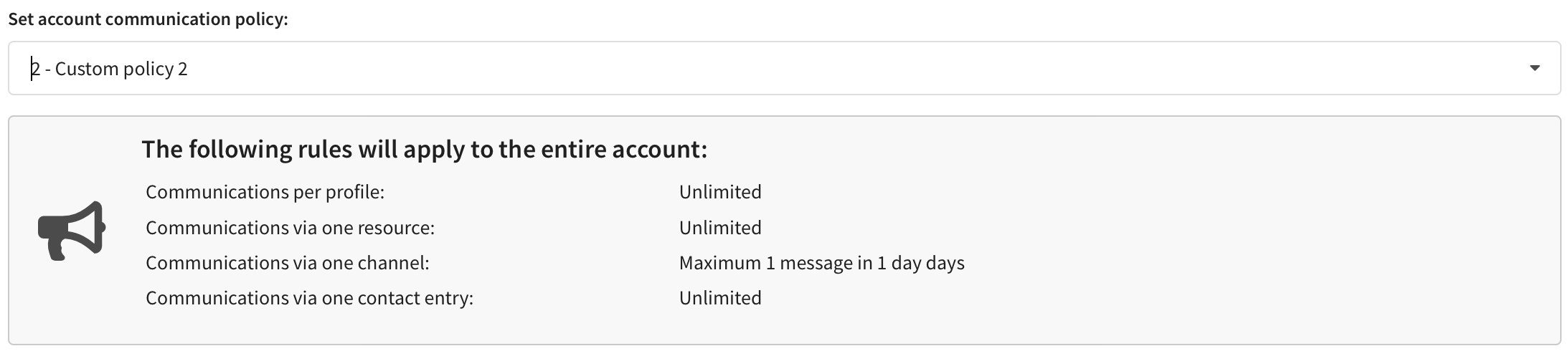
Only master-users have access to Account settings and thus only they can set global sending policies.
Resource sending policy
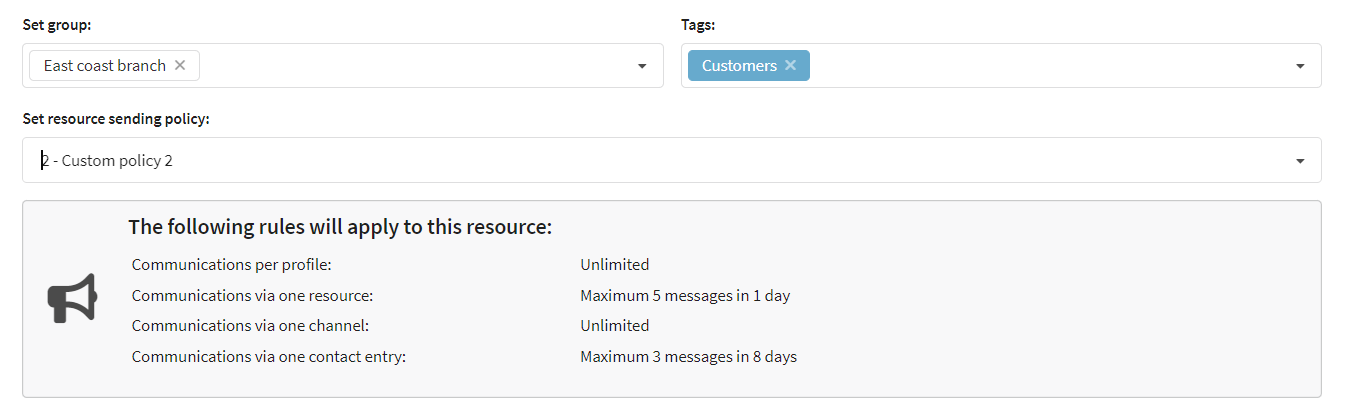
A policy applied to a Resource will override global Account settings. Open resources in the main menu and in General settings section of a resource select a sending policy:
Campaign sending policy
A policy applied to a specific campaign will override both account and resource sending policies. Open a campaign and set a sending policy in Limitations section (Set campaign communication policy).
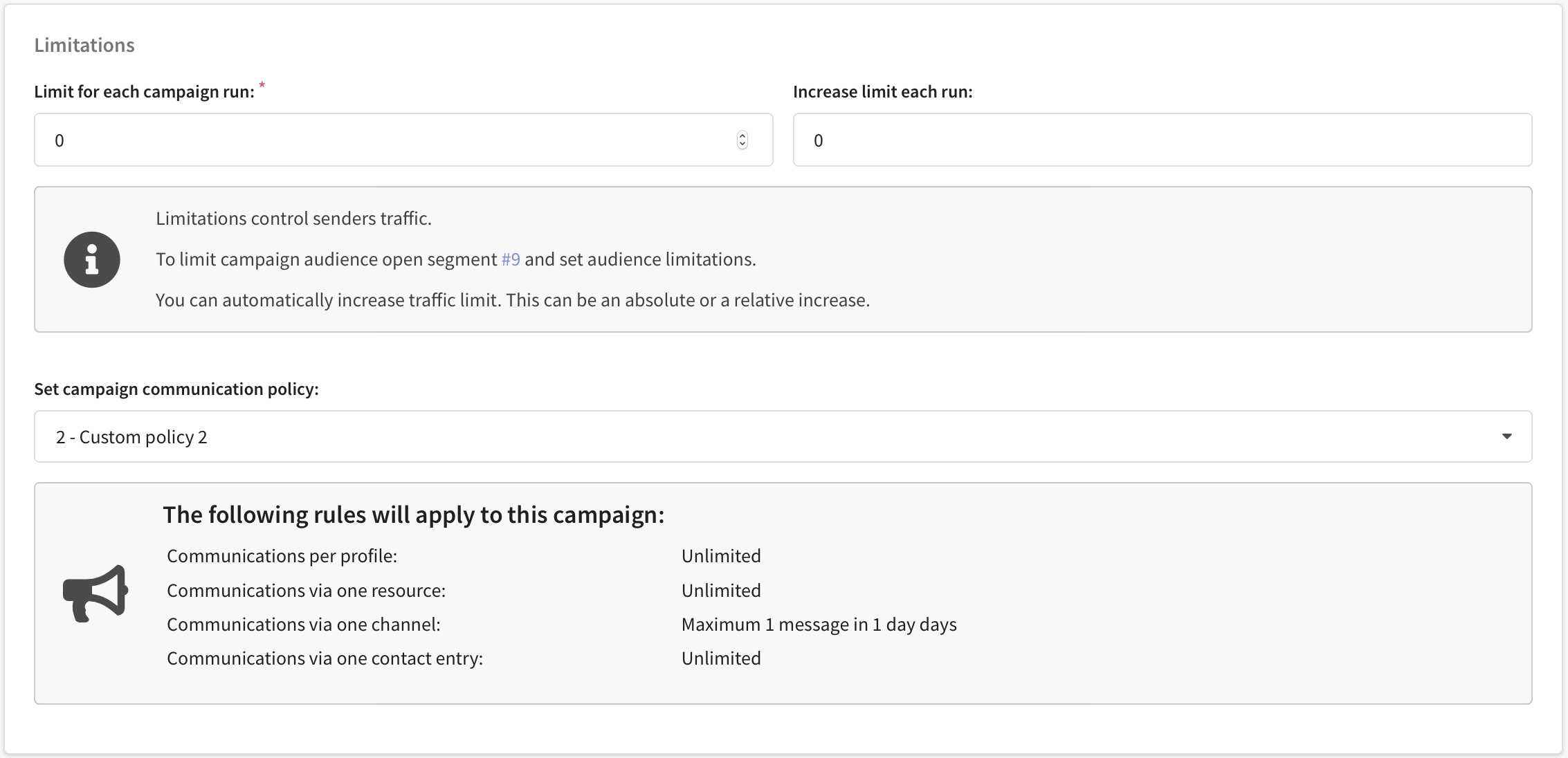
Messages that fall under restrictions will form entries in the campaign log of the type Sending is restricted by the policy applied.