Webversion Store Policies
Description
A web version storage policy is a set of rules that defines the directory and retention period for web versions, as well as the channels where they will be stored.
Pre-configuration
S3 storage is used to store web version objects. You can connect any S3-compatible storage such as Minio, Yandex Cloud, or Selectel. To connect, add the parameters to the configuration file main.json and restart the platform:
"OBJECTS3_HOST": "",
"OBJECTS3_KEY_ID": "",
"OBJECTS3_KEY_SECRET": "",
"OBJECTS3_IS_SSL": false,
"OBJECTS3_INSECURE_REQUESTS": true,
"WEBVER_LEGACY_TTL_DAYS": 0
In version 66 and earlier, MongoDB is used to store web versions. In newer versions, this option is also available. To enable MongoDB storage, add the following parameter to the configuration file:
"WEBVER_LEGACY_TTL_DAYS": 30 // Number of days to store web versions in Mongo if no policy is attached to the account
If at least one policy is created and attached to an account, web versions will be stored in S3 storage.
Creating a Policy
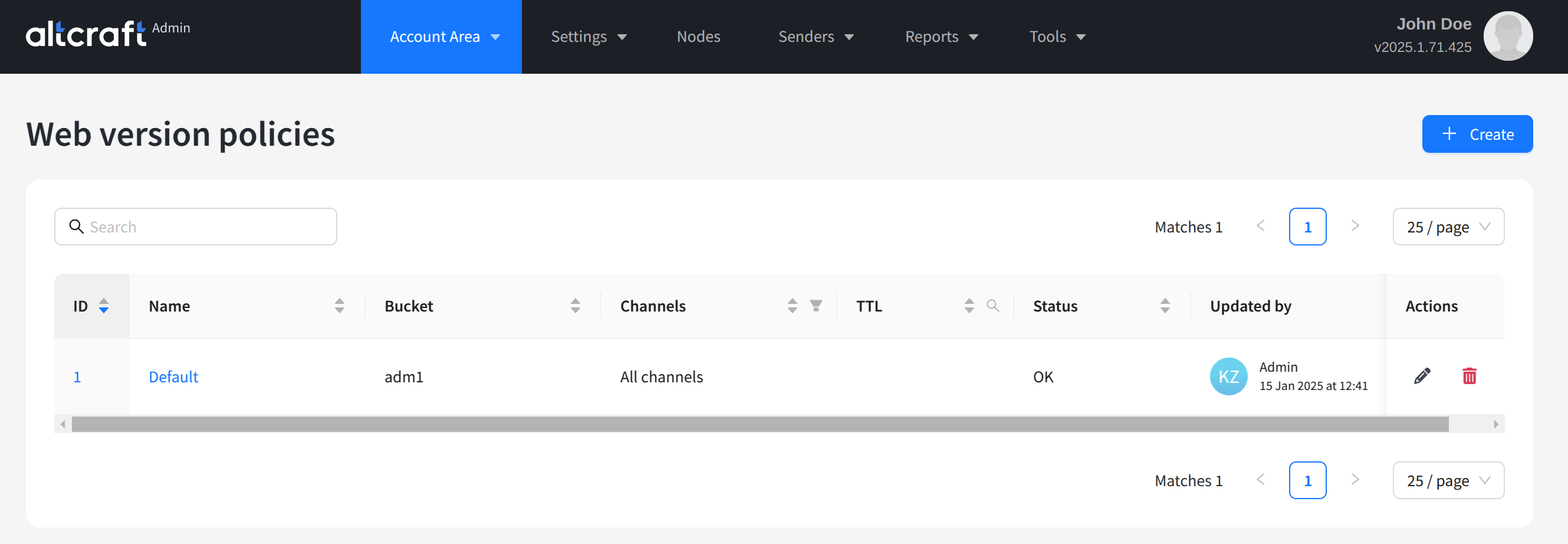
To manage policies, in the main menu select Account Area — Web version store policies.
The list displays existing policies. On the right side of the table are the edit and delete buttons. To edit, click the policy identifier or name. To create a new policy, click + Create:
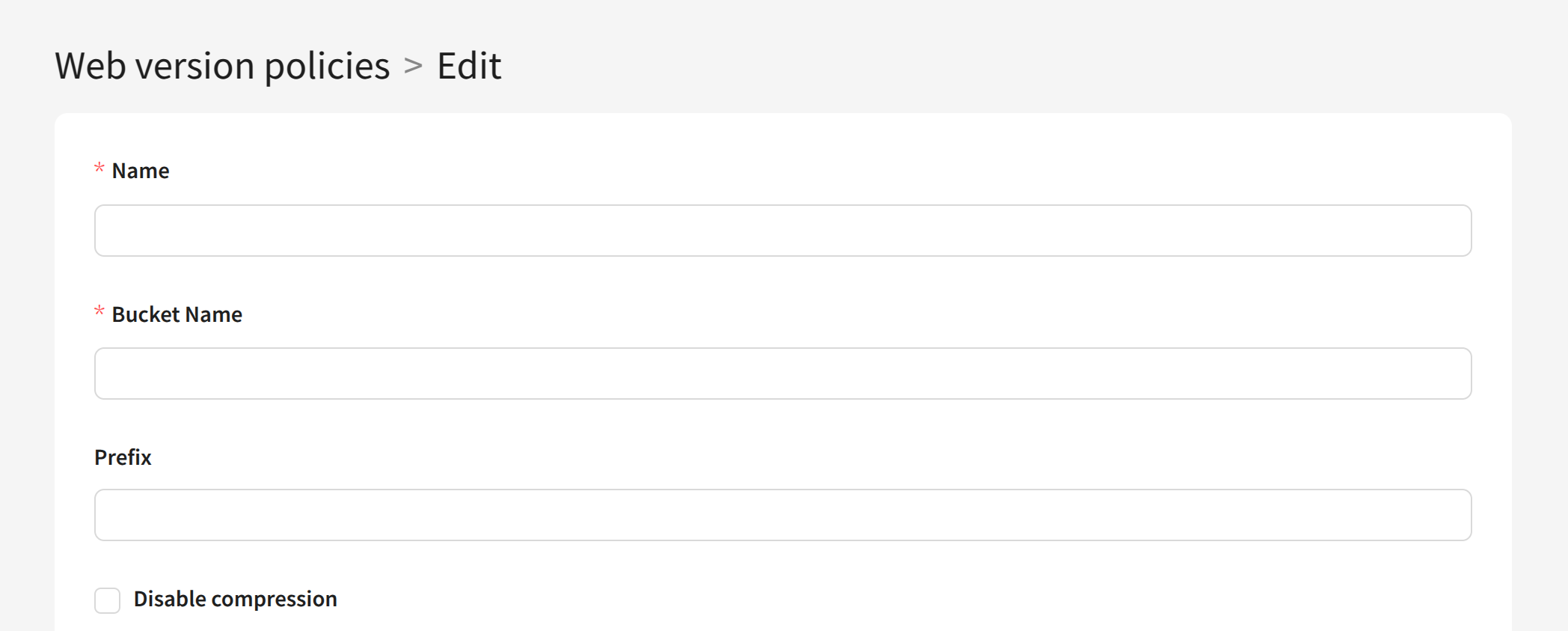
For each policy, set the following parameters:
- Name — unique policy name.
- Bucket Name — the name of the bucket (container) where web version objects will be stored. The name can include only lowercase Latin letters, numbers, dots (.) and hyphens (-). Length must be from 3 to 63 characters.
- Prefix (optional) — a string at the beginning of the object key name, used to organize data inside the bucket.
- The Disable compression option disables data compression within the policy.
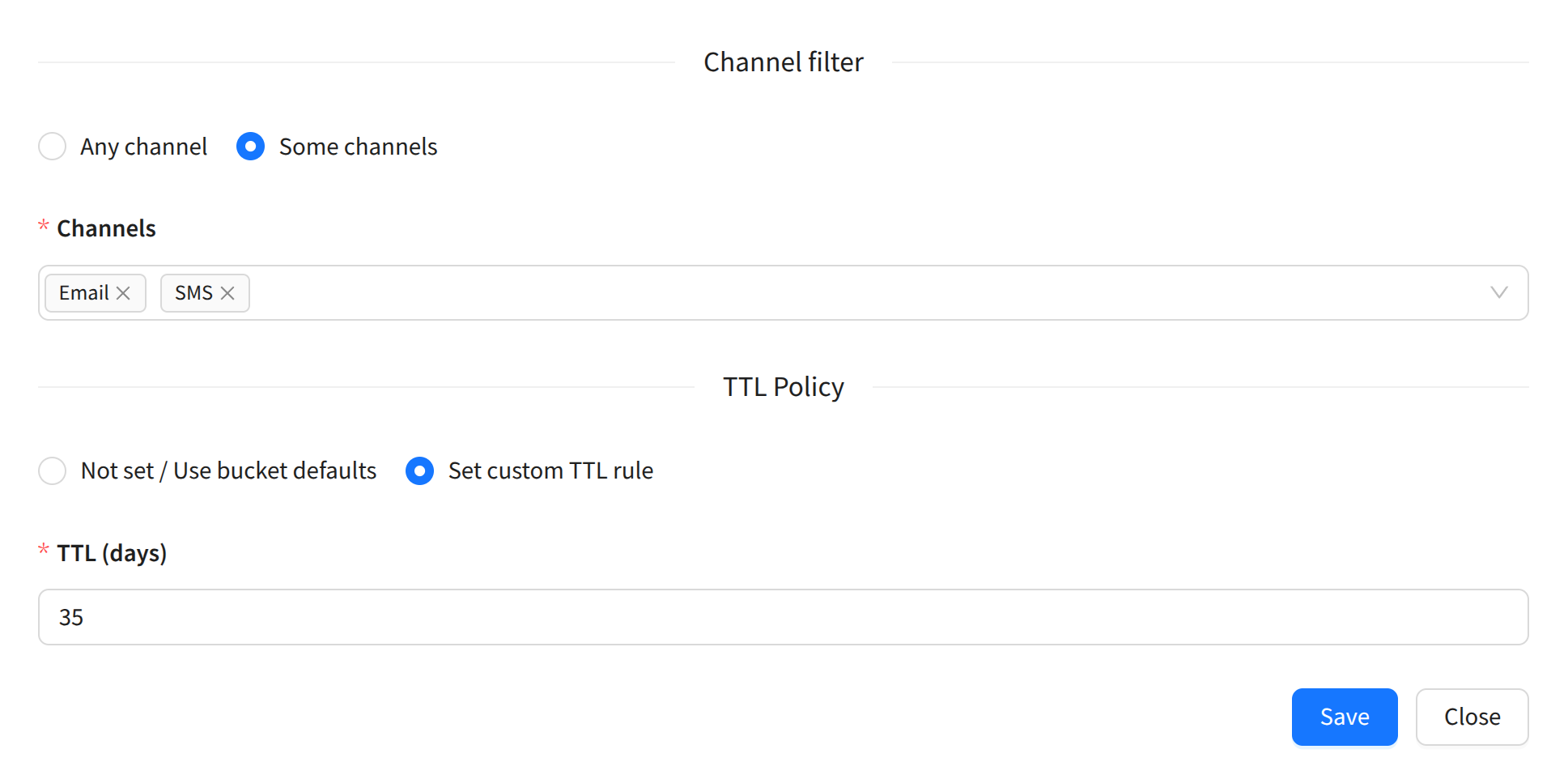
In the Channel filter block, select the channels where web versions of messages should be saved: all channels (Any channel) or only specific ones (Some channels). Web version storage is available for all active channels in the account.
In the TTL Policy block, set how long to store web versions:
- Not set / Use bucket defaults — use the retention time set for the selected bucket.
- Set custom TTL rule — specify the retention time manually in the field below.
After saving, you can use the policy in accounts of the platform.