Altcraft Docs LogoAltcraft Docs Logo
User guideDeveloper guideAdmin guide
Company siteHelp center
English
  • Русский
  • English
v72
  • v74
  • v73
  • v72
Login
  • User documentation
  • FAQ
  • Altcraft glossary
  • Profiles and databases
    • Subscription resources
    • Managing databases
    • Subscriber profile
    • Profiles import and data update
    • Scheduled customer data import
    • Automatic data collection
    • Bulk customers profiles update
    • Double opt-in subscription
    • Suppression lists
    • Profile relations
    • Profile history export
    • Profile export
    • Creating a static segment based on import results
    • How to open a CSV file
    • Matching
    • Types of fields in the database
    • Global control groups
    • Subscription Manager
  • Communication channels
  • Segmentation
  • Message templates
  • Campaigns
  • Automation scenarios
  • Market
  • Loyalty programs
  • Reports and analytics
  • Integrations
  • Weblayers
  • Settings
  • API requests: where to start
  • Changelog
  • library
This is documentation for Altcraft Platform v72. This documentation is no longer maintained.
The information for up-to-date platform version at this page is available (v74).
  • Profiles and databases
Documentation for version v72

Profiles and databases

How to start​

Create a database​

Start from creating a database, where you will store digital profiles of your customers. Define the structure for your base, using standard data fields and custom data fields to implement Creating a database is your first step in using Altcraft MP.

Create subscriptions resource​

Communications with customers in Altcraft is designed for interaction with several communication channels, including different contacts in one channel. Subscriptions of profiles for different types of mailing (advertising, inbound, service, partners) are grouped into Resources. A resource is a content publisher for which you can separately configure sender data, tracking, sending policies, and also communications channels used. Create at least one resource to start communication with your customers

tip

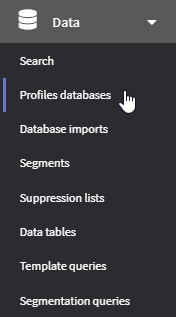
To find a specific customer profile in your databases use the quick search tool (Data → Search). Just start entering - or paste - your customer's data.

For email you can specify to search for subscriptions, or profile data only:
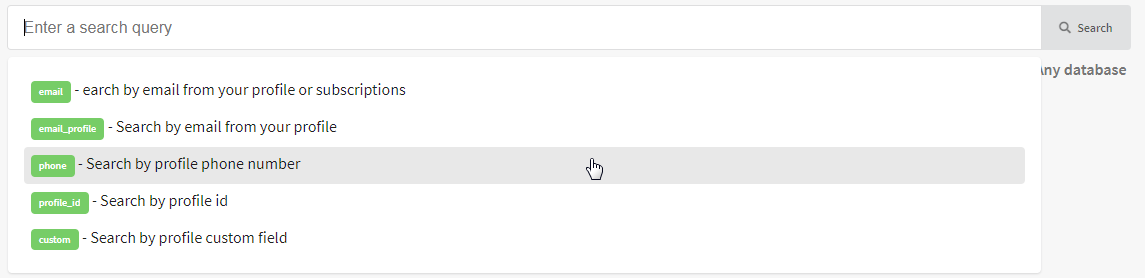
If you need to search for a profile by an additional (custom) field, use the following format: field_name:value.

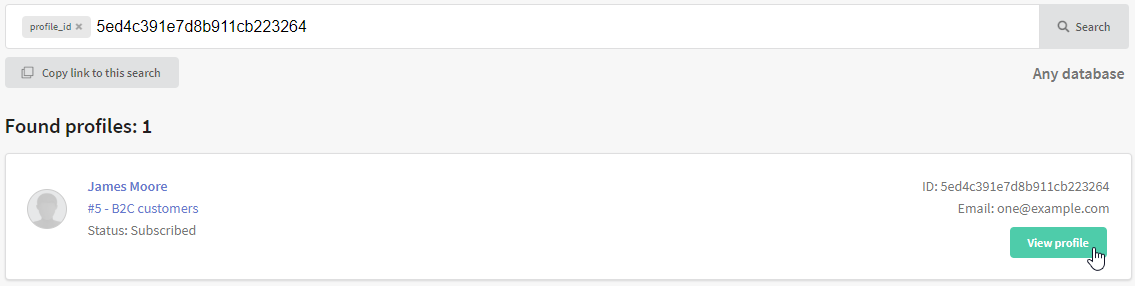
You can copy link to search query and view the profiles:
Contents​

Subscription resourcesSubscription resources

Subscription resources

Managing databasesManaging databases

Managing databases

Subscriber profileSubscriber profile

Subscriber profile

Profiles import and data updateProfiles import and data update

Profiles import and data update

Scheduled customer data importScheduled customer data import

Scheduled customer data import

Automatic data collectionAutomatic data collection

Automatic data collection

Bulk customers profiles updateBulk customers profiles update

Bulk customers profiles update

Double opt-in subscriptionDouble opt-in subscription

Double opt-in subscription

Suppression listsSuppression lists

Suppression lists

Profile relationsProfile relations

Profile relations

Profile history exportProfile history export

Profile history export

Profile exportProfile export

Profile export

Creating a static segment based on import resultsCreating a static segment based on import results

Creating a static segment based on import results

How to open a CSV fileHow to open a CSV file

How to open a CSV file

This guide will help you open a CSV file in Excel.

MatchingMatching

Matching

В данной статье мы рассказываем о том, что такое матчинг и по каким полям его можно настроить

Types of fields in the databaseTypes of fields in the database

Types of fields in the database

The article describes the types of default database fields, their matching in the API, data types, examples of values that can be used in the Altcraft platform.

Global control groupsGlobal control groups

Global control groups

Learn more about what global control groups are, as well as how to configure them in the Altcraft platform

Subscription ManagerSubscription Manager

Subscription Manager

Настройка и использование менеджера подписок.

Last updated on Apr 23, 2023
Previous
Altcraft glossary
Next
Subscription resources
  • How to start
    • Create a database
    • Create subscriptions resource
  • Contents
© 2015 - 2025 Altcraft, LLC. All rights reserved.