Push Notifications
Push Notifications — a powerful tool for instant audience engagement. Short personalized messages sent directly to the screens of smartphones or computers enable effective reminders about promotions, new products, or important events, even if the user is not active in the app or on the website.
Mobile Push
Mobile Push Notifications are short messages that appear on a mobile device's screen, even if the app is inactive. Thanks to personalization and targeting capabilities, these notifications help retain users' attention, increase engagement, and stimulate repeated interaction with the app.
Web Push
Web Push Notifications are messages that appear on the screen of a computer or mobile device via a web browser, even if the website is not open. They operate using browser technologies (such as Chrome, Safari, Firefox) and do not require an app to be installed. The main difference from Mobile Push is that Web Push does not depend on having an app. Web Push notifications can appear on both desktop and mobile browsers, making them a universal tool for engaging with your audience.
Altcraft Platform also supports sending push notifications from PWA applications.
Rich Push
The Altcraft platform supports the creation of Rich Push Notifications. They offer unique advantages by utilizing visually rich content. This not only informs the user but also engages them in interactive communication, increasing conversion and maintaining their attention. You can add to a Rich Push notification:
- an image (banner), video, or audio;
- interactive elements (buttons);
- external links.
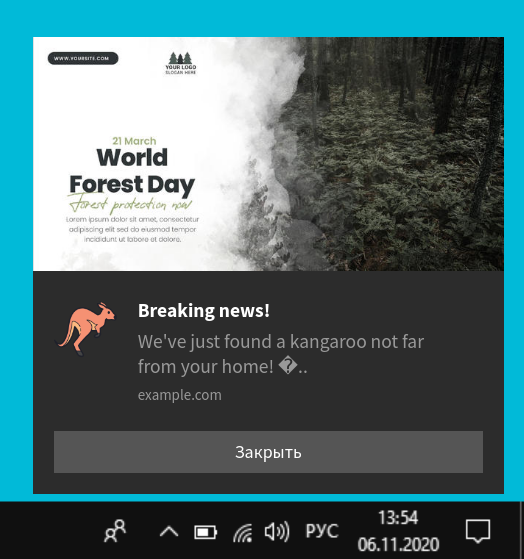
To create a template for such notifications, use the Rich Push editor.


Mobile Push

