SMS: ready-made integrations
Description
Altcraft Platform uses integrations with gateways of mobile operators to send SMS to your customers. If you can't see operator you need in the list below - we can develop a custom integration during a pilot project (on-premise product trial). Contact team@altcraft.com for details.
Integrations
The following integrations are available out of the box:
- SMSc.ru — SMS gateway by "СМС-Центр". Link to documentation: https://smsc.ru/api/
- SMSimple.ru — SMS gateway by "Юлабс". Link to documentation: http://www.smsimple.ru/api/
- BulkSMS.com — SMS gateway by "Celerity Systems". Link to documentation: : https://www.bulksms.com/developer/json/v1/#
- Devino.Online SMS — integration with API of Devino Telecom gateway.
Link to documentation: https://docs.devino.online/0.2.0 - SMSTraffic — SMS gateway by "СМС-Трафик". Link to documentation: https://lk.smstraffic.ru/techdocs
- Infobip — SMS gateway by "Infobip".Link to documentation: https://www.infobip.com/docs/api#channels/sms/send-sms-message
- MTS — SMS outlet by "МТС". Link to documentation: https://support.mts.ru/mts_marketolog/Rassilki-po-svoei-baze-PRO-i-API-k-nim/dokumentatsiya-rest-api
- MFMS EDNA — SMS gateway by "EDNA". Link to documentation: SMS-MFMS-PROTOCOL-HPG.pdf
- Sky Media — SMS gateway by Sky Media.Link to documentation: https://sky-ms.ru/api.html
- Play Mobile — SMS gateway by Play Mobile (documentation).
- Rapporto — multipurpose platform Rapporto (ex. Zagruzka). Link to documentation: https://doc.rapporto.ru/api/http/http_main.html
- VK Notify — SMS gateway by Notify.
- SberMobile - SMS gateway by SberMobile. Link to documentation: SMS-SBER-PROTOCOL.pdf
- Stream telecom — SMS gateway by "Stream telecom". Link to documentation: https://stream-telecom.ru/solutions/integrations/
- Intellin — SMS gateway by Intellin.
- Seven Tech — integration with the SEVENTECH SMS gateway. Documentation: https://docs.seven.tech/
To receive delivery statuses of sent SMS messages, you need to provide the Rapporto service with a URL for receiving message delivery statuses. Please contact the platform administrators to obtain the URL.
Sender configuration
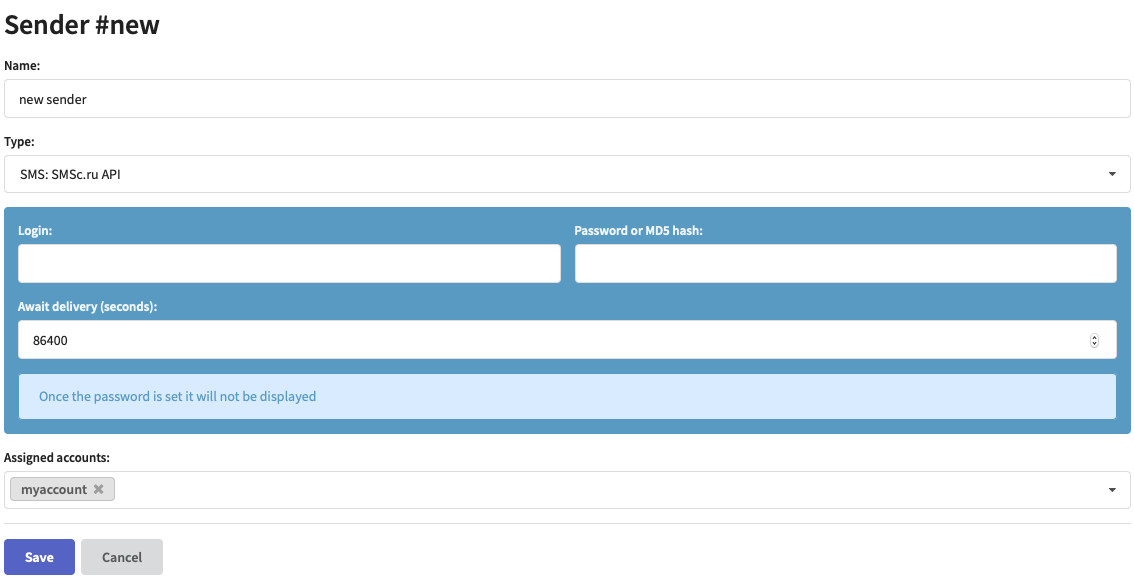
To start messaging using a ready-made integration, get the service account and credentials and add a new sender in Altcraft Marketing Administrative panel:
Altcraft Marketing also supports Faktura SMS outlet. For details please contact team@altcraft.com.
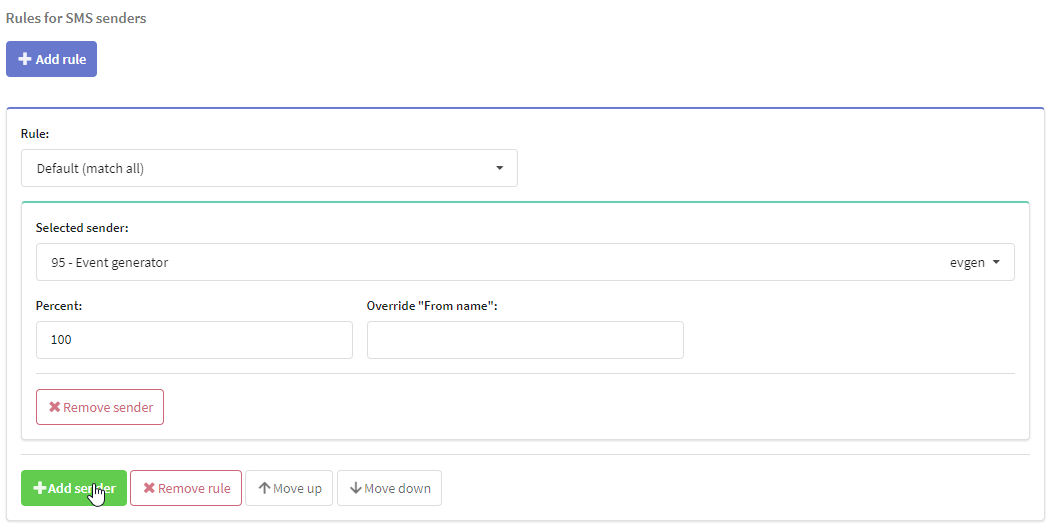
Then add your sender to one of virtual sender rules for SMS:
After you get a CALLER_ID from your telecom service, enter it in your Resource SMS tab:
