Documentation for version v73
Utility for importing push subscriptions to Firebase project
Description
Utility firebase_import_subs is a tool for importing Web Push subscriptions of a third-party push service into a Firebase project.
How does it work?
- A CSV file is sent as the input data. It contains fields for subsequent matching during the import process and subscription data.
- A new CSV file is sent as the output data. All data from the source file is saved in the file, but also the column firebase_push_token is added.
How to do a request?
- The Altcraft platform user transfers the CSV file with subscriptions to the platform administrator.
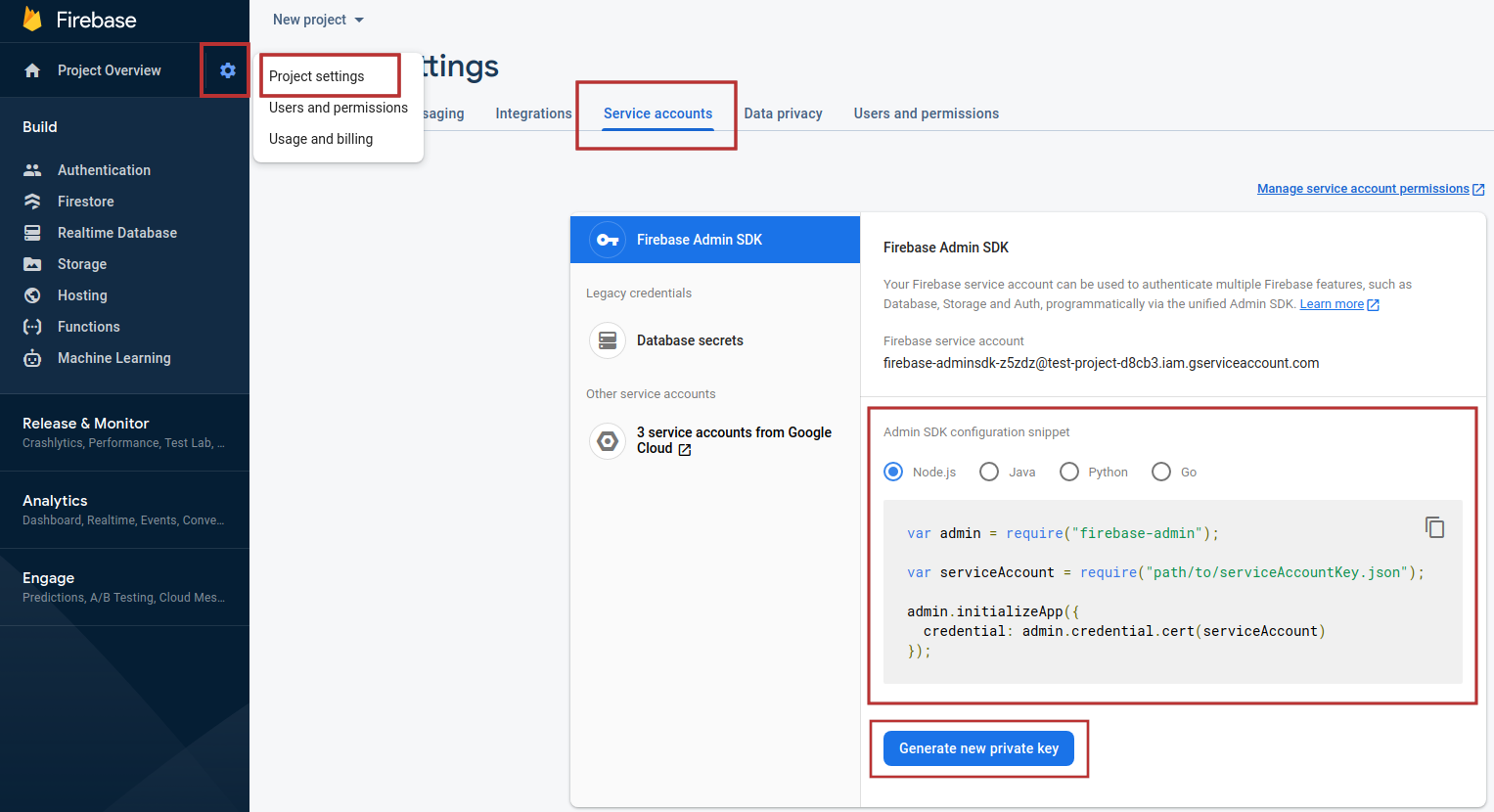
- You need a service account JSON file. You can get it in the Firebase console: https://firebase.google.com. Go to the settings of the project into which you want to import subscriptions: "Project Settings" → "Service accounts". Go to the "Admin SDK configuration snippet" section and click "Generate new private key" to download the JSON file.
- Go to the directory where the Altcraft platform is installed. By default, it is /opt/MarketingPlatform/
cd /opt/MarketingPlatform/
- Use the utility:
ak/bin/firebase_import_subs --in ~/test_firebase_import/in.csv --out ~/test_firebase_import/out.csv --cred_json ~/test_firebase_import/cred.json --auth_field_name web_auth --p256_field_name web_p256 --endpoint_field_name identifier --publ_vapid_key BDkO8iue5By4UcLUk5SCL0LLtDl9RWvSyqr0WOIjiXQTJmwH0yHxcrqidZ-PyJ9QwksTBHkh9wx88YK4xnn17_Y
Parameters
| Required parameters |
|---|
in |
out |
cred_json |
auth_field_name |
p256_field_name |
endpoint_field_name |
publ_vapid_key |
| Additional parameters |
| --- |
| proxy |
| config |
Utility example:

note
All errors that happened when you start the utility are recorded in the log file.
- If you've done everything right, the new out.csv contains:
- the same data that the initial file contains
- column firebase_push_token.

- Send the resulting csv file to the platform user.