Altcraft Docs LogoAltcraft Docs Logo
User guideDeveloper guideAdmin guide
Company siteHelp center
English
  • Русский
  • English
v73
  • v74
  • v73
  • v72
Login
  • Getting Started
  • Administrator documentation
  • Functional characteristics
  • Technology description
  • System requirements
  • Admin Panel
    • Account area
    • Settings
      • Databases
      • Access
        • Admins
        • API tokens
      • Notifiers
      • MTA
    • Nodes
    • Senders
    • Reports
    • Tools
  • Platform installation
  • Platform configuration
  • Platform maintenance
  • Custom channels guide
  • Extra
  • Processing HTTP/HTTPS traffic
  • Administrator API
This is documentation for Altcraft Platform v73. This documentation is no longer maintained.
The information for up-to-date platform version at this page is available (v74).
  • Admin Panel
  • Settings
  • Access
  • API tokens
Documentation for version v73

API tokens

Description​

API tokens are tools used for API requests, mainly related to managing senders (message delivery agents). The library of administrator API calls is available at this link.

Creating, Editing, and Deleting​

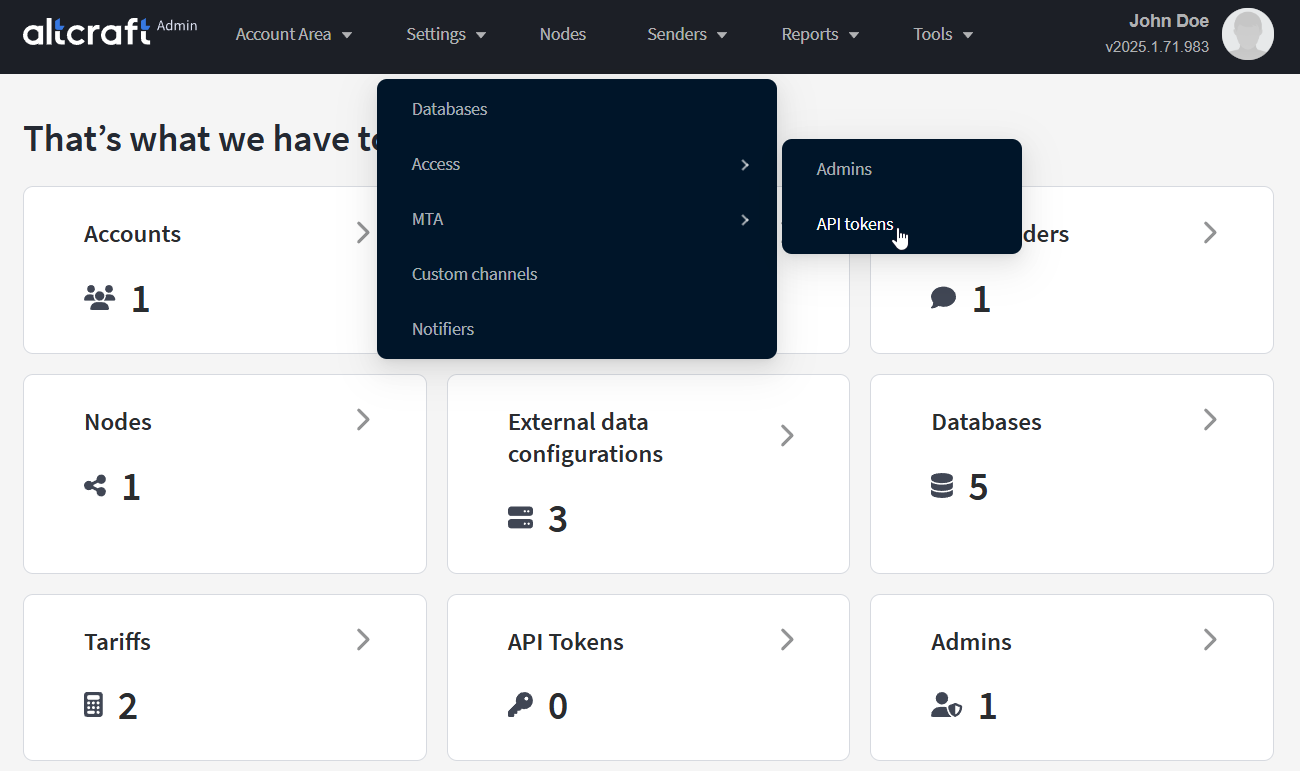
To manage API tokens, in the main menu select Settings — Access — API Tokens.
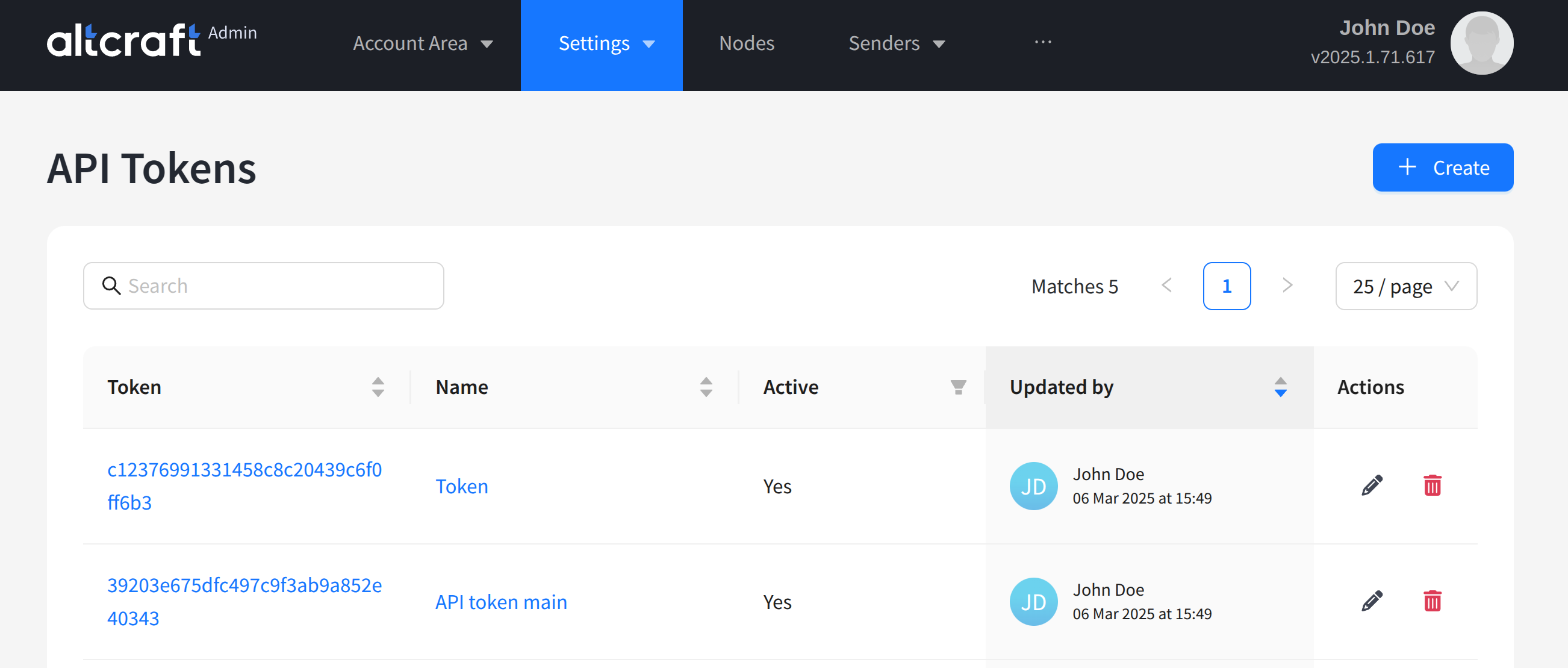
The opened list displays existing tokens. On the right side of the table, there are edit and delete buttons. You can also edit by clicking the identifier or name of the token (on the left). To create a new token, click + Create.

note

The secret part of the token used in API requests is displayed in the "Token" column of the table.
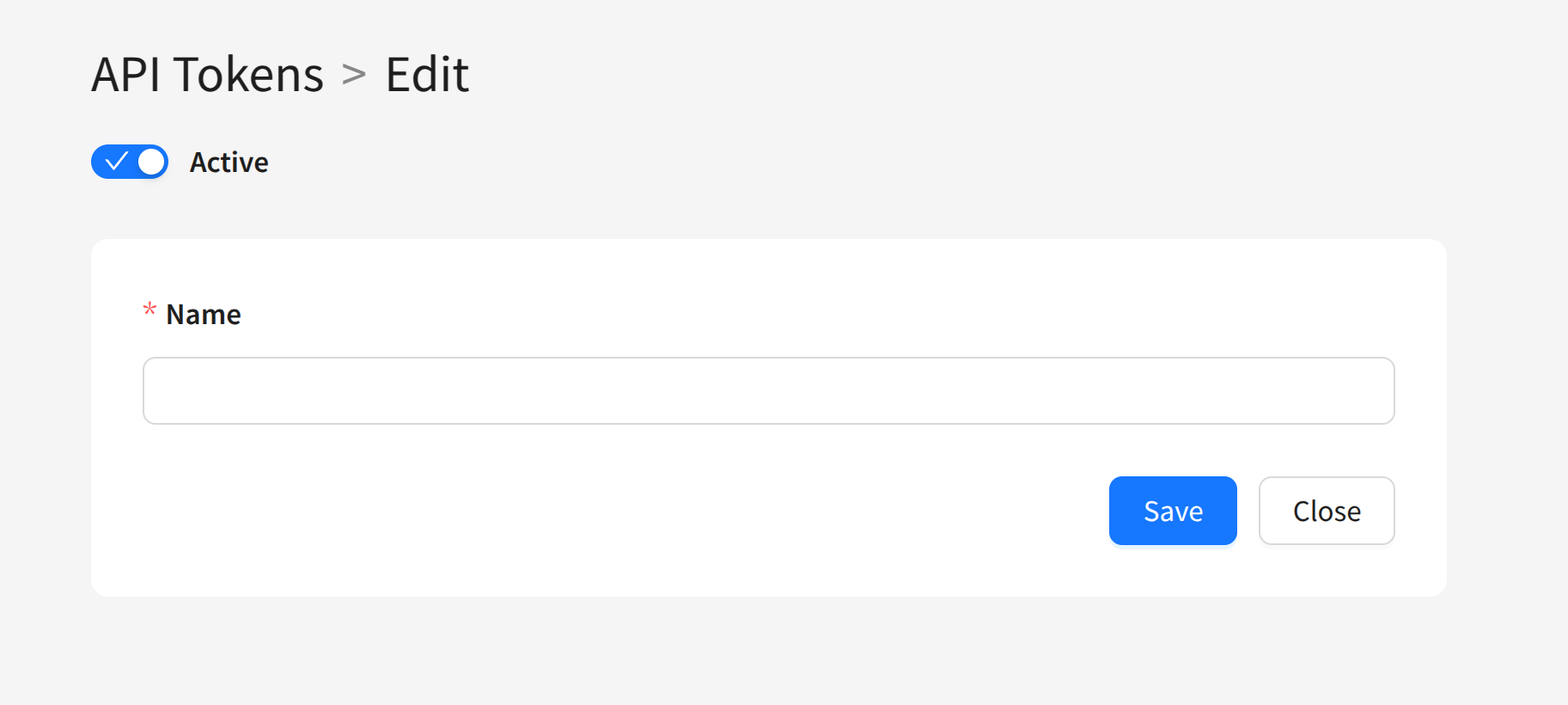
You can set a unique name for the token and define whether the token is active or not. Using multiple administrative tokens is justified if you need to disable some while keeping others active.
Last updated on Jan 13, 2026
Previous
Admins
Next
Notifiers
  • Description
  • Creating, Editing, and Deleting
© 2015 - 2025 Altcraft, LLC. All rights reserved.