Altcraft Docs LogoAltcraft Docs Logo
User guideDeveloper guideAdmin guide
Company siteHelp center
English
  • Русский
  • English
v73
  • v74
  • v73
  • v72
Login
  • Getting Started
  • Administrator documentation
  • Functional characteristics
  • Technology description
  • System requirements
  • Admin Panel
    • Account area
    • Settings
    • Nodes
    • Senders
    • Reports
    • Tools
      • ARF decoder
      • URL decoder
      • SMID decoder
      • License
  • Platform installation
  • Platform configuration
  • Platform maintenance
  • Custom channels guide
  • Extra
  • Processing HTTP/HTTPS traffic
  • Administrator API
This is documentation for Altcraft Platform v73. This documentation is no longer maintained.
The information for up-to-date platform version at this page is available (v74).
  • Admin Panel
  • Tools
  • URL decoder
Documentation for version v73

URL decoder

Description​

URL Decoder is a tool used to decode links containing information about the recipient and click tracking in email messages.

Connection Setup​

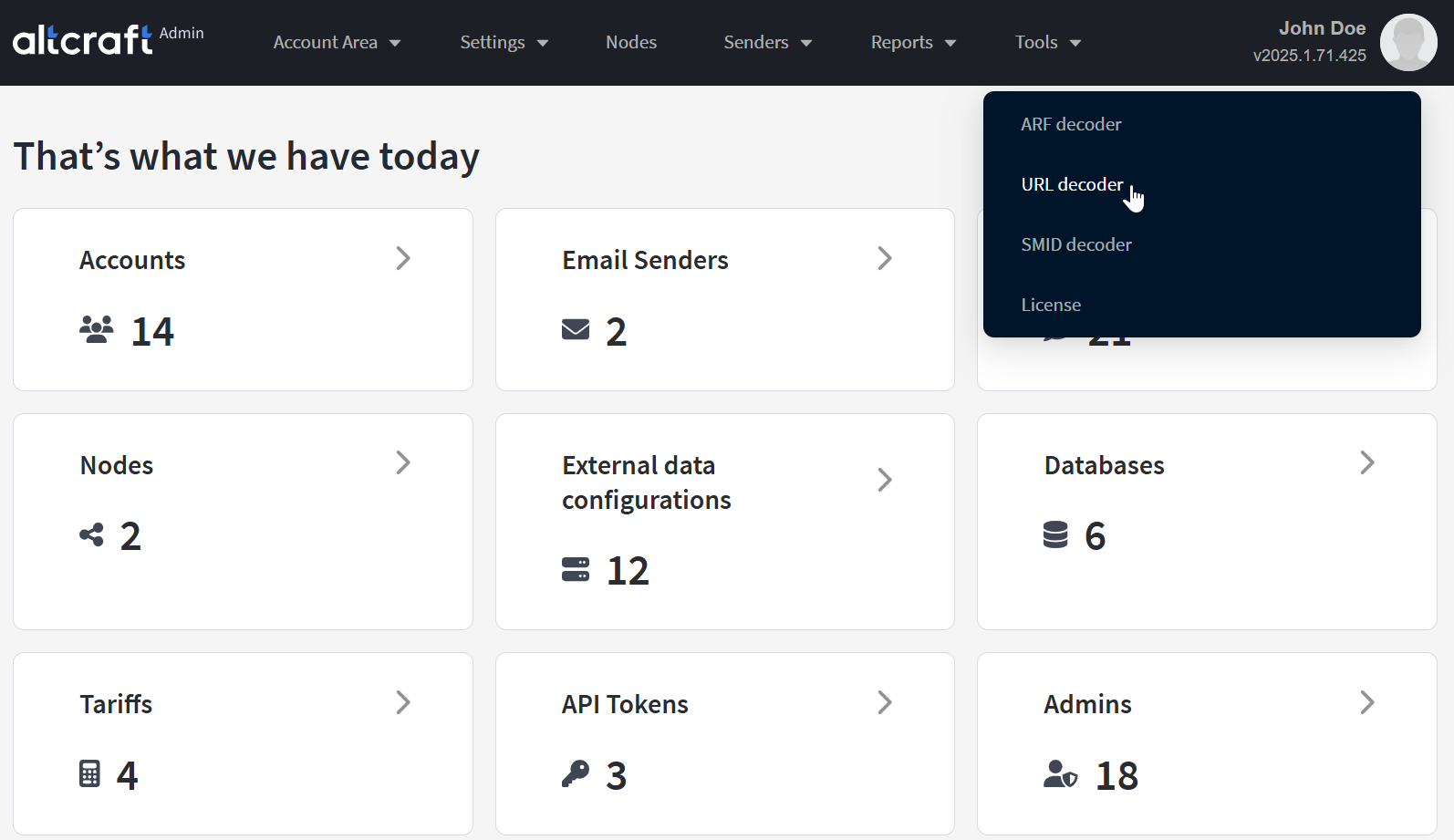
The links you add to message templates redirect recipients to the tracking server to collect click tracking information. From the text of such a link, you can identify the message recipient. In the main menu, select Tools — URL decoder:
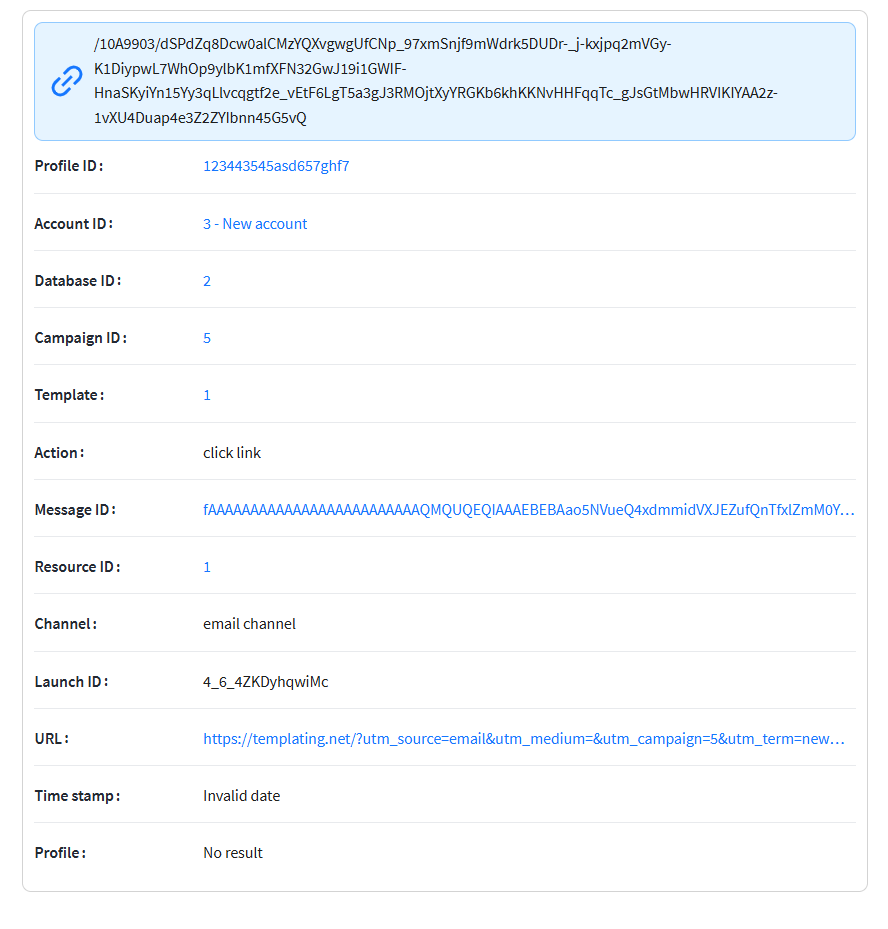
Paste the tracking link into the corresponding field and click Decode. The result will contain:

  • List ID — the recipient’s database identifier.
  • Account ID — the platform account identifier.
  • Lead key — the profile ID (unique identifier) of the recipient of the message with the link.
Last updated on Feb 25, 2025
Previous
ARF decoder
Next
SMID decoder
  • Description
  • Connection Setup
© 2015 - 2025 Altcraft, LLC. All rights reserved.