Altcraft Docs LogoAltcraft Docs Logo
User guideDeveloper guideAdmin guide
Company siteHelp center
English
  • Русский
  • English
v72
  • v74
  • v73
  • v72
Login
  • User documentation
  • FAQ
  • Altcraft glossary
  • Profiles and databases
  • Communication channels
  • Segmentation
  • Message templates
  • Campaigns
  • Automation scenarios
  • Market
    • Market settings
    • Products
    • Orders
    • Market variables in message template
    • Guide: how to send an order confirmation email
  • Loyalty programs
  • Reports and analytics
  • Integrations
  • Weblayers
  • Settings
  • API requests: where to start
  • Changelog
  • library
This is documentation for Altcraft Platform v72. This documentation is no longer maintained.
The information for up-to-date platform version at this page is available (v74).
  • Market
  • Market variables in message template
Documentation for version v72

Market variables in message template

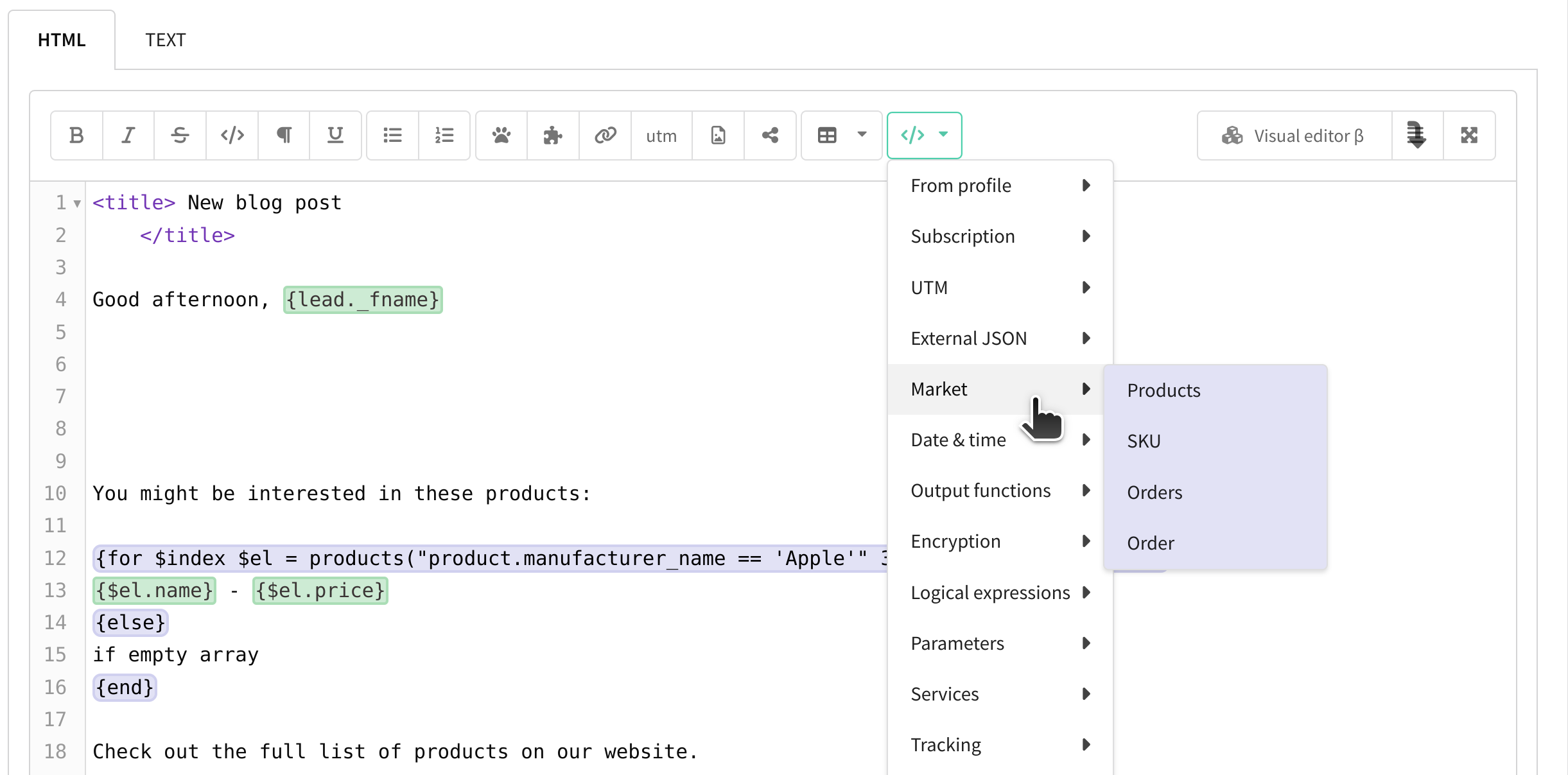
To use information about orders and products in your campaigns, you need to add Market variables to your message template.

Open the message template and click the </> button in the editor. In the list, select "Market" and insert one of the variables:
tip

For more information on using marketplace variables in messages, please refer to this article.

Last updated on Nov 20, 2024
Previous
Orders
Next
Guide: how to send an order confirmation email
© 2015 - 2025 Altcraft, LLC. All rights reserved.